

A ticketing system is a tool that turns every customer email, chat, or social media message into a trackable "ticket." Think of it as an air traffic control tower for your customer support, bringing much-needed order to the often-chaotic flood of incoming requests.
How It Brings Order to Chaos
Imagine your customer support inbox is a busy airport terminal during a holiday rush. Messages are flying in from all directions—emails about returns, live chats about shipping delays, and DMs asking about product features. Without a system, it's just about impossible to keep track of who needs what and who’s already been helped.
A ticketing system is the calm, organized control tower in this scenario. It intercepts every incoming message and turns it into a neatly numbered ticket, just like giving each plane a unique flight number.
From Takeoff to Landing
This digital tower logs every query, assigns it to the right agent (the 'pilot'), and tracks its entire journey from takeoff (when it’s created) to landing (when it’s resolved). This simple process ensures no customer is ever left stranded on the tarmac. Instead of digging through messy email threads, your team gets a clear, prioritized queue to work from.
The main benefit is straightforward: it introduces structure where there was none. Every interaction is documented, categorized, and visible to the whole team, which immediately cuts down on duplicate work and missed messages.
The Evolution of Support
While the basic idea has been around since the 1980s, modern ticketing systems really took off with cloud-based platforms that made professional-grade support accessible to everyone. Today, the global ticketing systems market is a testament to their importance, valued at millions in 2025 and projected to grow with a double-digit compound annual growth rate through 2033. This growth is fueled almost entirely by the demands of e-commerce. You can dig into more data on the ticketing systems market growth to see how it's shaping modern business.
This structured approach is what separates a professional customer service operation from a frantic, disorganized one. It lays the groundwork for efficiency, accountability, and a much, much better customer experience.
A ticketing system isn’t just about logging complaints; it’s about creating a single source of truth for every customer conversation. It ensures that when a customer reaches out, their voice is heard, tracked, and answered effectively, regardless of which channel they use.
The difference for a support team is night and day. Here’s a quick comparison showing just how dramatically daily operations change after implementing a ticketing platform.
Customer Support Before and After a Ticketing System
| Challenge | Before Ticketing System (Shared Inbox) | After Ticketing System (Unified Platform) |
|---|---|---|
| Visibility | Agents can't see who is working on what, leading to duplicate replies or missed emails. | Every ticket has a clear owner and status, providing total transparency for the team. |
| Prioritization | All emails look the same; urgent issues get buried under routine questions. | Tickets are automatically tagged and prioritized based on urgency, customer value, or issue type. |
| Accountability | It’s difficult to track agent performance or ensure consistent response quality. | Detailed analytics track resolution times, CSAT scores, and individual agent productivity. |
| Context | Agents must manually search for past conversations, wasting valuable time. | Customer history and previous interactions are automatically linked to each new ticket. |
In short, you move from a reactive, guessing-game environment to a proactive, data-informed one. This shift not only makes your team’s life easier but also directly translates into happier, more loyal customers.
How a Customer Support Ticket Travels from Start to Finish
It’s one thing to talk about a ticketing system in theory, but to really get it, you have to see it in action. Let’s walk through the journey of a single, everyday customer question—"Where is my order?"—to see how a smart system turns a simple email into a solved problem.
The visual below perfectly captures the transformation. It shows how a ticketing system takes the messy, tangled reality of a shared inbox and turns it into a structured, manageable workflow that produces clear, organized results.
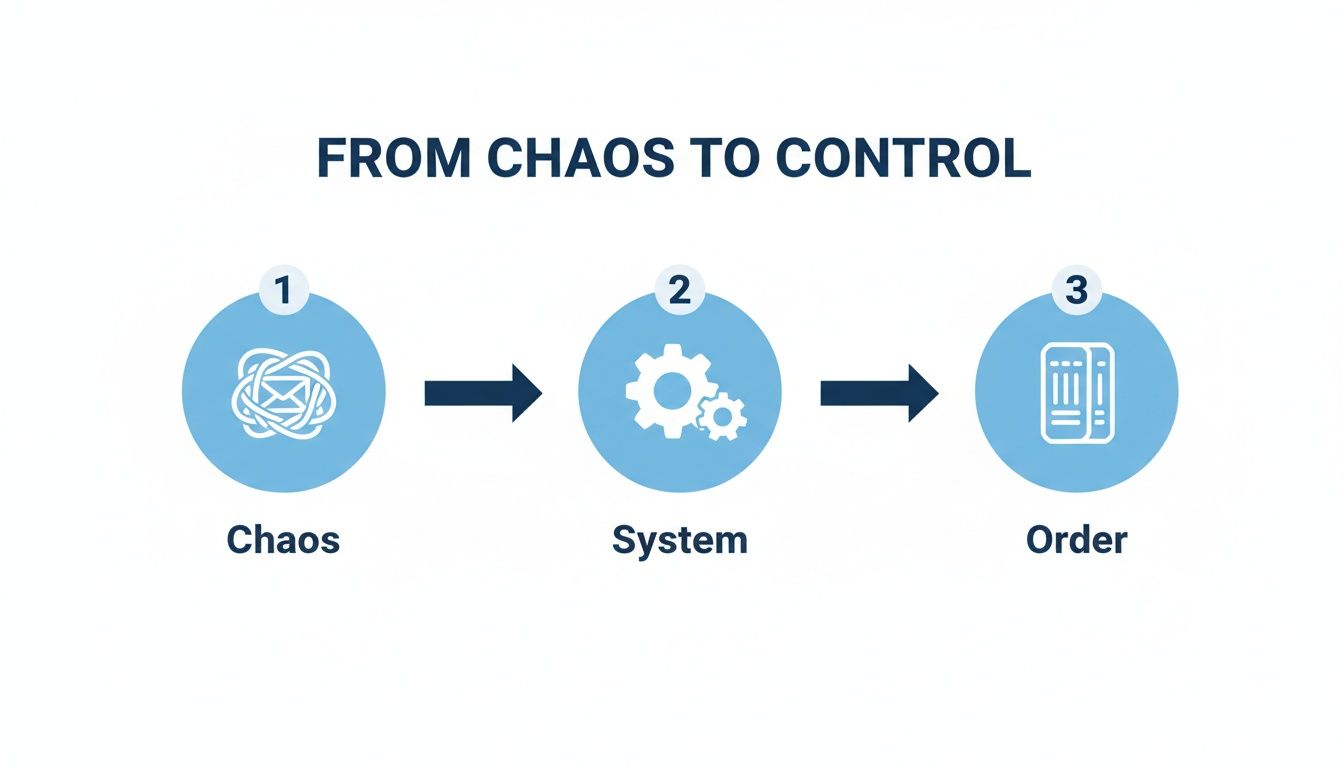
This shift from chaos to order is the core value of centralizing all your customer communication.
Stage 1: The Ticket Is Born
The journey starts the second a customer—we’ll call her Jane—sends an email about her recent purchase. Instead of getting lost in a chaotic shared inbox, her message is instantly caught by the ticketing system.
In a flash, her email becomes a unique, trackable ticket with its own reference number. This ticket is now the single source of truth for Jane’s entire issue, holding her contact info, message history, and—crucially—all the relevant order data pulled directly from your Shopify store.
Stage 2: Automated Triage and Sorting
With the ticket created, the system’s brain kicks in. By spotting keywords like "order," "shipping," and "tracking," it automatically categorizes the ticket as a "Shipping Inquiry." No human needed.
At the same time, it can assign a priority level. If Jane is a loyal customer or her order is seriously late, the system can automatically flag her ticket as "High Priority." This instant sorting ensures the most urgent problems bubble up to the top without anyone having to manually sift through the queue.
This first step is a massive efficiency win. It completely removes the need for someone to read and sort every single email, saving a ton of time and cutting down on human error.
Stage 3: Intelligent Assignment
Now that the ticket is categorized and prioritized, where does it go? Instead of a free-for-all where agents cherry-pick tasks, intelligent routing rules take over.
The system is programmed to know which agents are your logistics pros or who has the best track record for solving shipping questions. Based on these rules, it automatically assigns Jane's ticket to the best-equipped agent available, making sure she gets an expert on her case from the get-go.
Stage 4: Solving the Problem Together
The assigned agent clicks into the ticket and sees everything they need in one place: Jane's past orders, previous support chats, and her current shipping status. No more jumping between different apps or browser tabs.
What if the agent needs to check with the warehouse? They can leave an internal note right on the ticket that Jane can't see. This is perfect for quick, behind-the-scenes collaboration. For instance, the agent might tag a warehouse manager with a quick note: "@Warehouse Team, can you please confirm shipment for order #5821?"
Once they have the answer, the agent drafts a personal reply. A great system will even suggest a pre-made response template, already filled in with Jane's tracking number and estimated delivery date, which the agent can quickly customize and send off.
Stage 5: Closing the Loop (and Gathering Intel)
Jane gets her answer and is happy. The agent marks the ticket as "Resolved." But the journey isn't quite over. The system logs the entire conversation, from the first email to the final resolution, including how long it took to solve.
This final step is gold for your analytics. The data from Jane's ticket—and thousands of others like it—helps you spot recurring problems, monitor your team's performance, and make smarter choices to improve your customer experience. What started as one customer's simple question has now become valuable business intelligence.
Must-Have Ticketing System Features for E-commerce
Not all ticketing systems are built the same, especially when you're in the fast-paced, customer-first world of e-commerce. A generic tool might keep your emails organized, but a system designed for online retail acts as a true partner in growing your brand and earning customer loyalty. The right features can turn your support desk from a necessary expense into a powerful engine for growth.
These tools aren't just for massive corporations anymore; they're becoming critical for businesses of all sizes. In fact, the ticket market is projected to skyrocket by an incredible USD 554.2 billion between 2025 and 2029. For smaller e-commerce teams, those big numbers translate to real-world savings—a good ticketing system can slash the average time it takes to solve a customer issue by up to 30%. That’s more time your team can spend building relationships instead of just putting out fires. You can explore more ticketing platform marketing statistics to see just how big this shift is.
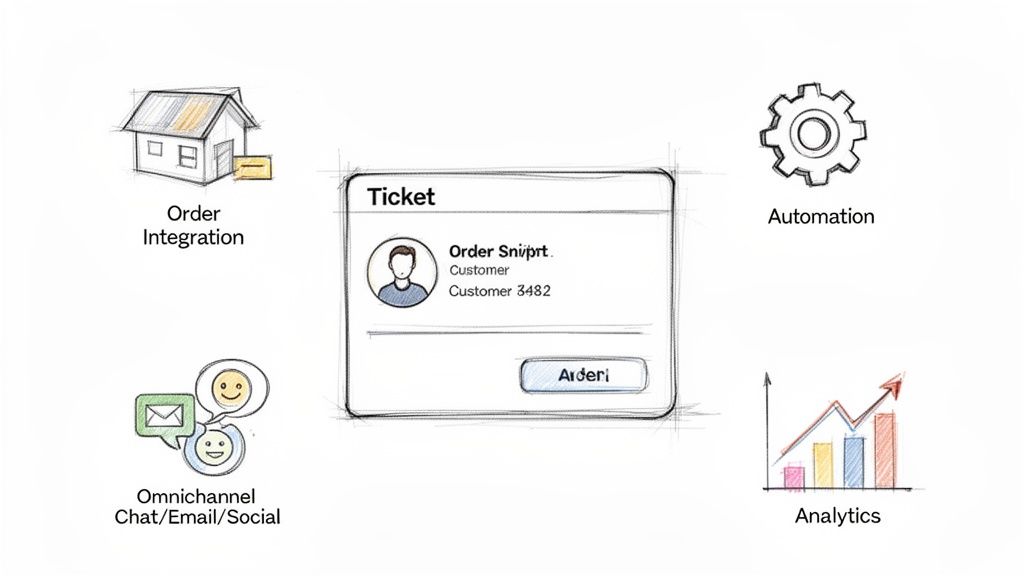
So, what separates a basic tool from an e-commerce game-changer? Let's dig into the non-negotiable features every direct-to-consumer brand should look for.
Deep E-commerce Platform Integration
This is the absolute bedrock. Your ticketing system must connect deeply with your e-commerce platform, whether it’s Shopify or something else. A proper integration means that the second a customer ticket lands in your inbox, your agent sees their entire history right next to the message. No hunting required.
This unified dashboard should instantly pull up:
- Complete Order History: Every single purchase the customer has ever made.
- Real-Time Shipping Status: Exactly where their latest package is.
- Customer Lifetime Value: How much they’ve spent with you over time.
- Previous Support Conversations: The full context of every past interaction.
Without this, agents are stuck toggling between tabs, frantically copying and pasting order numbers, and wasting valuable time. With it, they can answer "Where is my order?" in a heartbeat, providing a personalized, accurate response that turns a moment of frustration into a great experience.
A ticketing system without deep e-commerce integration is like trying to navigate a city without a map. You might get there eventually, but it’s going to be slow, inefficient, and frustrating for everyone.
Powerful and Intelligent Automation Rules
Every online store deals with the same repetitive questions over and over. "What's your shipping policy?" "How do I make a return?" "Do you have this in a size medium?" These queries can bury your support team, keeping them from tackling the complex issues that really need a human touch.
This is where smart automation changes everything. A modern ticketing system lets you build workflows that handle these common questions automatically. For instance, you can set up a rule that spots keywords like "return policy" and instantly sends back a pre-written response with a link to your returns portal. This kind of automation can resolve a huge chunk of your tickets without anyone on your team lifting a finger, giving customers immediate answers, 24/7. To make this work, it's crucial to pick the right AI customer support software that understands the unique needs of your store.
A True Omnichannel Inbox
Your customers are everywhere. They're sending emails, pinging you on live chat, sliding into your Instagram DMs, and commenting on your Facebook posts. If your team has to log into five different platforms to keep up, messages are going to get missed. It’s inevitable.
A true omnichannel inbox brings all of it together. This feature pulls every customer interaction from every single channel into one unified thread. An agent can see a customer's initial email, their follow-up on chat, and their social media comment all in a single conversation. This doesn’t just make your team more efficient; it guarantees a seamless, consistent experience for your customer, no matter how they decide to get in touch.
Performance Analytics and Reporting
You can't fix what you can't see. A great ticketing system gives you clear, insightful analytics that tell the story of your support operation. Vague metrics are useless; you need data you can actually act on.
Look for a system that tracks the e-commerce KPIs that matter most, including:
- First Response Time (FRT): How long does a customer wait for that first reply?
- Average Resolution Time: How long does it take to solve an issue, from start to finish?
- Customer Satisfaction (CSAT) Scores: Are your customers actually happy with the help they received?
- Ticket Volume by Topic: What are the most common problems people are running into?
These reports help you spot trends, see where your team might need more training, and make smart, data-driven decisions to level up your customer experience. This is how you transform your support team from a cost center into a source of priceless business intelligence.
The Real-World Impact of a Ticketing System
It’s easy to get bogged down in feature lists, but the real question is: what will a ticketing system actually do for my business? It’s about more than just organizing emails. The true value comes from turning your support team from a reactive firefight into a strategic part of your business. This shift plays out across four key areas that directly hit your bottom line.
Once you put a well-integrated system in place, you start seeing benefits that ripple out far beyond the support queue, touching everything from your operational costs to long-term customer loyalty.
Give Your Team Their Time Back
Manual work is the ultimate productivity killer. When your agents are stuck digging through inboxes, hunting down order details in another tab, and copy-pasting the same answers all day, they aren't actually helping people—they're just managing chaos. It's a surefire recipe for burnout and high turnover.
A proper ticketing system puts an end to that grind. It automates the repetitive stuff like sorting and assigning tickets, freeing up your agents to handle the complex, human conversations that really matter. This isn't just a morale booster; it's how you get the most value out of the people you hired.
A ticketing system’s biggest immediate win is giving your team back its most valuable resource: time. By automating the monotonous tasks, you empower agents to do the work that actually builds customer relationships and makes your brand stronger.
Create Customer Experiences People Talk About
In e-commerce, speed and a personal touch are the name of the game. Shoppers expect quick, correct answers. A clunky, slow support process is one of the fastest ways to lose a customer for good. A ticketing system gives you the structure to deliver top-notch service, every single time.
With a customer's entire order history and past conversations right there on the screen, your agents can provide support that feels personal and context-aware—no more asking the customer to repeat themselves. Even better, automated workflows for common questions like "Where is my order?" can provide instant answers, turning a moment of potential frustration into a surprisingly great brand experience. Faster, smarter support leads directly to happier customers and more repeat business.
Stop Guessing and Start Making Data-Driven Decisions
Think you know what your customers are struggling with, or do you know? A ticketing system is an absolute goldmine of business intelligence. It logs and categorizes every single customer interaction, uncovering powerful insights that are completely invisible in a messy shared inbox.
Your analytics dashboard can tell you things like:
- Top Complaint Categories: Are people constantly asking about the fit of a specific product or getting tripped up by your return policy?
- Team Performance Metrics: Who are your rockstar agents, and where could the rest of the team use a little more training?
- Customer Satisfaction Trends: Did your CSAT scores take a nosedive after that last website update?
This isn't just support data; it's business data. You can use it to make informed, proactive decisions to improve your products, your website, and the entire customer journey.
Scale Your Business, Not Your Headcount
As your store grows, so does the flood of support requests. Without the right tools, the only way to keep up is to keep hiring more agents, which quickly becomes an expensive, unsustainable cycle. A ticketing system breaks that cycle for good.
The efficiency gains are incredible. Many operations leaders find they can cut support tickets by 25-40% with automation alone. This is part of a massive industry trend toward smarter operations, with the online ticketing market projected to hit $107.1 billion by 2032. That number tells a story: these tools are essential for scaling intelligently. You can find more insights on the global online ticketing market to see just how big this shift is. By handling more customer conversations with the same team, you can grow your revenue without watching your support costs explode.
Putting Automated Ticketing Workflows into Action
Let's be honest, "automation" can feel like a loaded buzzword. But in a ticketing system, it’s a seriously practical tool that makes life easier for everyone. Think of it less as a robot takeover and more as a spectrum of smart assistance. These automated workflows are a key piece of the puzzle for any modern automated customer service software, changing the game for how you handle customer conversations.
You can set up everything from simple, time-saving shortcuts to workflows that solve problems from start to finish without anyone lifting a finger. The whole point is to free up your team to focus on the conversations that matter—the ones that build real relationships and turn shoppers into loyal fans.
Let's look at three real-world examples to see what this looks like for an e-commerce store.
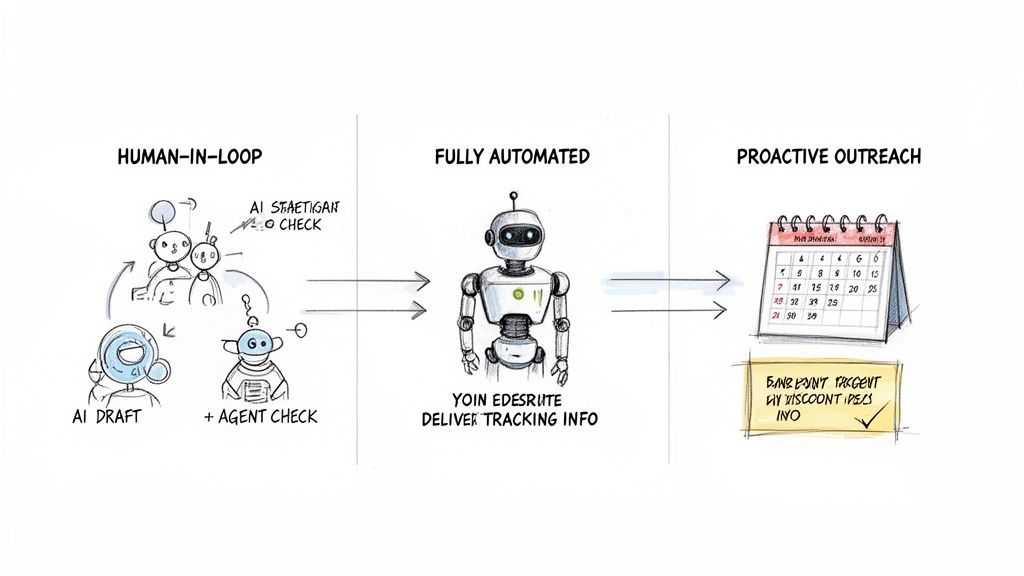
Workflow 1: The Human-in-the-Loop AI Assistant
A customer sends an email asking about the specific materials in a jacket and whether the sizing runs small. This isn't a simple yes/no question. It needs a detailed, on-brand answer that a standard chatbot might get wrong.
This is the perfect job for a human-in-the-loop workflow.
The AI in your ticketing system reads the email, instantly scans your product info and even looks at similar past tickets. It then drafts a perfect, detailed reply in your brand’s voice.
That ticket and the AI-generated draft pop into your agent's queue. Their job? A quick review to make sure it's accurate and sounds right, maybe a tiny tweak, and then they hit send.
This semi-automated approach is the best of both worlds. You get the speed of AI combined with the critical eye of a human expert. It cuts down on research and typing, letting your team fly through complex questions with a personal touch.
This is a fantastic setup for:
- Detailed pre-sale product questions that need specific, accurate information.
- Complex return or exchange requests where policy details are everything.
- Messages from VIP customers where you absolutely need a human-approved, personal response.
Workflow 2: The Fully Automated Resolution
Now for the most common question in all of e-commerce: "Where is my order?" Answering this by hand, over and over, is a huge drain on your team's time. A fully automated workflow handles these WISMO inquiries instantly, no human needed.
Here’s how it unfolds. A customer emails you asking for a shipping update. The ticketing system spots keywords like "tracking," "order status," or "shipping" and kicks off an automation.
The system pulls that customer's latest order data right from Shopify, grabs the real-time tracking number, and fires back an automated email with all the info. The ticket is then closed, all in a matter of seconds. The customer gets an immediate, correct answer, and your team never even saw the ticket. That kind of speed builds serious trust.
Workflow 3: The Proactive Outreach Campaign
Great service isn't just about reacting to problems; it's about being proactive. A smart ticketing system can trigger outreach based on customer behavior, turning your support tool into a marketing and engagement engine.
Think about a post-purchase follow-up. You can build a workflow that automatically sends an email seven days after an order is delivered.
You can set up this email to do a few things:
- Ask for a product review, with a direct link to make it easy.
- Offer a discount code for their next purchase as a little thank you.
- Share a few helpful tips on how to use their new product.
This kind of proactive communication makes customers feel cared for, helps you collect valuable reviews, and drives repeat sales. If you're looking for more ways to set this up, our guide on how to automate customer service has some great starting points. You’re building a better customer relationship without creating any extra manual work.
Automated Workflow Types and Their Impact
To wrap things up, the table below gives a quick overview of these different automation levels. It breaks down what they are, why they're useful, and when you should use them.
| Workflow Type | Description | Key Benefit | Best For |
|---|---|---|---|
| Human-in-the-Loop AI | AI drafts a response, but a human agent reviews and approves it before sending. | Speed with Quality Control | Complex inquiries, VIP customer support, and nuanced pre-sale questions. |
| Fully Automated Resolution | The system identifies a common query (like WISMO), finds the answer, and resolves the ticket instantly. | 24/7 Instant Support | High-volume, repetitive questions with straightforward, data-driven answers. |
| Proactive Outreach | Triggers automated emails based on customer actions, like order delivery or purchase history. | Drives Engagement & Loyalty | Gathering reviews, encouraging repeat purchases, and sharing helpful content. |
Ultimately, choosing the right type of automation for the right task allows you to scale your support operations efficiently while still delivering an exceptional customer experience.
How to Choose the Right Ticketing System for Your Store
Picking the right platform can feel like a huge task, but breaking it down into a few clear steps makes it much more manageable. You’re not just buying software; you’re investing in a critical piece of your customer experience. A solid plan helps you sidestep the common mistakes and pick a tool that starts paying for itself right away.
The real goal is to find a system that fixes your headaches today but is also ready to grow with your brand tomorrow. Think of it like hiring a key team member—you need someone who fits your culture and can handle the job.
Let’s walk through how to make that decision in four practical steps.
Step 1: Define Your Core Problems
Before you even glance at a single software demo, you need to look inward. What are the biggest bottlenecks and time-wasters in your current support process? Are your agents constantly digging for order numbers? Are you buried under a mountain of the same three questions every day?
Start by mapping out exactly where the pain is:
- Identify bottlenecks: Where does your team get stuck? Maybe it's manually looking up shipping details or order histories.
- List repetitive tasks: Write down the top 5-10 questions your team has to answer over and over again. This is gold for finding automation opportunities.
- Define your goals: What does success look like? Are you trying to slash your first-response time, boost your CSAT scores, or simply handle more tickets without hiring more people?
This quick audit creates a simple, powerful checklist of "must-haves" versus "nice-to-haves," giving you a clear lens to evaluate every option.
Step 2: Evaluate Your E-commerce Options
With your needs clearly defined, it’s time to start looking at what’s out there. For any e-commerce store, the single most important feature is a deep, seamless integration with your sales platform, like Shopify. You need a system that puts customer and order data right in front of your agents, no extra clicks needed.
As you evaluate, zoom in on three key areas:
- E-commerce Integration: How well does it actually connect to your store? Does it pull in all the order details, customer history, and shipping information you need?
- Ease of Use: Is the interface intuitive? If your team finds it clunky or confusing, they just won't use it to its full potential.
- Scalability: Can this system grow with you? Look for flexible automation rules, robust reporting, and the ability to handle more channels as your business expands.
To get a feel for the different players in the market and see how they stack up, a comprehensive help desk software comparison can be a huge help.
Step 3: Plan for a Smooth Rollout
The world's best software is completely useless if nobody uses it properly. A smooth implementation is all about preparation and getting your team on board from the very beginning. Show them how this new tool will make their lives easier, not just add another task to their plate.
Before you go live, set up a few simple automated workflows for your most common questions, like "Where is my order?" This shows the tool's value right away and builds momentum. A smooth transition and quick adoption depend on it.
A successful rollout is 20% technology and 80% people. Focus on training, clear communication, and setting up a few high-impact workflows from day one to build momentum and prove the system's worth to your team.
Step 4: Measure What Matters
Finally, you need to know if it's working. Don't wait until after the launch to think about metrics—define your Key Performance Indicators (KPIs) from the very start. This is the only way to measure the true "before and after" impact.
Focus on the metrics that tell the real story:
- First-Response Time: How quickly are you getting back to customers?
- Average Resolution Time: How long does it take, on average, to completely solve an issue?
- Customer Satisfaction (CSAT): Are your customers actually happy with the support they receive?
By following this four-step framework, you can confidently choose a ticketing system that does more than just organize emails—it actively helps you grow. For more ideas on structuring your support, our guide to help desk services offers some great insights. This whole process ensures you end up with a tool that builds customer loyalty and supports your bottom line.
Your Top Questions About Ticketing Systems, Answered
Even after getting the basics down, you probably have a few practical questions floating around. That’s normal. Let’s walk through the common concerns I hear from e-commerce owners and managers when they’re thinking about bringing a ticketing system into their workflow.
Will a Ticketing System Make My Support Feel Robotic?
It's a fair question, but here's the reality: it's actually the opposite. A good ticketing system is built to amplify the human touch, not get rid of it. Think of it this way: it handles all the boring, repetitive stuff so your agents don't have to.
By automating tasks like tagging emails or pulling up order details, it frees up your team to do what they do best—connect with customers. When they have a customer’s entire history right in front of them, they can offer sharp, personal support instead of asking the same questions over and over. They spend less time digging for info and more time building relationships.
How Long Does It Take to Set Up?
Leave behind any thoughts of a months-long, complicated IT project. Modern cloud-based helpdesks, especially those built to integrate with platforms like Shopify, are designed to get you going fast. In many cases, you can have the essentials running in just an afternoon.
The trick is to start small and build from there:
- First, connect your main support email and your e-commerce store.
- Next, create one or two simple automation rules for your most frequent inquiries.
- Then, invite your team and show them how much easier their new workflow is.
You don't need a flawless, super-complex system from day one. The real win is getting started quickly, seeing the immediate benefits, and then tweaking your setup as you discover what truly works for your team and your customers.
Can It Handle All My Support Channels?
Yes, and honestly, this is where these systems truly shine. A genuine omnichannel ticketing platform pulls every single customer conversation—from email, live chat, social media DMs, you name it—into one unified view.
This means your team can finally stop juggling a dozen different browser tabs. An agent can see a customer's first email, their follow-up message on Instagram, and their latest live chat question all in a single, continuous thread. It’s the key to providing a truly seamless experience.
What Is the Typical Cost?
Pricing can vary quite a bit, but most are set up to grow with you. You'll typically find subscription plans based on how many agents you have on your team or the number of tickets you manage per month.
A couple of common models you'll run into:
- Per-Agent Pricing: A straightforward monthly fee for each person on your support team using the system.
- Tiered Plans: Bundled packages that offer a certain number of users and a set of features, often ranging from a basic plan to an enterprise-level one.
My advice? Look for a provider with flexible pricing that not only fits your current budget but also gives you a clear path to scale up without breaking the bank.
Ready to see how an intelligent, automated ticketing system can change the game for your Shopify store? MAILO AI pulls all your customer conversations into one smart inbox, using AI to help you deliver fast, personal, and on-brand answers. Start your free trial today.