

To get started with automating customer service, the first step is to pinpoint those high-volume, repetitive tasks that eat up your team's day. Once you've identified them, you map out their workflows and then bring in the right AI tools to take over. Think of it as using smart technology to handle the endless stream of common questions—like order status updates or return requests—which frees up your human agents to tackle the trickier, more valuable conversations.
Why Automating Customer Service Is a Strategic Move
Automating your customer service isn't just an efficiency hack; it's a fundamental shift in how you operate. This move directly impacts your bottom line, your ability to scale, and your position in a crowded market. It’s about re-engineering your support operations to meet the modern customer's demand for instant gratification—where speed isn't a perk, it's the bare minimum.
Picture two e-commerce stores slammed during the holiday rush.
Store A is drowning in a sea of "Where is my order?" tickets. Agents are frantically looking up tracking numbers, copying and pasting the same templated responses over and over. Response times skyrocket, frustrated customers start leaving one-star reviews, and the team is completely burnt out.
Store B, on the other hand, is using automation. An AI-powered system instantly recognizes the inquiry, pulls live tracking data straight from Shopify, and provides an immediate, accurate update. No human intervention needed.
This scenario gets right to the heart of automation's value: creating a frictionless experience that boosts customer retention and keeps people coming back. When customers get instant answers, they feel heard and valued, which goes a long way in building brand loyalty.
Beyond Cost-Cutting to Strategic Growth
The most obvious win is financial. It’s no secret that one of the biggest draws is the massive operational cost savings. Many businesses report up to a 30% reduction in costs by implementing AI-driven processes.
For example, a Deloitte analysis found that automation streamlines tasks like ticket routing and initial responses, slashing manual labor hours while keeping service quality high. ServiceNow's AI agents now handle 80% of their customer support inquiries on their own. This led to a 52% drop in resolution time for complex cases and an estimated $325 million in productivity value. You can dive deeper into how AI is transforming e-commerce strategy and see how these savings are realized in the real world.
But the real magic happens when you reallocate your most valuable resource: your team's time and brainpower. When your agents are freed from monotonous, soul-crushing tasks, they can focus on high-value interactions that automation simply can't handle.
- Complex Problem-Solving: Digging into nuanced product issues or logistical nightmares that require critical thinking.
- Building Customer Relationships: Proactively reaching out to VIP customers or turning a terrible experience into a glowing review.
- Driving Sales: Guiding customers through complex purchase decisions or spotting natural upsell opportunities.
By automating the predictable, you empower your team to excel at the exceptional. This shift transforms your support department from a cost center into a powerful engine for customer loyalty and revenue growth.
The graph below from Zendesk's research shows just how central AI and automation have become to customer service strategies.
The data clearly points to a massive trend of integrating AI, reinforcing the idea that automation is no longer a "nice-to-have" for businesses that want to deliver top-tier service. It's a must.
Key Automation Areas and Their Business Impact
To make this more concrete, let's break down where automation delivers the biggest wins. The table below outlines the primary areas where you can apply automation and the direct, measurable impact you can expect on your business.
| Automation Area | Primary Goal | Key Business Impact |
|---|---|---|
| WISMO/WISMR Inquiries | Provide instant order & return status | Reduces ticket volume by 30-50%; improves customer satisfaction. |
| Ticket Triage & Routing | Sort and assign incoming tickets | Decreases first response time; ensures tickets reach the right agent faster. |
| AI-Generated Replies | Draft accurate, on-brand email responses | Speeds up resolution time; boosts agent productivity by over 40%. |
| Pre/Post-Purchase FAQs | Answer common product questions | Reduces support load; improves conversion rates by removing friction. |
These are the foundational pillars of a smart automation strategy. By targeting these high-impact areas first, you build a more resilient and efficient support operation that can scale with your business.
Creating a Unified Customer Experience
Great automation isn't just about email. It’s about creating a consistent and intelligent experience no matter where a customer interacts with you. To pull this off, you need to think about your entire tech stack.
Using a robust customer communication management software is key to creating a truly unified customer journey. These platforms centralize interactions from every channel, ensuring that whether a customer reaches out via chat, email, or social media, the context and history of their issue are never lost. This holistic approach is how you build a smarter, more responsive support ecosystem that feels seamless to the customer.
Create Your Automation Blueprint Before You Ever Look at a Tool
It’s tempting to jump straight into tool demos, but that’s a classic mistake I see all the time. It’s like buying a bunch of expensive kitchen appliances before you’ve even decided what kind of restaurant you want to open. You end up with powerful gear but no real strategy. The most successful automation projects always start with a carefully drafted blueprint.
This planning phase is non-negotiable. It’s what ensures you find technology that actually solves your problems, instead of trying to cram your team's process into a tool that doesn’t quite fit. Before you schedule a single demo, your first move is to get your hands dirty and dig into your own support tickets. What are your customers asking, over and over and over again?
Find Your Top Automation Candidates
Start by pulling a week's worth of support conversations. Your mission is to spot the high-volume, low-complexity questions. These are the repeat offenders—the inquiries that eat up your team's day but require simple, data-based answers.
For nearly every e-commerce brand I've worked with, the usual suspects pop up immediately:
- "Where is my order?" (WISMO): This is almost always number one. It's a perfect candidate for automation because the answer is just a tracking number and shipping status away.
- Return Policy Questions: Inquiries about your return window, how the process works, or what's eligible are usually standard and can be answered automatically.
- Basic Product Info: Simple questions about materials, sizing, or if a product is back in stock are easy wins.
- "How do I start a return?" (WISMR): Pointing a customer to your returns portal or walking them through the steps is an ideal, process-driven task for an AI.
Don't let yourself get sidetracked by those tricky, one-off customer issues. The whole point of this initial blueprint is to target the 20% of questions that are creating 80% of the support volume. Nail these first, and you'll see the biggest, fastest impact on your team's sanity and efficiency.
This is the first step in a much larger journey, moving your team from constantly putting out fires to strategically driving growth.
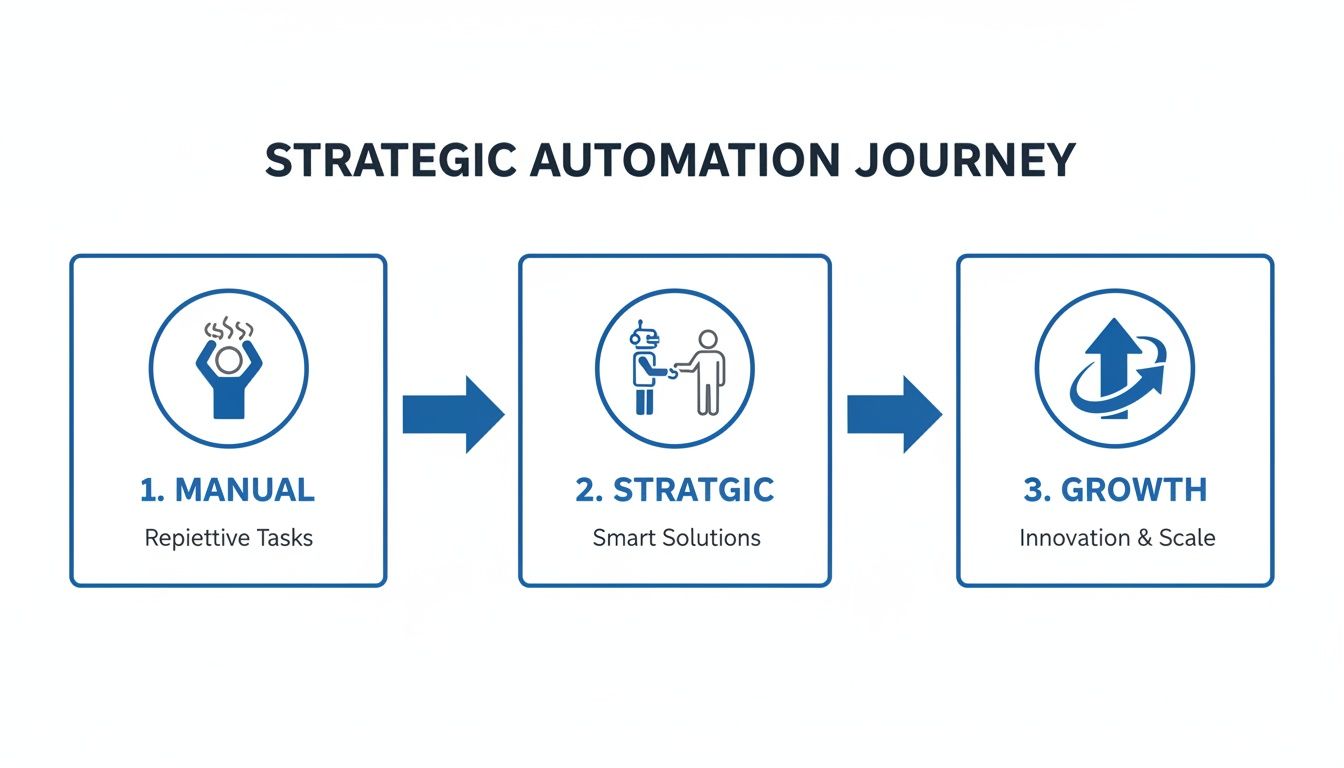
Think of it this way: strategic automation is the bridge that gets your team from being reactive and overwhelmed to proactive and focused on what really matters.
Map Out Your First Automated Workflow
Once you’ve picked your first target—let's stick with WISMO inquiries—it's time to map the actual workflow. And I don’t mean a rough sketch on a whiteboard. Get granular and outline every single step the automation will need to take.
What logic is required? What specific data points do you need to pull?
Example WISMO Workflow Map
| Step | Action | Data Needed from Shopify/Helpdesk | Decision Logic |
|---|---|---|---|
| 1. Identify | System reads an email and flags keywords like "tracking," "shipping," or "where is my order." | Email content | Keyword and intent analysis. |
| 2. Verify | AI connects the sender's email to a customer profile and finds their most recent order. | Customer email, order history | If multiple recent orders, ask for the specific order number. |
| 3. Retrieve Data | System pulls the order's fulfillment status and tracking number. | Order status (e.g., fulfilled, unfulfilled), tracking number | Check if a tracking number exists yet. |
| 4. Generate Reply | AI drafts a personalized response using the data. | Customer name, tracking link | If shipped: "Hi [Name], your order is on its way! Track it here: [Link]." If not shipped: "Hi [Name], we're still prepping your order and it will ship soon." |
| 5. Resolve | Ticket is automatically tagged as "WISMO" and closed without an agent ever touching it. | Ticket status | Workflow complete. |
This level of detail is what separates a successful project from a frustrating one. It forces you to think through all the edge cases and helps you realize exactly what capabilities you need from a tool. For example, your map might show you need an AI that can tell the difference between "shipped" and "in transit"—a small but crucial detail when you start evaluating platforms. You can learn more about the specific features that enable this kind of automation and see how they plug directly into platforms like Shopify.
Set Hyper-Specific, Measurable Goals
Finally, your blueprint needs sharp, clear goals. A vague target like "improve efficiency" is useless because you can't measure it. Define what success looks like with concrete numbers.
-
Instead of: "Respond faster."
-
Try: "Reduce first-response time for all shipping inquiries by 80% within 60 days."
-
Instead of: "Lower our support workload."
-
Try: "Autonomously resolve 50% of all tickets about returns by the end of Q3."
When you walk into a demo with this blueprint in hand, the entire conversation changes. You're no longer just watching a presentation; you're vetting a potential partner against a clear set of requirements. You know exactly what you need, how you plan to use it, and how you’ll measure success.
Putting AI Email Automation into Practice
Alright, you’ve got the blueprint. Now it’s time to move from theory to a live system. For any e-commerce brand, email is still a massive support channel, which makes it the perfect place to get your hands dirty with automation. This isn't about flipping a switch and hoping for the best; it's a careful, phased rollout that turns your planning into real results.
First things first: you need to connect your support platform, whether it’s Gorgias or Zendesk, directly to your Shopify store. This is non-negotiable. It's the only way your AI can access the rich, live customer data it needs—things like order history, shipping status, and lifetime value. Without this connection, your automation is just guessing, and personalized support becomes impossible.
Here’s a great visual of what this kind of integrated workflow actually looks like in practice. It shows how customer data and smart actions come together.
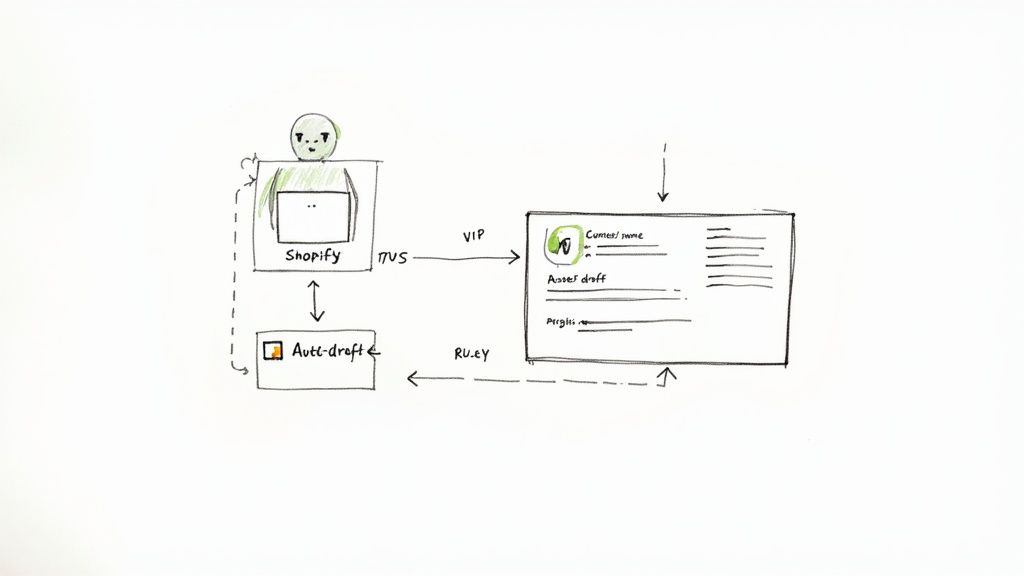
As you can see, a single customer interaction kicks off a chain of automated steps. The system can auto-draft a reply, pull relevant order info, and get everything ready for your team. This is the heart of effective support automation.
Generating Your First AI-Powered Replies
With your data flowing, you can start teaching the AI to draft replies for your most common questions. My advice? Start with the easy wins you identified earlier, like all those "Where Is My Order?" (WISMO) tickets. Instead of using a stale, one-size-fits-all template, the AI can now craft a truly helpful, dynamic response.
For instance, when a WISMO email lands in your inbox, the system can:
- Identify the customer from their email.
- Grab their latest order details from Shopify.
- Check the fulfillment status and find the tracking number.
- Draft a reply that says something like: "Hi Jane, your order #12345 has shipped! You can track its progress here: [Live Tracking Link]."
Just this one automation can clear a massive slice of your ticket volume. The key is to start small, nail one workflow, and then expand from there. For a more detailed walkthrough, you can find step-by-step guides on our tutorials page: https://mailo.ai/blogs/tutorials-implementation.
Establishing Smart Triggers and Rules
Great automation goes beyond just answering simple questions; it helps you manage the entire inbox intelligently. This is where you can set up smart triggers to prioritize, escalate, or route emails based on who sent them and what they're saying. To really get this right, it helps to have a basic grasp of understanding Natural Language Processing (NLP), which is the tech that lets the AI figure out the intent and emotion in a customer’s message.
Here are a few practical rules you can set up right away:
- VIP Customer Prioritization: Create a rule to automatically tag and bump any email from a customer with a lifetime value over $1,000 to the top of the queue.
- Negative Sentiment Escalation: Use sentiment analysis to flag angry or frustrated language. If it detects words like "disappointed," "damaged," or "unacceptable," the ticket can be routed straight to a senior agent.
- Product-Specific Routing: Set up a trigger that scans for certain product names or SKUs and assigns the ticket to the agent who knows that product best.
These rules ensure your most valuable customers and most urgent issues get immediate attention. This isn't just a "nice to have" anymore; it's becoming the standard. The AI customer service market was valued at $12 billion in 2024 and is expected to hit a staggering $47.8 billion by 2030. In fact, it's estimated that by 2025, 80% of support teams will be using generative AI in some form. The shift is already happening.
Implementing Approval Workflows for Quality Control
One of the biggest fears I hear from teams is about losing control over the brand's voice and making mistakes. That’s a valid concern, and it’s why approval workflows are a lifesaver, especially when you're just starting out.
Instead of letting the AI send replies completely on its own, you can configure it to generate drafts that require a human touch before going out. This semi-automated approach strikes the perfect balance between speed and quality control.
The concept is simple but incredibly powerful. A junior agent can take an AI-generated draft, polish it up, and then submit it for a quick review by a senior team member. The senior agent can approve it or leave a quick note for feedback. This system not only speeds up response times but also becomes an amazing real-time training tool, helping your team build confidence while you protect the customer experience.
Using Smart Routing To Prioritize What Matters
Let's be honest, customer service automation isn't just about firing off a quick "we got your email" reply. The real magic happens when your system can think like your best support agent, instantly triaging every new ticket and getting it to the right place. That's the whole idea behind smart routing.
Think of it as the brain of your support operation. It makes sure the truly urgent stuff gets seen first, while every other customer gets the right level of attention. Without it, you’re just creating more noise. A brilliant AI-generated reply is useless if it’s answering a simple question while a high-value, frustrated customer is buried at the bottom of the queue.
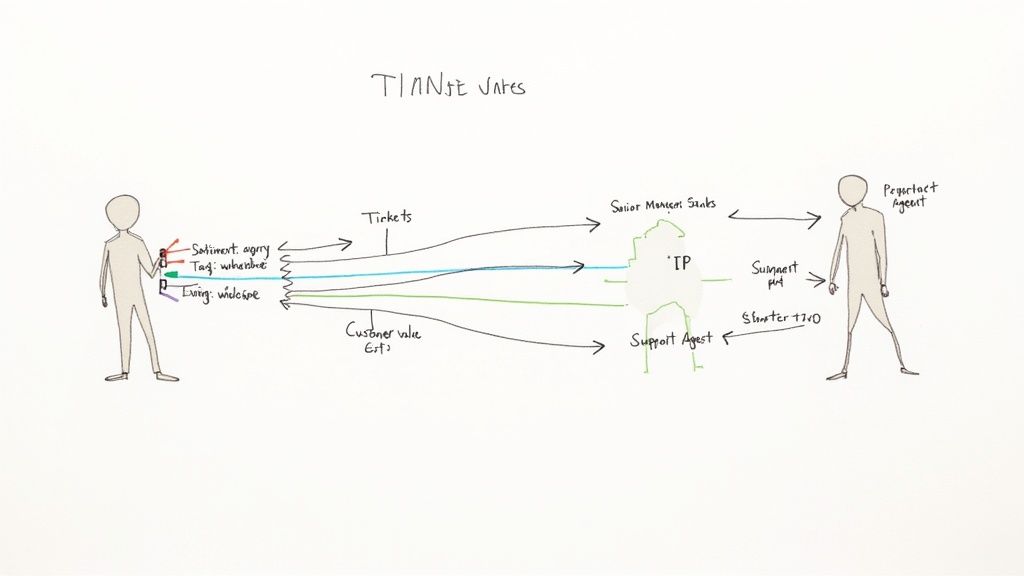
Different Flavors of Smart Routing
Smart routing isn't a one-size-fits-all tool. You can—and should—layer different strategies to build a system that perfectly fits your business. Each approach uses a different piece of data to decide where a ticket should go.
Here are the most common ones I've seen work for e-commerce brands:
- Keyword-Based Routing: This is your first line of defense. The system just looks for specific words. For instance, any message with "wholesale" or "partnership" can skip the main support queue and go straight to your sales team’s inbox. Simple and incredibly effective.
- Sentiment-Based Routing: This is where the AI gets a bit more sophisticated by analyzing the emotional tone of a message. If it picks up on words like "angry," "broken," or "never again," it can instantly flag that ticket as urgent and push it to a senior agent for immediate, white-glove service.
- Customer Value-Based Routing: This is a game-changer for retention. By plugging into your Shopify data, the system can identify high-value customers. You can set a rule to automatically bump any ticket from someone who's spent over $1,000 to the very top of the queue. It’s a small touch that makes your best customers feel seen.
The most powerful setups almost always blend these strategies. Imagine an email from a VIP customer who is frustrated about a wholesale inquiry. In a blink, the system can flag it as urgent, prioritize it, and route it to the head of sales. That’s a level of responsiveness you just can't achieve manually.
This shift toward intelligent, automated help is exactly what customers are starting to expect. Data shows 51% of consumers actually prefer bots for quick answers. By 2025, it’s predicted that AI will be part of 95% of all customer interactions. It's not just a passing trend; 80% of customers who have used AI support report a positive experience, mostly because of the speed. You can dig into more of these numbers by checking out these AI in customer service statistics.
Building Your Routing Ruleset
The trick is to start small and add layers over time. Don't try to boil the ocean on day one. Look at your current workflow and find the low-hanging fruit. Which tickets are you always forwarding by hand? Which customers absolutely need a faster response?
To help you get started, here's a breakdown of the core routing strategies and where they shine in a real-world e-commerce setting.
Comparison of Smart Routing Strategies
This table breaks down the most common automated routing methods, explaining what triggers them and the best situations to use them in your e-commerce store.
| Routing Strategy | Trigger Mechanism | Best For | Example |
|---|---|---|---|
| Keyword-Based | Scans for specific words like "wholesale," "return," or "damaged." | Sorting inquiries into specialized queues for different teams or issues. | An email with "press inquiry" is automatically sent to the PR team. |
| Sentiment-Based | Analyzes the emotional tone of the message (positive, negative, neutral). | Immediately escalating angry customers to prevent churn and protect brand reputation. | A ticket with frustrated language gets flagged as "Urgent" and assigned to a manager. |
| Customer Value-Based | Uses Shopify data like lifetime spend or order frequency. | Providing premium, expedited service to your most loyal customers. | An inquiry from a customer in your "VIP" segment is moved to the front of the line. |
Think of this table as a starting point. By thoughtfully implementing a smart routing system, you can stop fighting fires in a chaotic inbox and start running a structured, efficient support machine. This is a critical piece of the puzzle when figuring out how to automate customer service, because it ensures your team's valuable time is always spent on the conversations that move the needle.
Measuring and Optimizing Your Automation Success
Getting your customer service automation live is a huge step, but it’s just the starting line. The real magic happens when you treat it as an ongoing project—something you constantly refine and improve. To do that, you need a solid way to measure what’s working, spot what isn't, and tweak your system based on what the data is telling you.
Remember, the goal isn't just to close tickets faster. It's about creating a genuinely better experience for your customers while making life easier for your support team. You can’t know if you’re hitting that mark without tracking the right numbers.
Key Performance Indicators That Actually Matter
Don't get lost in vanity metrics. When it comes to automation, you need to focus on KPIs that give you a direct line of sight into efficiency and customer happiness. These numbers tell the true story of how your system is performing and where to focus your energy.
Here are the essential KPIs you should have on your dashboard:
- Automated Resolution Rate: This is your north star metric. It’s the percentage of customer issues solved entirely by automation, with zero human touch. A healthy resolution rate is the clearest sign of a positive ROI.
- First Response Time (FRT): Automation should crush this metric. Keep an eye on how fast customers get their first meaningful reply. A near-instant FRT for automated conversations is a massive win for customer satisfaction.
- Customer Satisfaction (CSAT): After an automated interaction, ask customers for a quick rating. A high CSAT score on bot-led conversations confirms you’re providing real value, not just a fast, unhelpful answer.
- Ticket Escalation Rate: This shows you how often the bot has to throw its hands up and pass a ticket to a human agent. If you see a high escalation rate for a specific type of question, that’s a huge red flag that your workflow is broken or incomplete.
The real insights come from looking at these metrics together. For instance, a high Automated Resolution Rate looks great on the surface, but if the CSAT for those resolutions is in the gutter, you've got a problem. Your automation might be closing tickets too early, leaving frustrated customers in its wake. It's a classic case of the system working on paper but failing in practice.
Interpreting the Data and Finding Bottlenecks
Once you’re collecting this data, the real work begins. Your numbers will quickly point you toward the biggest bottlenecks and opportunities for improvement.
Let's say you notice a really low automated resolution rate for return requests. That’s a clear signal to dig in. When you review the conversation logs, you might find that the AI gets tripped up when a customer uses slang like "send it back" instead of the formal "I'd like to make a return." Boom—you now know you need to train your AI on more varied language.
Or maybe you see your escalation rate for shipping questions is through the roof. A closer look reveals that while your bot is great at providing basic tracking updates, it falls apart the moment a package is marked "delayed." This is your cue to build a new, more nuanced workflow specifically for handling those shipping exceptions.
A/B Testing and Gathering Feedback
The best automation systems are built through constant iteration and testing. Don't be afraid to experiment with different responses and workflows to see what truly connects with your customers.
Run A/B Tests on Your Responses
For a common issue, try creating two different automated replies:
- Version A: Keep it short, direct, and purely transactional.
- Version B: Use a friendlier, more empathetic tone and include a link to a helpful FAQ article.
Track which version leads to a higher CSAT score or a lower escalation rate. This is how you fine-tune your brand voice while simultaneously improving effectiveness.
Finally, never forget that your human agents are your single best source of feedback. They're on the front lines, seeing exactly where customers get stuck or where the automation misses the mark. Set up a simple way for them to flag tickets where the bot could have done better. This feedback loop between your team and your tech is what turns a good system into a truly intelligent one, and it's a core part of how to automate customer service for the long haul.
Guiding Your Team Through the Shift to Automation
Putting new tech in place is only half the battle. The real work—and where most initiatives succeed or fail—is getting your team on board. Let's be honest, when agents hear "automation," they often hear "replacement." It's your job to get out ahead of that narrative and reframe it from day one.
Start with open, honest communication. Don't dance around the subject. Acknowledge their fears and explain that the goal isn't to get rid of people, but to get rid of the mind-numbing, repetitive tasks that burn them out.
I’ve found it helps to position the automation as their new assistant. It's the tool that will finally take all those "Where is my order?" tickets off their plate. This frees them up to do what humans do best: solve complex problems, build real customer relationships, and handle the tricky situations that require empathy and expertise.
Your team’s role is evolving from repetitive-task solver to high-value customer relationship specialist. Automation is the tool that makes this promotion possible, reducing burnout and making their work more meaningful.
When you frame it this way, you're not just introducing a new tool; you're elevating their roles. Your support team stops being seen as a cost center and becomes the engine driving customer loyalty.
Training for a New Way of Working
A new tool means learning new skills, but this isn't just about clicking different buttons. You need to train your agents on how to work alongside the AI. That's a critical distinction that changes everything.
Your training needs to be practical and hands-on. Skip the boring theory and jump right into the new workflows.
Here’s what I recommend focusing on:
- Managing Approval Workflows: Let them get comfortable reviewing, editing, and approving AI-generated replies. This builds their confidence in the system and shows them they're still in control of quality.
- Mastering Escalations: Run drills on how to smoothly take over a conversation when the AI flags it for a human. Show them how to use the context the AI has already gathered to jump in without missing a beat.
- Interpreting New Data: Walk them through the new analytics. Help them learn to spot trends in automated tickets so they can actually help improve the entire customer experience, not just answer one-off questions.
By investing in this kind of training, you're proving to your team that you're investing in them and their careers. They’ll quickly see that the AI is there to handle the noise, freeing them up to provide the kind of exceptional, human support that actually builds loyalty and makes their jobs a lot more satisfying.
Common Questions About Automating Customer Service
Jumping into automation always brings up a few key questions. It's totally normal to wonder about the budget, how customers will react, and honestly, just where to start. Let's tackle some of the most common concerns I hear from e-commerce teams.
What’s the Real Cost to Get Started?
This is the big one, right? The price tag for automation can swing from a small monthly fee to a major investment. You'll find great helpdesks like Gorgias or Zendesk with plans that include basic automation features starting around $50 to $100 a month. More sophisticated AI tools often come with higher-tier plans or as separate add-ons.
My advice? Don't try to boil the ocean. Figure out your budget, then aim your first automation efforts at the simple, high-volume questions. You'll see a return on your investment much faster that way. And don't forget to calculate the true cost by factoring in the hours your team gets back.
Will Automation Make Us Sound Like Robots?
I get it. Nobody wants to lose that personal connection with their customers. But modern automation, when done well, actually makes your support more personal, not less.
When your AI integrates with a platform like Shopify, it can instantly access a customer's name, order history, and shipping status. This allows it to craft responses that feel incredibly specific and helpful, not generic.
Automation isn't about replacing your team. It's about freeing them up. By letting AI handle the routine "where's my order?" questions, your expert agents can dedicate their time and empathy to the complex, sensitive issues where a human touch makes all the difference. That's a win for everyone.
Okay, I'm In. What's the First Move?
Feeling a little overwhelmed by the possibilities is completely normal. The key is to start small and build from there.
Here’s a simple game plan to get you moving:
- Become a Ticket Detective: For one week, just observe. Manually tag every single support ticket that comes in. At the end of the week, you'll have a crystal-clear picture of your top 3-5 most common questions. These are your prime candidates for automation.
- Sketch It Out: Pick just one of those common questions—like "What's your return policy?"—and map out the perfect automated response on a whiteboard or piece of paper. What info does the AI need to give a great answer?
- Launch a Single Workflow: Start with a simple, rule-based automation tool. Your only goal is to build one workflow that automatically tags and responds to that single, most frequent question.
Ready to see how AI can clear out your support inbox while keeping your brand's voice? MAILO AI plugs right into Shopify, generating instant, personalized replies that solve customer issues faster. Start your free trial today.