

Picture your support team, buried under a mountain of emails all asking the same thing: "Where is my order?" Now, imagine a world where customers get that answer instantly, all on their own. That's the power of website self-service.
Think of it like the self-checkout at the grocery store—it gives customers the speed, control, and independence they've come to expect.
The End of Waiting: Your Customers Demand Independence

Website self-service isn't just a collection of tools; it’s a whole new way of thinking about customer support. It's about building an ecosystem of features that empowers people to solve their own problems, 24/7, without ever waiting on a reply from your team.
This isn’t just a nice-to-have, either. The data shows it's a massive shift in customer behavior. A staggering 73% of customers prefer to use a company's website to find answers on their own. This isn't a passing fad; it's a clear signal that today's shoppers value their time and autonomy above all else. You can dig deeper into the numbers in this study on self-service statistics.
Defining the Modern Self-Service Experience
At its heart, website self-service is about proactively providing answers and solutions before a customer even considers hitting "send" on an email. It's about designing a smooth, frictionless journey where independence is the default path.
This system is built on a few key pillars that work together to create an always-on support hub for your e-commerce store.
The core components usually include:
- Instant Answers: A searchable knowledge base or FAQ that tackles all the common questions about shipping, returns, product details, and store policies.
- Order Autonomy: A dedicated customer portal where shoppers can easily track their orders, look up past purchases, and manage their account information.
- Simplified Returns: An automated returns process that lets a customer kick off a return or exchange without needing to talk to anyone.
This approach directly improves the e-commerce customer experience by eliminating frustrating delays and putting the shopper back in control.
By enabling customers to find their own solutions, you're not just cutting down your support ticket volume. You're building confidence and trust—two critical ingredients for turning one-time buyers into loyal, repeat customers.
Ultimately, investing in a solid self-service strategy is about meeting modern buyers on their terms. It shows you respect their time, which builds powerful brand loyalty and frees up your human agents to focus on the complex, high-touch issues where their expertise really makes a difference.
Why Self-Service Is Your New Growth Engine
Think of website self-service less as a feature and more as a fundamental shift in how you do business. It's not just about fielding questions; it's a powerful tool that directly fuels growth and shores up your bottom line. When you treat self-service as a core part of your operation, you start to see significant, measurable returns across your entire e-commerce store.
This new way of thinking really boils down to three key benefits that work in tandem to build a smarter, more profitable business. The first, and most immediate, is its impact on your operational costs.
Reduce Your Support Costs
Every simple, repetitive email your team has to answer—think "Where is my order?" or "How do I make a return?"—costs you real money. A well-designed self-service portal acts as your first line of defense, intercepting a massive chunk of these common questions. It lets customers find answers on their own, instantly, freeing up your support agents from the daily grind.
This simple change allows your team to pivot. Instead of just putting out fires, they can focus on high-value conversations, like guiding a hesitant shopper through a big purchase or troubleshooting a complex product issue. Your support department transforms from a cost center into a strategic team that actively contributes to revenue.
Build Unshakable Customer Loyalty
We live in an on-demand world, and your customers expect answers now. Making them wait hours or even days for a response to a simple question creates friction and slowly chips away at their trust. A great website self-service system meets this modern expectation head-on by offering immediate, 24/7 solutions.
This instant access is a game-changer for customer loyalty. When shoppers know they can count on your website for fast, accurate info anytime, their confidence in your brand soars. That reliability sets you apart and turns one-time buyers into repeat customers. It's also a crucial part of improving the customer engagement metrics that signal a healthy, growing brand.
By providing an effortless and independent support path, you're not just solving a problem—you're delivering an exceptional experience that makes customers feel valued and respected.
Convert More Browsers Into Buyers
Finally, self-service directly removes roadblocks in the buying journey, which means higher conversion rates. Picture a potential customer on your site late at night, wondering about your international shipping policy. If they can't find an immediate answer, there’s a good chance they’ll just leave and abandon their cart.
But with a clear, easy-to-find self-service portal, that same customer gets the information they need in seconds and clicks "buy" with confidence. This isn't just a theory; it's happening everywhere. Service leaders are doubling down, with 64% putting more resources into self-service channels because they see the direct impact. And it makes perfect sense when you realize 60% of users now prefer to solve issues on their own rather than contact a human agent.
An effective portal anticipates and answers those pre-purchase questions, erasing doubt and closing sales that might have otherwise slipped away.
The Building Blocks of an Effective Self Service Portal
A truly great website self service experience isn't just one magic tool. It’s more like a well-stocked toolbox, where every component has a specific job. You wouldn't use a screwdriver to hammer a nail, right? The same logic applies here. Each piece of your self-service setup is designed to solve a different kind of customer problem.
When these components work together, they create a seamless support system that empowers your customers and, just as importantly, frees up your team from answering the same questions over and over again.
The Foundational Knowledge Base
The heart of any self-service portal is the knowledge base. Think of it as your brand's own digital encyclopedia—a central hub filled with detailed articles, how-to guides, and deep dives into your products and policies. This is where a customer goes when they want to truly understand something, whether it's the finer points of your warranty or the best way to care for a product.
A high-performing portal is built on effective knowledge management strategies that make information easy to find. This isn't just a folder where you dump documents. It's a living, breathing resource that needs to be well-organized, searchable, and regularly updated as your products and policies evolve.
Quick Answers with a Dynamic FAQ
If the knowledge base is the encyclopedia, your Frequently Asked Questions (FAQ) page is the cheat sheet. It's all about speed and convenience, giving customers immediate answers to the most common, repetitive questions you get every single day.
Your FAQ page is the perfect place to tackle straightforward queries like:
- What is your return policy?
- How long does shipping take?
- Do you ship internationally?
- How can I track my order?
The key here is to keep answers short, sweet, and to the point. You can always link out to a more detailed knowledge base article if a customer wants to learn more.
Real-Time Order Tracking and Returns
Let's be honest: "Where is my order?" and "How do I make a return?" are probably two of the most common tickets flooding your inbox. This is where dedicated, automated portals become an absolute game-changer. An order tracking portal gives customers one simple place to check the real-time status of their shipment, from the moment it leaves your warehouse to the second it hits their doorstep.
Similarly, a streamlined returns portal turns a potentially frustrating process into a smooth, self-guided experience. Letting customers initiate a return or exchange on their own not only slashes your ticket volume but also builds a ton of trust and goodwill.
This diagram shows how all these self-service pieces come together to create a powerful growth engine for your business.
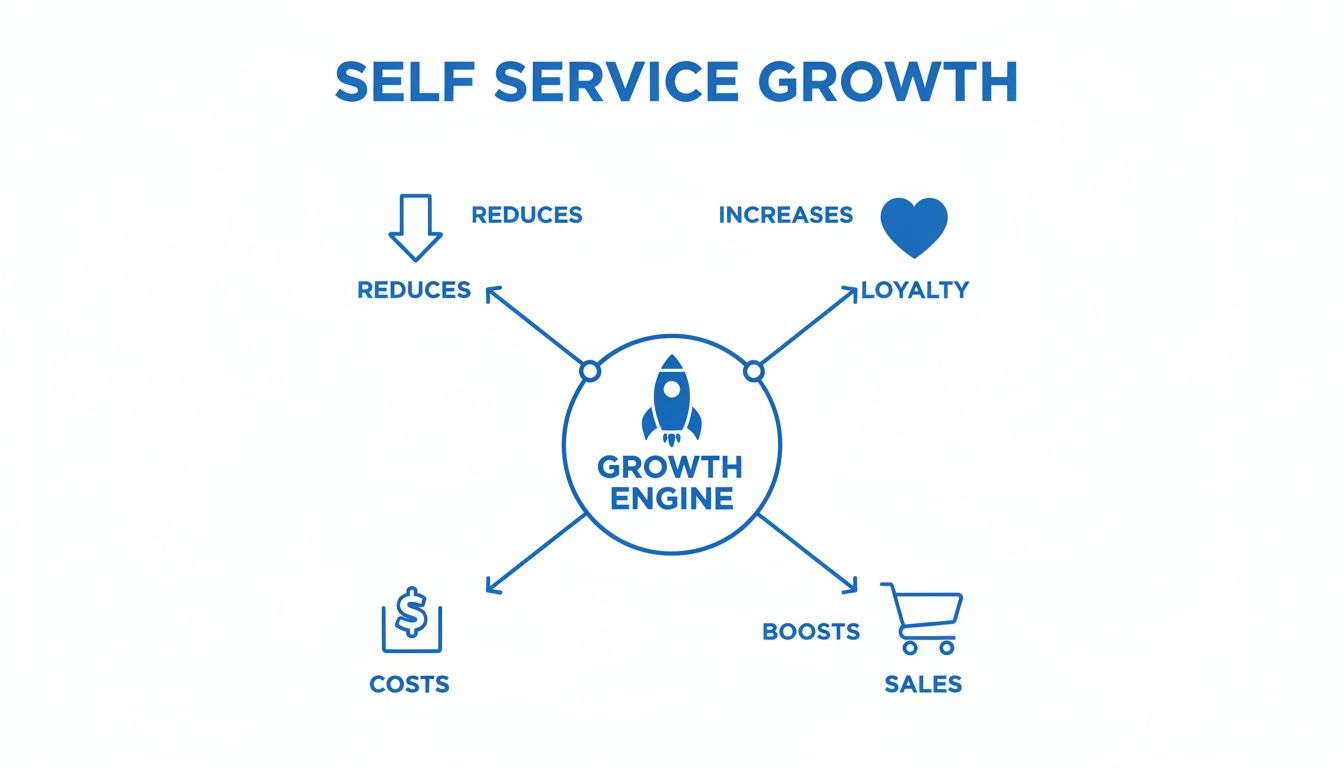
As you can see, investing in a solid self-service setup isn't just about saving time—it directly cuts costs, boosts loyalty, and helps you make more sales.
By automating routine tasks like order tracking and returns, you are not just deflecting tickets; you are giving customers the autonomy they expect, which is a powerful driver of satisfaction and repeat business. To understand the impact on support operations, it's helpful to see what a ticketing system is and how self-service drastically reduces its workload.
Each of these building blocks has a role to play. To help you decide where to focus your efforts, here's a quick breakdown of which tool is right for which job.
Choosing the Right Self Service Tool for the Job
| Component | Primary Function | Best For Resolving |
|---|---|---|
| Knowledge Base | In-depth, detailed information and guides | Complex "how-to" questions, policy details, product specifications, and troubleshooting steps. |
| FAQ Page | Quick, scannable answers to common questions | High-frequency, simple queries like shipping times, return policies, and payment options. |
| Order Tracking | Real-time status updates on shipments | "Where is my order?" (WISMO) inquiries, delivery ETAs, and shipping status checks. |
| Returns Portal | Automated returns and exchange processing | "How do I return this?" requests, initiating exchanges, and generating shipping labels. |
Ultimately, these tools work together to form a comprehensive safety net, catching and resolving the vast majority of customer issues before they ever need to hit "send" on an email to your support team.
How to Design a Seamless Self-Service Experience
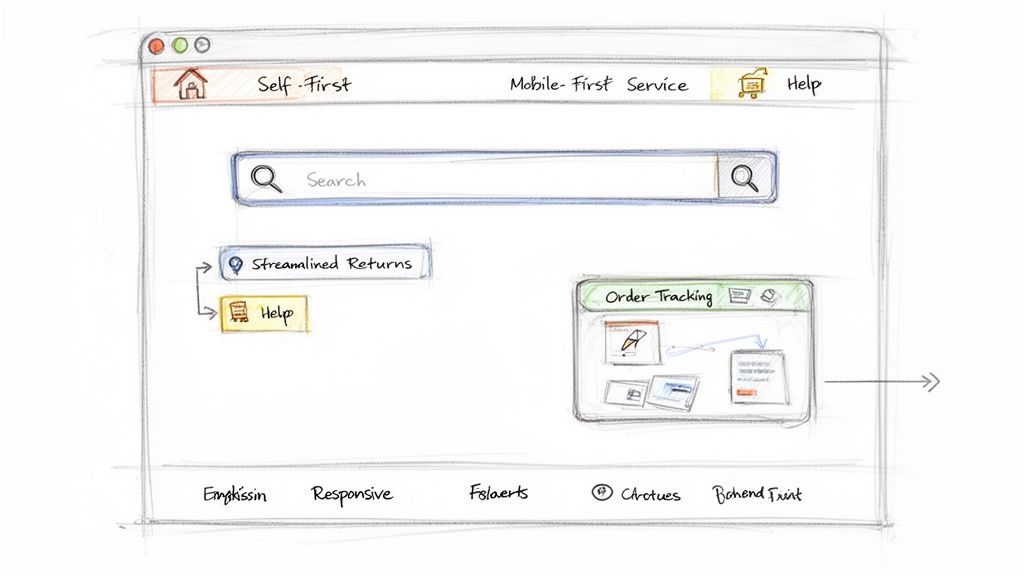
Having the right tools is only half the battle. A powerful website self-service portal is practically useless if your customers can't find it or get frustrated trying to use it. The real magic happens when you pair great tools with a thoughtful design that puts accessibility and clarity first.
Think of your self-service portal like the express lane at a grocery store. If it’s hidden in the back, poorly lit, and the scanner keeps glitching, shoppers will just get back in the long line for a cashier. The goal is to make the independent path so easy and appealing that it becomes the obvious choice.
Make Your Portal Impossible to Miss
Don't just stick a "Help" link in your footer and call it a day. Your self-service resources should be woven directly into your website so customers stumble upon them naturally. This trains them to look for answers on their own first, instead of immediately reaching out.
Here are the absolute must-have spots to place your self-service links:
- Website Header: A clear, simple link like "Help Center" or "Support" should live at the top of every single page.
- Website Footer: This is prime real estate for permanent links to your FAQ, order tracking, and returns portal.
- Order Confirmation Emails: Be proactive. Include a direct link to track their specific order to head off those "Where is my order?" emails before they're even written.
- Contact Page: Before you even show a contact form, gently guide users toward your self-service options. A simple "Have you checked our FAQs?" can solve their problem instantly.
Prioritize a Mobile-First Design
Let's be real: your customers are on their phones. They're browsing, buying, and looking for answers while on the go. If your help center is a clunky, hard-to-navigate mess on mobile, you’re setting them up for a frustrating experience.
Designing for the smallest screen first is a non-negotiable. This means big, tappable buttons, clear text, and simple layouts that don't require pinching and zooming. If a customer has to pull out their laptop just to figure out your return policy, you've missed the entire point of instant support. The key is to create an effortless flow by increasing interactivity on websites.
A successful self-service portal isn't just a collection of links; it’s a thoughtfully designed customer journey. It anticipates needs, removes friction, and makes finding information feel effortless, reinforcing a customer's confidence in your brand.
Keep Your Information Spotless
Outdated information is worse than no information at all. An old shipping policy or an incorrect return window doesn't just create confusion—it actively erodes trust. This is what sends frustrated customers straight to your inbox, undoing all your hard work.
The self-service tech market isn't booming by accident. It was valued at $12.05 billion in 2020 and is projected to skyrocket to $92.24 billion by 2030. Retailers are pouring money into these systems because they know bad information and slow service are costing them sales.
Treat your knowledge base like a core part of your product, not a one-and-done project. Set up a process for regular content reviews. Assign ownership of different articles to specific team members and schedule quarterly audits to keep everything fresh. This discipline ensures your website self-service portal remains the single source of truth for both your customers and your own team.
Measuring the ROI of Your Self-Service Strategy
Putting a self-service system in place feels like a win, but how do you actually prove it's working? To get buy-in from your team and justify the investment, you need to move past gut feelings and dig into the numbers. Tracking the right metrics is the only way to see the real return on your investment (ROI).
These aren't just vanity metrics. They tell a story about how your customers behave and how efficient your operations are becoming. They show you exactly where your self-service portal is succeeding and how much time and money it’s saving the business.
Ticket Deflection Rate
If you track only one thing, make it your ticket deflection rate. This is the big one. It shows you the percentage of customer questions that get answered by your self-service tools before they ever turn into a support ticket. It’s the clearest sign that your system is lightening your team's load.
Calculating it is straightforward: you just compare the number of people using your self-service tools (like reading a help article or using the order tracker) to the number of new support tickets you receive. A high deflection rate is solid proof that your efforts are paying off.
Self-Service Usage and Resolution Rates
Next up, you need to know if customers are actually using the tools you’ve built and, more importantly, if those tools are actually helping. The self-service usage rate tells you how many customers are trying to solve problems on their own first. It’s a great way to see if your help center is visible and accessible.
But usage alone isn't enough. The self-service resolution rate measures the percentage of those users who find their answer without having to contact a human. The easiest way to track this is with a simple "Was this helpful?" button at the bottom of your knowledge base articles.
These two metrics tell a powerful story when you look at them together. High usage but low resolution? That means people can find your help content, but it isn't giving them the answers they need. Low usage but high resolution? That tells you your content is great, but you need to do a better job of getting it in front of your customers.
Customer Satisfaction and Resolution Time
Finally, zoom out and look at the ripple effect on your overall support performance. A great self-service system doesn't just reduce tickets; it should make customers happier and your team more effective.
-
Customer Satisfaction (CSAT): Keep a close eye on CSAT scores, especially from customers who found their own answers. This tells you whether people are actually happy with the independent experience you’re providing.
-
Average Resolution Time: As your team gets fewer of those simple, repetitive questions, they can focus on solving the truly tricky problems much faster. A drop in your overall average resolution time is a fantastic sign that your self-service strategy is freeing up your agents to do their best work.
By tracking these key metrics, you’ll have everything you need to show the real-world value of your website self-service portal. You’ll have the hard data to justify the work, spot opportunities to improve, and prove that empowering your customers is one of the smartest things you can do for your brand.
Your Action Plan for Smarter Customer Support
Knowing what to do is one thing, but actually doing it is where the real growth happens. The good news is that setting up website self-service isn't some massive, years-long project. It's a practical strategy you can roll out quickly, and it delivers a real return on your investment.
For any modern e-commerce store, this isn't a "nice to have" anymore—it's essential. This approach turns your support from a simple cost center into a powerful engine for growth.
It's all about giving customers the power to find their own answers while freeing up your team to focus on work that truly moves the needle. You can start today with this simple roadmap.
Self-service isn't about replacing your support team; it's about amplifying their impact. By automating the routine, you unlock the time your team needs to handle complex issues with exceptional care, building deeper customer relationships.
Here’s a straightforward, three-step plan to get you started:
-
Audit Your Inbox: First things first, dive into your support tickets. What are people asking over and over again? Pinpoint the top 5-10 most common, repetitive questions your team answers every single day. That data is your blueprint.
-
Build Your Foundation: Use what you learned to create a solid FAQ page or a handful of knowledge base articles. Tackle those frequent questions head-on with clear, concise answers. This is your self-service starting line.
-
Explore Automation: Once you have that content in place, it’s time to look at integrated AI tools. These systems can plug directly into your knowledge base, chat, and email to automate responses and guide customers to the right answers without any human intervention.
Your Top Questions About Website Self-Service
Will self-service make my brand feel robotic?
It’s a fair question. Many store owners worry that leaning on automation will strip the human touch from their brand. But in my experience, the opposite is true.
When you automate the simple, repetitive questions—the “Where’s my order?” and “What’s your return policy?” queries—you free up your team to handle the complex, nuanced issues where a personal touch really counts.
This approach gives customers who just want a fast answer exactly what they’re looking for. At the same time, your team can dedicate their expertise to the conversations that build real, lasting customer relationships.
What’s the first feature I should build?
If you’re wondering where to start, focus on a solid FAQ page or a basic knowledge base. This is the single highest-impact first step you can take.
Dive into your support inbox and pull out the 10-15 questions you answer over and over again. These are usually about shipping, returns, product specs, or account issues. Write clear, detailed answers and make them easy to find. This is the quickest win for both you and your customers.
A common mistake is trying to build the entire self-service machine at once. Instead, pinpoint your biggest, most repetitive problem and solve that first. For most e-commerce brands, that’s an FAQ page.
How does AI fit into all of this?
Think of AI as the engine that makes your self-service tools truly smart. Your knowledge base holds all the answers, but AI is what puts those answers to work, 24/7.
Without AI, your help center is just a static library of articles. With it, you get a dynamic support agent that can:
- Instantly reply to common questions in your email inbox by pulling from your knowledge base.
- Guide customers to the right help article through an on-site chatbot.
- Serve up real-time order status updates without anyone on your team lifting a finger.
Ultimately, AI is the connective tissue that links all your self-service components, turning them into a system that resolves customer issues on the spot.
Ready to turn your support inbox from a cost center into a growth engine? MAILO AI uses artificial intelligence to automate email support for Shopify stores, providing instant answers and freeing up your team for high-value work. Start your free trial at MAILO AI and see the difference.