

Let's be real: your customers are already in your DMs. Whether you’re ready for it or not, your brand's response time—or the deafening silence—is happening live, right out in the open. For Shopify brands, great social media support isn't some "nice-to-have" add-on anymore. It's your front line for building loyalty, saving sales, and standing out in a very crowded market.
Why Social Support Is No Longer Optional
Your brand’s Instagram, TikTok, and X feeds aren't just marketing billboards. They've become the new digital storefront and, more importantly, the new customer service counter. A single interaction here can create a superfan for life or send a frustrated customer straight to your competitor’s checkout page. The entire customer journey is now public, and how you handle it matters. A lot.
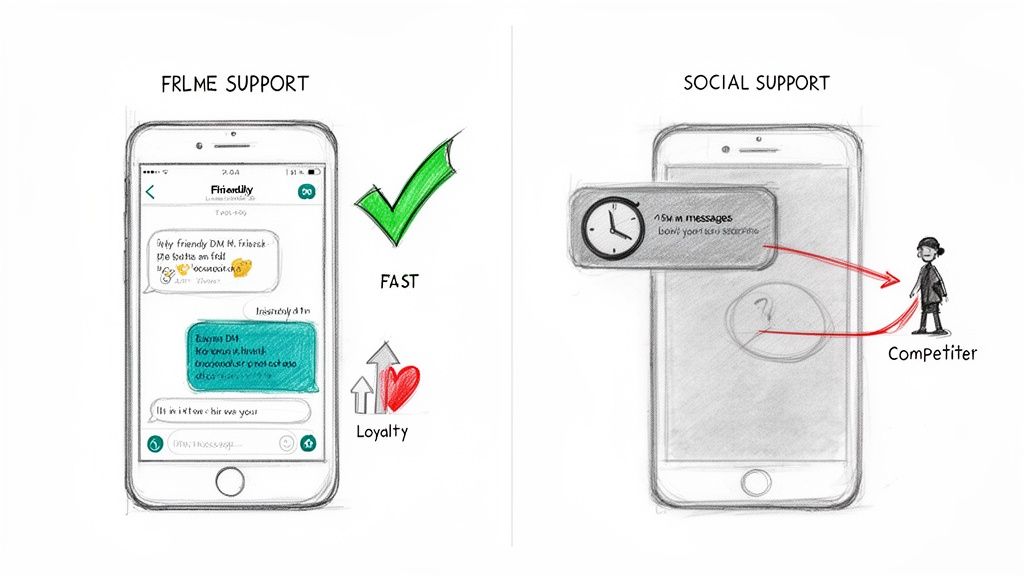
This isn't just a trend; it's a fundamental shift in customer behavior. We live in a world where a customer is just one tweet away from ditching your brand. It’s no surprise that a staggering 70% of customers have already used social media for customer service.
This makes your DMs and comment sections a battleground for loyalty. The brands that get this right see massive returns. In fact, 71% of customers who have a positive social support experience are likely to recommend that brand to their friends. You can dig deeper into the social media customer service statistics to see the full picture.
From Cost Center to Revenue Engine
The big mindset shift here is seeing social support not as a cost to be managed, but as a powerful engine for revenue. Think about the domino effect of just one fantastic interaction:
- Builds Public Trust: When potential customers see you quickly and helpfully responding to a public comment, it builds instant credibility. It’s social proof in action.
- Sparks User-Generated Content: Solve a customer's problem in minutes, and you've just created your next brand advocate. They’re far more likely to share a positive story or review.
- Reduces Cart Abandonment: That one pre-purchase question in your Instagram comments? Answering it quickly can be the final push a hesitant buyer needs to click "complete order."
- Gathers Raw Product Feedback: Your comments and DMs are a goldmine. They offer unfiltered feedback on your products, shipping, and the entire customer experience.
The goal isn't just closing tickets. It's about creating memorable, positive moments where customers feel genuinely heard. That's how you turn a simple question into a long-term, loyal customer.
Step 1: Choosing Where to Focus Your Support Efforts
The pressure to be everywhere on social media is intense. But trying to offer support on every single platform is a recipe for disaster. It stretches your team thin, leading to painfully slow replies and missed messages. The real secret to great social media support isn't being everywhere; it's being excellent where it matters most.
So, where do you start? Follow the data. Dive into your Shopify analytics and see which social channels are already sending you referral traffic. If you're getting a steady stream of sales from Instagram, you know that's where your customers are actively shopping and engaging. This isn't about guesswork—it's about following the trail your customers have already blazed for you.
Next, get a clear picture of your audience on each platform. Is your target customer a Gen Z trendsetter discovering new products on TikTok? Or are they active in a niche Facebook Group where people rave about products like yours? You need to meet them where they already are, not force them to come find you.
Choosing Your Primary Support Channels
Deciding which channels to prioritize can feel overwhelming. The key is to align your efforts with where your specific audience hangs out and the types of questions they typically ask. This table breaks down the most common platforms for DTC brands.
| Platform | Primary Audience | Common Inquiry Types | Best For |
|---|---|---|---|
| Millennials & Gen Z | Order status, product questions (in DMs), stock availability, influencer collaborations | Visually-driven brands with a highly engaged community. | |
| Gen X & Millennials | Shipping issues, returns, detailed product questions (via Messenger), community questions | Brands with active Facebook Groups or an older demographic. | |
| X (Twitter) | Millennials & Tech-Savvy Users | Quick-fire questions, public complaints, shipping updates, bug reports | Brands that need to handle public-facing, rapid-response support. |
| TikTok | Gen Z & Young Millennials | Pre-sale questions in comments, influencer inquiries, viral product questions | Trend-focused brands where comment sections light up with purchase intent. |
Think of this as your starting point. You don't need to be on all of them. Pick one or two primary channels to master first based on your data and audience profile. Once you've nailed those, you can consider expanding.
Should You Create a Dedicated Support Handle?
One of the first big questions you'll face is whether to create a separate account for support, like @YourBrandHelp. For brands with a massive volume of inquiries, this can be a smart move. It neatly funnels all support requests into one place, keeping your main marketing feed from getting cluttered with "Where's my order?" comments. It also clearly signals to customers exactly where to go for help.
For most growing brands, though, it’s far more practical to handle support right from your main account. It keeps everything consolidated and just feels more personal and direct. The trick, of course, is having the right system on the back end to triage all the DMs and comments so nothing gets lost. And that’s where a unified inbox becomes your best friend.
Why a Unified Inbox Is Your Secret Weapon
Picture this: your support agent has five tabs open—Instagram DMs, Facebook Messenger, post comments, X mentions, and maybe even TikTok. It's pure chaos. Messages get missed, replies are delayed, and customers get frustrated. It's simply not sustainable.
A unified inbox, like the one in Gorgias or Zendesk, changes the game completely. It pulls every single one of those conversations into one clean, organized dashboard. This becomes the command center for your entire social support operation.
A unified inbox isn't just another tool; it's the foundation of a scalable support strategy. It transforms a scattered, stressful mess into an efficient workflow where your team can respond to customers faster and with full context.
Putting this system in place is the single most important thing you can do before trying to scale. Without it, you’re constantly playing catch-up and putting out fires. With it, you're building a solid foundation to deliver consistently great support on the channels that actually drive your business forward.
Setting Up Your Social Support Command Center
Trying to manage customer support by jumping between a dozen different social media inboxes is a fast track to disaster. You're guaranteed to miss messages, double-up on replies, and leave customers feeling ignored. The only way to turn that chaos into a well-oiled machine is to build a central command center. This isn't just about adding another tool; it's about creating a single source of truth for every customer conversation, no matter where it started.
The first move is to hook all your social channels into a unified inbox platform. This immediately ends the frantic tab-switching between Instagram DMs, Facebook comments, and X (formerly Twitter) mentions. When everything is consolidated, you get a bird's-eye view of your support landscape and can finally rest easy knowing no customer inquiry will slip through the cracks—especially during a flash sale or product launch.
Creating Intelligent Routing Rules
With all your channels feeding into one place, the real magic can begin. This is where you set up intelligent routing—automated rules that sort, tag, and assign incoming messages before a human ever has to touch them. Think of it as creating digital traffic cops for your customer support queue.
For instance, you can create rules based on keywords that instantly categorize a message's intent.
- Urgent Issues: A message containing words like "broken," "wrong item," or "never arrived" can be automatically tagged as High Priority and sent straight to a senior support agent.
- Sales Opportunities: DMs with phrases like "do you have in size 10?" or "shipping to Canada?" can be routed directly to your pre-sales team to capture that revenue.
- General Inquiries: Simple questions about your return policy can be tagged for a junior team member to handle, perhaps with a pre-written response.
The point of routing isn't just to be organized—it's to be fast. Getting the right message to the right person instantly shaves critical minutes off your first response time and helps you solve problems that much quicker.
This flow breaks down the core process: you analyze what's coming in, prioritize it based on urgency and type, and then unify it all in one manageable queue.
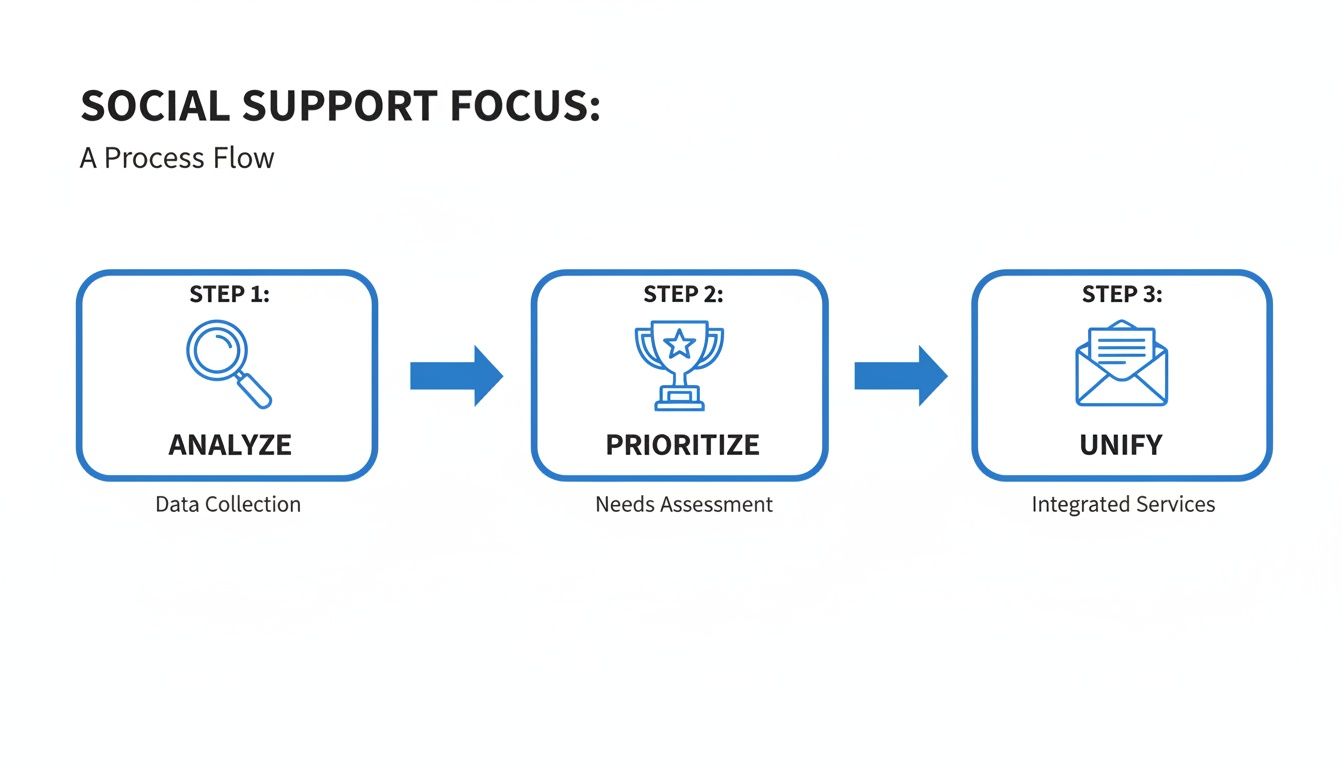
This structured approach is what separates a reactive support team from a proactive one. Every message is evaluated and sent where it needs to go, streamlining the entire workflow.
Putting It All Together
Let's picture a Shopify store in the middle of a massive holiday sale. An angry comment about a late shipment pops up under a Facebook ad. At the exact same time, a potential customer sends an Instagram DM asking about a discount code. Without a system, both could easily get lost in the noise.
With a command center, that Facebook comment is instantly flagged as "Urgent - Shipping" and escalated. The Instagram DM gets tagged "Pre-Sale Question" and assigned to the next available agent. Your team works from a single, prioritized queue, delivering faster and more consistent social media support. To make this happen, you'll need the right platform; you can explore some of the Best Social Media Monitoring Tools to see what's out there.
This level of organization is non-negotiable for any DTC brand that wants to scale. It's what allows you to maintain high-quality service even as your message volume explodes. For more on building out your support infrastructure, we’ve got a deep dive on deploying effective help desk services. By setting up this system, you're not just managing messages; you're building an efficient operation designed to create happy, loyal customers.
Using Automation to Work Smarter, Not Harder
Growing your social media support doesn't mean you have to sacrifice the personal touch that makes your brand special. It's actually the opposite. Smart automation frees up your team from the endless, repetitive questions so they can focus on the conversations that really matter—the complex, high-value interactions that build real customer loyalty.
The goal here isn't to replace your people; it's to make them superhuman. Think about all those "Where is my order?" (WISMO) DMs that clog up your inbox. Automation can handle those instantly, letting your team tackle the truly exceptional issues.
Crafting Automation That Actually Helps
We've all been there—stuck in a loop with a useless chatbot. That's "bad" automation. It's a blunt instrument that spits out generic replies, completely ignoring what you actually asked. It feels cold and robotic because, well, it is.
"Good" automation is different. It's intelligent, it understands context, and it's plugged directly into your e-commerce platform. For a Shopify brand, this means connecting your support tool right to your order data.
When a customer asks about their order, the system doesn't just send a canned response. Instead, it can:
- Recognize a customer's social handle and match it to their Shopify profile.
- Instantly pull the real-time status of their latest order.
- Draft a personalized, dynamic reply like, "Hey Sarah! Looks like your order #12345 is out for delivery and should be with you tomorrow. You can follow its journey here: [link]."
That single interaction turns a moment of potential frustration into a surprisingly great experience, all without an agent needing to lift a finger. If you want to dive deeper into setting this up, getting a handle on how to automate customer service is the perfect place to start.
Knowing When to Pass the Baton to a Human
Even the slickest automation hits a wall sometimes. The most critical piece of this strategy is designing a seamless handoff for when a conversation gets complicated, emotional, or just plain weird. Your system needs to know when it's out of its depth.
Here’s a look at how this flow should work in practice, starting with automation and escalating to a human agent when the situation calls for it.
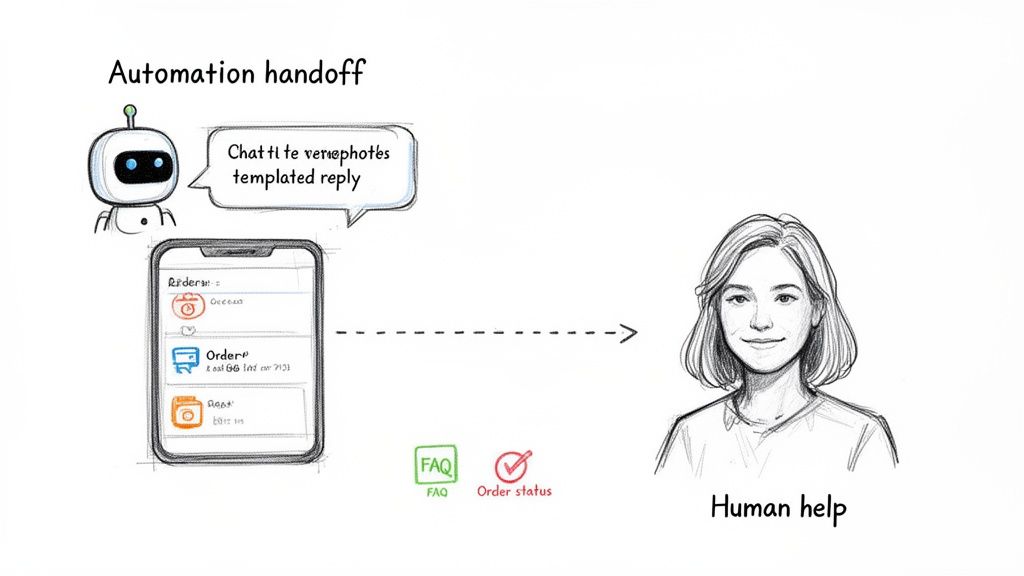
This is the ideal journey: a bot takes the first swing, but intelligently passes the conversation—with all the context included—to a live agent the second it's needed.
Smart automation knows its limits. Set up rules to automatically escalate conversations containing keywords like "angry," "damaged," or "disappointed." Multiple questions in a single message are another great trigger. The customer should never even notice the handoff; for them, it's just one continuous, helpful conversation.
At the end of the day, automation is about creating efficiency so your team can be more human, not less. By taking the high-volume, low-effort tasks off their plate, you give your agents the space to provide the kind of memorable, empathetic support that turns casual buyers into lifelong fans.
Crafting Your Social Media Support Playbook
Getting the right tools and automation in place is a massive first step, but they can't operate in a vacuum. What truly turns social support from a reactive, chaotic scramble into a predictable, well-oiled machine is a solid operational playbook. This is your team's single source of truth—where you set expectations, map out clear processes, and give your agents the confidence to make smart decisions on the fly.
It all starts with setting realistic Service Level Agreements (SLAs). Your SLA is basically your brand's public promise on response times, and it absolutely should not be a one-size-fits-all number. A fiery public complaint on X requires a much faster response than a simple question in an Instagram DM.
This isn't just about keeping customers happy; it's a huge revenue driver. We know that responsive brands pull in 20-40% more revenue per customer. On the flip side, drop the ball, and 73% of customers will jump ship to a competitor. If you need more convincing, dive into the latest research on social media customer support.
Defining Your Service Level Agreements
Different social platforms come with different expectations for speed. To use your team's time effectively, your SLAs need to mirror that reality.
Here’s a good starting point:
- Public Mentions (X, Facebook posts): Aim for a 15-30 minute first response. These are out in the open for everyone to see and can spiral fast. Speed is your friend here.
- Direct Messages (Instagram, Messenger): A 60-90 minute SLA is a solid goal. These are private, one-on-one conversations, which gives you a bit more breathing room to craft a thorough, helpful reply.
- Post Comments: Responding within 2-4 hours is a reasonable target. While they're still public, the sense of urgency is usually lower than a direct @-mention or a formal complaint.
An SLA is more than just a number to hit on a dashboard. It’s a promise to your customer that you’re listening. Hitting these targets time and time again is how you build incredible trust and brand loyalty.
Staffing and Knowing When to Escalate
How you staff your social support really comes down to your ticket volume and business hours. A smaller brand might just have one agent who handles social DMs in between their email queue. A larger store, however, might need a couple of dedicated agents working in shifts, especially if you want to offer weekend or after-hours coverage. The trick is to align your staffing with when your customers are most active.
Just as critical is having a crystal-clear escalation path. Your team needs to know, without a doubt, when to take a conversation off social media and into a more secure channel like email.
Set up clear triggers for when to escalate:
- When sensitive info is needed: As soon as a customer needs to share an address, order number, or payment details.
- For complex order issues: If you need to dig through a customer's entire order history in Shopify to solve their problem.
- When emotions run high: If a customer is clearly upset or frustrated, moving them to a private channel like email can help de-escalate things and allows for a more detailed, personal resolution.
The handoff has to be completely seamless. The agent taking over in email needs immediate access to the customer’s Shopify profile and the context from the social media chat. This is how you avoid making customers repeat themselves—and how you turn a potential complaint into a genuinely positive experience.
How to Measure What Really Matters
We’ve all heard it: you can’t improve what you don’t measure. Likes and follower counts might make the marketing team happy, but they tell you next to nothing about the quality of your social media support. If you want to prove the real-world value of your efforts, you need to track the KPIs that actually reflect efficiency, quality, and customer happiness.
This is all about turning raw data into a powerful feedback loop. When you’re on top of your numbers, you can spot trends before they turn into full-blown crises. Imagine your analytics showing a sudden spike in TikTok comments about "damaged items"—that’s not just a support ticket. That’s a potential red flag for your entire packaging and shipping process.
Core Metrics for Social Support
To really see how your team is doing, you need to get familiar with the essential metrics of customer service. For social media, I recommend focusing on these three key areas:
- First Response Time (FRT): This is simply how long it takes for your team to send that first reply. On social channels, speed is everything. A low FRT isn't just a nice-to-have; it directly shapes how customers perceive your brand.
- Average Resolution Time: From the first message to "problem solved," how long does the entire conversation take? A shorter resolution time means less back-and-forth for the customer and a more efficient team.
- Customer Satisfaction (CSAT): After the dust settles, just ask them! A quick "How did we do?" survey sent over DM gives you direct, unfiltered feedback on your team's performance.
The goal isn’t just to be fast; it’s to solve the problem right the first time. Tracking these metrics together gives you the full picture of both speed and quality, showing you exactly where your team is excelling and where they might need more support.
By keeping a close eye on these KPIs, you can build a rock-solid business case for investing more into your social support. The data you collect is more than just numbers for a report; it gives you the insights to tweak your strategy, improve agent training, and ultimately create a better customer experience. This data-first approach stops social support from being seen as a cost center and proves its role as a driver of customer loyalty and retention.
For a deeper look into this topic, explore our complete guide on how to measure customer service.
Answering Common Social Media Support Questions
As you dive into social media support, a few practical questions always seem to pop up. Getting these figured out ahead of time gives your team a solid playbook, so they can handle anything from a tricky public comment to a complex order issue with confidence.
How Should I Handle Negative Public Comments?
First off, don't delete them (unless they’re spam or violate your community guidelines, of course). Ignoring or deleting legitimate complaints is a quick way to make a bad situation much worse.
The best move is to meet them where they are. Acknowledge the comment publicly and quickly with something empathetic. Then, immediately pivot to a private channel. A simple, "We’re so sorry to hear this happened. Could you please send us a DM with your order number? We want to look into this and make it right for you," works wonders.
This approach accomplishes two things: it shows everyone else scrolling that you’re responsive and care, and it takes the specific (and potentially messy) details offline. You turn a public negative into a public display of great customer service.
Do I Need a Separate Support Account?
This really comes down to volume.
If you're getting a flood of support requests every day, a dedicated handle like @YourBrand_Help is a smart play. It neatly separates customer service conversations from your marketing content, which keeps your main feed clean and sets clear expectations for customers who need help.
For most smaller brands, though, you can absolutely manage support through your main account's DMs. The key is having a robust, unified inbox on the back end to make sure no message slips through the cracks.
When you need to move a conversation from a public comment or DM to a more secure channel, the handoff needs to be seamless. Try something like this: "To protect your privacy, we've just sent you an email to get this sorted. If you could reply there, we'll be able to pull up your order details securely."