

Picture a tireless sales assistant for your online store, working around the clock to connect with customers at just the right moment—all without you lifting a finger. That's the magic of Shopify email automation. It's a system that sends personalized, timely emails triggered by specific things your customers do, like making a purchase or leaving an item in their cart.
Your Store’s Silent Growth Engine
At its core, Shopify email automation is the engine that drives your entire customer experience. It hums along quietly in the background, building relationships and boosting revenue. Don't just think of it as a marketing tool; it's more like a digital sales force and support team rolled into one. The whole system runs on "workflows"—pre-set sequences of emails that fire off based on customer behavior.
For example, when someone signs up for your newsletter, a "welcome series" workflow can kick in. This automatically sends a few emails introducing them to your brand story, showcasing your bestsellers, and maybe even offering a small discount on their first purchase. It’s a seamless way to turn new leads into paying customers, all on autopilot. For a deeper dive into the nuts and bolts, this email marketing automation guide is a fantastic resource.
Beyond Basic Email Blasts
This isn't your old-school "email blast" where you send the same newsletter to everyone on your list. Real automation is about delivering the right message to the right person at the right time. This is how you shift your communication from feeling generic and mass-produced to personal and genuinely helpful, making customers feel like you actually get them.
Automated emails are a powerhouse for Shopify merchants, driving a staggering 37% of total email revenue while making up just 2% of send volume. This massive efficiency gap underscores why savvy e-commerce brands are shifting from basic auto-responders to AI-powered systems. Discover more insights about these findings from Thinkpeak AI.
That statistic alone highlights a fundamental shift in how successful stores operate. Instead of spending hours manually crafting every single campaign, you're building intelligent systems that run themselves. This frees you up to focus on the big-picture stuff—like product development and brand strategy.
Let's look at the difference between the old way and the new way.
Manual Campaigns vs Automated Workflows
This table breaks down how moving from manual, one-off emails to automated workflows can completely change your business.
| Aspect | Manual Email Campaigns | Shopify Email Automation |
|---|---|---|
| Timing | Sent at a scheduled time to a broad list. | Triggered instantly by individual customer actions. |
| Relevance | General message for a large audience. | Highly personalized based on behavior. |
| Effort | Requires constant, hands-on work for each send. | Set it up once, and it runs continuously. |
| Scalability | Difficult to manage as your customer base grows. | Scales effortlessly with your business. |
| Goal | Primarily for announcements and promotions. | Drives conversions, builds loyalty, and provides support. |
As you can see, automation isn't just about saving time; it's about creating a more dynamic and effective communication strategy that grows with you. The key benefits really boil down to a few critical areas:
- Boosted Efficiency: You can stop doing the repetitive stuff. Automating communications saves countless hours for you and your team.
- Higher Revenue: Abandoned cart reminders bring shoppers back, and post-purchase follow-ups encourage them to buy again. It’s found money.
- Stronger Customer Loyalty: Consistent, helpful communication builds trust. When you’re there for them at key moments, they remember it.
Ultimately, Shopify email automation helps you create a brand experience that feels responsive and personal, turning one-time buyers into genuine, loyal fans.
Building Your Essential Email Automation Workflows
Think of your Shopify email automation strategy like building a house. You can't start hanging pictures and picking out furniture until you have a solid foundation and frame. These essential workflows are exactly that—the foundational structure designed to connect with customers at the most critical points in their journey with your brand.
This simple visual breaks down how these automated touchpoints guide someone from just being curious about your brand to becoming a loyal, repeat customer.
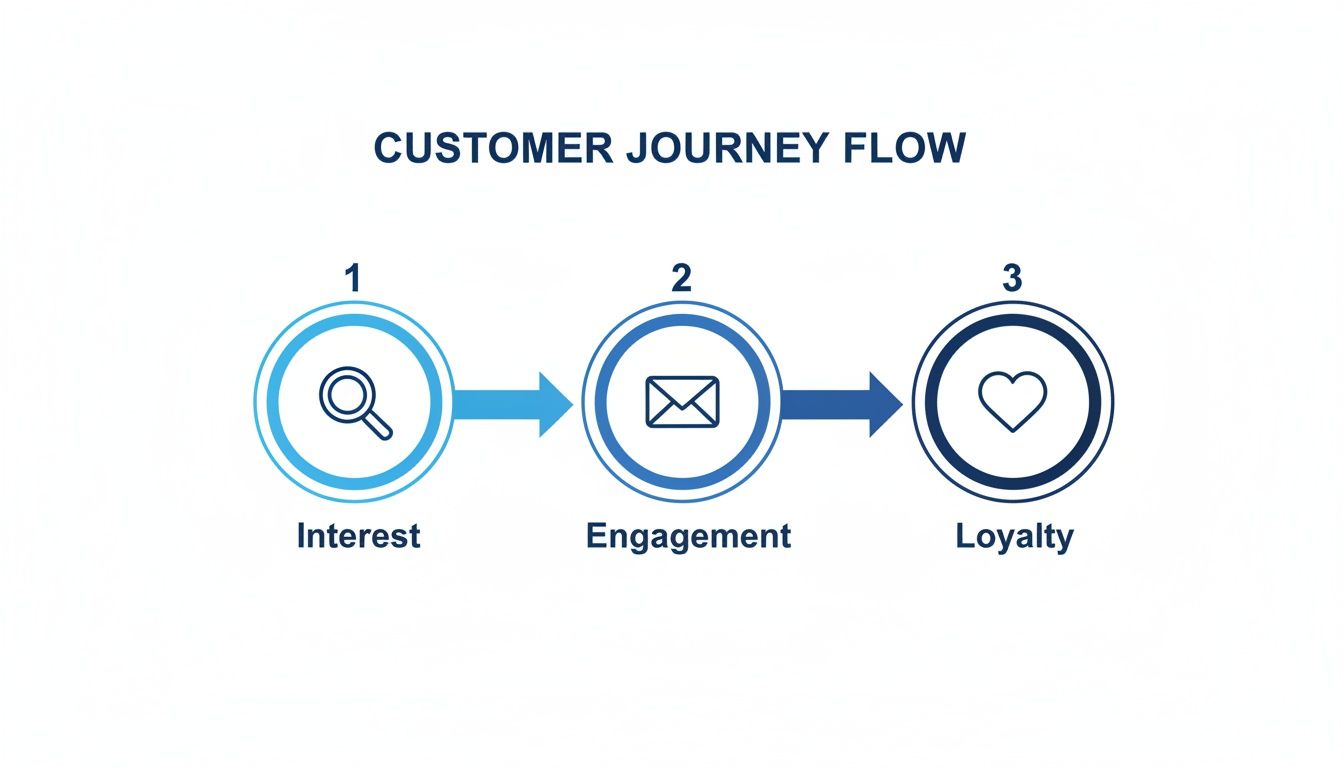
Each email in these sequences has a specific job to do. It’s all about moving customers smoothly from one stage to the next, building trust, and giving them a reason to take the next step.
The Welcome Series: Making a Great First Impression
The moment someone signs up for your email list is when they're most interested in what you have to offer. A welcome series is your chance to capitalize on that initial excitement and turn a curious subscriber into a first-time buyer. This isn't just one email; it's a carefully crafted sequence of 2-4 emails sent over a few days.
- Email 1 (Immediately): Get straight to the point. Deliver the discount code or freebie you promised and say thank you. Keep it short, sweet, and focused on delivering instant value.
- Email 2 (1-2 Days Later): This is where you tell your story. What makes your brand special? Share your mission or the unique problem you solve to forge a real connection.
- Email 3 (3-4 Days Later): Guide their first purchase. Show off your best-selling products and sprinkle in some social proof like customer testimonials or reviews to build confidence.
The Abandoned Cart Sequence: Your Revenue Recovery Team
Did you know that nearly 70% of all online shopping carts are left behind? That's a huge number. This workflow acts like a helpful salesperson, gently reminding customers about the great items they were considering and nudging them to complete the purchase. A solid abandoned cart series usually has a few steps.
Your goal isn't just to recover a sale; it's to understand and overcome hesitation. This workflow should be helpful and persuasive, not pushy, turning a moment of doubt into a confident purchase.
For instance, your sequence could look something like this:
- The Friendly Reminder (1 Hour Later): A simple, low-pressure email showing them exactly what’s still in their cart. Often, life just got in the way, and this is all it takes.
- The Gentle Incentive (24 Hours Later): If they still haven't bought, sweeten the deal. A small discount or a free shipping offer can create the urgency needed to get them over the finish line.
- The Final Nudge (48 Hours Later): This is the last call before their cart—and maybe the discount—expires. It’s also a great place to address common hesitations, like linking to your shipping or returns policy.
Transactional Emails: The Unsung Heroes of Trust
They might not be the most glamorous emails you send, but transactional emails have sky-high open rates. People want to see their order and shipping confirmations. This is your prime opportunity to create a transparent, reassuring post-purchase experience that builds serious customer confidence.
Make sure these emails clearly communicate the essentials:
- An order confirmation with a detailed receipt.
- A shipping confirmation with a working tracking link.
- A delivery confirmation to close the loop and let them know their package has arrived.
Getting this right dramatically cuts down on "Where is my order?" support tickets and proves your store is reliable, paving the way for future purchases.
Post-Purchase Follow-Ups: From One-Time Buyer to Loyal Fan
The customer's journey isn't over once the package lands on their doorstep. A smart post-purchase follow-up is your chance to gather priceless feedback, encourage social proof, and set up the next sale.
About a week after the order is delivered, trigger an automated email asking for a product review. A few weeks after that, follow up with targeted recommendations for products that complement what they already bought. This shows you're paying attention to their needs and is one of the best ways to turn a one-time buyer into a true brand loyalist.
How to Choose the Right Shopify Automation Tools
Diving into the Shopify App Store for an email automation tool can feel like searching for a needle in a haystack. There are so many options, and they all promise the world. The key is to cut through the noise and focus on a few essentials that will actually help you grow.
The single most important factor? Deep, native Shopify integration. You need a tool that doesn't just sit on top of your store but plugs directly into its brain. When an app can instantly see every order, customer profile, and product detail, it unlocks a whole new level of personalization. This is how you go from sending a generic "We miss you" email to a targeted message with product recommendations a customer will actually love.
Differentiating Marketing from Integrated Solutions
It's easy to get sidetracked by tools that are purely for marketing. They’re great for newsletters and promotional blasts, but they only solve half the problem. A truly game-changing solution combines marketing with customer support automation.
Think about your inbox for a second. A huge chunk of your emails are about simple, repetitive questions. An integrated tool can send a welcome series to a new subscriber and automatically answer a "Where is my order?" ticket using that same live Shopify data. This unified approach keeps your brand voice consistent and, more importantly, frees up your team from drowning in repetitive support tasks. If you're looking for more ways to get organized, our guide on email management software has some great ideas.
Core Features to Look For
As you start comparing apps, make sure these three capabilities are at the top of your checklist. Without them, you’ll quickly outgrow your new tool.
- Powerful Segmentation: You have to be able to slice and dice your customer list based on what they actually do—like who your repeat buyers are, who has abandoned a high-value cart, or who has viewed a specific product. This is the foundation of relevant messaging.
- Insightful Analytics: If you can't measure it, you can't improve it. Look for clear dashboards that show you what’s really working. You need to track conversions, revenue per recipient, and how many hours your team is saving on support.
- Scalability: The tool you pick today should still work for you a year from now. Make sure it can handle your growth from your first hundred subscribers to tens of thousands without breaking the bank or slowing down.
Remember, email isn't just another marketing channel; for most Shopify stores, it's the most powerful one. Email generates the highest conversion rate from referrals at 4.29%, easily beating search (3.04%) and social media (1.81%). That statistic alone shows just how crucial it is to get your email tool right.
For a wider look at what different automation platforms offer, this guide on the best SaaS marketing automation tools is a great resource.
Ultimately, the right platform won't just send emails. It will become the command center for all your customer communication, helping you turn simple conversations into conversions and loyal customers.
Using AI to Create Smarter Email Automations
Traditional Shopify email automation is a solid starting point, but let's be honest—it often runs on simple, rigid rules. If a customer does X, they get email Y. That’s it. But what if your system could actually think, anticipate customer needs, and adapt on the fly? This is where artificial intelligence takes your email strategy from just being reactive to being genuinely intelligent.
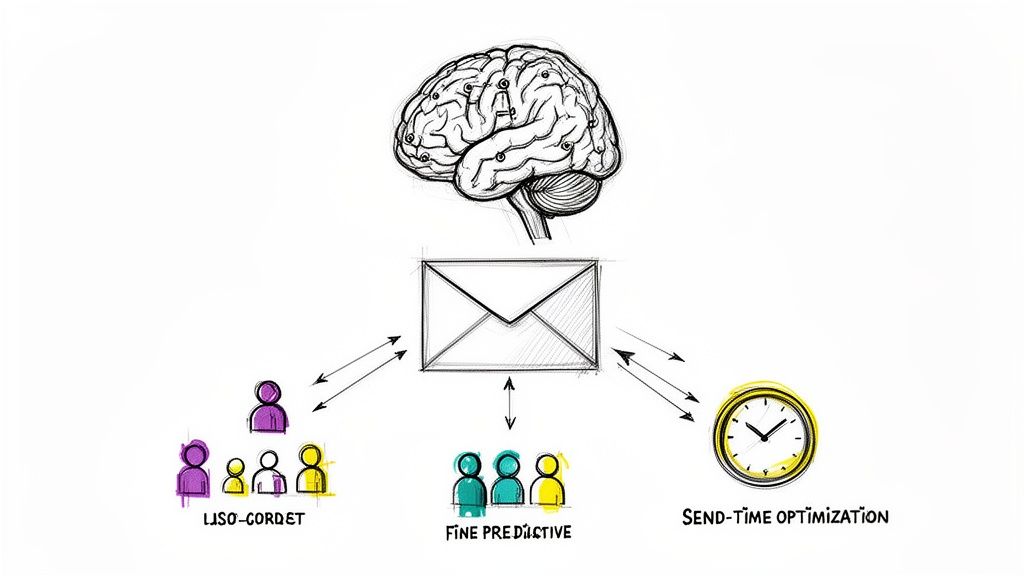
AI goes way beyond just plugging a customer's first name into the subject line. It digs deep into massive amounts of data—purchase history, browsing habits, even past support tickets—to figure out what each person actually wants and when they're most likely to act on it. This unlocks a level of personalization that’s just impossible to manage by hand.
Think about it this way: instead of sending the same generic abandoned cart email to everyone, an AI-powered system can predict why someone bailed. Was it a big-ticket item? The AI could automatically offer a small, one-time discount to nudge them over the finish line. Was it a first-time visitor who seems unsure? It might send an email highlighting your easy return policy and glowing customer reviews to build that crucial trust.
From Static Rules to Predictive Insights
The real leap forward with AI is the shift from pre-set triggers to predictive actions. An AI doesn't just see that a customer hasn't bought anything in 60 days; it can spot the subtle patterns that show they’re at risk of churning long before that happens. This lets you get ahead of the problem with proactive "win-back" campaigns that actually work.
Here’s how AI can supercharge your standard automations:
- Predictive Segmentation: AI can group customers based on their predicted lifetime value or the likelihood they'll buy from a certain product category. This creates hyper-targeted audiences for your campaigns.
- Send-Time Optimization: Stop guessing the best time to send an email. AI looks at when each individual usually opens their emails and makes sure your message arrives at the perfect moment for them.
- Dynamic Content: The content inside the email can change for every single recipient. An AI can pull in product recommendations based not just on what they’ve bought, but on what similar customers went on to buy next.
The magic of AI is that it learns and gets better over time. Every interaction, every click, and every purchase refines its understanding. Your automations become smarter and more effective on their own, without you having to constantly tweak them.
Automating Your Customer Support Inbox
Beyond marketing emails, AI is a lifesaver for your customer support team. Your inbox is likely flooded with the same repetitive questions day in and day out, and that eats up a ton of time. An AI-native solution can tackle these on its own, turning your support email into an efficient, 24/7 problem-solving machine.
For example, when a customer emails "Where is my order?," an AI connected to Shopify can instantly pull up their order status and tracking details, then reply with a personalized, real-time update. It's not sending a canned "we'll get back to you" response; it’s delivering the exact answer the customer needs, right away.
This same logic can handle more complex tasks, like processing return requests or answering basic product questions. By automating these common queries, you free up your support agents to focus on the tricky, high-value conversations that truly need a human touch. To see how this works in more detail, check out our guide on AI customer support software.
Ultimately, blending marketing and support automation creates a seamless, intelligent experience for your customers from their very first visit to their hundredth order.
Measuring the ROI of Your Email Automation
If you can't measure it, you can't improve it. That’s an old business saying, and it's especially true for Shopify email automation. While it's easy to get caught up in metrics like open rates and click rates, those numbers only scratch the surface. They’re interesting, but they don’t tell you if your efforts are actually making a difference to your bottom line.
To truly understand the value your automated emails are delivering, you have to look deeper. It’s about connecting the dots between an email sent and real-world results.
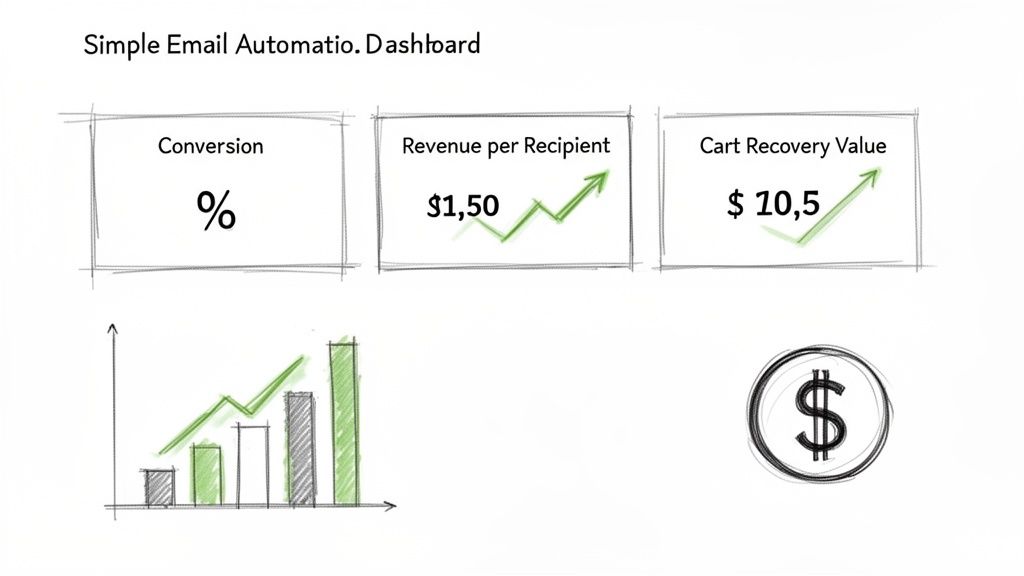
This means shifting from vanity metrics to actionable data that proves your return on investment (ROI). Knowing how many people opened an email is one thing; knowing how much money that email brought in is a game-changer.
KPIs That Drive Revenue
For your marketing automations—like welcome series or abandoned cart reminders—success is measured in dollars and cents. These are the numbers that show exactly how your automated flows are turning browsers into buyers.
Here are the key revenue-focused metrics you should be watching:
- Workflow Conversion Rate: What percentage of people entering a specific sequence (like an abandoned cart flow) actually complete a purchase? This is the most direct way to measure if an automation is doing its job.
- Revenue Per Recipient (RPR): This metric tells you the average revenue you earn from each person who receives an automated email. It's perfect for comparing the profitability of different campaigns side-by-side.
- Abandoned Cart Recovery Value: This is the total dollar amount of sales you’ve won back specifically because of your abandoned cart emails. It's often one of the fastest and most satisfying ways to see your ROI in action.
The ultimate goal is to connect every automated email back to a tangible business outcome. When you can say, "Our welcome series generated $5,000 in new sales last month," you have a powerful case for your strategy.
Measuring Support Efficiency Gains
But ROI isn't just about making money; it's also about saving it. When you automate parts of your customer support, the focus shifts to efficiency, time saved, and reducing operational headaches. These metrics prove how automation is making your team more effective. For a deeper dive, check out our post on customer retention metrics.
To help you get started, here’s a quick breakdown of the essential metrics for both your marketing and support automations.
Key Performance Indicators for Email Automation
| Metric (KPI) | What It Measures | Why It Matters |
|---|---|---|
| Workflow Conversion Rate | The percentage of recipients who complete a desired action (e.g., purchase) after entering an automation. | Directly links your email sequence to sales, proving its effectiveness. |
| Revenue Per Recipient (RPR) | The average revenue generated per person who receives an automated email. | Helps you identify your most profitable automations and optimize underperformers. |
| Abandoned Cart Recovery | The total value of sales recovered through abandoned cart emails. | Shows the direct financial impact of one of the most powerful e-commerce automations. |
| Ticket Resolution Time | The average time it takes for an automated response to solve a customer's issue. | Faster resolution leads to happier customers and less strain on your support team. |
| First-Contact Resolution | The percentage of support tickets resolved by the first automated email, needing no human intervention. | A high rate means your automation is accurate and efficient, freeing up your team for complex issues. |
| Hours Saved | The estimated time your support team saves by not having to answer repetitive questions manually. | Translates directly into lower operational costs and better resource allocation. |
By tracking both sides of the coin—revenue generated and efficiency gained—you get a complete, 360-degree view of your email automation's impact. This data not only proves the value of what you’re doing but also gives you the insights needed to make every workflow even more profitable.
Still Have Questions About Shopify Email Automation?
Jumping into email automation can feel a bit daunting. You know it’s powerful, but a lot of questions probably come to mind before you’re ready to dive in. Let's tackle some of the most common ones I hear from store owners just like you.
Most people’s first worry is about the technical side of things. They see the word "automation" and immediately think they need to be a developer to make it work.
"Is this stuff too technical for me to set up?"
Not at all. I can't stress this enough: modern automation platforms are built for business owners and marketers, not coders. You'll find that nearly all of them use visual, drag-and-drop editors and come packed with pre-built templates for the most popular campaigns, like welcome emails or abandoned cart reminders.
The logic is surprisingly simple. You're just setting up basic "if this, then that" rules. For example: IF a customer leaves an item in their cart for one hour, THEN send them the first reminder email. That's it. You don't have to write a single line of code, which makes it incredibly easy to get started.
Honestly, the automations that drive the most revenue are usually the simplest to build. You can get your most important workflows up and running in a single afternoon, ready to make sales and help customers while you handle the rest of your business.
Once people realize they can actually build these things, the next question is always about the cost.
"What's the real cost of Shopify email automation?"
The price can range quite a bit, but there’s an option for literally every budget. Shopify Email itself has a great free plan that’s more than enough for new stores to get their feet wet. It’s a fantastic way to start without spending a dime.
Once you start growing, more advanced platforms and AI tools typically have tiered pricing plans. These usually scale based on how many contacts you have or which features you need, with costs ranging anywhere from $20 to thousands per month. The important thing is to think of it as an investment, not an expense. A good automation tool should easily pay for itself by bringing in more revenue and saving you time.
"Is Shopify Email good enough to get started?"
Absolutely. For the fundamentals, Shopify Email is a perfect starting point. It lets you easily set up all the essentials—welcome series, abandoned cart sequences, and order confirmations—to build a solid communication baseline with your customers. It’s built right into your store, so it just works.
But as your business grows, your needs will get more complex. You’ll eventually hit a point where you need more sophisticated features like advanced customer segmentation, predictive analytics, or an AI that can handle support tickets for you. That's when you'll look to specialized apps designed for those deeper strategies.
"How fast can I actually expect to see results?"
You'll see the impact almost immediately. Think about it: transactional emails like order and shipping updates start working the second you turn them on. They instantly improve the customer experience and cut down on "Where's my order?" questions.
And for the automations designed to make money? They can start delivering a return within hours. An abandoned cart email, for instance, can start recovering lost sales the same day you launch it. While you'll always be tweaking and improving things over the long run, the initial results from automation are incredibly fast. It's one of the highest-impact things you can do for your store.
Ready to turn your customer support from a cost center into a growth engine? MAILO AI uses intelligent automation to deliver instant, personalized answers to your customers' most common questions, freeing up your team and boosting satisfaction. Start your free trial today and see the difference.