

The knowledge management cycle isn't some complex corporate theory—think of it as your store's central brain. It’s a structured, repeatable process that continuously learns, turning the collective wisdom of your team into a powerful, efficient support engine.
Why Your E-Commerce Store Needs a Knowledge Management Cycle
Is your Shopify store constantly swamped? If the same questions about order status, return policies, and shipping times are flooding your inbox daily, it's a sure sign of disconnected knowledge. This valuable information is likely trapped in silos, like old email threads or just one agent's memory.
Implementing a formal knowledge management cycle breaks down those barriers. You create a deliberate system that turns every customer interaction into a reusable asset, solving common problems before they escalate.
Transform Chaos into Clarity
Without a structured process, support is reactive and inconsistent. One agent might give a slightly different answer about return windows than another, creating a confusing and frustrating experience for your customers. A formal cycle ensures that one single, correct answer is captured, stored, and shared—every single time.
This consistency is what builds trust. It also empowers your team by giving them a reliable source of truth, reducing the mental load of remembering every little detail. Instead of spending five minutes digging for a shipping policy, they can find and share it in seconds. We explore how this directly improves customer interactions in our guide on website self-service.
Drive Efficiency and Scalability
As your store grows, so does the number of customer inquiries. A manual, disorganized approach just can’t keep up. The knowledge management cycle is built for scale, creating a system that gets smarter over time. This isn't just about tidying up your internal processes; it's a massive business driver.
The global knowledge management market, a direct reflection of this cycle's importance, reached US$885.6 billion and is projected to hit US$2.5 trillion by 2030. Companies that get this right report productivity boosts of up to 30% simply by systematizing how their information flows.
This system saves you real time and money. By centralizing information, you slash redundant work, drastically speed up new agent onboarding, and open the door for powerful automation. Tools like MAILO AI can then tap into this organized knowledge to power automated responses, turning your support team from a cost center into an efficient, loyalty-building growth engine.
Understanding the Six Stages of the Knowledge Cycle
To really get a handle on the knowledge management cycle, it helps to think of it like building a living, breathing library for your business. Each stage has a specific job, turning raw customer interactions into valuable assets that make your support operations run like a well-oiled machine.
Let's break down how this works. The visual below shows the basic flow: you capture knowledge, you organize it, and then you share it. This simple sequence is the backbone of the entire cycle.
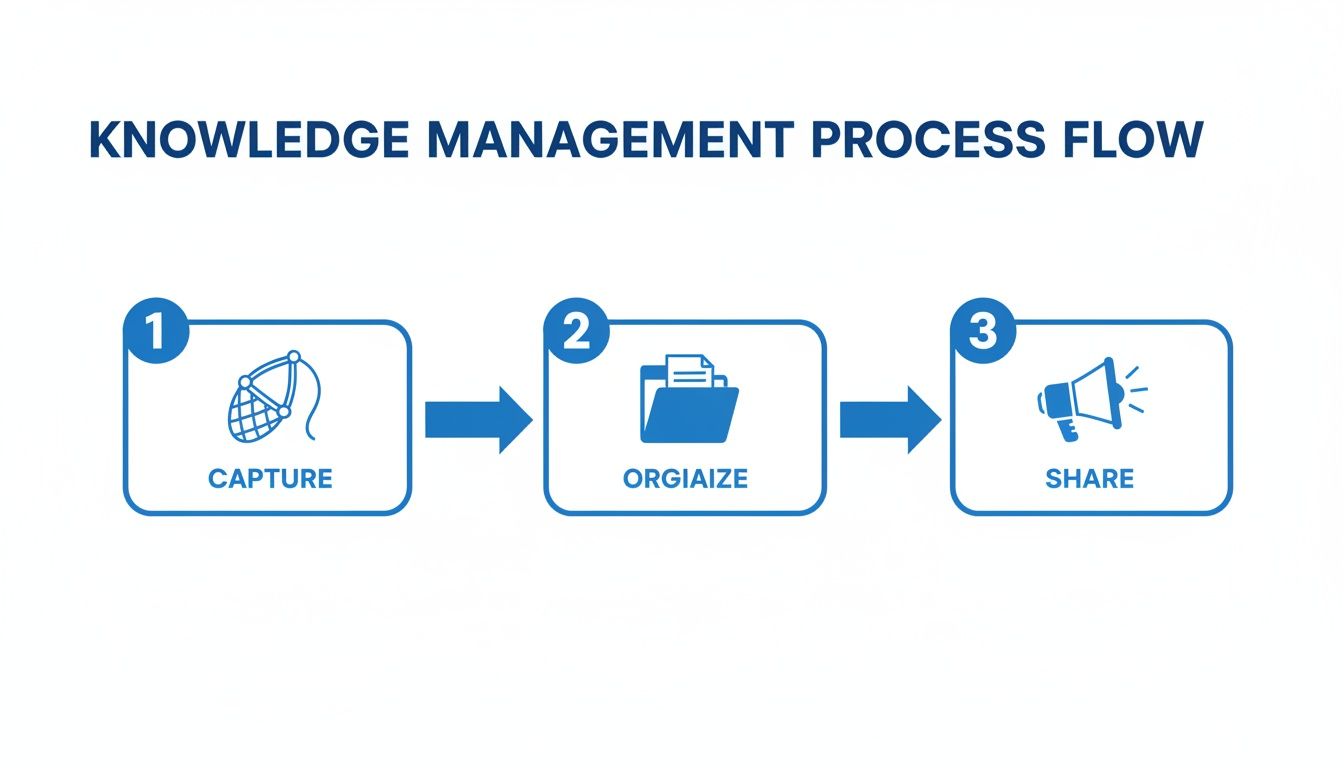
This process shows how something unstructured, like a customer's email about a shipping problem, can be transformed into a structured, reusable resource for your whole team. Now, let's dive into each of the six stages in more detail.
Stage 1: Knowledge Creation and Capture
This is where it all begins—the moment new knowledge is born. For a Shopify store, this isn't happening in some R&D lab. It's happening in every single customer ticket, live chat, and social media comment you receive. A question about a product's material or a complaint about a shipping delay is a potential "book" for your library.
Knowledge Capture is the conscious act of collecting this information. It’s about recognizing that a specific question isn't just a one-off problem but an insight that other customers probably have, too. Failing to capture it is like letting valuable books get lost before they even hit the library shelves. In fact, companies lose an estimated $31.5 billion a year from poor knowledge sharing, and a lot of that starts right here with a failure to capture it.
Stage 2: Knowledge Organization
So, you've got your "books." Now you need a system to make sense of them all. Think of this stage as creating a card catalog for your library. It involves classifying, tagging, and structuring all that information you just captured so you can actually find it later.
Without organization, your knowledge base quickly becomes a digital junk drawer—it’s full of useful stuff, but good luck finding any of it. For an e-commerce store, this looks like:
- Tagging emails by topic (e.g., "returns," "shipping-international," "product-defect").
- Categorizing tickets based on urgency or customer type.
- Structuring information logically in a help center or internal wiki.
This step turns a chaotic flood of questions into a neat, searchable repository, which is absolutely essential for the next stages.
Stage 3: Knowledge Storage
Storage is all about putting your neatly organized knowledge on the library shelves. This is where your information will live until someone needs it. The goal is to pick a "shelf" that is secure, reliable, and easy for everyone to access.
Your knowledge storage solution—whether it’s an internal wiki, dedicated knowledge base software, or a document management system—becomes the single source of truth for your entire team. It stops critical information from getting scattered across random spreadsheets, email drafts, and sticky notes.
Modern tools built for this, like the knowledge base features inside MAILO AI, act as a central hub. They make sure that once an answer is perfected, it's stored in one place where every team member—and even your automation systems—can get to it.
Stage 4: Knowledge Retrieval
What good is a library if you can't find the book you need? Knowledge retrieval is the process of finding the right information, right when you need it. This is where all that hard work you put into organizing everything really pays off.
An agent dealing with a customer who has a complex warranty question shouldn't have to spend ten minutes digging around for an answer. With a powerful search function, clear categories, and consistent tagging, they can pull up the exact information in seconds. Good retrieval systems can slash search time from several minutes down to under 40 seconds—a huge win for both your team's productivity and your customer's happiness.
Stage 5: Knowledge Sharing
Sharing is all about getting the knowledge into the hands of the people who need it. In our library analogy, this is like checking out the book. For a Shopify store, this can happen in a few different ways:
- An agent sends a pre-written, templated response to a customer.
- A customer finds the answer on their own in your public-facing FAQ or help center.
- An AI-powered tool automatically uses the stored knowledge to resolve a ticket.
This stage is the ultimate goal of the knowledge management cycle: delivering consistent, accurate, and helpful information that solves problems and builds real customer trust.
Stage 6: Knowledge Maintenance and Retirement
A library full of outdated books isn't very helpful. This final stage is a continuous loop of refining, updating, and sometimes, getting rid of old knowledge. Policies change, products get updated, and you discover better ways to solve common problems.
Maintenance means regularly reviewing your knowledge assets to make sure they're still accurate. This might involve updating your return policy article after a company-wide change or deleting troubleshooting steps for a product you no longer sell. This crucial, ongoing step keeps your knowledge ecosystem healthy and trustworthy, ensuring your team and your customers are always working with the best information.
Putting the Knowledge Cycle to Work in Your Shopify Store
Taking this from a concept on a page to a real-world process can feel daunting. But here's the secret: implementing a knowledge management cycle in your Shopify store isn't about some massive, one-time overhaul. It's about a series of small, intentional actions that start with your very next customer conversation. The goal is to build your knowledge base one ticket at a time, creating a powerful system that gets smarter with every interaction.
Think about a simple, everyday question like, "Do you ship to Australia?" In a typical setup, an agent hunts down the answer, types it out, and hits send. But with a knowledge cycle mindset, that single interaction becomes a building block. The question is captured, the answer is polished into a perfect, standard response, and it's stored where everyone on the team can grab it instantly next time.
This simple shift changes the entire game. You move from purely reactive support to a proactive, knowledge-building machine. You're not just closing tickets; you're creating valuable assets that make your whole operation more efficient and consistent.
Start Small, Build Momentum
You don't need a complex, enterprise-level system on day one. The key is to pick a manageable workflow and build from there. Start by identifying your most frequently asked questions—this is your low-hanging fruit.
- Pinpoint a Recurring Question: Dig through your inbox. Is everyone asking about your return policy? That’s your starting point.
- Craft the Perfect Answer: Get together with your team and write a clear, comprehensive, and on-brand response. Make sure it has all the details needed to prevent those annoying follow-up questions.
- Create a Reusable Template: Save that perfect answer as a template or macro in your help desk. Congratulations, you’ve just created your first official piece of stored knowledge.
- Train and Share: Let the whole team know the template exists and when to use it. Just like that, you've standardized how you handle that specific issue.
By repeating this simple process, you start turning your biggest time-wasters into one-click solutions. This iterative cycle is the practical heart of knowledge management. If you're looking to get your store's foundation right from the start, a guide like The Dos and Don'ts of Building Your Shopify Store offers some excellent practical advice.
Using AI to Fast-Track the Process
This is where modern tools completely change the equation. An AI-powered platform like MAILO AI can automate the most time-consuming first steps of the knowledge cycle. Instead of your team manually spotting patterns and building templates, the system handles it for you.
Here’s what that looks like in action:
- Automated Capture & Classification: A customer emails asking about international shipping costs. MAILO AI's Smart Inbox instantly recognizes the topic and tags the email as "International Shipping."
- AI-Generated Draft Response: The system then drafts a reply, pulling real-time shipping zone data directly from your Shopify store integration.
- Agent Review & Refinement: Your support agent gives the AI-generated draft a quick look, makes any minor tweaks for tone, and sends the polished response.
- One-Click Template Creation: With a single click, the agent saves this perfected response as a new template, making it instantly available for the next "International Shipping" question.
The image below shows how this works, bridging the gap between a customer's question and a stored, reusable asset.
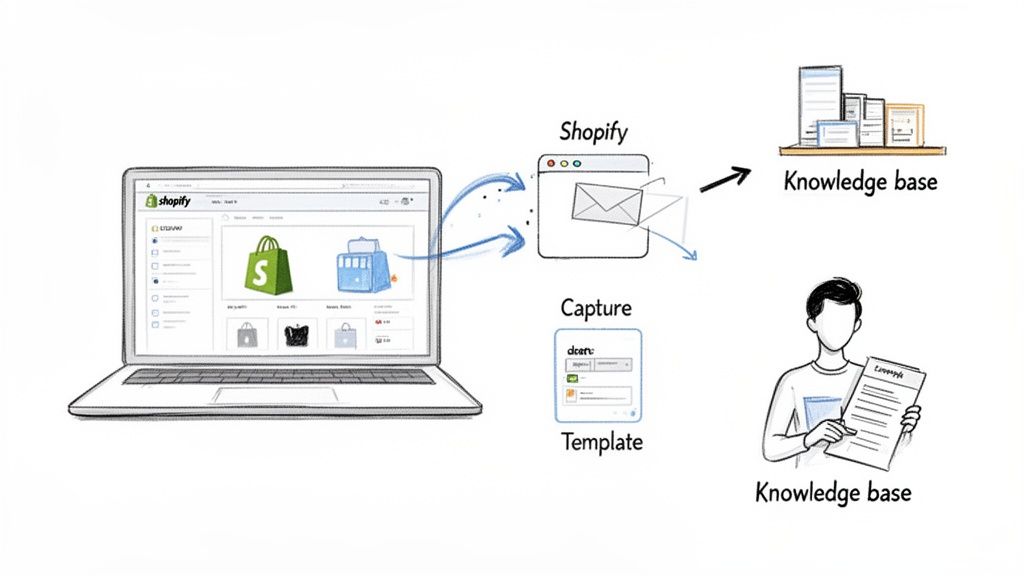
This seamless flow from conversation to knowledge creation is exactly what makes automating the cycle so powerful.
The Global Context for Shopify Merchants
Building an efficient knowledge cycle isn't just about internal tidiness—it’s a competitive must-have in a global market. A quick look at regional trends shows why Shopify merchants can't afford to fall behind. The Asia Pacific region commands 23% of the global Knowledge Management System market, valued at USD 6,475.54 million and growing at an explosive 19% CAGR.
Meanwhile, Europe holds a dominant 30% share at USD 8,446.35 million, where direct-to-consumer brands rely on these systems for compliant, multilingual support. For MAILO AI users, this translates to syncing Shopify data across borders for proactive communication, like automatically sending a review request in the customer's native language right after delivery.
By building your knowledge cycle one interaction at a time, you're not just answering questions faster. You are creating a scalable foundation for growth that reduces costs, improves customer satisfaction, and frees your team to focus on more complex, high-value work.
This strategic approach is what separates thriving e-commerce brands from those stuck on the hamster wheel of repetitive support. A well-oiled system, especially one powered by AI, turns every customer question into a chance to get smarter and more efficient. To dive deeper into structuring your support systems, you might be interested in our guide to setting up effective help desk services.
Automating The Cycle With AI-Powered Tools
Trying to manage every stage of the knowledge cycle by hand is like trying to direct rush-hour traffic with just a whistle. You might get it done, but it’s exhausting, inefficient, and mistakes are bound to happen. This is exactly where automation steps in to turn a high-effort, manual process into a smooth, self-improving system.
Modern AI tools act as the central brain for your brand's knowledge. They don't just make things faster; they intelligently weave each stage of the cycle together, creating a flywheel of learning and improvement. This frees up your team to focus on the strategic, high-value work that actually grows your business.
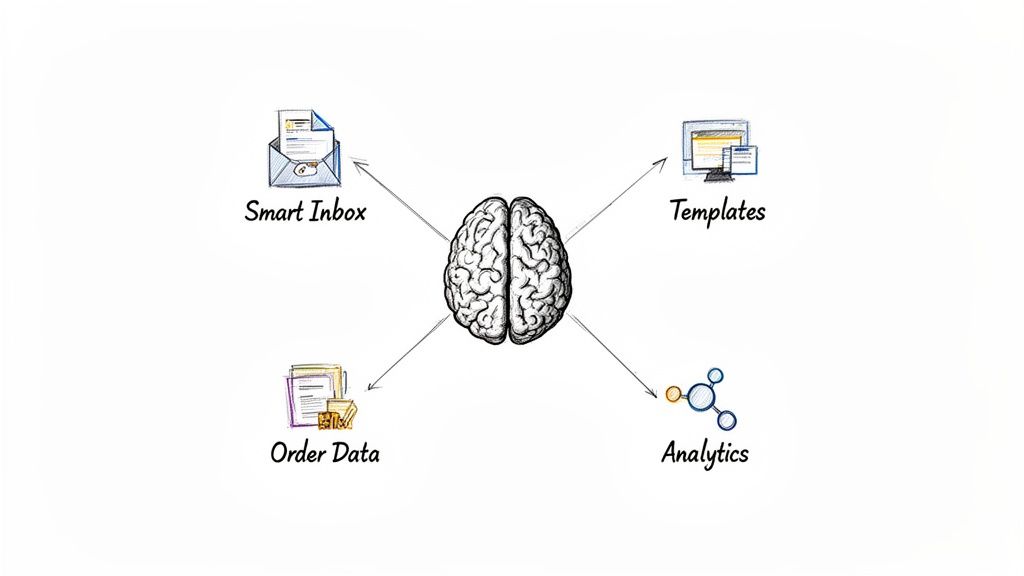
Mapping AI to Each Stage of the Cycle
Let's get practical and see how a platform like MAILO AI fits into each phase, transforming it from a chore into an automated powerhouse. The right technology doesn’t replace the cycle—it supercharges it.
The impact is undeniable. Knowledge management software has become the backbone of the modern e-commerce support stack, with a market valued at USD 20.15 billion and expected to hit USD 62.15 billion by 2033. This growth isn't just hype; it’s driven by the clear ROI businesses are seeing. You can dive into a full analysis of the knowledge management software market for more insights.
Here’s a look at how AI tackles each stage:
-
Capture & Organization: A smart inbox automatically reads incoming emails and understands what the customer is actually asking for—is it a return request or a shipping question? It then tags the conversation accordingly, instantly eliminating hours of manual sorting and ensuring no valuable insights fall through the cracks.
-
Storage & Retrieval: An integrated knowledge base and smart template library become your central source of truth. Answers aren't just dumped into a folder; they're intelligently linked to specific topics, making them instantly available for both human agents and your AI.
This level of organization is what makes scaling possible. For customer experience leaders, the results are compelling: 70% of companies with a solid knowledge management cycle report 35% faster onboarding for new agents, a massive advantage for growing teams.
From Smart Responses to Continuous Improvement
The real magic happens when AI connects that stored knowledge directly to your customer conversations. This is where the "Sharing" stage gets a serious upgrade.
Instead of just suggesting a static template, a truly advanced AI generates dynamic, personalized responses. By plugging directly into your Shopify store, it can pull real-time order data, customer history, and product details right into the reply. The result is an answer that feels both personal and perfectly accurate.
This turns sharing from a simple copy-and-paste task into an intelligent, context-aware interaction. But it doesn't stop there. The final "Maintenance" stage is also automated through built-in analytics. The AI can track:
- Template Performance: Which templates are getting used the most? Which ones lead to the fastest resolutions?
- Knowledge Gaps: What new questions are customers asking that you don't have a good answer for yet?
- Customer Satisfaction: Do certain types of answers lead to higher CSAT scores?
This data-driven feedback loop ensures your knowledge base is a living, breathing asset. It constantly shows you what's working, what needs a refresh, and where you need to create new knowledge. When you're automating public-facing content, an AI humanizer for SEO can be a great tool for turning robotic text into something that sounds genuinely helpful and ranks well.
By automating these key processes, you create a system where every single customer interaction makes your entire support operation smarter and more effective. To see how this all comes together, take a look at our guide on the best AI customer support software for e-commerce brands.
Alright, you’ve put in the work to build a knowledge management cycle. But is it actually working? Getting this system off the ground is one thing, but proving its value—to your team and your bottom line—is where the real magic happens.
You need to know if your investment in time and tools is paying off. To do that, we have to look past simple vanity metrics and focus on the numbers that tell the real story of your business's health.
A well-oiled knowledge system should make your support operations faster, smarter, and more cost-effective. The whole point is to see real improvements that you can measure, things that directly impact your customer's happiness and your store's profitability.
Let's break down the key performance indicators (KPIs) that truly matter for a growing Shopify store.
The First Signs: A Boost in Efficiency and Speed
The quickest way to spot if your new knowledge cycle is working is to look at your team's efficiency metrics. When your agents can find what they need in a snap, it has an immediate and dramatic effect on how quickly they can help customers.
-
First Response Time (FRT): Think of this as your digital first impression. It’s how long a customer has to wait for that initial reply. With a solid knowledge base full of templates and canned responses, your team can respond to common questions almost instantly. This doesn't just look good on a report; it makes customers feel seen and heard right away.
-
Average Resolution Time (ART): This is the big one. It tracks the entire lifecycle of a support ticket, from the moment it’s created to when it’s marked "solved." When knowledge is easy to find and always accurate, agents spend less time digging for answers or escalating issues. Your ART will drop, which means problems get solved faster.
These two metrics are the foundation of any great support team. A healthy knowledge management cycle is the single best way to give them a boost.
The Deeper Impact: Happier Customers and a Lighter Workload
Beyond pure speed, a successful system shows its worth in how it impacts both your customers and your agents. The goal is to answer questions correctly the first time and free your team from the grind of repetitive tasks.
When a knowledge base is working as it should, the time it takes an agent to find information can plummet from several minutes down to just 39 seconds. That saved time is a win for everyone involved.
To see this in action, you need to be tracking:
-
Customer Satisfaction (CSAT): This is your ultimate report card. Are your customers happy? Faster, more consistent answers almost always lead to a better experience. If your CSAT scores start ticking up after you implement your knowledge cycle, you know you’re on the right track.
-
Ticket Volume Reduction: As your self-service options (like an FAQ page powered by your knowledge base) get better, you should see fewer tickets coming in for those simple, repetitive questions. Every ticket that gets deflected is a win, proving your knowledge is doing its job before a customer even has to contact you.
-
Agent Touches per Ticket: This is a fantastic metric for measuring the impact of automation. It counts how many times a human agent has to interact with a ticket before it’s closed. When AI and smart templates handle the initial reply or a quick follow-up, this number goes down, freeing up your team to focus on the tricky issues that require a human touch.
By focusing on these specific, practical KPIs, you can move beyond just hoping your system is working and start proving it. This data gives you the power to show a clear, measurable return on your knowledge management efforts.
Key KPIs to Measure Your Knowledge Management ROI
To get a complete picture, you need to track a mix of metrics that show improvements in efficiency, customer happiness, and cost savings. This table breaks down the most important KPIs, what they measure, and why they're so critical for your Shopify store's success.
| KPI | What It Measures | Why It Matters for Your Store |
|---|---|---|
| First Response Time (FRT) | The average time it takes to send the first reply to a customer ticket. | Lower FRT creates a great first impression and shows customers you're responsive, which builds trust and loyalty. |
| Average Resolution Time (ART) | The average time it takes to completely resolve a customer ticket from open to close. | A lower ART means customers get solutions faster and your agents can handle more issues, directly boosting team productivity. |
| Customer Satisfaction (CSAT) | Customer happiness with a specific support interaction, usually measured on a 1-5 scale. | This is your direct feedback loop. A rising CSAT score is clear proof that your knowledge system is improving the customer experience. |
| Ticket Volume Reduction | The percentage decrease in incoming support tickets over a specific period. | This shows your knowledge base is successfully deflecting common questions, saving you significant time and support costs. |
| Agent Touches per Ticket | The number of times an agent has to manually interact with a ticket before it's resolved. | A lower number indicates your automation and templates are working, freeing up your team for high-value, complex problems. |
Ultimately, this data-driven approach transforms your knowledge management system from a simple internal process into a powerful engine for growth. It allows you to continuously fine-tune your operations and prove that good knowledge management isn't a cost center—it's a competitive advantage.
From Support Cost Center to Growth Engine
Let's pull it all together. The knowledge management cycle isn't just some abstract operational theory; it’s a real-world strategic advantage for any e-commerce brand that's serious about scaling. It takes the daily whirlwind of customer questions and turns that chaos into a smart, self-improving system that actually fuels your business.
When you get intentional about capturing, organizing, and sharing information, your team can finally stop answering the same questions over and over. They get to deliver fast, consistent service that builds the kind of trust and loyalty that keeps customers coming back. Every single support ticket becomes a reusable piece of knowledge that makes your entire operation stronger.
Shifting from Reactive Costs to Proactive Growth
The real game-changer here is a fundamental shift in how you view your support team. When knowledge is managed well, support is no longer a reactive cost center—a department that just puts out fires. It becomes a proactive engine for growth.
A well-oiled knowledge cycle does more than just close tickets faster. It uncovers opportunities to delight customers, scoops up valuable product feedback, and spots trends that can guide your marketing and product teams.
And this isn't just for the big guys anymore. With accessible tools like MAILO AI handling the heavy lifting—like automatically capturing and organizing knowledge—a sophisticated system is totally achievable for Shopify stores of any size. It provides a clear roadmap to working smarter, not harder.
The whole journey starts with seeing the gold hidden in your customer conversations. Every question isn't a problem; it's a chance to build up your knowledge base, sharpen your processes, and create a more resilient, profitable business.
Take the First Step Today
Ready to stop running in circles and start building a support system that gets smarter with every interaction? Your first move is simple: find your top 3-5 most common customer questions and write down your first reusable response. That one small action is the beginning of your automated knowledge management cycle.
Transforming your support isn't an overnight project, but the payoff is huge—happier customers, a less-stressed team, and a healthier bottom line. Start building your store's "central brain" today and turn every customer question into a building block for sustainable growth.
Frequently Asked Questions
Getting started with knowledge management can feel like a big undertaking, especially when you're busy running a Shopify store. Let's tackle a few common questions to clear things up and help you get started on the right foot.
Who Is Responsible for Knowledge Management?
It’s tempting to assign this to one person and call it a day, but great knowledge management is a team sport. It's a shared responsibility across your entire company.
That said, you absolutely need a champion—a designated knowledge manager or a small team to steer the ship. Their role isn't to be the sole creator of content, but to manage the system, encourage everyone to contribute, and make sure the information is always fresh and accurate. For a Shopify store, this could be your lead support agent or an operations manager.
How Can AI Improve This Cycle?
Think of artificial intelligence as a massive accelerator for every single step of the cycle. It takes the manual grind out of the process.
Instead of doing everything by hand, AI can:
- Automate Capture: Instantly scan incoming emails, identify what they're about, and tag them correctly without anyone lifting a finger.
- Enhance Organization: Intelligently sort your information and even point out gaps in your knowledge base that you might have missed.
- Speed Up Sharing: Draft entire articles or generate personalized replies to customers using the information you've already collected.
- Simplify Maintenance: Flag content that's getting old and show you which articles are actually helping customers the most.
AI transforms knowledge management from a chore into a smart, self-improving system that gets better with every customer interaction.
A major roadblock for any team is the time wasted just looking for information. In fact, employees often spend nearly 20% of their workweek on this. AI practically eliminates that search time, making the right answer instantly available.
What Are Common Challenges to Watch Out For?
Putting any new system in place will have its bumps. The biggest hurdle is often just getting your team on board. If your support agents are set in their ways, they might be hesitant to adopt new tools and processes.
Another classic pitfall is letting your knowledge base go stale. If you don't have a solid process for keeping things updated, the information becomes useless, and your team will stop trusting it. Finally, don't overlook the technology itself. If the tools are clunky or confusing, people will give up. Whatever you choose, it has to make life easier, not harder.
Ready to turn your customer support from a chaotic cost center into a streamlined growth engine? MAILO AI is built for Shopify stores to automate the entire knowledge management cycle. Start your free trial today and see just how simple it is to build a smarter support system.