

The inbox zero method isn't about hitting the magic number zero. It’s about spending zero mental energy trying to figure out what’s lurking in your team’s inbox. The goal is to process every single message as it arrives, turning chaos into a clean, actionable workflow.
Why Inbox Zero Is a Must-Have for E-commerce
Let's get real. For any Shopify store that's actually growing, a literally empty inbox is a fantasy. Your support team isn't just answering a few questions here and there; they're drowning in a flood of order updates, return requests, pre-sale questions, and random marketing junk. This isn't just noise—it's a massive source of cognitive overload.
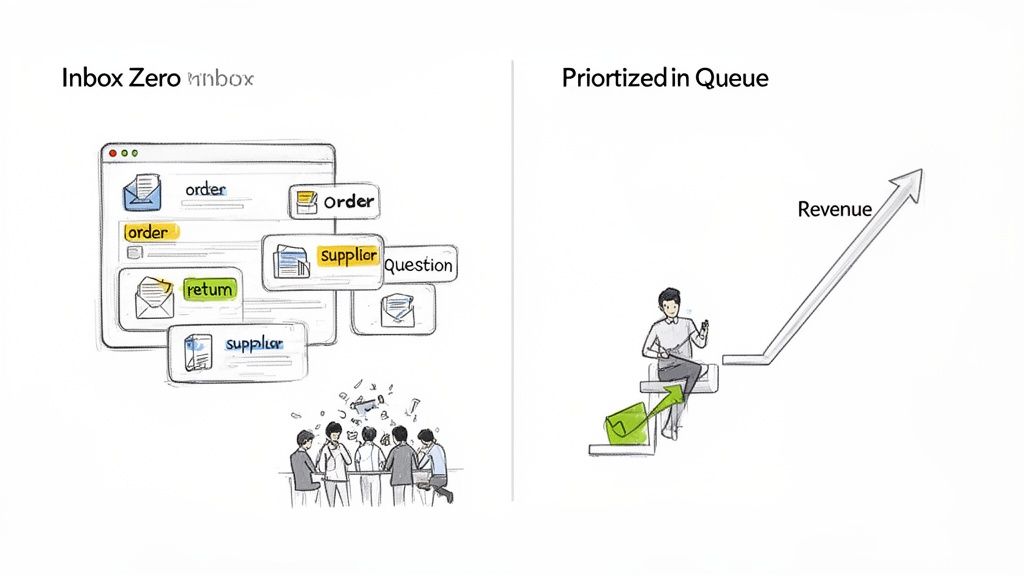
Every single email forces a mental gear shift, yanking your agents away from what they were just doing. This constant interruption is a direct path to burnout, glacial response times, and expensive mistakes. Think shipping an order to the wrong state or completely missing a complaint from a top-tier customer.
More Than Just a Personal Productivity Hack
The concept of "inbox zero" has been around since the mid-2000s, but it’s more critical now than ever. By 2025, experts predict we'll be sending and receiving 376.4 billion emails every single day. The average office worker already gets around 121 business emails daily. For an e-commerce team handling everything in one shared inbox, that volume is simply unsustainable without a system.
When your team is overwhelmed, they default to answering whatever is newest, not what's most important. That urgent question from a customer about to drop $500 gets buried under ten "your order has shipped" notifications. It’s a purely reactive mode that creates chaos, loses sales, and lets small problems fester.
The real cost of a messy inbox isn't just the stress. It's the lost revenue from customers who buy elsewhere, the brand damage from sloppy service, and the high cost of replacing burned-out support agents.
Building a Support System That Scales
Applying the inbox zero method to e-commerce is all about building a robust system. It's about having clear rules that dictate what happens to every message the first time an agent touches it. This is how you transform a support inbox from a source of anxiety into a predictable, streamlined machine.
A system like this gives you some serious advantages:
- Reduced Agent Burnout: Clear rules eliminate the constant "what do I do next?" anxiety of a chaotic queue.
- Happier Customers: Getting fast, accurate answers to important questions creates loyalty.
- Improved Team Focus: Agents can finally focus on solving complex problems instead of just sorting and triaging all day.
As you think about scaling your support, you might even consider options like outsourcing customer support to maintain these standards. The end goal is the same: to stop treating your support inbox like a cost center and start seeing it as a powerful, revenue-driving part of your business.
Building Your E-commerce Triage Framework
Before you can even think about automation, you need a solid game plan. This is the brain behind the whole operation. A well-thought-out triage framework is the absolute foundation of achieving inbox zero in e-commerce, making sure your team’s focus is always on the most critical customer issues first. This isn't just about making a few folders; it's about defining the rules of engagement for your entire support system.
The truth is, not all customer emails are created equal. An angry customer whose order arrived in pieces needs a much faster response than someone asking a basic question about your return policy. Without a clear system, your agents are left guessing, which leads to inconsistency, missed tickets, and frustrated customers.
Defining Your Priority Levels
First things first, you need to group common e-commerce inquiries into a few distinct priority levels. Think of it as creating swim lanes for your support tickets. Instead of one chaotic flood of messages, everything gets sorted by urgency the moment it arrives. This simple clarity is what empowers your team to work smarter, not harder.
For most e-commerce stores, a three-tiered system is the sweet spot:
- P1 - Urgent: These are the "all hands on deck" tickets. They're business-critical issues that directly impact your revenue or a customer relationship. We’re talking about reports of damaged items, wrong orders, or urgent cancellations for unshipped packages.
- P2 - Standard: This is where the bulk of your daily inquiries will land. They're important, for sure, but they don't carry the same immediate financial or reputational risk as the urgent stuff. Think "Where is my order?" (WISMO) questions, product inquiries, or straightforward return requests.
- P3 - Low Priority: These are the non-critical messages you can get to when things quiet down. This bucket usually catches marketing inquiries, general feedback, or questions that are already answered in your FAQ.
By setting up these levels, you take all the guesswork out of the equation. An agent logging in for the day knows exactly where to start. This structured approach is a core principle of modern support platforms. If you want to dive deeper, our guide on what is a ticketing system breaks down how this organization works.
Setting Realistic Service Level Agreements (SLAs)
Once you've got your priority levels sorted, you need to attach a promise to each one. That's your Service Level Agreement, or SLA. It’s a clear commitment to both your customers and your team about how quickly you'll respond and resolve issues. Good SLAs manage customer expectations and give your team concrete goals to hit.
An SLA isn't just an internal metric; it's a public promise. A customer with a P1 issue who sees a "reply within 2 hours" promise feels heard and valued, even before you've actually solved their problem.
Here’s a practical matrix you can adapt for your own store. It lays out how to classify common emails and set realistic targets for your support team.
Sample E-commerce Email Priority and SLA Matrix
| Priority Level | Email Type (Examples) | Recommended First Response SLA | Recommended Resolution SLA |
|---|---|---|---|
| P1 - Urgent | Damaged Item, Wrong Address, Fraud Alert, Order Cancellation | Under 2 Hours | Within 24 Hours |
| P2 - Standard | Order Status (WISMO), Return Request, Exchange Inquiry | Within 8 Business Hours | Within 48 Hours |
| P3 - Low Priority | Product Feedback, Marketing Inquiry, General Question | Within 24 Business Hours | Within 72 Hours |
This simple chart becomes an actionable guide for your entire team. It ensures a customer with a broken product isn't left waiting for days while an agent answers a question about t-shirt colors.
Let Mailo AI Handle the Sorting
Okay, defining all these rules is a huge step forward. But having your team manually sort every single email completely defeats the purpose. That's a massive time-sink and exactly the kind of repetitive work we want to eliminate.
This is where AI becomes your secret weapon. A tool like Mailo AI can read and understand the intent of incoming emails, automatically assigning the right priority level and tags the second a message hits your inbox.
For example, an email with phrases like "arrived broken," "smashed," or "damaged in transit" is instantly identified and flagged as a P1 - Urgent ticket. It automatically jumps to the front of the queue, with no human intervention needed.
This is what it looks like in action. Mailo AI’s Smart Inbox does the heavy lifting, categorizing conversations so your team can focus on what they do best: helping customers and solving problems.
Automating Your Inbox with AI Workflows
Once you've mapped out your triage framework, you've essentially built the brain of your support operation. Now it's time to add the muscle. Automation, especially when powered by AI, is what turns those carefully defined rules into a system that practically runs itself. This is the heart of the modern inbox zero method for any e-commerce brand that wants to scale intelligently.
The old-school approach to an empty inbox has changed. As inboxes everywhere have become heavier, the strategy has naturally merged with automation and AI. Updated data from 2026 shows the average inbox is ballooning to nearly 9.6 GB of storage, with global email traffic hitting a staggering 422 billion messages daily.
Under that kind of pressure, it’s no surprise that over 25% of inboxes now use AI to sort, summarize, or prioritize messages. And more than 40% of business users rely on smart reply tools every single week. Today's Inbox Zero isn't just about human discipline; it's a powerful hybrid of human strategy and machine execution.
This flow chart gives you a visual of how a smart triage system works, automatically categorizing customer issues into urgent, standard, and low-priority buckets from the moment they arrive.
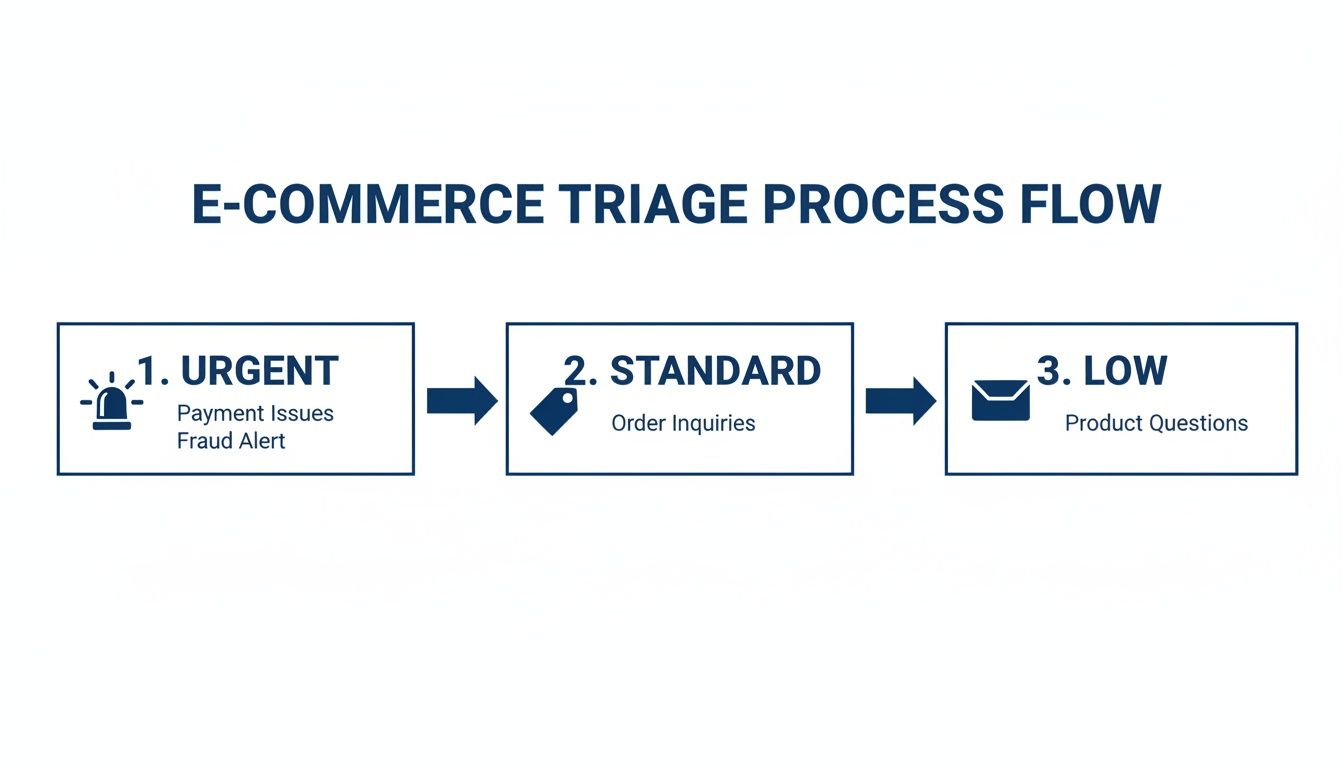
As you can see, the system instantly separates the critical fires from the routine questions, making sure your team’s focus is always on what matters most.
Crafting Your First Automation Recipes
Let’s be clear: automation isn't about replacing your team. It's about empowering them. The real goal is to let technology handle the predictable, repetitive questions with speed and precision, freeing up your agents to apply their expertise to complex problems and high-value conversations. This is the foundation of a solid customer service automation strategy, which we dive into deeper in our guide on how to automate customer service.
So, what does this look like in the real world? Here are a couple of powerful automation recipes you can set up right away.
1. The 'Where Is My Order?' (WISMO) Auto-Responder
This is the bread and butter of e-commerce support—and likely your most common ticket. Instead of an agent manually digging for tracking numbers, an AI workflow can handle it in seconds.
- Trigger: An email comes in with keywords like "tracking," "where is my order," or "shipping status."
- Action: Mailo AI instantly recognizes the intent. It then connects to your Shopify store data using the customer's email, finds their latest order, and pulls the tracking information.
- Result: A personalized email is automatically sent back to the customer with a direct link to their tracking page. The ticket is then closed, having never touched a human agent's queue.
2. The Smart Return & Exchange Initiator
Returns can be a real headache, with multiple steps for both the customer and your team. Automation smooths out the entire process.
- Trigger: An email contains phrases like "I want to return," "exchange this," or "refund policy."
- Action: The system automatically replies with a link to your self-service return portal, a quick summary of your return policy, and answers to frequently asked questions.
- Result: The customer is empowered to start the process on their own. Your team only needs to step in for non-standard issues or escalations.
Balancing Speed with a Human Touch
While full automation is a game-changer, not every situation calls for a purely robotic response. This is where you can blend the speed of AI with the empathy and judgment of your team using AI-suggested replies.
The best automation systems don't just execute tasks; they augment your team's ability to provide exceptional service. Think of AI as the world's most efficient assistant, not a replacement for your star player.
Mailo AI can analyze a customer's email, understand the context, and draft a complete, on-brand response. This draft appears right inside your agent's workspace, ready to be sent with a click or tweaked for a more personal touch.
For example, the system can generate a perfect reply to a customer's question, which your agent can then approve or edit before sending.
The real magic here is that blend of efficiency and control. Your agent saves precious minutes on every single ticket but still has the final say, ensuring every customer interaction feels genuine. For those looking to push the boundaries, using advanced Agentic Workflows allows AI to handle complex, multi-step tasks, truly changing the game for e-commerce support. This is how you scale your support operation without sacrificing quality.
Applying the Five Core Actions to E-commerce Support
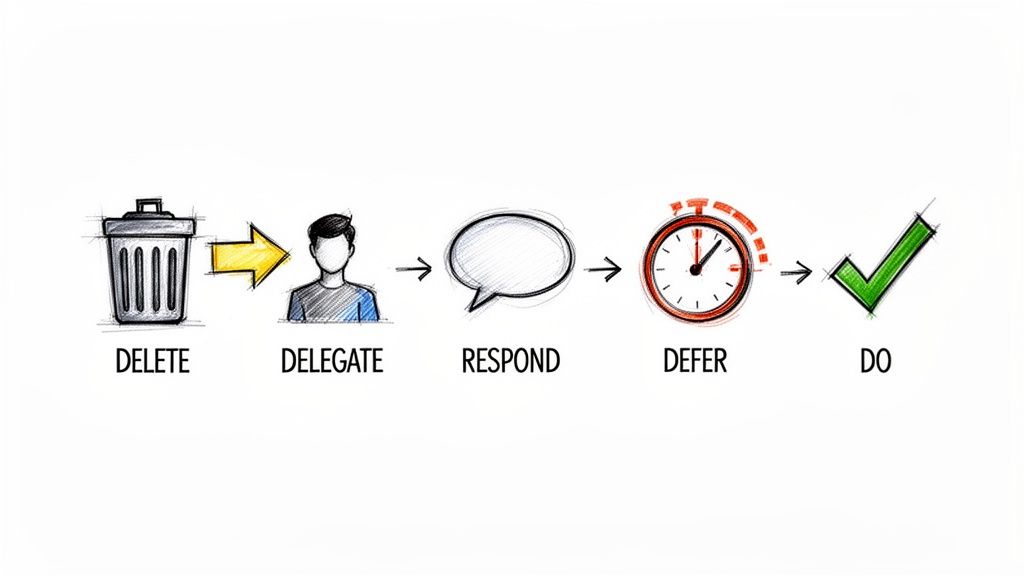
Okay, you've got your triage framework and automation running. Now comes the daily grind—the real work of keeping that inbox at zero. This is where the classic philosophy from productivity guru Merlin Mann becomes your team's secret weapon. It all boils down to making a quick, decisive choice for every single email.
The goal is to eliminate indecision. When an agent opens an email that automation couldn't handle, they should immediately choose one of five paths. This simple discipline prevents messages from languishing in the main queue, which is what creates that feeling of overwhelm and clutter in the first place.
Let's break down how this theory translates into a practical battle plan for a busy e-commerce team.
Action 1: Delete and Archive
The quickest path to a clean inbox is getting rid of junk. Be ruthless. This action is all about clearing out the noise so your team can focus on actual customers who need help.
What does this look like in an e-commerce setting?
- Obvious Spam: Those weird marketing pitches or phishing attempts that sneak past your filters. Gone.
- System Alerts: Automated notifications from Shopify like "New product review submitted." If you've seen it and no action is needed, it doesn't need to live in the inbox.
- Out-of-Office Replies: Automated emails from suppliers or partners. Unless you're waiting on something specific, these are just noise.
The rule is brutally simple: if it doesn't require a response or a task, delete or archive it on the spot. Don't even think twice. With today's powerful search tools, you can always dig up an archived message later if you absolutely have to.
Action 2: Delegate
I see this mistake all the time: support agents trying to be heroes by answering questions that are way outside their lane. A huge number of emails that land in your support queue probably belong to someone else.
Delegating is about quickly passing the baton to the right team.
- Real-World Scenario: An email comes in from a boutique owner asking about wholesale pricing. Your support team has no business trying to answer that.
- The Right Move: The agent should immediately forward it to the sales or partnerships lead, archive the original, and move on.
This simple handoff gets the inquiry to an expert who can actually handle it, keeping your support queue clear for genuine customer issues.
Action 3: Respond
This is your bread and butter—emails you can answer and resolve fast. This is where having solid templates and smart tools gives you a massive advantage. The aim here is always a one-touch resolution.
A great guideline is the "two-minute rule." If you can give a complete, correct answer in two minutes or less, just do it now. Don't save it for later.
This is exactly where a tool like Mailo AI's suggested replies is a game-changer. An agent opens a ticket and sees a perfectly worded, on-brand response already waiting for them. What used to be a five-minute chore—looking up the order, checking the return policy, typing it all out—is now a ten-second "click and send" operation.
Action 4: Defer
Some issues just can't be solved instantly. Maybe you need more information or you're waiting on someone else. The "Defer" action is how you handle these without letting them clog up your active queue. This isn't procrastination; it's a strategy for scheduled follow-up.
- Scenario 1: A customer's package is stuck in transit. You're waiting for an update from the carrier. Don't just leave that ticket sitting there. Snooze it so it pops back into your inbox tomorrow morning.
- Scenario 2: A customer asks when a sold-out item will be back. You know it's being restocked next Friday. Defer the email to reappear on Friday morning, so you can notify them the moment it's available.
Most modern helpdesks have a "snooze" or "remind me" feature. Use it. It hides the message from view, ensuring your active inbox only contains tickets you can work on right now.
Action 5: Do
Finally, some emails aren't really about a conversation—they're about a task. This is different from a response. It’s about performing a quick action that solves the problem.
For instance, a loyal customer can't find the 15% discount code you sent in a newsletter. The task isn't just to reply; it's to find the code and send it over. Another classic example is a customer who needs to update their shipping address before an order goes out. The agent can "do" this in the back-end, confirm it's done, and close the loop.
By cycling through these five actions for every message, your team builds a powerful habit. You eliminate inbox clutter and the mental fatigue that comes from indecision, creating a support operation that’s both focused and remarkably efficient.
How to Measure and Sustain Your Inbox Zero System
Getting your automated triage system up and running with the five core actions is going to feel like a massive win. And it is. But the real magic of Inbox Zero isn't just hitting that clean slate once; it's about staying there, day in and day out.
Think of your system not as a "set it and forget it" machine, but as a living part of your support operations. It has to evolve right alongside your business, your products, and your customers' needs. This is where measurement becomes your secret weapon—it helps you prove the value of your new workflow and find smart ways to make it even better.
Key Metrics to Track Your Progress
To really see the impact you're making, you have to look past the simple number of emails in your inbox. The right metrics show you how all this new efficiency is actually creating a better experience for customers and building a stronger support team.
If you want to do a deep dive, we've got a whole guide on how to measure customer service effectively, but here are the essentials I always keep an eye on:
- First Response Time (FRT): This is your front-line speed. How fast are you getting that first reply out? Automation should send this number plummeting, especially for those common, repetitive questions.
- Average Resolution Time: From the moment a ticket is opened to the moment it's closed, how long does the whole process take? This is your ultimate measure of efficiency.
- Customer Satisfaction (CSAT) Score: The bottom line—are your customers happier? Faster, more accurate support should directly translate to higher CSAT scores.
- Agent Touches Per Ticket: How many back-and-forth replies does it take to get a problem solved? A well-oiled system cuts down on this conversation clutter dramatically.
But the metric that really tells the story is time saved. You absolutely have to quantify the hours your team gets back. This is the ROI that gets everyone's attention, proving your agents are free to work on high-value problems instead of just answering the same questions over and over.
Visualizing Performance with AI Analytics
Thankfully, you don't need to be a spreadsheet wizard to track all this. Modern AI tools give you everything you need on a single, clean dashboard, so you can see the health of your support operation at a glance.
For example, the analytics dashboard in Mailo AI cuts through the noise and shows you exactly what's going on with your team's performance.
With a view like this, you can immediately see how many hours AI has saved your team and track your response times to make sure you're crushing those SLA targets.
The impact here is huge. It's not just a small improvement; it fundamentally changes how a support team operates. A 2025–2026 dataset revealed that teams using these methods with automation saw up to a 75% decrease in time spent managing email. For a typical Shopify support agent, that's like getting 5–8 hours back every single week. That’s time they can now spend on proactive outreach or solving complex issues that actually drive revenue. You can find more data like this in the full report on email industry trends.
Conducting Regular System Reviews
To keep things running smoothly for the long haul, block off time every quarter to review your entire Inbox Zero system. This is your chance to step back, look at the data from your dashboard, and make some smart, strategic tweaks.
When you sit down for these reviews, focus on a few critical questions:
- Are our automated replies still on point? Go through your email templates and AI-suggested replies. Do they still reflect your current policies, products, and brand voice? Things change, and your automations need to keep up.
- Are our triage rules still working for us? Look at how tickets are being categorized. Are you seeing new types of questions pop up that need their own unique rule or priority level?
- Where are we getting stuck? Dive into your resolution time data. If certain ticket types are taking way longer to solve than others, that's a red flag. It might point to a gap in your knowledge base, a need for more training, or an opportunity for a new automation workflow.
By constantly refining your rules, templates, and workflows, you ensure your system doesn't just work—it works brilliantly. This is how you turn your inbox from a source of stress into a model of operational excellence.
Got Questions About Inbox Zero? Let's Clear Things Up.
Even with a solid plan, jumping into a new system like the Inbox Zero method can feel a bit daunting. Let's walk through some of the most common questions and hang-ups we see from e-commerce teams when they decide to trade their chaotic inboxes for a calm, organized workflow.
It's completely normal to be a little skeptical. If your team is already underwater, the thought of hitting zero might sound like a fantasy. But the magic isn't in literally having zero emails—it's in the mindset shift.
Is It Actually Realistic for a Busy E-commerce Team to Hit Zero Every Day?
This is always the first question, and it stems from a common misconception. The "zero" in Inbox Zero doesn't mean your inbox is empty 24/7. It means zero time is wasted wondering what to do with an email. Every message that comes in gets a decision, a home, and a clear next step.
For a high-volume e-commerce team, this looks like:
- Answered tickets are archived immediately. Gone.
- Emails that need a follow-up are snoozed, popping back up exactly when you need them.
- Complex issues are tagged and routed to the right person or department without delay.
- Simple, two-minute tasks are just... done.
The real goal is to get your active inbox down to only the emails your team can action right now. You're killing indecision, not just deleting emails.
Think about this: a study from Atlassian found the average employee checks their email 36 times an hour. Inbox Zero is about breaking that reactive cycle and making email a structured, intentional part of the day.
This is where a tool like Mailo AI really changes the game. It handles the flood of common questions on autopilot, freeing up your team to focus on the customer issues that actually require a human brain and a personal touch.
How Long Does It Really Take to Set Up an Automated System?
Honestly, getting started is faster than you'd think. The initial setup with a platform like Mailo AI is designed for a quick win. You can connect your Shopify store and email account in just a few minutes, and the AI starts learning and classifying messages instantly.
From there, you can roll things out in phases. You could probably knock out your first crucial automation rules—like for all those "Where Is My Order?" (WISMO) tickets or basic return requests—in under an hour. A full-blown, comprehensive setup with custom priority rules, a complete set of branded email templates, and detailed team workflows might take a few hours or a day to really dial in.
The beauty of it is that the system grows with you. Start with the automations that will have the biggest impact, see how they work, and then build from there.
Will AI and Automation Make Our Support Feel Cold and Robotic?
This is a huge, and very valid, concern. But the goal of modern AI isn't to replace your team's personality; it's to give them more time to use it. This is done through a concept called "human-in-the-loop" automation.
This approach keeps you in the driver's seat. AI-suggested replies are designed to match your brand's voice, and your agents always have the final say—they can edit, personalize, or approve any message before it goes out. You get the speed of automation with the critical touch of human empathy.
For the fully automated replies, you can craft templates that are genuinely warm and helpful, pulling in real-time customer and order details straight from Shopify. The strategy is simple: automate the transactional stuff (like order status checks) so your team can pour their energy into providing thoughtful, high-value support where it truly counts.
Ready to turn your support inbox from a source of chaos into a scalable growth engine? Mailo AI uses powerful AI to automate email classification, generate on-brand replies, and give you the tools to implement a true Inbox Zero system for your Shopify store. Start a free trial and see how much time you can save.