

Collecting customer feedback is all about timing and context. You need to ask the right questions, through the right channels, and at just the right moment. For online stores, this usually means leaning on tools like post-purchase email surveys, on-site pop-ups, and even proactive support chats to get the insights that actually improve your products and the entire customer experience.
Why Customer Feedback Is Your E-Commerce Growth Engine
Think of customer feedback as more than a report card for your support team. It's the raw material for real, sustainable growth. For any modern e-commerce brand, knowing how to systematically collect feedback is what separates the market leaders from everyone else. It's a direct line into your customers' minds, showing you what they truly value, what frustrates them, and what will ultimately keep them coming back for more.
When you start treating feedback as a growth engine, your entire perspective shifts. Instead of just reacting to complaints, you begin proactively hunting for insights to build better products, write marketing copy that actually connects, and create a customer journey that builds genuine loyalty. This turns scattered customer opinions from a messy pile of support tickets into a powerful source of business intelligence.
The Real Impact of Listening
Simply asking for feedback sends a powerful signal: you care. This small act has a huge impact on how customers see your brand. In fact, research shows that a whopping 77% of customers view brands more favorably if they actively seek out and accept feedback. It's a simple but powerful truth—people want to be heard.
This goes way beyond just creating warm, fuzzy feelings. When you really dig into what drives loyalty, it’s not always about flash sales or discount codes. For many people, their loyalty to a brand is defined by how understood and valued they feel.
By turning customer opinions into actionable data, your store can fine-tune everything from product development to marketing messages. This isn't just about keeping up; it's about gaining a real competitive advantage by building a business that evolves with your customers, not just for them.
Building a Proactive Feedback System
A truly effective feedback strategy isn't a one-and-done campaign; it’s a continuous loop. The goal is to build a system where collecting, analyzing, and acting on feedback becomes a core, non-negotiable part of your operations. To make this work, it's critical to have a robust customer review strategy.
You want to move from a reactive mode of just solving problems to a proactive one focused on improving the entire customer journey. This means embedding feedback collection into the most important touchpoints:
- Post-Purchase: Ask for initial product impressions right after the item is delivered.
- Customer Support: Check in after a support ticket is resolved to see how your team did.
- Cart Abandonment: Try to understand what caused the friction during checkout.
- Long-Term Follow-Ups: Reach out weeks or even months later to gauge long-term satisfaction and product durability.
By setting up these checkpoints, you create a constant stream of valuable insights that can fuel every single part of your business.
Choosing Your Feedback Channels and Perfecting Your Timing
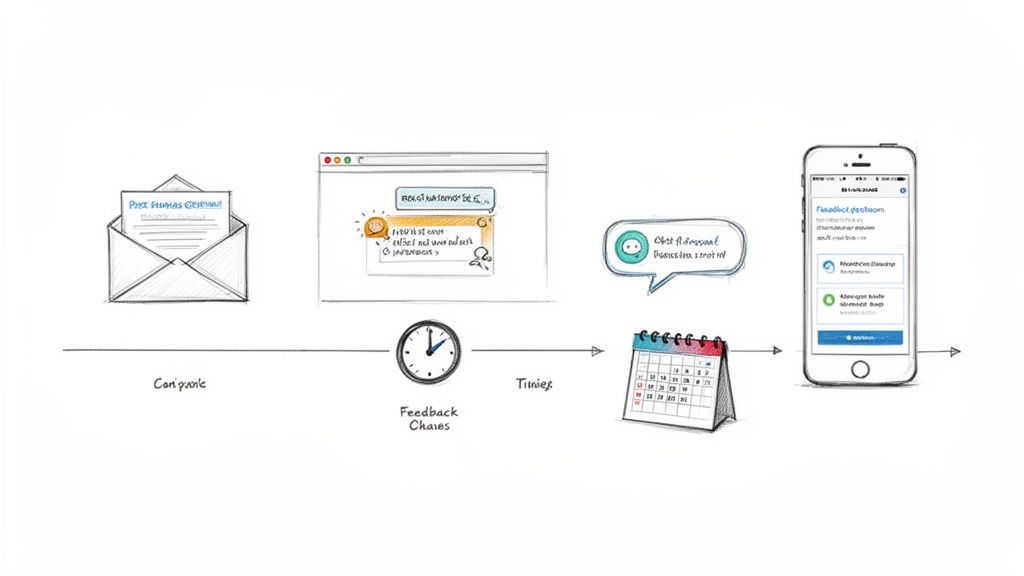
Knowing how to ask for feedback is only half the battle. The real magic happens when you master the "where" and "when."
Think about it. Asking for a detailed product review in a live chat pop-up is just as ineffective as using an exit-intent survey to gauge long-term brand loyalty. You'll get low response rates and vague, unhelpful answers. The secret is to meet your customers exactly where they are, right in the moment when their experience is fresh.
Selecting the Right Channels for Maximum Impact
Your feedback toolkit should be diverse. You don’t need to be everywhere at once, but you do need to pick the right tools for the job. It's about strategically choosing channels that align with what you’re trying to learn at different points in their journey.
Here are the heavy hitters for e-commerce brands that I’ve seen deliver the best results:
-
Post-Purchase Emails: These are the workhorses for product feedback. You send them out a week or two after delivery, which gives customers enough time to actually use what they bought. This is your best bet for getting detailed reviews and specific comments on quality, fit, or performance.
-
On-Site Surveys & Pop-Ups: These are perfect for capturing in-the-moment feedback about the shopping experience itself. An exit-intent pop-up that asks, "What's stopping you from completing your purchase today?" can instantly reveal friction points in your checkout that you never knew existed.
-
Dedicated Feedback Pages: A permanent page on your site, usually linked in the footer, is a fantastic way to give motivated customers a place to share their thoughts whenever the mood strikes. It’s a passive channel, but it often surfaces the most passionate, unsolicited feedback from your most engaged audience.
-
Proactive Support Chats: Don't just wait for customers to complain. After a specific interaction, like when a customer uses your on-site size guide, a chat can pop up asking, "Did you find the sizing information you needed?" This gives you real-time data on how helpful your tools are.
The best strategies I've seen always combine multiple channels. An on-site pop-up tells you why people are abandoning their carts, while a post-purchase email tells you how they feel about the product they eventually bought. Together, they paint a complete picture.
Timing Is Everything: Capturing Fresh and Relevant Insights
Timing your feedback request is an art. Ask too early, and your customer has nothing meaningful to share. Ask too late, and the crucial details have already faded from their memory. The perfect moment depends entirely on what you want to learn.
To map this out, it’s helpful to think about specific touchpoints in the customer's journey and match them to the right channel and question.
Customer Journey Feedback Touchpoints
Here’s a practical breakdown of how you can align your feedback requests with key moments in the customer lifecycle.
| Customer Journey Stage | Optimal Channel | Feedback Goal | Example Question |
|---|---|---|---|
| Initial Website Visit | On-site pop-up or feedback widget | Understand first impressions and findability | "Was it easy to find what you were looking for today?" |
| Cart Abandonment | Exit-intent pop-up or abandoned cart email | Uncover friction in the checkout process | "What's the main reason you didn't complete your purchase?" |
| Immediately Post-Purchase | Order confirmation page or email | Gauge checkout experience satisfaction | "How would you rate your checkout experience?" (CSAT) |
| Post-Delivery (7-14 Days) | Automated email survey | Collect detailed product reviews & ratings | "How are you enjoying your new [Product Name]?" (NPS/Star Rating) |
| After Support Interaction | Email or in-app survey (immediately) | Measure customer service effectiveness | "How easy was it to get your issue resolved?" (CES) |
| Long-Term (60-90 Days) | Email survey | Assess brand loyalty and repeat purchase intent | "How likely are you to recommend us to a friend?" (NPS) |
By targeting these specific moments, you make the feedback process feel like a natural part of the conversation, rather than a random interruption.
This is especially critical after a support interaction. When a customer needs help, they expect you to be fast and effective. In fact, research shows 85% of customers see speed as a critical factor in brand loyalty.
When you solve a customer's problem quickly, you have a golden opportunity. Customers who get a fast resolution are 2.4 times more likely to stick with your brand. Sending a simple CES (Customer Effort Score) survey right after a ticket is closed not only captures immediate, honest feedback on your team's performance but also reinforces that you care about their experience.
Ultimately, getting your timing and channel selection right is an ongoing process. Keep an eye on your response rates. If an email survey is consistently falling flat, try sending it a few days earlier or simplifying the questions. The goal is to make giving feedback feel effortless and valuable for everyone involved.
Crafting Questions That Elicit Honest Answers
The feedback you get from customers is only as good as the questions you ask. If you stick to vague, generic questions, you’ll get vague, generic answers—and those don't give you much to work with. To really get inside your customers' heads, you have to move beyond a simple "How was your experience?" and start asking questions that uncover their true motivations, frustrations, and expectations.
Asking the right question is part art, part science. It's about understanding the psychology of how people respond and aligning every question with a specific business goal.
For example, a tiny tweak in wording can make a world of difference. Instead of asking, "Did you find what you were looking for?" try this instead: "What was one thing you hoped to find today that you couldn't?" The first question gets a lazy "yes" or "no." The second one uncovers gaps in your product catalog or reveals a confusing part of your website that you can actually go in and fix.
Choosing Your Survey Method
Before you even think about writing a single question, you have to pick the right tool for the job. Not all feedback metrics are created equal; each one is built to measure a very specific piece of the customer experience. For most e-commerce brands, it boils down to three core methodologies: Net Promoter Score (NPS), Customer Satisfaction (CSAT), and Customer Effort Score (CES).
- Net Promoter Score (NPS) tells you about long-term brand loyalty and how likely your customers are to recommend you. Think of it as your word-of-mouth-o-meter.
- Customer Satisfaction (CSAT) is all about the here and now. It measures a customer's happiness with a specific interaction, like a recent purchase or a chat with your support team.
- Customer Effort Score (CES) measures how easy it was for a customer to get something done. This is your friction detector.
Knowing the difference is absolutely critical. If you use a CSAT survey to measure overall brand loyalty, you'll get a misleading picture. Likewise, using an NPS question to evaluate a single support ticket is like using a telescope to look at something in your hand—it’s just the wrong tool.
To help you get started, we've put together a huge list of feedback form examples that you can borrow from and adapt for your own store.
Here's a quick look at how the three big survey types stack up, helping you pick the right one for any situation.
Choosing Your Survey Method
| Survey Type | What It Measures | Best For | Core Question Example |
|---|---|---|---|
| NPS | Overall customer loyalty and brand advocacy | Gauging long-term customer health and predicting future growth. | "How likely are you to recommend us to a friend?" |
| CSAT | Short-term satisfaction with a single touchpoint | Measuring the quality of a recent purchase or support interaction. | "How satisfied were you with your checkout experience?" |
| CES | The ease and friction of a customer interaction | Identifying and removing obstacles in the customer journey. | "How easy was it to get your issue resolved today?" |
Each method gives you a different piece of the puzzle. The real magic happens when you use them together to build a complete picture of your customer experience.
Beyond the Score: Powerful Open-Ended Questions
While scores from NPS, CSAT, and CES give you a great quantitative snapshot, the real gold is almost always buried in the follow-up questions. These open-ended prompts are where customers tell you why they gave you that score, in their own words. This is where you find the specific, actionable insights that lead to real improvements.
The trick is to ask questions that invite a story, not just a one-word answer.
A truly powerful question prompts the customer to tell a story. Instead of asking what they liked, ask what surprised them. Instead of asking what they disliked, ask what nearly stopped them from completing their purchase. The answers will be far more revealing.
Also, be careful to avoid leading questions. Something like, "How much did you enjoy our seamless checkout process?" subtly pushes the customer toward the answer you want to hear, which contaminates your data. Always use neutral, open language that gives them complete control over their response.
Your Cheat Sheet of High-Impact Questions
Sometimes, just getting started is the hardest part. Here’s a list of proven, high-impact questions you can start using right away. Just tweak them to fit your specific touchpoints and what you’re trying to learn.
To understand purchase motivation:
- What problem were you trying to solve when you found us?
- What was the most important factor in your decision to buy from us today?
To uncover website or product friction:
- Was there anything on our website that was confusing or difficult to use?
- If you could change one thing about [Product Name], what would it be?
To identify competitive advantages:
- What other options did you consider before choosing us?
- What makes us stand out from other brands you've purchased from?
To capture the "almost-lost" customer:
- What was one thing that nearly prevented you from completing your purchase?
- Did you experience any doubts or hesitations before checking out?
When you start using these kinds of specific, insightful questions, you turn feedback collection from a simple chore into a strategic intelligence-gathering machine. You won't just be collecting data; you'll be collecting stories. And it’s those stories that will show you the path to genuine, customer-led growth.
Weaving Automation into Your Feedback Loop with Shopify and AI
Let's be honest: manually sending surveys and sifting through responses just doesn't scale. As your Shopify store grows, you need a system that works for you in the background, making sure you never miss out on a crucial piece of customer insight. This is where automation and AI stop being buzzwords and become your most powerful tools.
When you connect your feedback strategy to the right tech, you can build a self-running loop that's both incredibly efficient and surprisingly personal. It shifts feedback collection from a chore you do once a quarter into a continuous, intelligent engine for growth.
Let Customer Actions Trigger Your Feedback Requests
The secret to great automation is all about timing. Your Shopify store is a goldmine of data triggers you can use to ask for feedback at the perfect moment. Forget about generic, mass-email surveys. Instead, you can set up smart workflows that send out specific questions based on what a customer just did. This makes your request feel relevant and skyrockets your response rates.
Think about these triggers you can set up right within Shopify or through its app ecosystem:
- Order Fulfilled: The moment an order is shipped, a timer can start. A week later, an email automatically goes out asking for a product review. Simple, effective, and perfectly timed.
- Support Ticket Closed: As soon as your team resolves a customer's issue, an automated CES survey can pop into their inbox to ask how easy the process was. This gives you an immediate pulse on your support team's performance.
- First-Time Purchase: You can create a unique welcome journey just for new customers, sending a quick survey a day or two after they buy, asking about their first impression of your store.
- Account Creation: When someone takes the time to create an account, they're showing a deeper level of interest. You could send a welcome email with a simple one-question poll asking what brought them to your brand.
By automating these touchpoints, you build a consistent feedback machine that captures insights when they're fresh and most relevant. If you're ready to dive deeper, learning how to automate customer service is a fantastic next step for building a more hands-off operation.
This flow shows how you can use different survey types—NPS, CSAT, and CES—to get a complete picture of the customer experience.
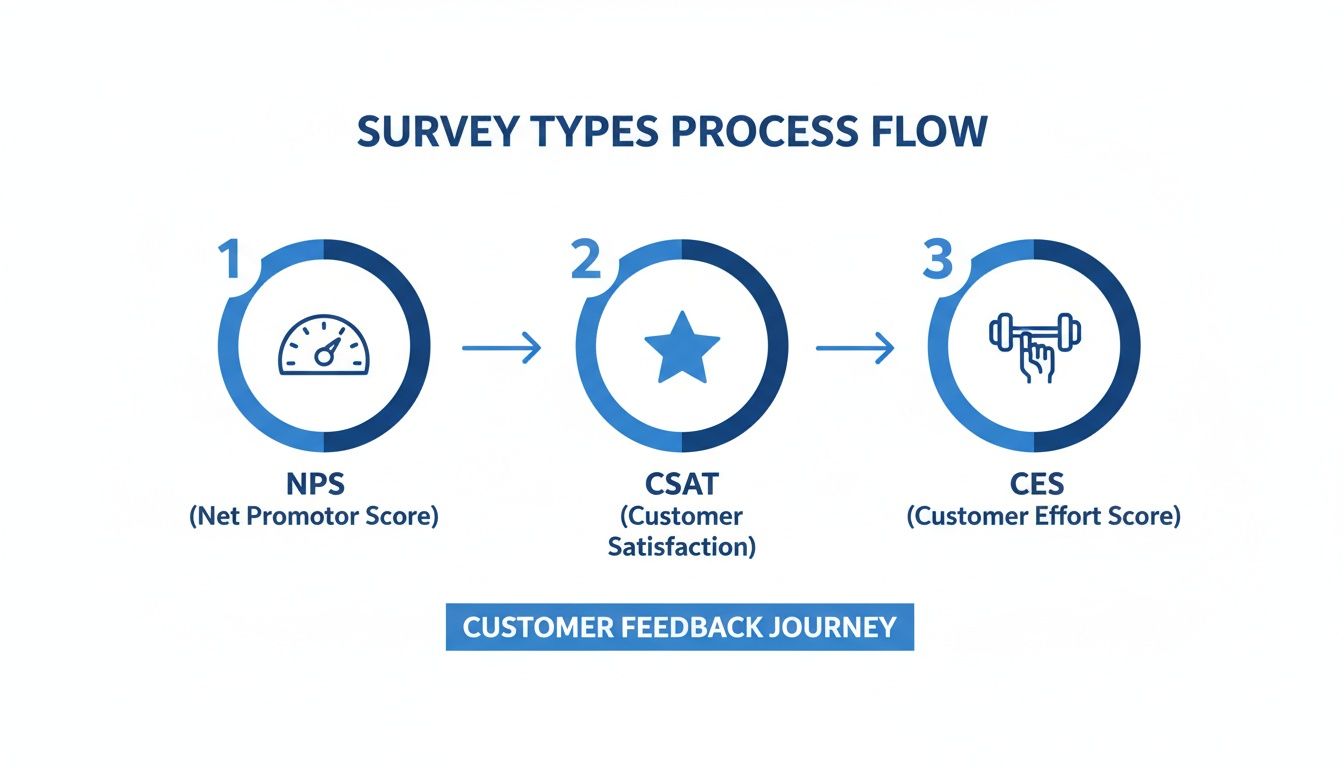
As you can see, each survey has a specific job. NPS measures long-term loyalty, CSAT checks in on immediate satisfaction after a key interaction, and CES tells you how much effort it takes for customers to get things done.
Put AI to Work Analyzing and Sorting Feedback
Getting more feedback is great, but only if you can actually do something with it. No one has the time to manually read through hundreds of open-ended comments. This is where AI tools completely change the game, turning messy, qualitative feedback into clean, actionable data without you lifting a finger.
AI doesn't just automate the asking; it automates the understanding. It can read, interpret, and categorize what customers are saying way faster and more accurately than any human could.
Imagine a customer leaves this review: "The shirt I ordered arrived late and the color was much darker than the picture online." An AI-powered tool can read that sentence and instantly tag it.
How AI Tagging Works in Practice
| Customer Comment | AI-Generated Tags |
|---|---|
| "The shirt I ordered arrived late and the color was much darker than online." |
shipping-delay, product-inaccuracy
|
| "Your checkout process was so confusing I almost gave up." |
website-friction, checkout-issue
|
| "I love the new moisturizer, but the pump on the bottle broke after two uses." |
product-quality, packaging-defect
|
This kind of automatic sorting lets you spot trends as they happen. See a sudden spike in shipping-delay tags? It might be time to have a serious talk with your logistics partner. A rise in packaging-defect tags on a specific product points you directly to a supplier quality-control problem. For anyone serious about this, leveraging AI apps for your Shopify store is the key to automating the entire workflow, from collection to analysis.
This kind of automation frees up hundreds of hours and ensures no golden nugget of feedback gets buried in your inbox. It empowers your team to stop sorting data and start making smart decisions based on what your customers are really telling you.
So, You’ve Got Feedback. Now What?
Collecting customer feedback is just the starting line. The real magic—and the real growth—happens when you turn all those comments, ratings, and survey responses into real-world improvements. This is where great brands pull away from the pack.
It’s easy to feel buried under the raw data. You might be staring at hundreds of survey replies, a flood of product reviews, and a constant stream of social media DMs. The trick is to stop thinking of it as a mountain of data and start seeing it as a treasure map.
From Messy Data to Clear Themes
First things first, you need to bring some order to the chaos. Your goal is to spot the recurring ideas hidden in all that feedback. Whether you’re using a simple spreadsheet or a dedicated feedback tool, the process is the same: start tagging everything.
For a typical e-commerce brand, your tags might look something like this:
-
Product Problems:
sizing-issues,color-not-as-pictured,poor-quality -
Website Friction:
checkout-confusing,site-slow,mobile-bug -
Shipping & Delivery:
late-delivery,damaged-box,no-tracking-updates -
Customer Service:
slow-reply,unhelpful-agent,fast-resolution
Almost immediately, you'll start to see patterns. You might realize that 15% of all feedback last month mentioned “sizing issues.” Just like that, you’ve gone from a pile of disconnected complaints to a clear, data-backed problem screaming for a solution.
How to Prioritize Without Losing Your Mind
Here's a hard truth: you can't fix everything at once. Trying to is a recipe for burnout. Smart prioritization is all about balancing the potential customer win against the effort it'll take from your team.
I’ve always found a simple impact vs. effort matrix works best. Just plot each theme you’ve identified on a chart based on these two things: customer impact (how big and widespread is the problem?) and business effort (how many resources will it take to fix?).
High Impact, Low Effort: These are your golden opportunities. Your quick wins. If customers can't find your returns policy, moving it to the main navigation is a no-brainer. Jump on these immediately.
High Impact, High Effort: Think of these as your big-rock projects. That recurring "sizing issues" problem? It might mean a total overhaul of your product pages with new charts and fit guides. These require a solid plan and dedicated resources.
Low Impact, Low Effort: These are the little tweaks and fixes. A typo on a product page fits right in here. Knock them out when you have a bit of downtime.
Low Impact, High Effort: These are the ideas you respectfully ignore for now. If one person asks for a wildly complex feature that would take months to build, it’s probably not the best use of your time.
The Secret Weapon: Closing the Feedback Loop
This is the final, and most important, step. You have to tell your customers what you did with their feedback. It’s called "closing the loop," and it’s one of the most powerful loyalty-building moves you can make. It shows you aren't just collecting data for the sake of it—you’re actually listening.
Think about a customer who complained about your confusing size charts. A month later, an email like this lands in their inbox:
Subject: You spoke, we listened. Our size guides just got a makeover.
Hi [Customer Name],
A little while back, you told us our size charts weren't hitting the mark. You were right.
Because of your feedback, we've totally redesigned them with interactive guides and new model photos to help you find that perfect fit, every single time.
We couldn't have done it without you. Thanks for helping us get better!
The [Your Brand] Team
Boom. You’ve just turned a past point of frustration into a moment of delight. That customer now feels seen, heard, and valued. They're not just a customer anymore; they're an advocate.
To see how these small interactions add up, take a look at our deep dive into key customer engagement metrics. By building a system to analyze, prioritize, and act on feedback—and then shouting about it from the rooftops—you create a powerful cycle of improvement that will keep your brand growing for years to come.
Answering Your Top Customer Feedback Questions
Even with the best strategy laid out, getting into the nitty-gritty of collecting feedback always brings up a few questions. It’s one thing to know you should ask, but it’s another to know exactly how and when. Let’s walk through some of the most common hurdles e-commerce pros face.
Think of this as the troubleshooting guide I wish I’d had when I started. These are the details that can make or break your entire feedback program.
How Often Should I Actually Ask for Feedback?
This is the big one. We all want insights, but nobody wants to be that brand spamming customers with constant survey requests. The trick is to stop thinking about a generic schedule and start thinking about specific moments in the customer journey.
You can absolutely ask the same person for feedback multiple times without being annoying, as long as each request is tied to a distinct experience. It’s all about context.
- Post-Purchase Feedback: This is for the product itself. The sweet spot is usually 7-14 days after the package has been delivered. Ask once per order.
- Customer Support Follow-up: The moment a support ticket is closed is the perfect time to send a quick Customer Effort Score (CES) survey. It’s immediate, relevant, and you can do this after every single interaction.
- The Big Picture (NPS): When you want to gauge overall brand loyalty, you're playing the long game. Don’t send a Net Promoter Score survey more than once every 6-12 months to any given customer.
Tying your requests to these events makes them feel logical and helpful, not random and intrusive. This gives you a steady flow of valuable, varied insights without fatiguing your audience.
What's a Good Survey Response Rate, Really?
Everyone wants a magic number, but the truth is, there isn't one. Response rates can swing wildly depending on your industry, the survey channel, and how loyal your customers are to begin with. But we can set some realistic benchmarks.
For surveys you send via email, anything between 5% and 30% is pretty standard. If you’re dipping below 5%, it might be time to look at your subject lines, when you're sending the email, or the clarity of your questions.
On the other hand, pop-up surveys on your website can do much better, sometimes hitting 40% or more. This makes sense—you're catching people while they are actively engaged with your brand.
My best advice? Stop chasing an industry benchmark and focus on improving your own baseline. If you move your email response rate from a meager 4% to a solid 8% this quarter, that’s a massive victory.
A simple pro-tip to boost those numbers: tell people why you're asking. A quick sentence like, "Your feedback helps us decide which new products to stock," gives the request a purpose and makes customers feel like they're part of the process.
Should I Pay People for Feedback with Incentives?
Incentives are a double-edged sword. Yes, offering a discount can seriously pump up your response volume. But it can also attract people who will fly through the questions just to get the coupon, leaving you with a pile of useless, low-effort answers.
Here’s how I think about it strategically:
- For quick, transactional surveys (like CSAT/CES): Skip the incentive. These surveys take just a few seconds, and a reward just complicates things.
- For more involved surveys: If you're asking someone to spend more than five minutes giving detailed thoughts, an incentive is a great way to show you respect their time. A 10% discount on a future order is a classic for a reason—it works, and it encourages another purchase.
- For high-effort feedback (like a 30-minute interview): Now you're asking for a real commitment. A substantial reward, like a decent gift card, isn't just nice—it's expected.
The goal is to match the reward to the effort. When you get this balance right, incentives aren't just bribes; they're a genuine "thank you" that can unlock the kind of deep, thoughtful feedback you’d never get otherwise.
Ready to stop guessing and start listening? MAILO AI integrates directly with Shopify to put your entire feedback loop on autopilot. From sending perfectly timed surveys to using AI to analyze and tag every response, we turn customer opinions into your most powerful growth tool. Start your free trial today and see what your customers are really thinking.