

Ever sent an email to customer support and felt like you were shouting into a void? It's a frustratingly common experience. But more often than not, the delay isn't because they're ignoring you—it's because your message is hard to act on.
The secret to getting a fast, helpful response is to make it incredibly easy for the support agent to solve your problem. A well-written email cuts through the noise and gets you to the front of the line.
Why Your Customer Service Emails Get Ignored
From the support agent's perspective, their inbox is a relentless flood of requests. They have to quickly scan, prioritize, and act on the ones they can solve immediately. An email with a vague subject line or a long, rambling story gets mentally pushed to the bottom of the pile.
When an agent opens an email with a subject like "Help" or "Problem," they have no idea what they're walking into. Then, if they're met with a wall of text that doesn't include an order number or a clear description of the issue, their first step is to reply asking for that information. Just like that, a day is lost.
Put Yourself in the Agent's Shoes
Imagine you're the one trying to help. Your goal is to resolve as many issues as you can, as quickly as possible. Which email would you tackle first?
- Vague Subject Lines: A subject like "Issue with my order" forces the agent to open the email just to figure out what it's about. That's an extra step slowing them down.
- Walls of Text: Long paragraphs make it tough to find the actual problem. The agent has to play detective, sifting through your story to find the crucial details.
- Missing Information: Forgetting your order number or account ID is the most common reason for a delay. The agent can't do anything without it, so their first reply will always be a request for that info, instantly adding at least 24 hours to the process.
A clear, concise email isn't just about being polite. It's a strategic move that gives the support agent everything they need to fix your problem in one go. You’re turning a potential multi-day back-and-forth into a single, efficient conversation.
Why Email Is Still King for Customer Support
There's a reason email remains the go-to channel for customer service. It’s a universal platform that everyone knows how to use. With an estimated 4.83 billion email users worldwide by 2025, it’s a trusted and familiar way for customers to reach out.
Plus, a staggering 99% of people check their email every single day. This makes it a super reliable way for companies to provide support and for you to get updates. If you want to dive deeper, you can learn more about the latest email usage trends and see why it's such a vital tool. This is precisely why a well-written email to customer care remains one of the most effective ways to solve a problem.
Crafting a Subject Line That Cuts Through the Noise
Think of your subject line as the first handshake with the support team. It’s what they see first, and it sets the tone for the entire conversation. A vague subject like "Question" or "Help" is a surefire way to get lost in a sea of other emails. It forces the agent to do extra work just to figure out what you need, which slows everything down.
On the other hand, a sharp, specific subject line gives the agent immediate context. It lets them know what you’re writing about before they even open the message. In many support systems, a well-written subject line even helps automatically route your email to the right department—like billing or returns—getting it in front of the right eyes much faster. To get the quick response you’re looking for, it’s worth spending a few seconds on the subject line. There are some great email subject line best practices that can make a real difference.
And in case you're wondering just how much competition your email has, take a look at these numbers. It's a crowded world out there.
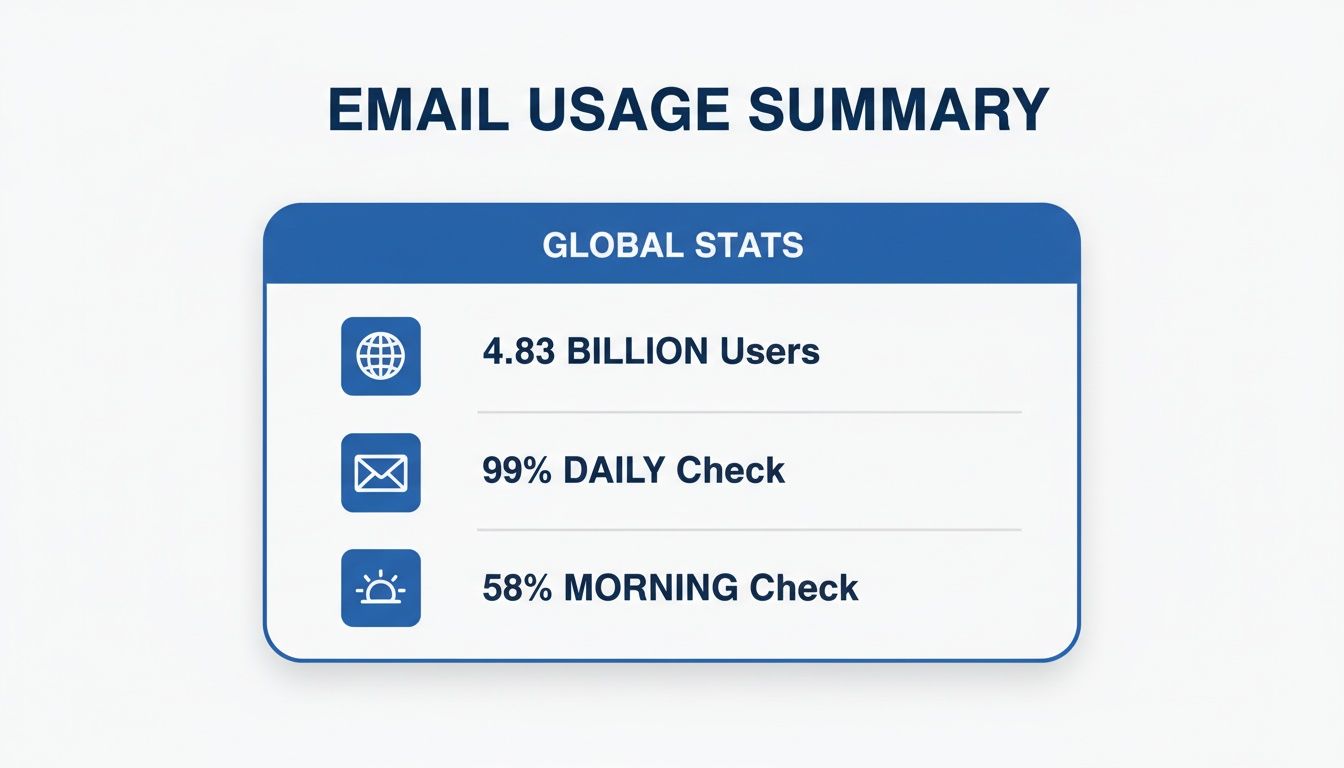
With nearly five billion people checking their email every day, a precise subject line isn't just helpful—it's essential for getting your issue noticed and handled quickly.
Effective vs. Ineffective Subject Lines
A few small tweaks to your subject line can be the difference between a reply in minutes versus a reply in days. The key is to think like the person on the other end. What information would they need to immediately understand and prioritize your request?
This table shows just how much impact a few well-chosen words can have.
| Ineffective Subject Line | Effective Subject Line | Why It Works Better |
|---|---|---|
| Problem with my order | Damaged Item in Order #98765 | Immediately flags the specific issue (damage) and provides the order number for a quick lookup. |
| Return | Return Request - Order #12345 - Blue T-Shirt | This is crystal clear. It states the action needed, the order number, and even the exact item. |
| Where is my stuff? | Shipping Status Inquiry for Order #54321 | It's professional, direct, and includes the order number so the agent can track it instantly. |
| Urgent Help Needed | URGENT: Wrong Address on Order #67890 | The "URGENT" tag grabs attention, and explaining the time-sensitive problem (wrong address) ensures it gets prioritized. |
As you can see, the effective examples give the support agent a complete story at a glance, helping them solve your problem far more efficiently.
A Few Simple Formulas for Great Subject Lines
You don’t have to get fancy. Sticking to a simple, predictable format is often the best approach. It ensures clarity and gives the support team exactly what they need without any guesswork.
Here are a few go-to formulas you can adapt for your email to customer care:
-
For any order-related problem:
[Issue Type] - Order #[Your Order Number]-
Real-world example:
Incorrect Item - Order #A55821
-
Real-world example:
-
For questions about a bill or payment:
[Question Type] Inquiry - Invoice #[Your Invoice Number]-
Real-world example:
Billing Discrepancy Inquiry - Invoice #INV-2024-034
-
Real-world example:
-
For technical support or app issues:
[Product Name] - [Specific Feature] Not Working-
Real-world example:
Mobile App - Login Button Not Responding
-
Real-world example:
Using these simple structures makes the agent's job easier, which is the secret to getting your own problem solved faster. It’s a small step that makes a huge difference.
Give Them What They Need for a Faster Fix
We’ve all been there—the dreaded back-and-forth email chain with customer support that stretches on for days. The good news is, you can almost always skip that frustration. The secret? Give the support agent everything they need to solve your problem in the very first email.
Think of it like handing over a complete case file instead of just one clue. When you anticipate what they'll ask for and provide it upfront, you empower them to get you a solution on their first reply. This means going beyond just your order number. A refund request needs different details than a report about a busted product, and getting it right from the start makes all the difference.
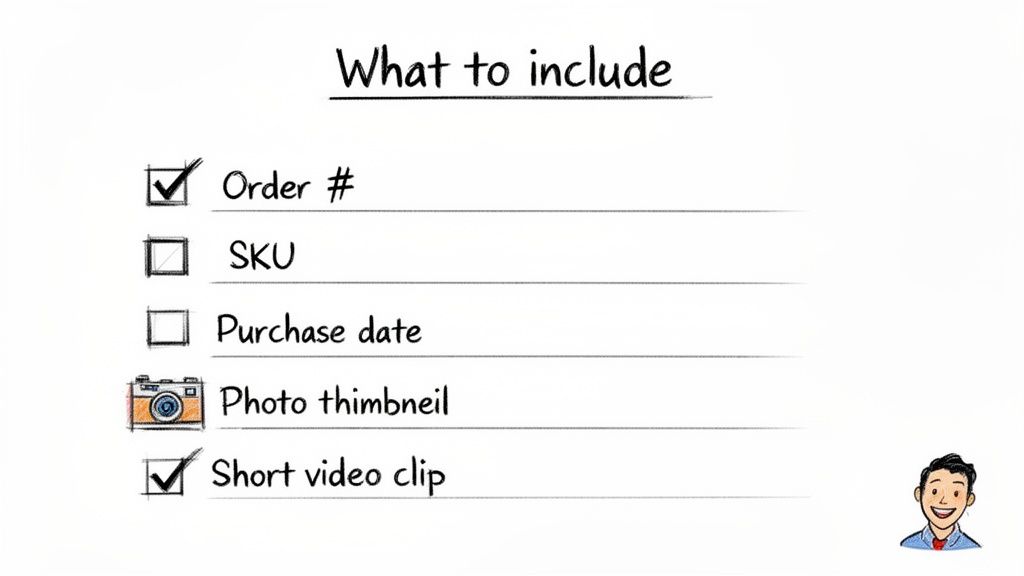
The Must-Haves for Every Email
No matter what went wrong, some details are non-negotiable. Including these basics sets the stage for a quick resolution and helps you avoid that initial, time-wasting "Can you please provide..." email from their side.
- Order Number: This is the magic key. Put it in your subject line and again in the body of your email.
- Full Name and Email Address: Be sure to use the same name and email you used when you made the purchase.
- Date of Purchase: This little detail helps the support team find your transaction in a snap.
Customizing Your Details for the Specific Problem
This is where you can really accelerate the process. The more relevant information you provide, the faster they can act.
For a defective item, simply saying "it's broken" isn't enough. Describe exactly what's wrong. Even better, attach a short video or a few clear photos showing the issue. Visual proof is incredibly powerful and can often let an agent process a replacement or refund immediately, sometimes without even needing you to return the faulty product.
If you received the wrong product, list the name and SKU (if you can find it) of what you ordered and what you actually got. A quick photo of the incorrect item next to the packing slip is worth a thousand words.
Pro Tip: For more complicated situations, a simple timeline can work wonders. For example: "1. Ordered on June 5th. 2. Got shipping confirmation on June 7th. 3. Package arrived June 10th with the wrong item." That kind of clarity is a support agent's dream.
Getting these specifics right is just as important as the overall tone and structure of your message. For a closer look at professional communication, our guide on how to write a business email is a great resource.
It’s no surprise that companies pour resources into good customer communication. The data speaks for itself: email marketing generates an average return of $42 for every dollar spent, and a whopping 81% of small businesses depend on it to find new customers. It's a clear signal that a positive support experience isn't just about fixing a problem—it's about building loyalty. When you provide a clear, detailed message, you're helping them help you, and that benefits everyone.
Proven Email Templates for Common Issues
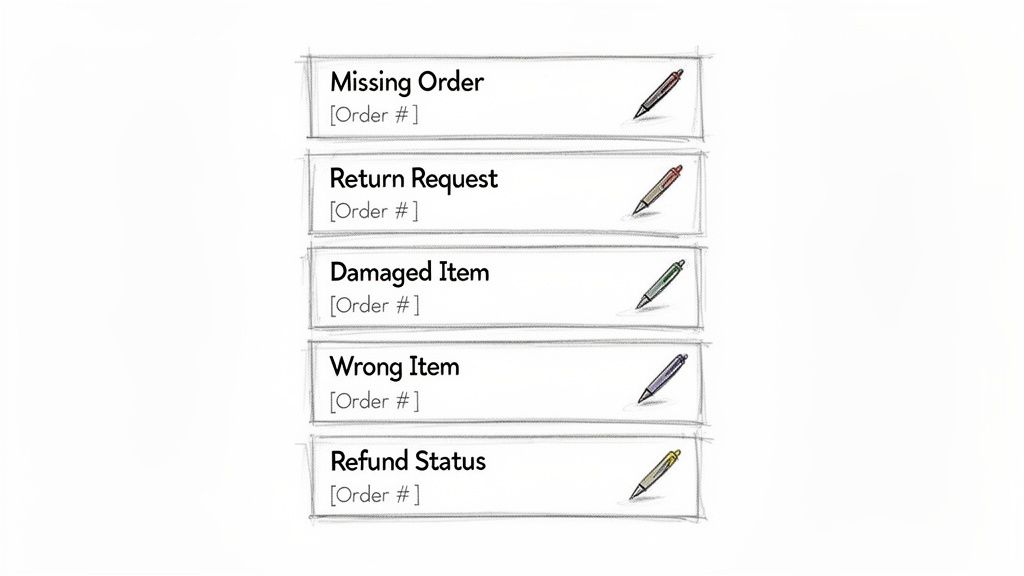
Knowing how to write a good customer service email is great, but let's be honest—sometimes you just need a template that works. That's what this is all about. Below are five battle-tested templates I’ve seen work time and time again for the most common hiccups you’ll run into.
Think of these as your starting point. Just pop in your specific details like [Your Name] and [Order Number], and you'll have a clear, professional email ready to go.
1. When You Received a Damaged Item
There's nothing more disappointing than opening a package to find something broken. When this happens, be direct, provide proof, and state what you want.
My best tip? Always attach a photo. It cuts through the back-and-forth and gets you a resolution much faster.
Subject: Damaged Item Report - Order #[Order Number]
Body:
Hello Support Team,
I'm writing to report that the [Product Name] in my recent order, #[Order Number], arrived damaged.
I’ve attached a couple of photos to show you what I mean. Could you please let me know the next steps for getting a replacement or a refund?
Thank you,[Your Name]
2. When You Need to Request a Return
Return policies can be a maze. This template cuts straight to the chase, helping the support agent process your request without any confusion.
Subject: Return Request for Order #[Order Number]
Body:
Hi there,
I would like to initiate a return for the [Product Name] from my order #[Order Number], which I received on [Date of Delivery].
The product is unused and in its original packaging. Could you please provide me with a return shipping label and any instructions I need to follow?
Best regards,[Your Name]
The whole point of a good template is to get rid of the guesswork. When you give the support agent all the key details upfront, you empower them to solve your problem in their first reply. It turns a potential headache into a quick, positive interaction.
For a deeper dive into professional communication, checking out some different email etiquette samples can give you even more great examples for all sorts of business scenarios.
3. When Your Order Has Not Arrived
It’s easy to feel a bit of panic when a package vanishes. But a calm, informative email is your fastest route to a solution. If you have the tracking number, include it—it’s a huge help for the support team.
Subject: Inquiry About Missing Order #[Order Number]
Body:
Hello,
I'm checking on the status of my order, #[Order Number], which I placed on [Date of Order]. The tracking showed an expected delivery date of [Expected Delivery Date], but I haven't received it yet.
The tracking number is [Tracking Number]. Could you please look into this for me?
Thank you for your assistance.[Your Name]
4. When You Received the Wrong Item
Mix-ups happen. The best way to handle this is to clearly state the problem without placing blame. A quick photo showing what you got versus what was on the order confirmation is the single most effective way to prove the error.
Subject: Wrong Item Received in Order #[Order Number]
Body:
Hi Team,
I just received my order #[Order Number], and it looks like I was sent the wrong item. I ordered the [Product You Ordered] but received the [Product You Received] instead.
I've attached a photo of the item for your reference. Can you please advise on how I can return this and get the correct product shipped out?
Thanks,[Your Name]
5. When You Are Checking on a Refund Status
Waiting on your money can be stressful. It’s perfectly fine to send a polite follow-up, especially if the company’s stated refund timeframe has passed. This template keeps things professional and avoids a confrontational tone.
Subject: Refund Status Inquiry for Order #[Order Number]
Body:
Hello,
I'm following up on a refund for my returned order, #[Order Number]. The tracking shows the return was delivered back to you on [Date Return Was Delivered].
I was hoping you could provide a quick update on the status of my refund.
Thank you for your time.[Your Name]
So, you’ve sent the perfect email. It had a crystal-clear subject line, all the necessary details, and you hit "send" feeling confident. And then... crickets.
It’s a uniquely frustrating feeling, but how you follow up can be the difference between getting your problem solved and being left on read. The real trick is to find that sweet spot between persistent and pestering.
Before you even draft a new message, take a breath and give the support team a realistic window to get back to you. Most companies try to respond within 24-48 business hours. I always recommend waiting at least two to three full business days before sending a polite nudge. A little patience goes a long way and shows you respect that they’re likely juggling a lot of requests.
Nailing the Timing and Tone of Your Follow-Up
When it is time to check in, think of it as a gentle reminder, not a formal complaint. You want to keep it short, polite, and straight to the point.
The absolute easiest and most effective way to do this? Simply reply to your original email. This chains the whole conversation together in one neat thread, which is a lifesaver for the support agent who can instantly see the entire history without having to dig through their inbox.
Here’s a simple, non-pushy template I’ve used myself:
Subject: Re: [Your Original Subject Line]
Body:
Hi Team,
Just wanted to gently follow up on my email below. Could you let me know if you’ve had a chance to look into it?
Thanks for your help,[Your Name]
This works so well because it's friendly and professional. It also gives the agent all the context they need without making them do any extra work.
Knowing When and How to Escalate
What if your polite follow-up also vanishes into the void after another couple of business days? At that point, it might be time to escalate things.
Escalating doesn't mean you have to get aggressive. It just means finding a different route or a more senior person who can get things moving. This is important because a bad customer experience has real consequences; a staggering 86% of customers will ditch a company after just one poor interaction.
Escalating your email to customer care isn't about starting a fight. It's about making sure your issue gets the attention it needs. The goal is to be firm and clear, but always respectful and focused on finding a solution.
Here’s a solid game plan for escalating without burning bridges:
- Find the right person. A quick search on LinkedIn for the company's "Head of Support" or "Customer Experience Manager" can often point you to someone with the authority to help.
- Switch up the channel. If email is a dead end, try reaching out on the company's social media pages (X, formerly Twitter, is often great for this) or through a live chat feature on their website. Public forums tend to get quicker replies.
- Word your request carefully. When you escalate, frame it as a plea for assistance, not a demand. Stick to the facts: "I first reached out on [Date] and followed up on [Date] but haven't heard back. I'm hoping you can help me find a resolution for Order #[Order Number]." This approach is firm but professional, and it gives you the best shot at finally getting the help you need.
The AI Tech Behind Today’s Best Support Teams
Have you ever sent an email to customer care and gotten a surprisingly fast, accurate, and genuinely helpful response? You’re not just lucky. Behind the scenes, many e-commerce brands are now using intelligent automation to manage their support inboxes, turning what was once a slow, frustrating process into a genuinely positive experience.
This isn’t about replacing people with bots. Think of it more as giving support agents a super-powered assistant. When your email hits their inbox, an AI can instantly read and understand it, figure out what you need—whether it’s a return, a shipping update, or a product question—and get it in front of the right person.
How AI Makes Support Faster and Smarter
These systems are built to take over the repetitive, soul-crushing tasks that used to eat up most of a support agent's day. By handling the initial triage and data gathering, they free up the human team to focus on solving the tricky problems that actually require a personal touch.
The results are pretty staggering. Some companies have seen their email volume drop by as much as 70% after bringing in virtual assistants. On top of that, AI-powered quality checks can cut operational costs by 19% or more. If you're curious about the numbers, usepylon.com has a great breakdown of customer support statistics.
The whole point of AI in customer service is to make the human team better. It sorts the easy stuff and drafts replies to common questions, letting agents spend their brainpower on unique challenges instead of answering the same question for the tenth time that day.
It really is a win-win. You get a faster, more consistent answer, and the support team becomes incredibly efficient. The best systems can even draft a complete, context-aware reply for an agent to quickly review, edit, and send. We’re talking about turning response times from hours into just a few minutes. For a deeper look into how companies are using this tech, check out this guide on scaling with AI agents for business.
Understanding how AI customer support software works shows you exactly why a well-written email matters so much. When you provide all the details upfront, you're not just helping a person—you're giving the AI the exact information it needs to fast-track your request and get you a solution.
Ready to transform your Shopify store’s customer support? MAILO AI uses intelligent automation to deliver instant, personalized replies that delight customers and slash your support costs. Start your free trial and see the difference today.