

In e-commerce, every email is an opportunity to either strengthen customer relationships or break them. Consistent, professional, and empathetic communication is non-negotiable for building loyalty and reducing churn, yet crafting the perfect response for every scenario is a constant challenge for busy support teams. Moving beyond generic templates is critical for establishing a brand voice that resonates with customers and keeps them coming back.
This guide moves straight to the solution by providing a detailed breakdown of essential email etiquette samples tailored for high-stakes e-commerce interactions. We will dissect eight core templates, from a standard shipping update to a delicate service recovery apology. For each example, you will find a full email script, a strategic analysis of its components, and actionable tips for personalization. This resource is designed to be a practical playbook for any DTC brand or Shopify store owner looking to elevate their customer support.
We’ll explore how to handle order confirmations, refund requests, review solicitations, and more with clarity and professionalism. You will learn not just what to say, but why it works, empowering your team to maintain a consistent, high-quality standard across all customer touchpoints. Let’s dive into the samples.
1. Professional Order Confirmation Email Template
The order confirmation email is your first, and arguably most important, post-purchase communication. Sent immediately after a customer completes a checkout, it serves as an official receipt, confirms their order was successful, and sets clear expectations for the next steps. Excellent email etiquette here builds immediate trust and significantly reduces "Where is my order?" support tickets.
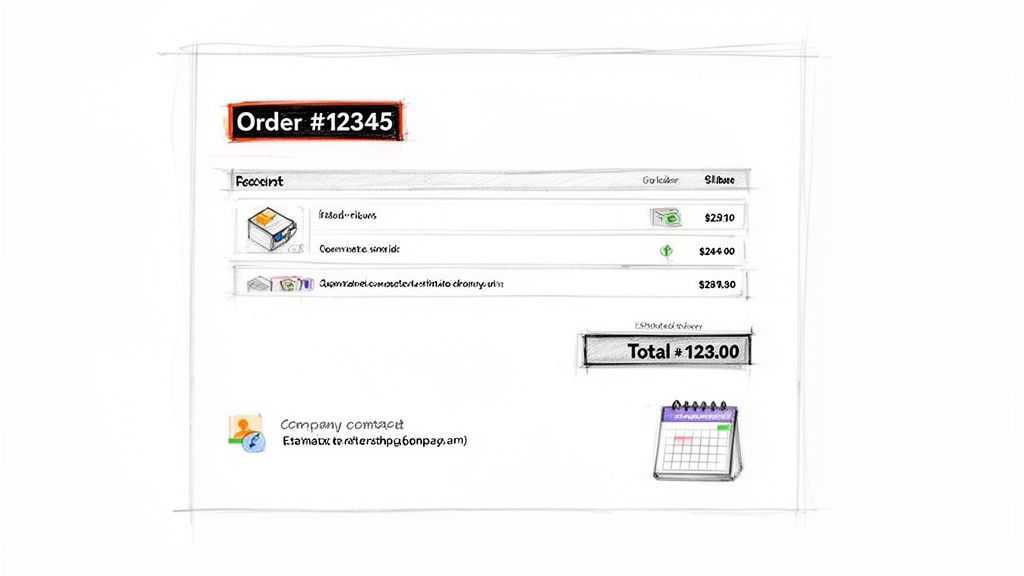
This email isn’t just transactional; it's a crucial part of the customer experience. A well-crafted confirmation reassures the customer they made the right choice, reinforcing their purchase decision and starting the post-purchase relationship on a positive note.
Strategic Breakdown
- Amazon excels by including a prominent "Track package" button directly in the email, anticipating the customer's primary need.
- Warby Parker uses this email to provide clear, brand-consistent instructions for their "Home Try-On" kits, blending the confirmation with user education.
- Shopify's default template is effective because it’s clean and prioritizes essential information: order number, item summary, and shipping address.
Actionable Tips for Implementation
To ensure customer satisfaction and clarity, it's essential to not only draft a professional email but also to optimize your order confirmation process as a whole.
Here are some essential email etiquette samples and tips for your order confirmations:
- Lead with the essentials: Put the order number directly in the subject line (e.g., "Your [Brand Name] order #12345 is confirmed!").
- Visualize the purchase: Include high-quality images of the products ordered. This visual confirmation helps prevent mistakes and adds a premium feel.
- Set clear expectations: Provide an estimated delivery window and a clear link to a tracking page, even if the tracking number isn't available yet.
- Provide clear next steps: Explain what happens next. "We're getting your order ready. You'll receive another email when it ships."
- Offer help proactively: Include a link to your FAQ page or customer support contact information, making it easy for customers to get help if needed.
2. Shipping Notification and Tracking Email Template
The shipping notification email is the communication your customer has been waiting for. Sent the moment an order leaves your warehouse, this email transitions the customer from anticipation to excitement. It provides the crucial tracking information they need to follow their package's journey, building transparency and trust. Proper email etiquette here is key to managing expectations and drastically reducing support queries.
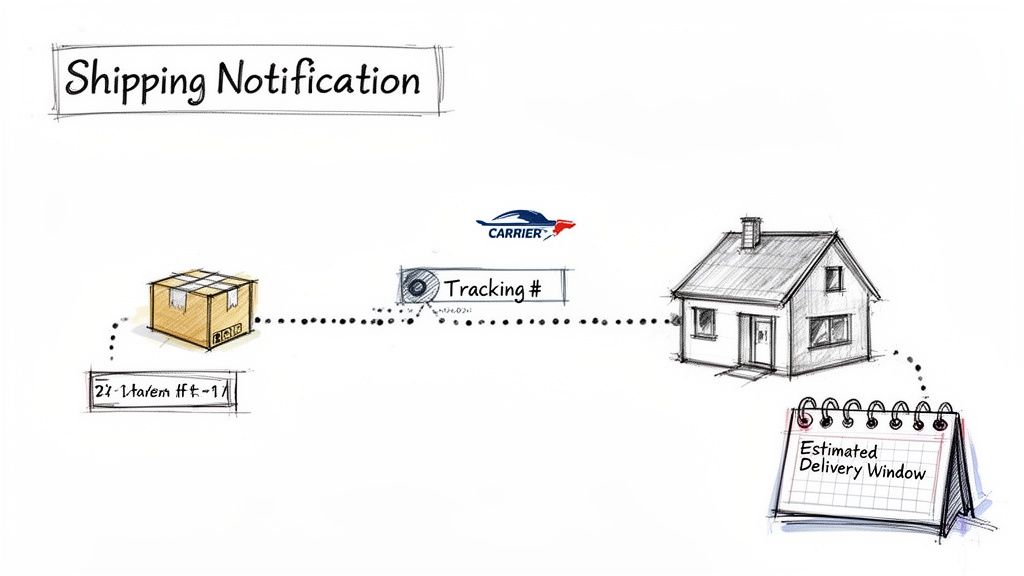
This email isn't just a logistical update; it's an opportunity to extend the brand experience. A great shipping notification reassures customers that their purchase is safely on its way and can even add value by preparing them for the product's arrival, keeping the post-purchase momentum going.
Strategic Breakdown
- Glossier enhances the experience by including unboxing tips or links to tutorials, turning the delivery into an event.
- Nike often adds value with product care instructions relevant to the items shipped, helping customers get the most out of their purchase from day one.
- Etsy sellers excel by adding personalized notes within their automated tracking notifications, reinforcing the human connection behind the transaction.
Actionable Tips for Implementation
Automating this process is critical for efficiency and customer satisfaction. You can leverage Shopify integrations to trigger these emails instantly when an order is fulfilled, ensuring timely and accurate communication.
Here are some essential email etiquette samples and tips for your shipping notifications:
- Make the subject line instantly useful: Include the order number and a clear status, like "Your [Brand Name] order #12345 has shipped!"
- Prioritize the tracking link: Place a bold, clickable "Track Your Package" button front and center. Don't make the customer hunt for it.
- Display the estimated delivery date: Clearly state the ETA provided by the carrier. This is often the most important piece of information for the customer.
- Include carrier branding: Adding the carrier's logo (e.g., UPS, FedEx) provides instant visual recognition and builds credibility.
- Clarify delivery expectations: Briefly mention what to expect. "A signature may be required," or "Your package will be left at your front door."
- Offer a support fallback: Provide a clear contact link or email address in case the tracking information doesn't update or shows an error.
3. Frequently Asked Questions (FAQ) Response Template
The FAQ response email is a cornerstone of efficient customer support, providing standardized, pre-written answers to the most common customer inquiries. Instead of manually typing out the same information about return policies or shipping times repeatedly, support agents can use a template to deliver a fast, accurate, and brand-consistent reply. This approach dramatically improves response times and ensures every customer receives the same high-quality information.
This email is about more than just speed; it’s about strategic resource allocation. By templating answers to repetitive questions, you free up your support team to focus on more complex, high-value customer issues that require a human touch. A well-designed FAQ response demonstrates excellent email etiquette by respecting the customer's time with a swift and helpful answer.
Strategic Breakdown
- Zappos excels at this by creating templates that not only answer the question (e.g., about their 365-day return policy) but also reinforce their core brand promise of customer satisfaction.
- Casper uses FAQ response templates to provide detailed product care instructions, anticipating follow-up questions and reducing the need for multiple email exchanges.
- Allbirds effectively templates responses regarding their materials and sustainability practices, ensuring that complex, mission-critical information is communicated clearly and consistently every time.
Actionable Tips for Implementation
To build an effective system, it is crucial to analyze support tickets to identify common themes and learn how to automate customer service around them.
Here are some essential email etiquette samples and tips for your FAQ responses:
-
Personalize the template: Always start with the customer's name. Use variables like
[Customer Name]so the email feels personal, not robotic. - Answer directly, then elaborate: Address the customer's specific question in the very first sentence before providing additional details or links.
- Link to your knowledge base: Include a link to the relevant page on your FAQ or Help Center. This empowers customers to find more information on their own.
- Keep it focused: Don't overload a single template with information. Create separate, specific templates for each of your top 5-10 most common questions.
- Provide a clear path for escalation: End the email with a simple "Did this answer your question? If not, just reply to this email, and we'll be happy to help further."
4. Product Review Request Email Template
A product review request email is a crucial follow-up communication sent after a customer has received and had time to use their purchase. This email's primary goal is to gather valuable social proof in the form of ratings and reviews, which builds trust with potential new customers. Following proper email etiquette here is key to encouraging feedback without sounding demanding.
This email does more than just ask for a review; it re-engages the customer and makes them feel like a valued part of your brand's community. A well-timed, personalized, and frictionless request can significantly boost your product page conversions and provide authentic user-generated content that fuels marketing efforts.
Strategic Breakdown
- Amazon has mastered the one-click review, taking users directly to a pre-populated star rating system, making the process incredibly simple and boosting response rates.
- Wayfair sends visually appealing emails featuring the specific product the customer purchased, which jogs their memory and makes the request feel more personal and relevant.
- Trustpilot requests for SaaS products often highlight the community aspect, framing the review as a way to help other professionals make informed decisions.
Actionable Tips for Implementation
To maximize your review collection rate, it's vital to make the process as easy and appealing as possible for the customer. Using tools to automate and time these requests based on actual delivery dates can dramatically improve your results.
Here are some essential email etiquette samples and tips for your review requests:
- Time it perfectly: Send the request 3-7 days after the product has been delivered. This gives the customer enough time to form an opinion but ensures the purchase is still fresh in their mind.
- Make it frictionless: Use deep links that take the customer directly to the review submission form on the product page. Don't make them search for it.
- Personalize the ask: Address the customer by name and explicitly mention the product you're asking them to review. Include a product image for instant visual recall.
- Keep the subject line clear: Use a straightforward subject like, "How did you like your [Product Name]?" or "Share your thoughts on your recent [Brand Name] purchase."
- Offer a genuine incentive: Consider offering a small discount on a future purchase as a thank you for their time. Avoid paying for positive reviews, as this can damage credibility.
5. Return and Refund Process Email Template
The return and refund email is a critical touchpoint that can either salvage a customer relationship or lose it forever. Sent when a customer initiates a return, this communication must clearly guide them through the process, provide necessary instructions and labels, and manage their expectations regarding timelines. Excellent email etiquette here is crucial for minimizing friction, building long-term trust, and reducing support inquiries.
This email turns a potentially negative experience into a seamless, positive brand interaction. A clear, empathetic, and efficient return process demonstrates that you value your customers' satisfaction even when a purchase doesn't work out, reinforcing their confidence in your brand for future purchases.
Strategic Breakdown
- Zappos built its reputation on a hassle-free return policy, and its emails reflect this by immediately providing a prepaid, easy-to-print return label.
- ASOS excels by offering multiple return options directly in their email, catering to customer convenience with choices like drop-off points or courier pickups.
- Stitch Fix simplifies the process by including a prepaid return bag in the original shipment and sending a clear email explaining how to use it, removing nearly all effort for the customer.
Actionable Tips for Implementation
To make your returns process a loyalty-building experience, focus on clarity and convenience. Automating this communication with a tool like MAILO AI can segment customers by return reason and trigger personalized, helpful responses.
Here are some essential email etiquette samples and tips for your return and refund emails:
- Provide the return label instantly: Attach a prepaid shipping label directly to the email. Avoid forcing customers to log in or print from a separate portal.
- State the refund timeline clearly: Be specific. Instead of "soon," say "You can expect your refund within 5-7 business days after our warehouse receives and inspects your return."
- Outline return condition requirements: Clearly state expectations (e.g., "items must be unworn, with tags attached") to prevent disputes and manage expectations upfront.
- Offer an exchange or store credit: Proactively suggest an alternative to a refund. This can retain the sale and often delights the customer.
- Include a clear path for help: Provide a direct link or contact information for customer support in case they encounter issues with the return.
- Strategically add a retention offer: For high-value customers or specific return reasons, consider including a small discount code for a future purchase to encourage them to shop again.
6. Apologetic Service Recovery Email Template
The service recovery email is a critical tool for damage control and trust rebuilding. Sent when a customer experiences a problem like a late delivery, damaged product, or poor service, this email acknowledges the failure, takes responsibility, and presents a clear path to resolution. Excellent email etiquette here can transform a negative experience into a demonstration of your commitment to customer satisfaction, often converting frustrated customers into loyal brand advocates.
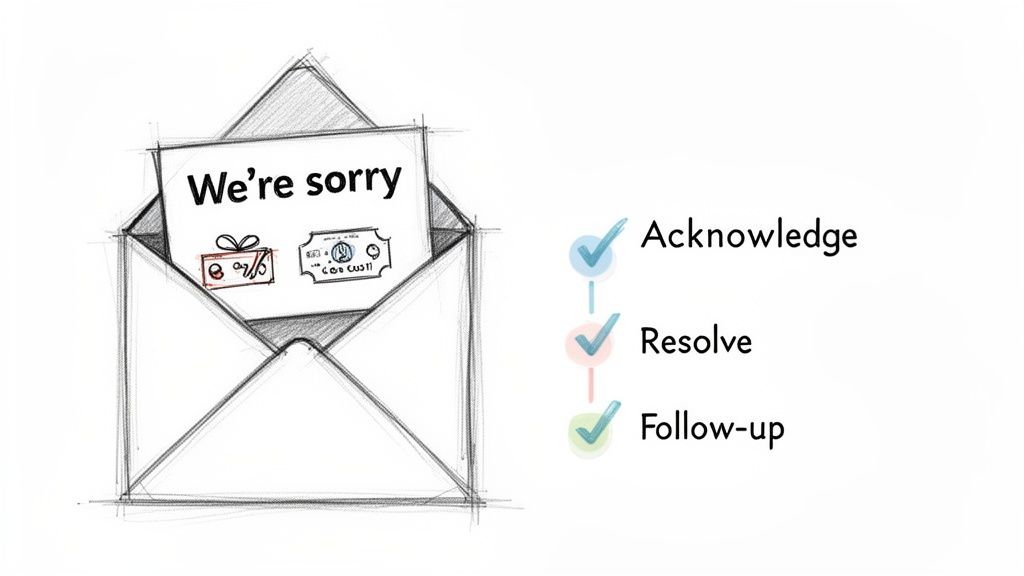
This email is more than just an apology; it's a strategic opportunity to show you care. A well-crafted recovery message validates the customer's frustration, demonstrates accountability, and proves that you value their business beyond a single transaction.
Strategic Breakdown
- Domino's excels by automating a service recovery process for late deliveries, often issuing a credit or free pizza proactively, turning a failure into a future sale.
- Nordstrom empowers its support staff to handle issues with a generous and apologetic tone, focusing on making things right for the customer without excessive red tape.
- Peloton effectively manages issues like equipment damage during delivery by combining a sincere apology with a clear, swift plan to replace the faulty component.
Actionable Tips for Implementation
Learning how to de-escalate and effectively communicate is crucial, especially when you need to understand how to handle rude customers who are justifiably upset.
Here are some essential email etiquette samples and tips for your service recovery emails:
- Lead with a sincere apology: Start the subject line and email body with a clear, empathetic apology (e.g., "An Update and Apology Regarding Your Order #12345").
- Acknowledge the impact: Show you understand their frustration. Use phrases like, "We realize how disappointing it is to receive a damaged item" or "We're sorry for the inconvenience this delay has caused."
- Avoid corporate jargon: Use a human, conversational tone. Swap "we regret the inconvenience" for "we're truly sorry for the trouble."
- Offer a concrete solution: Clearly state what you will do to fix it. This should include specific compensation, like a refund, a discount on a future purchase, or an expedited replacement.
- Follow up proactively: After the issue is resolved, send a follow-up email to ensure the customer is satisfied with the outcome, closing the loop and reinforcing your commitment.
7. Promotional and Marketing Email Template
Promotional and marketing emails are your direct line to driving sales, announcing new products, and re-engaging customers. While not a direct support function, the etiquette used in these communications profoundly impacts brand perception and customer loyalty. A well-crafted marketing email feels like a valuable offer, not an intrusion, and maintains the professional, helpful tone established in your support interactions.
This type of email is your chance to be creative and persuasive, turning subscribers into active buyers. By blending compelling visuals, personalized offers, and a clear call-to-action, you can create campaigns that not only boost revenue but also strengthen your customer relationships, making them feel like valued insiders.
Strategic Breakdown
- Anthropologie excels with lifestyle imagery in its seasonal sale emails, selling a feeling and an aesthetic, not just a product discount.
- Sephora builds exclusivity and loyalty by sending VIP members early access to sales, making them feel special and encouraging repeat purchases.
- Gymshark leverages social proof by featuring influencers in new product launch emails, tapping into community trust and aspiration to drive immediate interest.
Actionable Tips for Implementation
To elevate your promotional efforts beyond generic blasts, it's crucial to integrate intelligent e-commerce marketing automation into your strategy. For more creative inspiration on crafting high-performing messages, explore these 12 newsletter examples that drive revenue.
Here are some essential email etiquette samples and tips for your promotional campaigns:
- Segment your audience: Send targeted offers based on purchase history or browsing behavior. Don't send a discount for a product a customer just bought at full price.
- Create urgency ethically: Use clear time-bound offers or "limited inventory" alerts to encourage action, but avoid creating false scarcity.
- Personalize the content: Reference previously viewed items or categories of interest to show you're paying attention to their preferences.
- A/B test your subject lines: Test different subject lines to see what drives the highest open rates with your audience. A simple change can make a huge difference.
- Optimize for mobile: Use concise copy, a single prominent call-to-action (CTA) button, and mobile-responsive design, as most users will open emails on their phones.
8. Post-Purchase Follow-Up and Upsell Email Template
The post-purchase follow-up is a strategic email sent 1-2 weeks after a customer receives their order. It moves beyond the transactional and into relationship-building. This communication confirms the customer is enjoying their product, provides value-added content, and tactfully introduces opportunities for repeat purchases or brand engagement. Excellent email etiquette here demonstrates ongoing commitment and transforms a one-time buyer into a loyal advocate.
This email is your chance to re-engage customers when their excitement about their purchase is still high. A well-crafted follow-up provides genuine value, gathers feedback, and introduces relevant next steps, making the customer feel cared for long after the package has arrived.
Strategic Breakdown
- Allbirds sends emails with shoe care tips, which not only helps the customer maintain their purchase but also subtly suggests complementary products like their wool cleaner.
- Casper follows up mattress purchases with sleep tips and care instructions, reinforcing their position as an authority in the sleep space and adding value beyond the physical product.
- Ritual checks in after 30 days of vitamin use to request feedback via a simple survey, making the customer feel heard while gathering crucial product insights.
Actionable Tips for Implementation
To maximize engagement and drive long-term value, it's crucial to balance helpfulness with your commercial goals. Your post-purchase follow-up should feel like a natural extension of the customer experience.
Here are some essential email etiquette samples and tips for your follow-up emails:
- Time it right: Send the email 7-14 days after delivery. This gives the customer enough time to use the product and form an opinion.
- Lead with value: Start with genuine help, such as care instructions, usage tips, or a link to a relevant tutorial video.
- Personalize the upsell: Suggest complementary products based directly on their recent purchase. For example, recommend a specific case for the phone they just bought.
- Make feedback easy: Include a simple, one-click satisfaction rating or a link to a short survey to encourage responses.
- Introduce loyalty: Offer a meaningful incentive to join your loyalty program, turning a positive experience into continued engagement.
- Reinforce your brand: Briefly share your brand story or sustainability mission to build a deeper, emotional connection with the customer.
8-Template Email Etiquette Comparison
| Template | Implementation complexity (🔄) | Resource requirements (⚡) | Expected outcomes (📊) | Ideal use cases (💡) | Key advantages (⭐) |
|---|---|---|---|---|---|
| Professional Order Confirmation Email Template | Low 🔄 — simple data merge and branding | Low ⚡ — order data + template | Confirms purchase, reduces order-status inquiries 📊 | Immediate post-purchase confirmation for all orders 💡 | Builds trust and lowers support volume ⭐ |
| Shipping Notification and Tracking Email Template | Moderate 🔄🔄 — carrier & tracking integration | Moderate ⚡⚡ — carrier APIs, real‑time feeds | Reduces "where is my order" queries; improves delivery visibility 📊 | Fulfillment updates and high-volume shipments 💡 | Improves CX with live tracking; proactive updates ⭐⭐⭐ |
| Frequently Asked Questions (FAQ) Response Template | Moderate 🔄🔄 — KB mapping and templating | Low‑Moderate ⚡⚡ — content + AI routing | Faster, consistent responses; scales support and cuts repeat tickets 📊 | High-volume, repetitive customer questions 💡 | Consistency and fast resolution at scale ⭐⭐ |
| Product Review Request Email Template | Low 🔄 — timed sends and links | Low ⚡ — review links, simple personalization | Increases review volume and social proof; boosts conversions 📊 | Post-delivery window (3–7 days) for satisfied customers 💡 | Low-cost ROI; drives SEO and trust ⭐⭐ |
| Return and Refund Process Email Template | High 🔄🔄🔄 — multi-step workflows & rules | High ⚡⚡⚡ — labels, RMA logic, integrations | Reduces return-related support, speeds refunds, protects loyalty 📊 | Returns-heavy DTC brands and complex return flows 💡 | Clarifies process, reduces disputes and fraud ⭐⭐⭐ |
| Apologetic Service Recovery Email Template | Moderate 🔄🔄 — personalization + sentiment logic | Moderate ⚡⚡ — compensation workflows, agent enablement | Recovers customers, limits negative reviews, increases retention 📊 | Service failures (late/damaged orders, poor experiences) 💡 | Converts issues into loyalty with genuine apologies ⭐⭐⭐ |
| Promotional and Marketing Email Template | Moderate‑High 🔄🔄🔄 — segmentation & creative testing | High ⚡⚡⚡ — design, copy, segmentation, analytics | Drives revenue and reactivation but risks unsubscribes if overused 📊 | Seasonal campaigns, launches, win‑back and promotional blasts 💡 | High ROI when targeted; boosts sales and engagement ⭐⭐ |
| Post-Purchase Follow-Up and Upsell Email Template | Moderate 🔄🔄 — recommendation & timing logic | Moderate ⚡⚡ — personalization, product data | Increases CLTV, encourages repeat purchases and loyalty 📊 | 7–14 days post-purchase for care, feedback and cross-sell 💡 | Nurtures customers and creates natural upsell opportunities ⭐⭐⭐ |
From Templates to Triumphs: Automating Your Email Etiquette
Navigating the landscape of e-commerce customer support requires a delicate balance of efficiency, empathy, and brand consistency. Throughout this guide, we have explored a comprehensive collection of email etiquette samples, moving beyond mere templates to dissect the strategic thinking behind each message. From the proactive clarity of an order confirmation to the careful empathy of a service recovery email, the core principles remain the same: anticipate customer needs, communicate clearly, and personalize every interaction.
These examples demonstrate that exceptional email etiquette is a powerful tool for building customer loyalty. A well-crafted shipping update can transform anxiety into excitement, while a transparent refund process can turn a potential detractor into a lifelong advocate. The key lies not just in what you say, but how and when you say it. By adopting these frameworks, you equip your team with the tools to handle any scenario with professionalism and grace.
Key Takeaways for Immediate Implementation
To transform these insights into tangible results, focus on these actionable pillars:
- Establish a Tone of Voice Guide: Define your brand's communication style (e.g., formal, witty, friendly) and ensure it is applied consistently across all email templates. This creates a cohesive and recognizable customer experience.
- Prioritize Personalization: Move beyond simply using a customer's first name. Incorporate dynamic data like order details, product names, and shipping ETAs to make every automated email feel personal and relevant.
- Proactive Communication is Paramount: Don't wait for customers to ask. Use shipping delay notifications and post-purchase check-ins to address potential issues before they escalate, building trust through transparency.
- Systematize for Scale: While the samples provide a strong foundation, their true power is unlocked through automation. Manually sending these messages is not sustainable for a growing business.
From Manual Effort to Automated Excellence
The ultimate goal is to build a customer communication engine that runs seamlessly in the background, freeing your support team to handle complex, high-touch escalations. This is where strategic automation becomes a non-negotiable asset for any modern e-commerce brand. Integrating a dedicated platform allows you to trigger the right email at the right moment based on real-time data from your e-commerce store.
This systematic approach ensures that no customer touchpoint is missed and that every communication reinforces your brand's commitment to outstanding service. By leveraging the email etiquette samples in this article as the blueprint for your automated workflows, you can standardize excellence, reduce response times, and turn your customer support function into a powerful driver of retention and growth. The journey from good templates to triumphant customer relationships is paved with intelligent automation.
Ready to put these principles on autopilot and elevate your customer support? MAILO AI integrates directly with Shopify to automate the very email workflows discussed here, infusing each message with your unique brand voice and real-time order data. See how you can transform your support inbox from a cost center into a revenue driver by visiting MAILO AI today.