

In e-commerce, every email is an opportunity to either build or break customer trust. Moving beyond generic, automated templates is a powerful growth lever. Poor phrasing, slow responses, or a lack of empathy can escalate a minor issue into a public complaint, while exceptional service transforms first-time buyers into lifelong brand advocates. Mastering the nuances of digital communication is no longer optional; it's a core business function that directly impacts retention and revenue.
This guide provides a detailed blueprint for the eight most critical customer support scenarios you'll face. We're not just offering templates; we are providing a strategic email etiquette example for each situation, dissecting what makes them effective, from the subject line and tone to the specific calls to action. You'll learn how to blend genuine empathy with operational efficiency, ensuring every message reinforces your brand's commitment to its customers.
We will analyze each email's structure, offering a clear breakdown of why certain phrases work and how to adapt them for your own brand. For Shopify store owners and DTC brands, we'll also highlight how specific tactics can be implemented and even automated, ensuring your brand’s voice remains consistent and your team stays focused on high-impact tasks. This comprehensive collection will equip you to turn every customer interaction into a memorable, positive experience that fosters loyalty and encourages repeat business.
1. Professional Order Confirmation Email
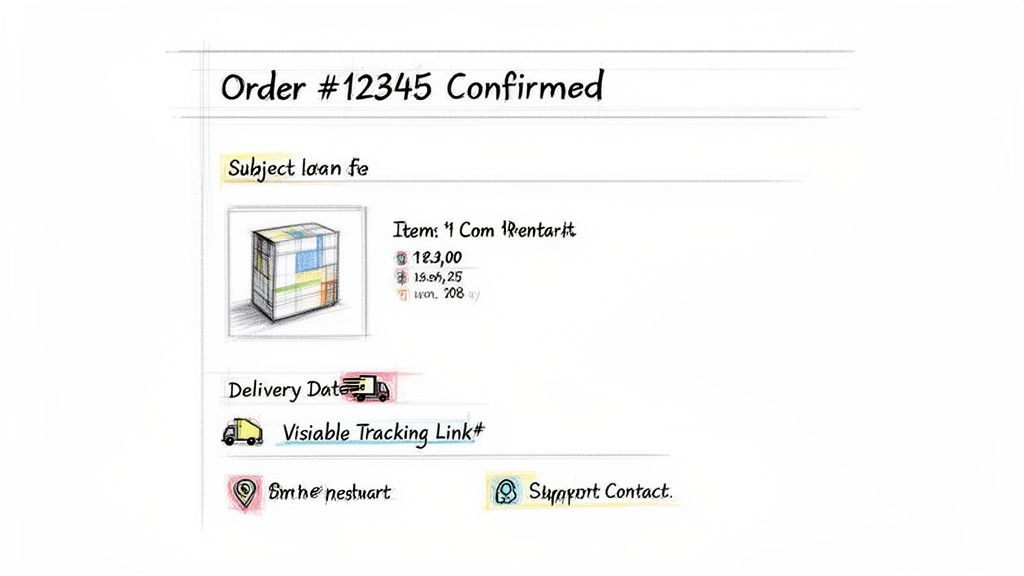
The order confirmation email is the first and most critical post-purchase communication you send. It serves as an immediate acknowledgment of a customer's payment and the official start of your fulfillment process. A well-executed confirmation email does more than just list items; it reinforces the customer’s buying decision, builds trust, and sets clear expectations for what happens next. This is a foundational email etiquette example that transforms a simple transaction receipt into a powerful relationship-building tool.
Strategic Breakdown
An effective order confirmation email is structured for clarity and reassurance. It must immediately confirm the success of the transaction and provide all essential details in an easy-to-scan format. The goal is to answer all of the customer's initial questions before they have to ask, reducing support tickets and buyer's remorse.
For instance, Amazon's confirmations are a masterclass in efficiency. They lead with a clear "Thank you for your order" and provide an estimated delivery date right at the top. This is followed by a clean, itemized list with images, pricing, and shipping information. The primary call-to-action (CTA) is always "Track your package," which empowers the customer and minimizes "Where is my order?" inquiries.
Actionable Takeaways for Your Store
To create a professional and effective order confirmation, implement these key elements:
- Prioritize Essential Information: Place the order number, estimated delivery date, and a summary of items purchased "above the fold" so they are visible without scrolling.
- Use Visual Confirmation: Include high-quality product images next to each line item. This helps customers visually verify their purchase and reduces the chance of returns due to incorrect orders.
- Provide Clear Next Steps: Include obvious links or buttons for order tracking, viewing the order on your website, or contacting customer support. Don't make customers hunt for information.
- Incorporate Your Brand Voice: While the email must be professional, it should still sound like your brand. Zappos, for example, uses a friendly, slightly quirky tone in their confirmations to make the experience feel more personal and less transactional.
MAILO AI Pro-Tip: Use MAILO AI to automatically inject dynamic order data (like
{{customer.first_name}}and product details) into a pre-approved, on-brand template. You can also create variations to A/B test subject lines or CTAs to see what drives the most engagement post-purchase. This ensures every confirmation is both personalized and optimized for performance.
2. Proactive Pre-Delivery Status Update Email
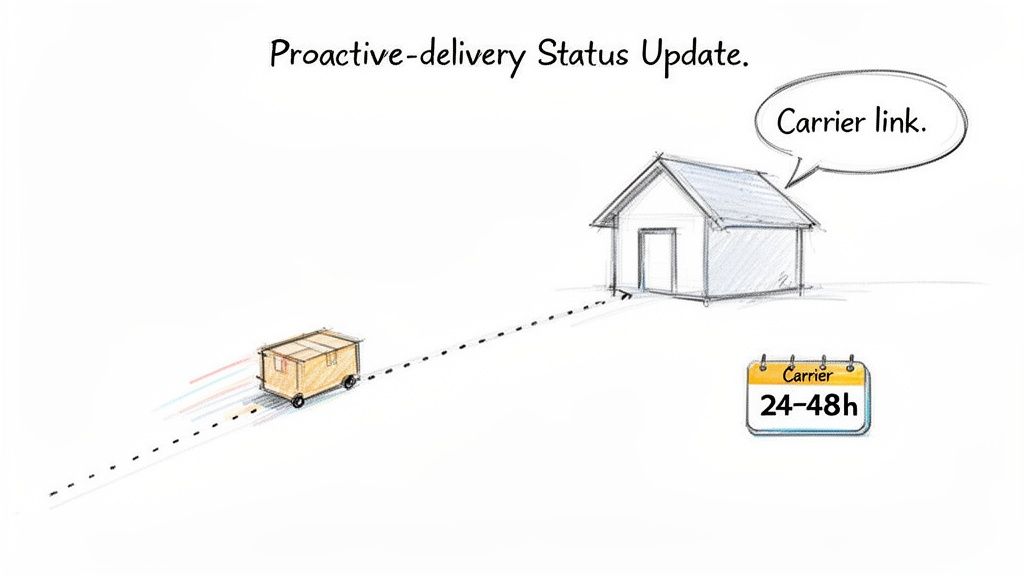
Sending an update 24-48 hours before a package arrives is a proactive customer service move that bridges the gap between shipping and delivery. It transforms the customer experience from passive waiting into an informed and positive anticipation. This email reduces anxiety and minimizes "where is my order?" inquiries by providing timely reassurance. It's a key email etiquette example that shows your brand cares about the customer’s experience even after the package has left your warehouse.
Strategic Breakdown
An effective pre-delivery email is designed to build excitement and provide practical information. Its primary purpose is to confirm that the package is in the final stage of its journey and will arrive soon. By giving customers a heads-up, you empower them to prepare for the delivery, such as ensuring someone is home or clearing a safe space for the package.
Major carriers like FedEx and UPS have perfected this by sending notifications like "Your package is scheduled for delivery tomorrow." Brands like Glossier adopt a friendlier, more branded tone with subject lines like, "Good news! Your order is out for delivery," making the update feel like part of the brand experience rather than a generic carrier alert. The strategy is to own the communication until the very last moment, reinforcing your brand’s commitment to a seamless customer journey.
Actionable Takeaways for Your Store
To create an impactful pre-delivery update, incorporate these essential elements:
- Lead with the Good News: Start with a clear and exciting subject line and opening sentence, such as "Get Ready! Your [Brand Name] Order Arrives Tomorrow." This immediately sets a positive tone.
- Highlight the Tracking Link: Make the carrier tracking link the most prominent call-to-action (CTA) in the email. Use a bold button to ensure it’s easy for customers to get detailed, real-time updates.
- Offer Helpful Preparation Tips: Add value by including a brief, helpful tip. For furniture deliveries, you could suggest, "Make sure your entryway is clear." For fragile items, a simple "Please bring your package inside as soon as possible" adds a thoughtful touch.
- Keep it Focused and Concise: This email has one job: to inform the customer that their package is almost there. Avoid cluttering it with marketing promotions or unrelated information that could distract from the main message.
MAILO AI Pro-Tip: Connect MAILO AI to your Shopify tracking data to trigger these emails automatically when a package is marked "out for delivery" or is within a 24-hour delivery window. You can segment sends based on customer time zones to ensure the notification arrives at an optimal time, maximizing open rates and customer satisfaction.
3. Empathetic Customer Service Response to Complaints
How you handle a customer complaint can be the difference between a lost customer and a lifelong advocate. A well-crafted, empathetic response acknowledges the customer's frustration, validates their feelings, and clearly outlines a path to resolution. It’s an essential email etiquette example that transforms a negative experience into an opportunity to demonstrate your commitment to customer satisfaction and reinforce brand loyalty. This is where your brand's character truly shines.
Strategic Breakdown
An effective complaint response prioritizes empathy over excuses. The structure should immediately disarm the customer's frustration by leading with a sincere apology and taking ownership of the problem. The goal is to make the customer feel heard and respected before you even propose a solution. This approach shifts the dynamic from confrontational to collaborative.
For example, Southwest Airlines is renowned for its service recovery. When things go wrong, their emails often start by explicitly acknowledging the customer’s specific issue and validating their disappointment. They avoid corporate jargon and instead use a human, conversational tone. By taking responsibility-even for issues like weather delays-and offering a clear resolution (like a travel voucher), they successfully repair the customer relationship.
Actionable Takeaways for Your Store
To craft empathetic responses that rebuild trust, follow these key steps:
- Acknowledge and Apologize Immediately: Start your email by saying you're sorry for the specific problem they experienced. Use their name and reference their order details to show you're not sending a generic, canned response.
- Take Ownership: Avoid blaming third parties like shipping carriers. From the customer's perspective, their contract is with you. A simple "We take full responsibility for this" is incredibly powerful.
- Provide a Clear Solution and Next Steps: Clearly state what you are going to do to fix the problem. Offer a refund, a replacement, or a discount on a future purchase, and explain exactly when and how they can expect it.
- Maintain a Human Tone: Write as you would speak. Swap "we regret the inconvenience" for "we're so sorry for the frustration this has caused." This is a key part of maintaining professional email etiquette in the workplace while still being relatable.
MAILO AI Pro-Tip: Use MAILO AI to create semi-automated complaint response workflows. You can generate an empathetic, on-brand draft that includes the customer's name and order details, then have your support agent review and approve it. This ensures every response is fast, consistent, and genuinely compassionate without sacrificing quality control.
4. Post-Purchase Follow-Up and Review Request Email
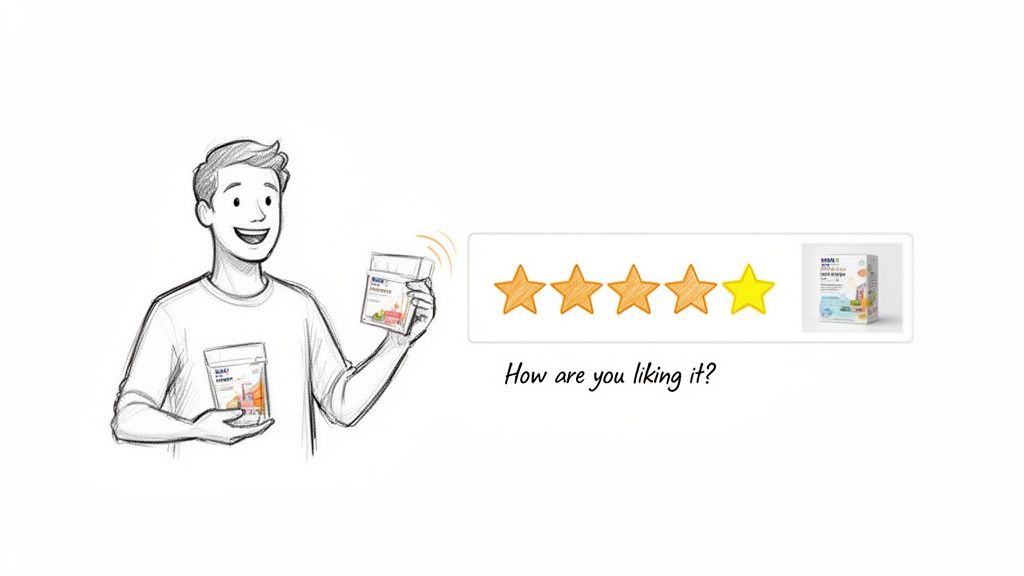
The post-purchase follow-up is a crucial touchpoint that transitions the customer relationship from a single transaction into a long-term conversation. Sent after the customer has had time to use the product, this email requests valuable feedback and reviews. It demonstrates that you care about their experience beyond the sale and helps you gather user-generated content (UGC) and social proof. This is a delicate email etiquette example that must balance a marketing objective with a genuine interest in the customer's satisfaction.
Strategic Breakdown
An effective review request email is all about timing and tone. Sending it too early risks catching the customer before they've formed an opinion; sending it too late means the initial excitement has faded. The goal is to make the feedback process feel like a natural, easy, and valued part of their journey with your brand.
For example, Allbirds frames its review requests as an invitation to join a community conversation about product improvement. Their emails are friendly, low-pressure, and emphasize how customer feedback directly influences future designs. This positions the request not as a demand for a review, but as a collaborative effort, which greatly increases participation. The primary CTA is a simple, one-click star rating system, making it incredibly easy for customers to engage.
Actionable Takeaways for Your Store
To craft a compelling and effective review request email, implement these strategies:
- Optimize Your Timing: Trigger the email to send 5-10 days after the delivery confirmation. This provides enough time for the customer to experience the product without forgetting the initial excitement.
- Use a Conversational Subject Line: Move beyond "Review Your Order." Instead, try engaging questions like, "How are you loving your [Product Name]?" or "A quick question about your recent order."
- Make It Effortless: The path to leaving a review should be frictionless. Include a direct link that takes the customer straight to the product review page, ideally with a one-click star rating option followed by an optional comment box.
- Provide Context: Include an image and the name of the product being reviewed. This is especially helpful for customers who purchased multiple items and serves as a visual reminder.
MAILO AI Pro-Tip: Use MAILO AI to automate the entire review request workflow. Set a trigger based on the delivery date from your shipping integration and let the AI send the email at the optimal time for each customer based on their time zone. You can also use the MAILO Smart Inbox to automatically tag and route responses, ensuring that any negative feedback is flagged for immediate follow-up by your support team.
5. Transparent Apology and Restock Notification Email
When a popular item sells out, the customer disappointment is a critical moment. A transparent apology and restock notification email turns this potential negative experience into an opportunity to build loyalty and drive a future sale. It acknowledges the customer's interest, apologizes for the stockout, and provides a clear, proactive solution. This type of communication is a masterful email etiquette example because it demonstrates respect for the customer's time and intent, keeping them engaged rather than letting them go to a competitor.
Strategic Breakdown
An effective restock notification is more than just an alert; it's a strategic blend of apology, exclusivity, and urgency. The key is to make the customer feel valued and prioritized, not just another name on a mailing list. It must immediately address the previous unavailability and create a clear path to purchase the now-available item, minimizing friction and capitalizing on pent-up demand.
For example, limited-edition sneaker brands often provide early access to restocked items for those on a waitlist. Their emails lead with an apologetic but exciting tone, like "We're sorry for the wait... but it's back!" This is followed by high-quality product imagery and a prominent "Shop Now" button that leads directly to the product page. By granting a 24-hour exclusive window, they reward patient customers and create a powerful sense of urgency.
Actionable Takeaways for Your Store
To craft a restock notification that converts disappointment into delight, follow these steps:
- Lead with a Sincere Apology: Start your email by acknowledging the inconvenience of the item being out of stock. A simple "We're sorry for the wait" shows empathy and sets a positive tone. For more detailed guidance, explore our in-depth article on crafting the perfect apology email to a customer.
- Be Specific and Create Urgency: Provide a concrete restock date and time (e.g., "Available Thursday, December 5th at 9 AM EST"). Add a touch of scarcity with phrases like "Limited quantity available" to encourage immediate action.
- Offer Exclusive Early Access: Reward customers who signed up for notifications by giving them a 24-48 hour head start before the item is available to the general public. This makes them feel like valued insiders.
- Make it Easy to Buy: Include a large, high-quality image of the restocked product along with a direct link to the product page. Pre-filling information or providing size/color details can further streamline the purchase process.
MAILO AI Pro-Tip: Use MAILO AI to automatically trigger these notifications the moment inventory is updated in Shopify. Segment your audience to send alerts not just to waitlist sign-ups but also to customers who previously viewed the item multiple times. You can create tiered-access rules, giving your most loyal customers the earliest notification.
6. Clear and Helpful FAQ/Self-Service Response Email
A self-service response email is a proactive communication that empowers customers to find answers to common questions independently. Instead of a direct, manual reply, this email directs users to well-structured FAQs, knowledge base articles, or tutorials. This approach not only provides immediate assistance but also significantly reduces the burden on your support team. A well-crafted self-service response is a prime email etiquette example of how to offer scalable, efficient, and empowering customer support.
Strategic Breakdown
An effective FAQ or self-service email anticipates the user's core problem and provides a direct, low-effort path to the solution. The goal is to resolve the query on the first touchpoint without needing human intervention. This requires identifying common question patterns and building a library of clear, concise, and easily digestible resources to address them.
For example, Shopify’s help center excels at this. When a user has a common issue, an automated email can direct them to a specific guide, complete with step-by-step instructions, screenshots, and even video tutorials. The email doesn’t just say "check our FAQ"; it provides a direct link to the most relevant article, making the customer feel understood and guided.
Actionable Takeaways for Your Store
To build a self-service response system that genuinely helps, implement these best practices:
- Be Direct and Scannable: Use clear headers, bullet points, and bold text to structure your email. Guide the user directly to the most likely solution for their query.
- Provide Multiple Solution Paths: When applicable, offer a few relevant resources. For a "how to process a return" query, you might link to the returns policy page, a step-by-step guide, and a video tutorial.
- Use Visual Aids: Embed helpful GIFs, screenshots, or links to video tutorials directly in the email or the linked articles. Visual instructions are often more effective than text alone for complex processes.
- Always Offer an Escape Hatch: Conclude the email with a clear and easy way to contact a human support agent. A simple "If this doesn't solve your problem, just reply to this email to speak with our team" maintains trust and prevents frustration. For more on this, explore how to enhance your website self-service strategy.
MAILO AI Pro-Tip: Use MAILO AI to analyze incoming support emails, recognize common keywords and intent (e.g., "return," "shipping status," "how to"), and automatically trigger the most relevant self-service response from your pre-approved templates. You can also track which FAQ responses successfully resolve tickets versus those that lead to a follow-up, helping you continuously refine your knowledge base.
7. Retention and Win-Back Email with Special Offer
A win-back email is a strategic communication sent to customers who have become inactive. It is designed to re-engage them with an exclusive offer, reminding them of your brand's value and encouraging a new purchase. This proactive approach is a crucial email etiquette example because it shows you value past customers and want to earn their business back, turning a potentially lost relationship into a renewed one.
Strategic Breakdown
An effective win-back email acknowledges the customer's absence without being intrusive and presents a compelling, low-friction reason to return. The goal is to reignite the connection by combining a genuine, personal tone with an incentive that feels truly special. This prevents the email from sounding like a generic, desperate marketing blast.
For example, Dollar Shave Club excels with humorous, on-brand "We miss you" emails. They often pair witty copy with a clear, valuable offer, like a free product with their next order, making the customer feel both missed and appreciated. Similarly, Warby Parker uses personalization, showcasing new frame styles based on a customer's past purchases or browsing history to make the offer feel highly relevant.
Actionable Takeaways for Your Store
To craft a win-back email that successfully re-engages dormant customers, implement these strategies:
- Time it Right: Send the first win-back email after 45-60 days of inactivity. This is often the sweet spot before a customer has completely forgotten your brand or switched to a competitor.
- Personalize Beyond Their Name: Reference past purchases or browsed items. Use copy like, "We know you loved [Product Name]. We think you'll also like our new [New Product]."
- Create a Genuinely Exclusive Offer: Provide an incentive that isn't available to the general public, such as a higher discount, a free gift with purchase, or early access to a new collection. This rewards their loyalty.
- Combine Emotion with Value: Use subject lines that spark curiosity and emotion, like "Is this goodbye?" or "A special something to welcome you back." Pair this with a clear, concise offer in the email body.
MAILO AI Pro-Tip: Use MAILO AI to create automated win-back flows triggered by customer inactivity in Shopify. Segment dormant customers based on past purchase value or product category to send hyper-targeted offers. For instance, high-value customers could receive a steeper discount, while others might get a free shipping offer on a product they previously viewed.
8. Professional Decline, Cancellation, or Refund Notification Email
Handling declines, cancellations, or refunds is one of the most delicate customer interactions. This email confirms an action the customer may find disappointing, such as a refund being processed, an account being canceled, or a request being denied. Proper execution of this communication is critical for maintaining goodwill and potentially retaining the customer in the future. A well-written notification demonstrates respect and transparency, making this an essential email etiquette example for managing difficult but necessary conversations.
Strategic Breakdown
An effective decline or cancellation email must be direct, empathetic, and clear. The primary goal is to deliver the news without ambiguity while preserving the customer relationship. It should explain the "what" and the "why" concisely, provide a clear timeline for any pending actions (like a refund), and offer next steps or alternative solutions where appropriate. This prevents confusion, reduces follow-up support tickets, and shows the customer they are valued, even when a transaction is ending or a request cannot be met.
Netflix, for instance, sends a simple yet effective cancellation confirmation. It leads with "We're sad to see you go" to acknowledge the customer's decision, clearly confirms the cancellation date, and subtly leaves the door open with a one-click "Restart Your Membership" CTA. This approach is final but friendly, making the offboarding process seamless and non-confrontational.
Actionable Takeaways for Your Store
To craft a professional and respectful notification for these sensitive situations, implement the following:
- Lead with Empathy and Clarity: Start with a phrase like "We understand this isn't the news you were hoping for" or "This email is to confirm your recent refund." Be direct but soften the message with empathetic language.
- Provide a Specific Reason and Timeline: If declining a request, reference the specific policy (e.g., "As per our 30-day return policy..."). For refunds, give an exact timeline, such as "You can expect to see the funds in your account within 5-7 business days."
- Offer Alternative Solutions: When possible, provide a next-best option. If a warranty claim is denied, you could offer a discount on a new purchase or store credit. This gesture can salvage the relationship and turn a negative experience into a neutral or even positive one.
- Include a Clear Path for Questions: End the email by providing an easy way to get more information, such as a direct link to your support team or a phone number. This shows you are not avoiding the conversation and are available to help.
MAILO AI Pro-Tip: Use MAILO AI to generate responses for declines and refunds that are both empathetic and compliant. You can create templates that reference specific return or warranty policies, ensuring your team provides consistent, accurate information that minimizes legal exposure. Set up rules to automatically include alternative offers, like a
{{discount_code}}for a future purchase, to help with customer retention.
8-Point Email Etiquette Comparison
| Example | Implementation Complexity 🔄 | Resource Requirements ⚡ | Expected Outcomes 📊⭐ | Ideal Use Cases | Key Advantages 💡 |
|---|---|---|---|---|---|
| Professional Order Confirmation Email | Low — simple templating & dynamic order fields 🔄 | Low — order data, branding assets, Mailo-Shopify link ⚡ | 📊 Fewer status queries; ⭐ Immediate trust and clarity | Immediately after purchase | 💡 Fast reassurance; automated tracking + reference |
| Proactive Pre-Delivery Status Update Email | Medium — carrier-triggered timing and templates 🔄 | Medium — carrier integration, accurate tracking data ⚡ | 📊 Fewer "where is my order" tickets; ⭐ Higher satisfaction | 24–48 hours before expected delivery | 💡 Reduces anxiety; builds anticipation |
| Empathetic Customer Service Response to Complaints | High — nuanced language + oversight; semi-automated 🔄 | High — trained agents, escalation rules, legal review ⚡ | 📊 Reduced negative escalation; ⭐ Reputation recovery & loyalty | Handling complaints and service failures | 💡 Preserves loyalty; consistent empathetic tone with human review |
| Post-Purchase Follow-Up and Review Request Email | Low–Medium — timing automation and personalization 🔄 | Low — delivery data, review links, optional incentives ⚡ | 📊 More reviews/UGC; ⭐ Better product insight and SEO | 5–10 days after delivery | 💡 Drives UGC; collects actionable feedback |
| Transparent Apology and Restock Notification Email | Medium — inventory sync + segmentation 🔄 | Medium — inventory integration, customer preference data ⚡ | 📊 Retains interested shoppers; ⭐ Converts waitlist to purchases | Out-of-stock and restock events | 💡 Builds trust with transparency; early-access conversion |
| Clear and Helpful FAQ/Self-Service Response Email | Medium — KB mapping, templating, visuals 🔄 | Medium — organized knowledge base, media assets ⚡ | 📊 Reduces support load; ⭐ Faster self-resolution | Common, repeatable customer inquiries | 💡 Scales support; consistent, scannable guidance |
| Retention and Win-Back Email with Special Offer | Medium — segmentation + personalized recommendations 🔄 | Medium–High — behavioral data, offer management, analytics ⚡ | 📊 Reactivation ROI; ⭐ Increased CLTV when targeted well | 45–90 days of customer inactivity | 💡 Cost-effective reacquisition; tailored incentives |
| Professional Decline, Cancellation, or Refund Notification Email | Medium — policy-driven templates with clear timelines 🔄 | Medium — refund/process data, compliance checks ⚡ | 📊 Fewer follow-ups; ⭐ Maintains brand trust during negative events | Cancellations, declines, and refunds | 💡 Clear timelines and alternatives; compliant, empathetic communication |
From Templates to Triumphs: Automating Your Way to Better Support
The journey through various customer support scenarios, from the initial joy of an order confirmation to the delicate handling of a complaint or refund, reveals a powerful truth. Exceptional email etiquette isn't about having a single perfect script; it’s about building a robust communication system rooted in empathy, clarity, and efficiency. Each email etiquette example we've explored serves as more than a template. It is a strategic blueprint for strengthening customer relationships at critical moments.
We've seen how a proactive shipping delay notice can transform potential frustration into trust, and how a well-crafted apology can not only retain a customer but also make them a more loyal advocate. The true takeaway is that every email is an opportunity. It's a chance to reinforce your brand's values, demonstrate your commitment to the customer, and turn a simple transaction into a memorable experience. Mastering this requires a strategic mindset that goes beyond simply answering tickets.
Synthesizing the Strategy: Core Principles for Success
Across all the examples, from win-back campaigns to review requests, several core principles emerged as non-negotiable for high-performing e-commerce support teams. These are the pillars that uphold your entire customer communication strategy.
- Proactive Communication is Paramount: Don't wait for the customer to ask. Whether it's a shipping update, a restock notification, or a potential delay, getting ahead of the issue builds immense trust and significantly reduces inbound support volume.
- Empathy Must Be Actionable: Saying "we understand your frustration" is a start, but it's hollow without a clear next step. True empathy is demonstrated through solutions, whether it's a discount, a clear timeline, or a straightforward refund process.
- Clarity Over Complexity: Customers are busy. They don't want to decipher long paragraphs or hunt for key information. Use bold text, short sentences, and clear formatting to ensure your message is understood in seconds. This is especially crucial for refund and return notifications.
-
Personalization Drives Connection: Moving beyond
[First Name]is key. Referencing a past purchase in a win-back email or mentioning the specific product in a review request shows you see them as an individual, not just an order number. This detail makes your brand feel more human.
The Bridge from Good Etiquette to Great Operations
Understanding what makes a good email etiquette example is the first step. The second, more transformative step is operationalizing it. For Shopify store owners and DTC brands, the challenge isn't just knowing what to say, but ensuring it's said consistently and at the right moment for every single customer. This is where manual efforts falter and intelligent automation excels.
The real power isn't in a static document of templates; it's in creating a dynamic system that deploys these carefully crafted messages automatically. This frees up your support team from repetitive tasks and empowers them to focus on complex, high-value interactions that truly require a human touch. Automating your order confirmations, follow-ups, and even initial complaint acknowledgments ensures every customer receives the same high standard of communication, every single time. It's how you scale excellence.
Ultimately, mastering customer support email is an investment that pays dividends far beyond a single resolved ticket. It builds brand loyalty, generates positive reviews, encourages repeat purchases, and transforms your customer service from a reactive cost center into a proactive engine for business growth. Start by identifying the one or two scenarios from this list that cause the most friction for your customers, implement an improved and automated workflow, and watch the positive impact on your metrics and your brand's reputation.
Ready to transform these email etiquette examples from static text into a dynamic, automated customer support engine? MAILO AI integrates directly with Shopify to automate on-brand, empathetic responses for every scenario, from shipping delays to refund requests. Start a free trial of MAILO AI today and see how you can elevate your customer experience while saving valuable time.