

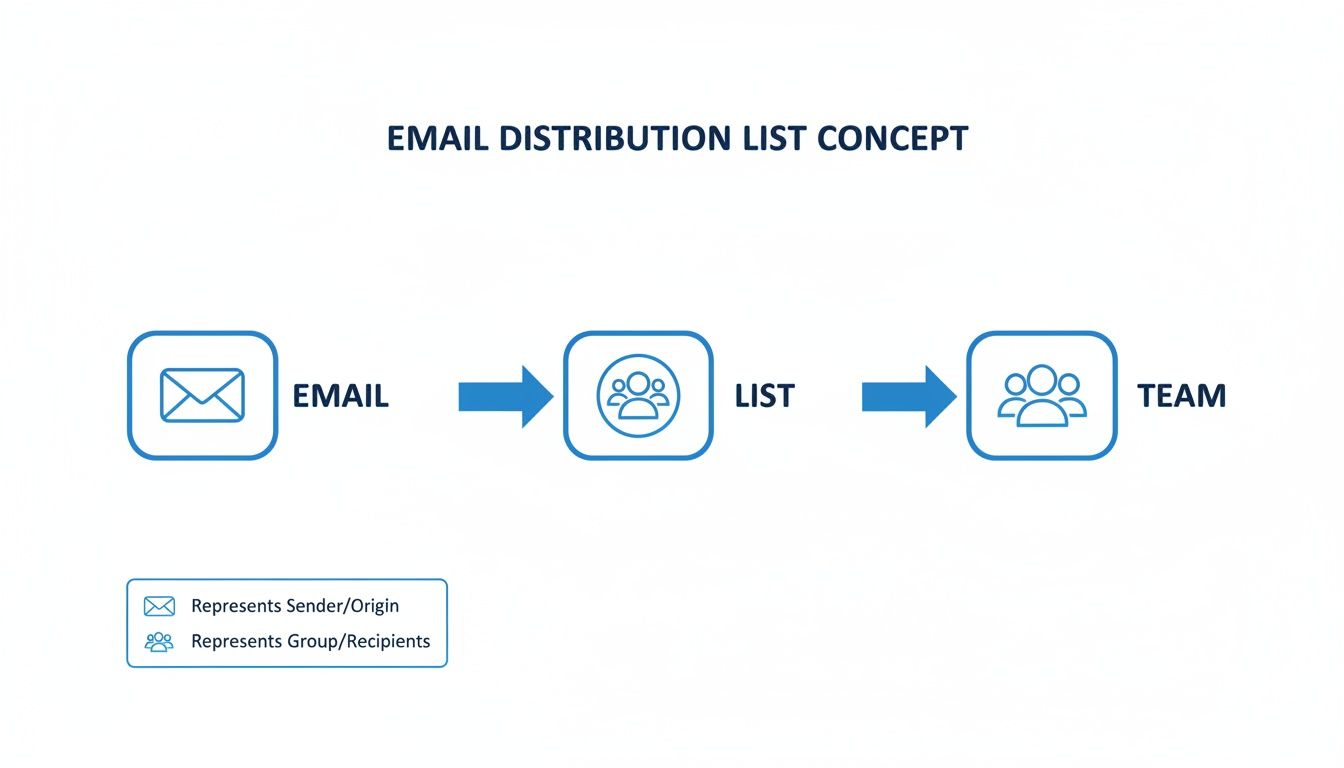
Think of an email distribution list as a smart forwarding service. It’s a single email address, like support@yourstore.com, that automatically sends any incoming message to a whole group of specific team members. It’s like a digital mailroom, making sure the right people get the right emails without you having to give out everyone's personal address.
What Is an Email Distribution List, Really?
Imagine your support team is a squad of expert firefighters. When a customer has a problem—a "fire"—they need help, and they need it fast. An email distribution list is the fire alarm.
Instead of the customer trying to figure out which firefighter to call, they just pull the alarm by emailing support@yourstore.com. Instantly, every firefighter on duty gets the alert delivered straight to their own inbox. It’s a simple but incredibly powerful system that ensures no cry for help goes unanswered.
This isn't some complex collaboration tool; it's a reliable broadcast system. Its one job is to get a message from one person to many people, instantly.
That distinction is key for anyone running a Shopify store. An email distribution list isn't the same as a marketing list you use for sending newsletters. It's also different from a shared inbox where your team logs into one central account to reply to messages together. A distribution list is purely for forwarding.
The Core Purpose in Ecommerce
At its heart, an email distribution list solves a huge communication headache for growing businesses: how do you handle all the incoming emails without creating chaos or exposing individual employee addresses? It gives you a professional, public-facing point of contact while keeping your internal team structure organized and private.
For example, a new Shopify store owner could set up a few lists right away to keep things running smoothly:
-
orders@yourstore.com: Forwards all order questions to the founder and their fulfillment partner. -
info@yourstore.com: Sends general inquiries directly to the main business owner to handle. -
press@yourstore.com: Routes all media and collaboration requests to whoever is handling marketing.
A well-structured email distribution list acts as the central nervous system for a store's communication. It directs information to the right place automatically, preventing bottlenecks and ensuring timely responses long before a dedicated support platform is needed.
This kind of setup helps you look professional from day one and keeps communication lines crystal clear. As your business grows, these lists become indispensable for delegating tasks and making sure specific types of emails always land in the right hands.
To see how this fits into the bigger picture, check out this essential guide to email marketing. Getting this basic framework right is the first step to building a communication workflow that can actually scale with your store.
Distribution Lists vs. Segments vs. Shared Inboxes
Figuring out the best way to group your email contacts can feel a bit like packing for a trip. You wouldn't use a hiking backpack for a business meeting or a briefcase for a week-long camping adventure. The same logic applies here: email distribution lists, marketing segments, and shared inboxes all group people together, but they're built for entirely different jobs.
Let's break them down.
An email distribution list is the most straightforward of the bunch. Think of it as a simple forwarding service. You send one email to a single address (like team@yourstore.com), and it automatically forwards a copy to every single person on that list. Each person gets the email in their own private inbox, and that’s pretty much where the story ends. There's no central place to track replies or see if a teammate has already handled something.
A marketing segment, however, is much more dynamic. This isn't a fixed list; it's a smart filter created inside your email marketing platform, like Klaviyo or Mailchimp. Contacts are automatically grouped based on their behavior—what they've bought, what they've clicked on, or how long it's been since their last purchase.
Finally, a shared inbox is a true collaborative workspace. Imagine a central hub for an address like support@yourstore.com where your whole team can see incoming messages in real-time. Team members can assign emails, leave private notes, and see who's replying to what, which stops two people from accidentally answering the same customer.
Email Grouping Methods Compared
To make the choice clearer, let's put these tools side-by-side. The right one for your Shopify store depends entirely on what you're trying to accomplish—are you informing, persuading, or collaborating?
| Feature | Email Distribution List | Marketing Segment | Support Group / Shared Inbox |
|---|---|---|---|
| Primary Goal | Inform (one-to-many broadcast) | Persuade (targeted marketing) | Collaborate (many-to-one response) |
| Best For | Internal company news, simple notifications | Promotional campaigns, personalized emails | Customer support, sales inquiries, returns |
| How it Works | Forwards a copy to individual inboxes | Sends a campaign to a dynamic group | A central, shared inbox for team access |
| Reply Handling | Replies go only to the sender (or the list) | Replies go to a designated marketing inbox | Replies are managed and tracked centrally |
| Collaboration | None. It's a "set and forget" tool. | Limited to campaign planning | Built-in features like assignment & notes |
| Example Address | all-staff@yourstore.com |
N/A (Internal to your email platform) | support@yourstore.com |
This table shows that while they all manage email groups, their functions are worlds apart. Choosing the wrong one is a recipe for missed messages and frustrated customers.
When to Use Each Tool
Using the wrong tool can cause genuine headaches. Trying to run customer service through a distribution list, for example, is a classic mistake. It quickly leads to chaos where multiple people answer the same ticket, or worse, everyone assumes someone else answered it. This kind of confusion is why dedicated systems are so important; you can find great strategies for staying organized in our guide on the Inbox Zero method.
Here’s a quick cheat sheet for your Shopify store:
-
Use a Distribution List for: Simple, one-way internal announcements. Think
press@yourstore.comforwarding to your PR person orall-hands@yourstore.comfor company-wide updates. - Use a Marketing Segment for: Driving sales with targeted campaigns. Create segments for "VIPs who spent over $500," "customers who bought a specific product," or "subscribers who haven't opened an email in 90 days."
-
Use a Shared Inbox for: Any customer-facing communication. This is non-negotiable for
support@,sales@, orreturns@yourstore.com. It gives your team the visibility and tools needed to work together effectively.
The proof is in the numbers. Marketers who switched from generic blasts to segmented campaigns have seen revenue increases of up to 760%. That's the power of sending the right message to the right person.
A simple way to remember it: a distribution list is a megaphone, a marketing segment is a personalized letter, and a shared inbox is mission control.
Understanding these differences is the first step to building a communication system that actually works for you—one that's efficient, keeps customers happy, and helps your business grow without the operational chaos.
Putting Your Distribution List to Work
Knowing what an email distribution list is in theory is one thing, but seeing it solve real-world problems is where the lightbulb really goes on. For Shopify merchants, these simple forwarding tools aren't just a minor convenience—they're strategic assets. They can smooth out operational bumps, drastically improve the customer experience, and bring much-needed order to internal workflows.
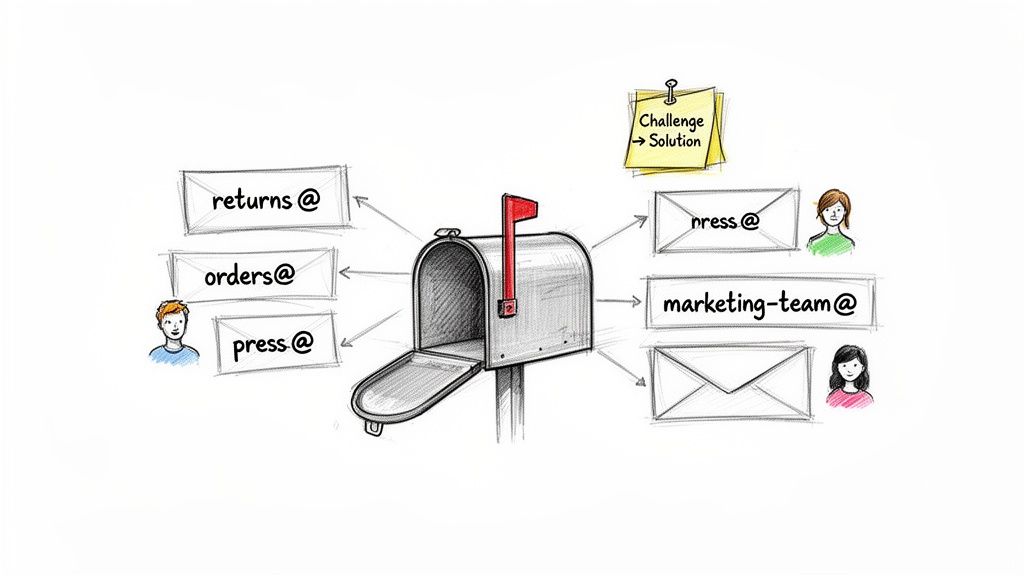
By setting up a few dedicated lists, you can transform a chaotic, overflowing inbox into an organized and efficient communication hub. Let's look at a few high-impact ways to use them, framed around common challenges that nearly every ecommerce brand runs into.
Streamlining Customer-Facing Communication
Think of your public-facing email addresses as the front door to your business. A well-organized system ensures every visitor, customer, or potential partner gets a prompt welcome and is pointed in the right direction.
-
The Challenge: A customer has a question about a return, but their email gets buried in a general
info@inbox. The delay creates a frustrating experience, and your support team wastes time just forwarding messages to the right person in logistics. -
The Solution: Create a
returns@yourstore.comdistribution list. This dedicated address instantly forwards all return inquiries to the specific people handling reverse logistics and customer support. Everyone who needs to know gets looped in from the start, which means faster processing and a much smoother experience for your customer. -
The Challenge: Questions about order status, shipping updates, and fulfillment are all jumbled together with marketing replies and general support tickets. The one person with the answer doesn't see the email until hours—or days—later.
-
The Solution: Set up an
orders@yourstore.comlist. This can include your fulfillment team, a dedicated support agent, and even your dropshipping partner. When a customer emails this address, all the right people get the notification at once. It’s a direct line of communication that dramatically cuts down response times for your most urgent customer questions. -
The Challenge: A journalist wants to feature your product, but their email to your generic support address goes unnoticed for a week. You've just missed out on a huge, free PR opportunity.
-
The Solution: Establish a
press@yourstore.comlist. This address forwards all media inquiries, collaboration proposals, and influencer outreach directly to the founder, marketing manager, or whoever handles PR. It effectively creates a VIP channel for high-value contacts, ensuring growth opportunities are never lost in the shuffle.
Optimizing Internal Team Coordination
Distribution lists are just as powerful for getting your internal house in order. They help break down communication silos and make sure everyone on the team is on the same page.
-
The Challenge: Your marketing team is planning a huge product launch, but critical details are scattered across dozens of individual email threads. The social media manager, content writer, and ads specialist are all working with slightly different information, leading to muddled messaging.
-
The Solution: Create a
marketing-team@yourstore.comdistribution list. This becomes the central hub for all campaign discussions, vendor communications, and strategy updates. Sending one email to this address guarantees the entire team gets the same info at the same time. It’s a simple way to foster alignment and keep everyone in the loop. -
The Challenge: An important, high-level business decision or a sensitive company update needs to be shared with the executive team quickly and privately. Forwarding emails one by one is a pain and risks accidentally leaving someone important out.
-
The Solution: Set up a confidential
leadership@yourstore.comlist. Reserved for key decision-makers, this list provides a reliable channel for discussing strategy, reviewing financials, or handling urgent business matters. It simplifies top-level communication, making it easy to broadcast critical information to the entire leadership group with a single click.
By putting these lists to work, you’re doing more than just forwarding emails—you’re building a scalable communication infrastructure that can grow with your business. Each list solves a specific bottleneck, turning a point of friction into a real operational advantage.
How to Build and Manage Your First List
Creating your first email distribution list is less about technical wizardry and more about thinking ahead. The actual clicks in a platform like Google Workspace or Microsoft 365 are simple. The real magic happens when you set things up thoughtfully to avoid future headaches like internal spam, security risks, and just plain confusion.
Let's be clear: email distribution lists aren't just some niche IT tool anymore; they're a primary communication channel for millions of businesses. The global email user base is set to rocket past 4.8 billion by 2027, with over 93% of people in key demographics using it. This is a massive audience, which makes it critical to manage your lists properly from day one. If you're curious about the numbers, you can dive into more email marketing statistics to see the full picture.
So, let's walk through the practical steps, focusing on the best practices that will save you time and trouble as your business grows.
Naming Your Distribution List for Clarity
Before you even open a settings panel, nail down a clear, intuitive name for your list. This is probably the single most important thing you can do for long-term organization. A lazy name like group@yourstore.com doesn't tell anyone anything, but a specific name immediately sets expectations.
Think about a simple naming convention you can stick with:
-
Start with the purpose. Use prefixes that make sense, like
support@,orders@, ormarketing-team@. -
Stay consistent. If you use a hyphen in
marketing-team@, use it for all similar internal lists. Don't mix and match with underscores or smash words together. -
Kill ambiguity. The name
sales@is perfectly clear. A name likeeveryone@is a recipe for chaos. Does that include contractors? Interns? Part-time staff? Be specific.
A logical naming structure makes it dead simple for your team to know exactly where to send an email, cutting down on misdirected messages and wasted time.
Creating a List in Google Workspace
If you’re on Google Workspace (what used to be G Suite), they call distribution lists "Groups for Business." The whole process is quick and geared toward collaboration.
- Head to the Admin Console. You’ll need to log in as an administrator, find the Directory section, and click on Groups.
- Create a New Group. Hit the "Create group" button. This is where you’ll plug in the essential details for your new list.
-
Fill in the Details. Give it a clear Group name (e.g., "Marketing Team"), add a helpful description, and type in the Group email you just decided on (like
marketing-team@yourstore.com).
Here’s what that initial setup screen looks like in the Google Workspace Admin console.
This is basically your command center for the list. You're giving it an identity and an address before deciding who gets the keys.
Configuring Permissions and Adding Members
With the list created, the next crucial step is managing who can actually use it. This is where most people get into trouble. Uncontrolled permissions are the number one cause of internal spam and security issues.
An email distribution list without proper permissions is like a public announcement system with an open microphone. Anyone can use it to broadcast anything, leading to noise and chaos.
Dive into the settings and define these rules:
-
Who can post? Can anyone on the internet email this list, or only people inside your company? For an internal list like
marketing-team@, you'll want to lock this down to group members only. For a public-facing address likesupport@, you’d need to allow anyone on the web to send messages. - Who can join? Can people add themselves, or do they need an invitation? For almost any business list, it's best to set this to "Only invited users."
- Add your members. Now for the easy part. Start adding the email addresses of your team members to the group. From this point on, every person on that list will get a copy of any email sent to your new distribution list address.
Connecting Your Shopify Data
For those of you running a Shopify store, this is where things get really interesting. You can’t create a distribution list inside Shopify, but you can use its rich customer data to build powerful, targeted lists for your marketing.
For instance, you could create a customer group in Shopify for "VIP Customers" who have spent more than $500 with you. From there, just export that list of email addresses and import it into your email marketing platform. Instantly, you have a special segment ready for exclusive offers or early access.
This simple workflow bridges the gap between your sales data and your communication, letting you send far more personal and effective messages.
Best Practices for a Healthy Distribution List
Anyone can create an email distribution list. The real challenge? Keeping it efficient, secure, and professional. It takes a bit of discipline. If you let a list go, it can quickly become a liability—think internal spam, security holes, and just plain communication chaos.
Sticking to a few core best practices will make sure your lists are valuable assets, not operational headaches. This all comes down to five key areas: smart naming, tight permissions, regular audits, good deliverability hygiene, and respecting data privacy. Get these right, and you'll build lists that work for you.
Adopt Strategic Naming Conventions
The first rule of a healthy distribution list is clarity, and that starts with a good name. A vague address like team@yourstore.com is just asking for trouble. Who's on that team? Full-timers? Contractors? New hires? That kind of ambiguity leads to misdirected emails and wasted time.
Instead, create a simple system that can grow with you:
-
Be Specific: Use names that clearly define the group's purpose. Think
marketing-team@,leadership@, orpress-inquiries@. - Stay Consistent: If you use a hyphen for one team list, use it for all of them. A consistent pattern makes your entire list directory easy to scan and understand.
-
Think Function First: Name the list after the job it does (
returns@) or the group it serves (all-staff@), not after temporary projects or specific people.
Enforce Strict Permission Controls
An uncontrolled distribution list is like an open mic in a crowded room—anyone can grab it and say whatever they want. This is why setting strict permissions is probably the single most important thing you can do. Without them, you're opening the door to internal spam and some pretty serious security risks.
Imagine a simple phishing attack on one employee. If they have access to a company-wide list, an attacker could use their account to blast malicious links to everyone.
A common phishing tactic involves compromising one account to gain access to a distribution list, then sending a malicious email from a trusted internal source. This dramatically increases the chances of other employees clicking a dangerous link, as the email appears legitimate.
To stop this from happening, lock down your settings:
-
Who can send to the list? For an internal list like
all-staff@, you should restrict posting permissions to group members only, or maybe even just a handful of designated managers. - Who can join the list? This should always be set to "Only invited users." Letting anyone join is a security flaw just waiting to be exploited.
For a deeper dive into company-wide communication strategies, check out these enterprise email management best practices.
Conduct Regular List Audits
An email list is a living thing. People change roles, leave the company, or simply don't need to be on certain threads anymore. A bloated list full of outdated members isn't just messy; it’s a security risk that creates unnecessary noise.
Set a reminder to audit each list quarterly or twice a year. During the review, ask yourself:
- Is everyone on this list still in the right role?
- Has anyone left the company?
- Does this list still have a clear, necessary purpose?
This simple hygiene check keeps your lists lean, relevant, and secure. It ensures sensitive information only goes to the people who absolutely need it. And while you're at it, remember that professional communication matters. For some great examples, see our guide on email etiquette samples.
Finally, don't forget that a well-kept list is an economic engine. Email marketing can deliver a staggering 3,600–4,400% ROI, which means generating $36–$44 for every $1 you spend. That incredible return depends entirely on sending the right message to the right people—and that all starts with a clean, healthy list.
Supercharge Your Lists with AI and Automation
A standard email distribution list gets one job done: it sends a message to a predefined group. But once that email lands in everyone's inbox, what happens next? This is where modern tools can completely change the game, turning a simple forwarding mechanism into an intelligent, automated engine for your Shopify store.
Let's be honest, manually sorting through a shared inbox, figuring out who needs to handle which request, and then drafting replies is a huge time-drain. This is precisely where a platform like MAILO AI steps in. Instead of just blindly forwarding emails, these tools analyze the message first, transforming your distribution list from a passive tool into a smart, self-managing system.

Go Beyond Simple Forwarding
Think of it as giving your distribution list a brain. AI can instantly read and understand what a customer is asking for, unlocking a level of efficiency that basic forwarding just can't match. This shifts your team from a reactive "what just came in?" model to a proactive, streamlined workflow.
Here’s what that looks like in practice:
- Smart Routing: AI scans an email for keywords like "return" or "shipping status" and automatically assigns it to the right person or department. This completely cuts out the manual triage step, getting the message to the right expert in seconds.
- AI-Generated Replies: For all those common, repetitive questions, AI can draft an accurate, on-brand response instantly. Your team can then give it a quick review and send it with a click, or you can even set it to reply automatically for certain queries, resolving issues on the spot.
- Centralized Analytics: Instead of emails getting lost in individual inboxes, AI-powered systems track every conversation. You suddenly have powerful insights into what your customers are asking about, how quickly your team is responding, and overall satisfaction levels. Your support inbox becomes a goldmine of business intelligence.
By layering automation on top of your distribution list, you’re no longer just managing communication—you're optimizing it. The goal here is to slash manual effort, speed up response times, and build a system that can handle growth without you needing to hire more people.
From Manual Effort to Automated Efficiency
This approach bridges the gap between a basic forwarding address and a true, professional support operation. It automates the tedious tasks that eat up your team's day, freeing them up to focus on the more complex problems where a human touch really makes a difference.
For instance, a customer emailing your orders@ list about a missing package could get an immediate, AI-generated reply containing the latest tracking information, pulled directly from your Shopify data. No one on your team even had to touch it. This is a core part of building a powerful, self-sufficient system. To see how this fits into the bigger picture, it's worth exploring the fundamentals of ecommerce marketing automation.
Ultimately, integrating AI doesn't get rid of your distribution list; it puts it on steroids. It turns a simple notification tool into a dynamic engine that saves time, impresses customers with its speed, and gives you the data you need to make smarter decisions for your business.
Frequently Asked Questions
Even after you've got the basics down, a few practical questions always pop up when you start using email distribution lists. Let's tackle some of the most common ones so you can move forward with confidence and avoid any easy-to-make mistakes.
Can I Use a Distribution List for Marketing?
Technically, you can, but you absolutely should not. Trying to send a marketing newsletter through a standard distribution list is a recipe for disaster, and here’s why.
First off, there's no way for people to unsubscribe. This is a huge problem, as it puts you in direct violation of anti-spam laws like CAN-SPAM and GDPR, which can lead to hefty fines.
On top of that, you get zero useful data. You won't know who opened your email, what they clicked, or if it even landed in their inbox. For any real marketing, stick with a dedicated platform like Klaviyo or Mailchimp; they're built for the job.
Is There a Limit to List Members?
Yes, email providers cap the number of members you can add to a single distribution list. They do this to keep their systems stable and prevent their platforms from being used for spam.
The limits are usually quite high:
- Google Workspace: You can typically have up to 100,000 members in a single group.
- Microsoft 365: The limit is generally the same, around 100,000 members per group.
While it's unlikely a typical Shopify store will hit these numbers for an internal list, it's good to know the ceiling is there, especially as you scale.
Distribution List vs Shared Mailbox: What Is the Real Difference?
The easiest way to think about this is to focus on workflow. An email distribution list is all about one-way communication—it simply forwards a message out to a bunch of individual inboxes. There’s no central place to manage replies or collaborate.
A shared mailbox, on the other hand, is a true collaborative workspace. The whole team accesses one central inbox where they can see every message, assign tasks, and reply as a unit. A distribution list just informs, while a shared mailbox helps a team act together.
Ready to transform your email support from a manual chore into an automated growth engine? MAILO AI integrates directly with Shopify to provide instant, AI-powered replies, smart routing, and deep analytics. Cut down on response times, delight your customers, and free up your team to focus on what matters most. Start your free trial today.