

At its core, e-commerce automation is all about using software to take over the repetitive, everyday tasks that keep your online store running. Think of it as a smart autopilot that handles everything from marketing and inventory checks to customer support, freeing up your team to focus on what really matters: growing the business.
This isn't about replacing people; it's about empowering them.
What Is E-commerce Automation, Really?
Imagine hiring an incredibly efficient assistant who works 24/7. This assistant never gets tired, never makes a typo when entering data, and can juggle hundreds of jobs at once. That's the essence of e-commerce automation. It's not about cold, unfeeling robots—it's about building smarter, more effective ways to work.
This approach uses software to manage the operational grind that can easily overwhelm a growing business. We're talking about those essential but tedious jobs, like sending abandoned cart reminders, syncing stock levels across all your sales channels, or answering the same customer questions day in and day out. By handing these tasks over to technology, you build a much more resilient and scalable business.
The Shift from Luxury to Necessity
Not too long ago, this kind of operational efficiency was a luxury reserved for massive corporations with deep pockets. Today, it’s a must-have for survival, especially for ambitious Shopify stores and direct-to-consumer (DTC) brands trying to compete.
The market tells the same story. The global e-commerce automation sector was valued at USD 10.5 billion in 2024 and is expected to rocket to USD 28.5 billion by 2032. You can find more details on this explosive growth at futuredatastats.com.
This surge makes perfect sense. Automation is the direct answer to the biggest headaches in e-commerce: handling a flood of orders, delivering instant customer service, and simply staying ahead of the competition. It lets smaller teams punch way above their weight class.
More Than Just Saving Time
Saving time is a fantastic perk, but the real impact of automation goes much deeper. It’s about fundamentally building a better, stronger business.
- A Better Customer Experience: Automation means your shoppers get quick, consistent communication every time. From instant order confirmations to proactive shipping updates, every interaction becomes a chance to build loyalty.
- Fewer Human Errors: Let's face it, manual data entry leads to mistakes. A mistyped address or an incorrect stock count can lose you a sale and a customer. Automation brings a level of accuracy that humans just can't match.
- Built-in Scalability: As your store grows, manual processes quickly turn into bottlenecks. Automation lets you handle a massive spike in orders and customer questions without having to triple your staff overnight.
The big idea is to let technology handle the predictable, rule-based work. This frees your team to focus on the creative and strategic thinking that actually drives the business forward. It's the classic difference between working in the business and working on it.
Ultimately, automation is a powerful tool for growth. It helps you build a more efficient, profitable, and customer-centric brand. To get a better handle on the fundamentals, check out this excellent guide on why automating business processes is so crucial today.
The Five Pillars of E-Commerce Automation
Trying to automate your entire e-commerce store all at once is like trying to rebuild a car engine while driving it. It’s overwhelming and bound to fail. A much smarter approach is to focus on upgrading key components one by one, making the whole machine run faster and more efficiently over time.
We can break this down into five core areas, or "pillars," where automation delivers the biggest and fastest results. By tackling these systematically, you can start clearing out bottlenecks, freeing up your team from tedious tasks, and building a far more resilient business. Each pillar is a chance to save time, trim costs, and seriously improve the customer journey.
This isn't just about making things run faster; it's about empowering your team to focus on what matters—growth—while the machines handle the predictable, repetitive work.
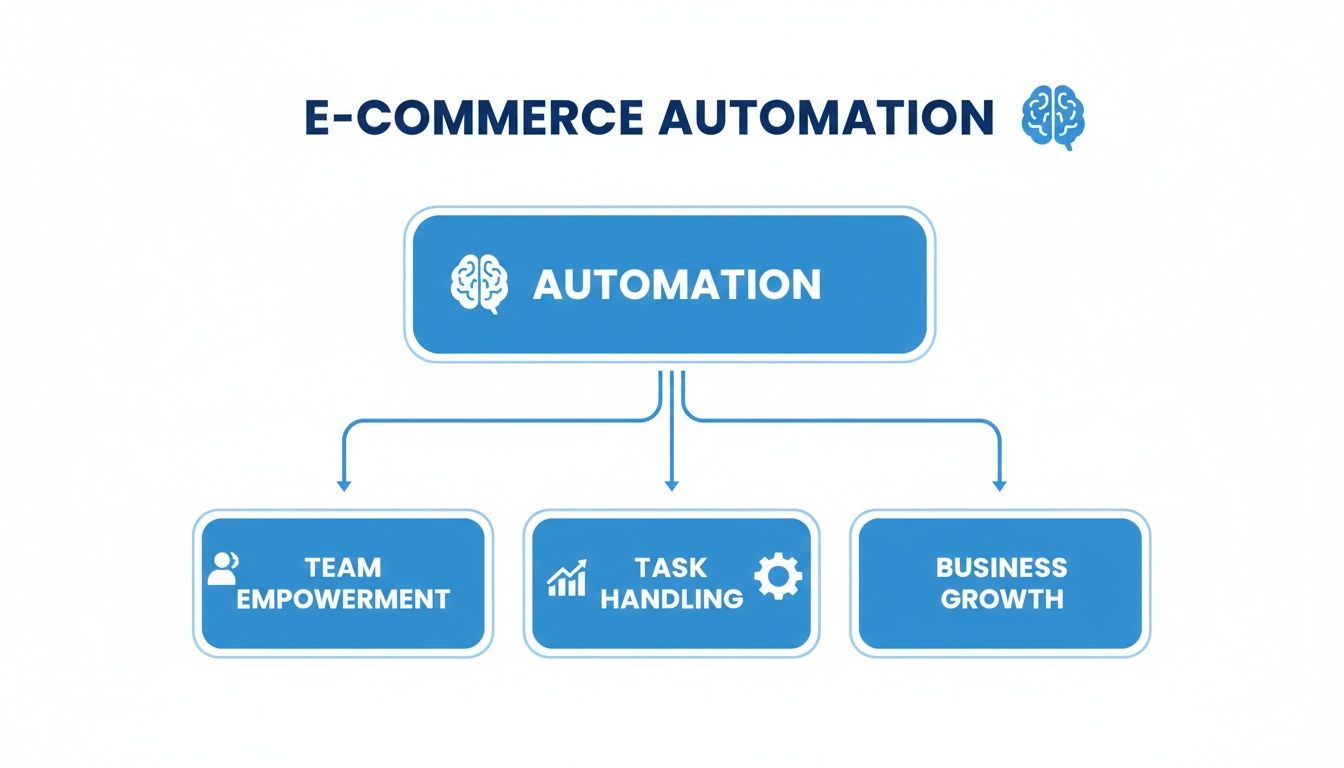
Let's dive into these five pillars.
Pillar 1: Marketing Automation
Marketing is what brings people through your digital doors, but so much of it is repetitive. Think of marketing automation as your tireless 24/7 salesperson, working in the background to nurture leads, re-engage shoppers, and recover sales you might have otherwise lost.
Here’s where it really shines:
- Abandoned Cart Reminders: We've all done it—added something to a cart and then gotten distracted. An automated email sequence can give that shopper a gentle nudge, maybe offer a small discount, and bring back a surprising amount of that lost revenue.
- Welcome Series: When someone new signs up for your list, don't just leave them hanging. A pre-set welcome series can introduce your brand story, point them to your bestsellers, and start building a real connection from day one.
- Customer Segmentation: The system can automatically group customers based on what they buy, how often, and how much they spend. You could create a "VIP" tag for your most loyal fans and send them exclusive perks, all without lifting a finger.
For a closer look at these tactics, check out this guide on e-commerce marketing automation for more strategies.
Pillar 2: Order Management Automation
The moment a customer clicks "buy," a whole cascade of behind-the-scenes tasks kicks off. Automating your order management ensures this process is smooth, accurate, and instant, which is absolutely critical for building customer trust.
This is all about handling the nitty-gritty admin work. For instance, a workflow can instantly run a fraud check on a new order, generate and email a professional invoice, and ping your fulfillment team to get moving. All of this happens in seconds, without any human intervention.
Pillar 3: Inventory and Fulfillment Automation
Nothing kills customer trust faster than selling an item you don't actually have in stock. Inventory and fulfillment automation is the operational backbone of your store, making sure your online storefront is perfectly in sync with your warehouse shelves.
A classic example: A customer buys the last blue sweater on your website. Automation instantly updates the stock count to zero across your site, Amazon, and Instagram Shop. This single workflow prevents the dreaded "Sorry, we're out of stock" email that ruins a customer's day.
Beyond that, automation can also generate shipping labels, send tracking updates directly to customers, and even choose the best warehouse to ship from based on the customer's address to cut down on delivery times and costs.
Pillar 4: Customer Experience Automation
A fantastic customer experience shouldn't stop once the payment goes through. Post-purchase automation is all about solidifying that new relationship, gathering valuable feedback, and turning one-time buyers into loyal fans.
A few simple but incredibly effective automations here include:
- Review Requests: About a week after the package arrives, an automated email can ask the customer for a review. This is the easiest way to build social proof and get honest feedback.
- Personalized Follow-ups: Did someone just buy a coffee machine? A week later, you can automatically send them an email with brewing tips or suggest your most popular coffee beans to go with it.
Pillar 5: Customer Support Automation
Let's be honest: customer support can quickly become a massive time-sink for any growing store. This pillar is all about providing fast, accurate answers to the most common questions, freeing up your human agents for the tricky issues that actually require their expertise.
This is where AI-powered tools really come into their own. Instead of a human manually looking up a tracking number, an automated system can instantly answer "Where is my order?" by pulling live data from Shopify or your shipping carrier. It can also triage incoming tickets, routing an urgent complaint to a person while handling a simple return query on its own. The result? Every single customer gets a fast, helpful response.
To make this easier to digest, here's a quick summary of how these five pillars work.
Key Areas for E-Commerce Automation at a Glance
| Automation Pillar | What It Solves | Example Task |
|---|---|---|
| Marketing | Lost sales and generic messaging | Automatically emailing customers who abandoned their carts |
| Order Management | Manual data entry and human error | Generating and sending an invoice the moment an order is placed |
| Inventory & Fulfillment | Overselling and shipping delays | Syncing stock levels across all sales channels in real-time |
| Customer Experience | Post-purchase silence and low engagement | Sending a personalized product review request 7 days after delivery |
| Customer Support | Repetitive questions and slow response times | Instantly answering "Where is my order?" with live tracking data |
By focusing on these five key areas, you can create a more efficient, scalable, and customer-friendly business without getting bogged down in the day-to-day grind.
Calculating the Real Return on Automation
Investing in new tech always boils down to one simple question: is it actually worth it? Talk is cheap, and the real value of e-commerce automation isn't in flashy features—it’s measured by the direct impact on your bottom line. You need to see a tangible return in your financial reports.
The good news? The numbers don't lie. Marketing automation alone is delivering huge returns for e-commerce brands, which are netting an average of $5.44 for every $1 invested. It’s no surprise the global market for this technology is on track to hit $15.58 billion by 2030. You can discover more insights about these marketing automation statistics to see just how brands are riding this wave.
This isn't magic. This return comes from turning operational drains into revenue-generating machines and plugging the small leaks where your business loses money every single day.
Unpacking the Financial Benefits
To really get a handle on your potential return on investment (ROI), you have to look at the three main ways automation makes you money. Each one pays for the software—and then some.
- Reduced Labor and Operational Costs: This is the most straightforward benefit. Automation takes a massive chunk of repetitive, manual work off your team’s plate.
- Increased Conversion Rates and Revenue: Automated systems never sleep. They work 24/7 to capture sales you'd otherwise miss.
- Enhanced Customer Lifetime Value (CLV): Smart automation doesn't just process orders; it builds relationships, encouraging customers to come back again and again.
When you start to put numbers to these three areas, the business case for bringing automation into your store becomes incredibly strong.
A Framework for Calculating Your ROI
Let's break down how to attach real dollar amounts to these benefits. Think of this as a back-of-the-napkin formula to estimate what this could look like for your specific business.
Step 1: Quantify Saved Labor Costs
First thing's first: track the time your team is sinking into tasks a machine could do.
- Customer Support: How many hours a week are spent answering "Where is my order?" or other FAQs?
- Order Processing: How much time goes into manual data entry, creating invoices, or flagging orders for the warehouse?
- Marketing: How long does it take to manually segment customer lists or send out follow-up emails?
Once you have a rough total for the hours, multiply that by your team's average hourly cost. That number is your direct, hard-cash savings on labor.
Example Calculation: Let’s say your team spends 20 hours a week on manual support tickets. If their blended hourly rate is $25, you're spending $500 a week ($2,000 a month) on work that could be automated. By automating just that one area, you could free up $24,000 annually.
Step 2: Measure Recovered and Generated Revenue
Next, look at the places where automation can directly pump up your sales numbers.
- Abandoned Cart Recovery: A solid, automated email sequence can realistically recover anywhere from 5% to 15% of abandoned carts. Just figure out your average abandoned cart value and multiply it by your potential recovery rate to see the revenue uplift.
- Cross-sells and Upsells: Automated product recommendations are brilliant at increasing average order value (AOV). Even a small 5% bump in AOV, spread across thousands of orders, adds up to a serious amount of cash.
Step 3: Estimate the Value of Increased Loyalty
Finally, think about the long-term impact on your customer relationships. This one is a bit harder to quantify but just as important.
- Automated Review Requests: More positive reviews build social proof, which leads to higher trust and better conversion rates down the line.
- Personalized Follow-ups: Sending helpful, relevant content after a purchase keeps your brand top-of-mind. This dramatically increases the chances of a customer making a second or third purchase.
When you add it all up—the cost savings from less manual work, the new revenue from recovered sales, and the long-term gains from happier, more loyal customers—the financial case for e-commerce automation is undeniable. It's not an expense; it's a strategic investment that pays dividends across your entire operation.
Why AI Customer Support Is Your First Best Move
If you’re trying to figure out where to start with e-commerce automation, I'll give you the answer I give nearly every growing store: start with customer support. It's almost always the single best place to get the biggest, fastest return on your investment.
Why? Because for most online stores, the support inbox is ground zero for repetitive tasks. It's where the same questions pile up day after day, creating a bottleneck that drains your team's time and energy.
Think about it. How many times does your team answer "Where is my order?" or "How do I make a return?" Each ticket seems small, but together they add up. Every single one requires someone to stop what they're doing, look up the information, copy and paste a response, and move on. Those minutes could be spent solving the tricky problems that actually need a human brain.
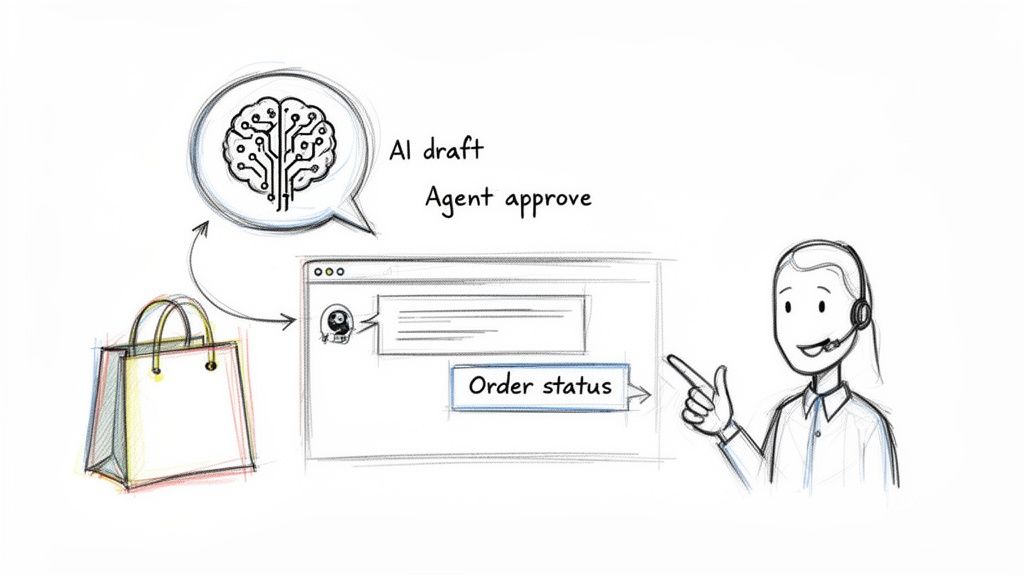
Automating support isn't about firing your team and replacing them with unhelpful robots. We've all been burned by those clunky, frustrating chatbots from a few years ago. Today’s AI is completely different. It’s about giving your agents superpowers, helping them resolve issues in a fraction of the time so they can focus on building real relationships with your customers.
Beyond Robotic Auto-Replies
Imagine a support assistant that has learned your brand's unique voice. It doesn't just spit out generic templates; it crafts personalized, on-brand messages that sound like they came directly from you. That's what modern AI for customer support does.
Even better, these tools plug directly into your store's backend. When a customer asks about their package, the AI isn't guessing. It pulls real-time order data from Shopify, providing an accurate, up-to-the-minute tracking status on the spot.
This shift turns customer support from a reactive cost center into a proactive loyalty-builder. Instead of just putting out fires, you’re delivering instant, accurate help that builds trust and keeps customers coming back.
The numbers don't lie. The AI-enabled e-commerce market is on track to hit $8.65 billion in 2025. We're seeing automation deliver 99% accuracy, cut labor costs by 25-30%, and speed up fulfillment by 300%—all massive wins in a competitive market. For a deeper look at the data, you can learn more about AI implementation statistics and their impact on digital success.
The Transformation of a Support Team
Let me paint a picture for you. Imagine a small support team—just two people—staring down a mountain of 200 new emails every morning. The vast majority are the usual suspects: order status, returns, and basic product questions. They spend their entire day in a frantic cycle of copy-and-paste, with zero time left for high-value work like helping VIPs or analyzing feedback.
Now, let's introduce an AI support tool into their workflow.
- The Smart Inbox: First, the AI acts as a brilliant organizer. It reads every email, automatically tagging and sorting them. "Shipping questions" go here, "returns" go there, and "urgent complaints" get flagged for immediate human attention. The inbox is instantly clean.
- Semi-Automated Workflows: For the most common questions, the AI drafts a perfect, personalized reply. Instead of typing it all out, the agent just needs to review the AI's draft, maybe add a quick personal touch, and click "send." This "human-in-the-loop" model keeps quality high while cutting response times from minutes to seconds.
- Full Automation: For dead-simple queries like "Where is my order?", you can let the system handle it completely. It can reply instantly without any human oversight, offering true 24/7 support.
Suddenly, that team of two is no longer drowning. They’ve cleared out 80% of their repetitive tickets without lifting a finger. Their time is now free to focus on the complex, nuanced conversations that actually make for a great customer experience. You can see more examples in our detailed article on AI customer support software.
From Cost Center to Growth Engine
The benefits of starting with support go way beyond just saving time. It fundamentally changes what your support team can do for the business.
- Proactive Outreach: Once the daily flood of tickets is under control, your team can get proactive. The system can automatically email a customer whose package was just marked "delivered" to make sure everything arrived okay.
- Review Generation: A week after delivery, the AI can send a polite, personalized request for a product review, helping you build social proof and collect valuable feedback.
- Data-Driven Insights: The analytics from these systems surface trends you’d otherwise miss. Are people constantly asking about the sizing of one particular shirt? That’s a clear signal to go update that product page.
By tackling the most frequent and time-consuming problems first, you get an immediate, measurable win. You lower your operational costs, boost team morale, and deliver a faster, more accurate service that customers notice. This creates the perfect foundation of success to build on as you start automating other parts of your business.
Your Roadmap for Implementing Automation
Diving into e-commerce automation can feel like a huge undertaking, but it doesn't have to be. The secret is to be methodical. You don’t need to automate your entire business overnight. This step-by-step roadmap is built for busy store owners—not tech gurus—to make sure your first project is a clear win.
Think of it like building with LEGOs. You wouldn't just dump all the bricks on the floor and hope a castle magically appears, right? You start with a solid base and add one piece at a time. We'll apply that same thinking here to avoid the overwhelm and get you some quick, satisfying results.
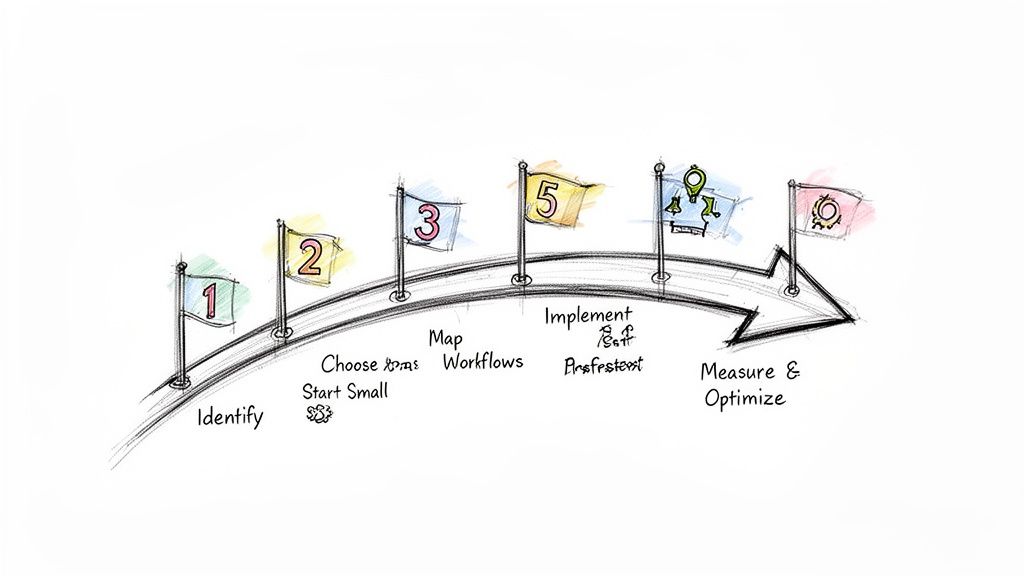
Step 1: Identify Your Biggest Bottlenecks
Before you can fix anything, you have to know where the real problems are. Where is your team sinking the most time into tasks that feel like running in place? Take a week just to observe and make notes.
- Is your support inbox constantly buried under the same three questions, day in and day out?
- Does someone on your team spend hours manually syncing inventory spreadsheets?
- Are you missing out on sales because you forget to follow up with shoppers who abandoned their carts?
Find that one task that’s the biggest time-suck. If you could make it disappear tomorrow, which one would give your team the most breathing room? That’s your starting point.
Step 2: Start Small With a High-Impact Area
It's tempting to dream big and design a complex workflow that spans multiple departments. Resist that urge. Your first project should be small, self-contained, and deliver a result you can clearly see and measure. This is how you build momentum and confidence.
For most Shopify stores, the best place to start is by automating the most common customer support questions. Think about setting up instant, accurate replies for "Where is my order?" (WISMO). This single workflow delivers immediate value to both your customers (who get an answer in seconds) and your team. In fact, it's not uncommon for this one automation to slash 30-40% of daily support tickets right off the bat.
The goal of your first automation project isn't to change your entire business overnight. It's to prove the concept, score an easy win, and learn the ropes on a manageable scale. Success here makes it much easier to get the green light for bigger projects down the road.
Step 3: Choose the Right Tools
The right tool should feel like it's making your life easier, not adding another complicated system to manage. As you look at different platforms, focus on ones that have seamless, native integrations with the tools you already use—especially Shopify.
Look for software that’s user-friendly and built specifically for the kinds of workflows e-commerce brands need. You shouldn't have to hire a developer just to map out a simple process. A tool like Mailo AI, for example, is designed to connect directly with your Shopify data, making it incredibly simple to automate support tasks without writing a single line of code. You can dive deeper into what to look for in our guide on help desk automation.
Step 4: Map Your Ideal Workflow
Before you even log into a new tool, grab a pen and paper or a whiteboard. Seriously. Sketch out the exact process you want to automate, step by step.
Let's say you're building an abandoned cart sequence:
- Trigger: A customer adds an item to their cart but doesn't check out within 60 minutes.
- Action 1: Send Email #1—a friendly reminder with a picture of the product.
- Wait: Hold off for 24 hours.
- Condition: Check if the customer has made a purchase. If not, continue.
- Action 2: Send Email #2 with a small discount code to sweeten the deal.
This simple sketch acts as your blueprint. It makes building the actual workflow in your software ten times faster and easier.
Step 5: Implement and Test Thoroughly
Okay, now it's time to build your workflow in the software. But once you've set it up, the most important step is testing it from every angle in a controlled way. Run through every "what if" scenario you can think of. What happens if the customer buys after the first email? Does the workflow stop like it's supposed to?
Treat this like a dress rehearsal for a big show. Use internal test orders to make sure every trigger and action fires exactly as planned before you let it loose on real customers. A tiny mistake in an automated flow can impact hundreds of people, so don't skip the testing.
Step 6: Measure and Optimize
Automation is never a "set it and forget it" game. Once your workflow is live and running, you have to keep an eye on how it’s performing.
- Key Metrics: For marketing, you’ll want to track open rates, click-through rates, and conversion rates. For customer support, keep an eye on ticket resolution time and the percentage of tickets being handled automatically.
- Continuous Improvement: Use this data to make smart adjustments. You might find that tweaking the subject line of your second abandoned cart email boosts opens by 10%. Small, data-backed changes like these add up over time and lead to massive improvements.
To help you get started, here's a quick checklist to walk you through the process.
Automation Implementation Checklist
| Step | Action Item | Key Consideration |
|---|---|---|
| 1. Discovery | Identify the top 3 most repetitive, manual tasks in your business. | Focus on tasks that are high-volume but low-complexity. Where is your team's time really going? |
| 2. Prioritization | Choose one task that offers the best balance of high impact and low effort to automate first. | Your first project should be a "quick win" to build confidence and prove the ROI. |
| 3. Tool Selection | Research and select an automation tool that integrates seamlessly with your existing tech stack (e.g., Shopify, Klaviyo). | Prioritize user-friendliness and native integrations to avoid technical headaches. |
| 4. Workflow Mapping | Visually map out the entire automation sequence on paper before building it in the software. | Define clear triggers, actions, and conditions. What starts the process? What happens next? |
| 5. Implementation | Build the workflow in your chosen tool based on your map. | Follow your blueprint closely. Double-check all settings and rules. |
| 6. Testing | Run multiple test scenarios using internal accounts to ensure the workflow functions as expected. | Test for every possible outcome. What happens if a customer takes an unexpected action? |
| 7. Launch | Activate the workflow for your live customers. | Monitor performance closely for the first 24-48 hours to catch any immediate issues. |
| 8. Optimization | Set up a dashboard to track key performance indicators (KPIs) and review them weekly. | Look for opportunities to tweak and improve. Automation is an ongoing process, not a one-time task. |
Following these steps will give you a solid foundation, ensuring your journey into automation is a successful and profitable one.
Answering Your Questions About E-commerce Automation
Diving into e-commerce automation is exciting, but it’s totally normal to have a few questions. You’re thinking about your brand, your budget, and how this all fits with your team. We get it.
Let's walk through the most common questions we hear from store owners, so you can see the full picture and move forward feeling confident.
Will Automation Make My Brand Feel Robotic?
This is probably the number one concern, and it's a good one. You've poured your heart into creating a brand with a distinct personality, and the last thing you want is for customers to feel like they're interacting with a machine.
But here’s the thing: modern AI isn't about stiff, generic auto-replies anymore. Think of it less like a robot and more like a dedicated apprentice you've trained yourself. The AI learns from your past customer conversations, your brand guides, and all your marketing copy. It absorbs your unique voice.
The result isn't a robotic answer, but a response that sounds just like you—only delivered in seconds. This consistency actually strengthens your brand while freeing up your team for the conversations that truly need a human ear and a personal touch.
How Much Does E-commerce Automation Cost?
"Automation" can sound like a six-figure word, but the reality is much more accessible. You don't need a massive enterprise budget to get started. Most modern automation tools, especially those designed for Shopify merchants, are built to grow with you.
Many platforms work on a subscription basis with different tiers, so you can start small and scale up as you see results.
Here’s what that usually looks like:
- Starter Plans: Perfect for newer stores, these plans are super affordable. They might handle your first few hundred support tickets or marketing contacts, letting you test the waters without a big commitment.
- Growth Plans: As your sales pick up, you can move to a plan that handles more volume. The cost naturally aligns with your store's success.
- Enterprise Plans: These are for the big players, offering all the bells and whistles, dedicated support, and the horsepower to manage huge volumes.
The big idea here is that you pay for what you use. A smart automation tool isn't just another expense; it's an investment that should pay for itself quickly by cutting labor costs and boosting sales.
Where Should I Start for the Biggest Impact?
With so many options, it's easy to get overwhelmed. The best approach is to follow the 80/20 rule: find the 20% of tasks that take up 80% of your team's time and automate those first. For nearly every e-commerce brand, that points straight to customer support.
Think about your support inbox. It’s filled with the same questions, over and over. "Where is my order?" and "How do I make a return?" probably account for more than half of your daily tickets. Automating these is a huge, immediate win.
Your customers get answers in seconds, not hours—a massive upgrade to their experience. At the same time, your support agents get a huge chunk of their day back. They can finally focus on solving tricky problems, building real customer loyalty, and turning frustrating situations into moments of delight.
Starting with support gives you the fastest return on investment and creates the perfect launching pad for automating other parts of your business down the road.
Ready to see how AI can handle your support emails without losing your brand's unique voice? MAILO AI integrates directly with Shopify to deliver instant, personalized answers to your customers' most common questions. Start your free trial at mailo.ai and turn your customer support into a powerful growth engine.