

So, what exactly is help desk automation?
Think of it as using smart software and AI to take care of the repetitive, predictable customer support tasks that clog up your inbox. For a Shopify store, this means instantly handling all those "Where is my order?" tickets, 24/7, without a human agent ever touching them. This frees up your team to focus on the issues that actually need a human brain.
What Is Help Desk Automation, Really?
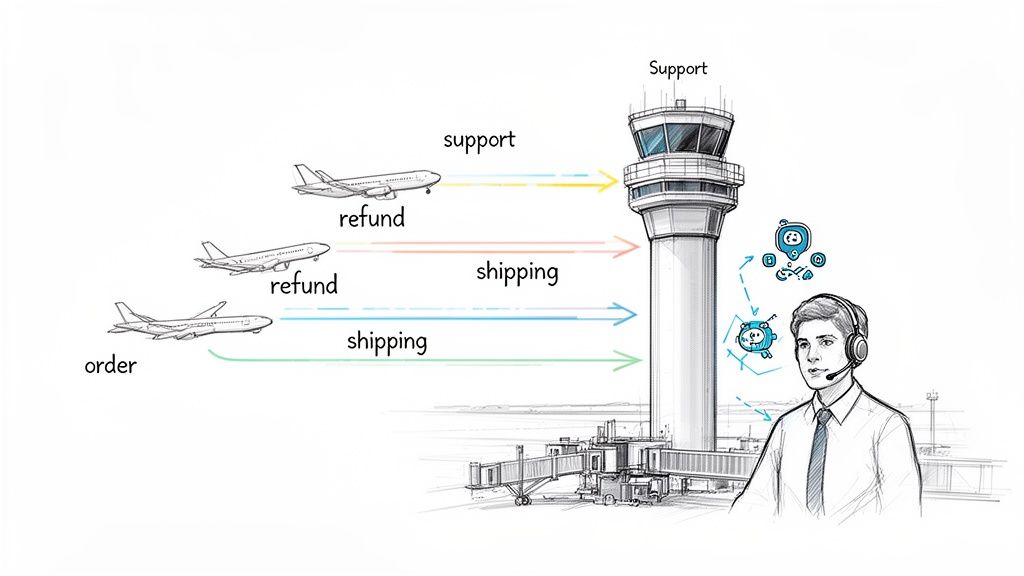
Picture your support team as air traffic controllers at a crazy-busy airport. Without automation, they're guiding every single plane by hand—from tiny propeller planes to massive jumbo jets. It's a recipe for long lines on the tarmac, frustrated customers, and a completely burned-out crew.
Help desk automation is like getting a brand new, AI-powered control tower. The system isn't there to replace your expert controllers, but to give them superpowers. It uses technology to manage all the routine, straightforward traffic that eats up most of their day.
From Manual Mayhem to Smart Operations
Modern automation is so much more than basic chatbots or canned responses. For an e-commerce brand, it's a living system that plugs directly into your backend data—like your Shopify order list—to give customers real-time, personal answers. The tech uses artificial intelligence to figure out what a customer actually wants, even if they phrase their question in a weird way.
Here’s how it completely changes your support workflow:
- Instant Fixes: It spots common questions like "Where's my package?" or "How do I make a return?" and answers them on the spot by pulling live data.
- Smart Sorting: It’s like a digital triage nurse, reading incoming tickets to classify them, add the right tags, and send them to the correct person or priority queue.
- Always On: Your automated system never sleeps. It works around the clock, making sure customers get help the moment they ask for it, even at 3 AM.
The real goal of help desk automation isn't to get rid of your support team; it's to make them better. By handling the low-level noise, it lets your people focus on the conversations that truly need a human touch—like tricky product questions, handling a frustrated customer, or spotting a high-value sales opportunity.
The Magic of Context-Aware AI
What truly makes this a game-changer is the AI's ability to understand context. When a customer emails you, a smart system can instantly see their entire order history, check their shipping status, and review past conversations.
This means it can provide super-specific, accurate information that turns a generic question into a fully resolved ticket in just a few seconds.
At the end of the day, help desk automation transforms a chaotic, overflowing inbox into a smooth, efficient machine. It slashes response times, makes customers happier, and lets your team focus on what they do best: building relationships and growing your business.
Why Your Shopify Store Can't Afford to Ignore Automation
Anyone who's scaled a Shopify store knows the feeling. Your sales are finally taking off, but your customer support inbox is exploding right along with them. It’s a classic "good problem to have," but it's still a problem.
The go-to solution is often to just hire more support agents. But that's a costly, linear fix. You're just adding more people to handle more tickets, and it never really gets ahead of the curve. This is where help desk automation stops being a "nice-to-have" and becomes a must-have.
The Rising Tide of Customer Expectations
Let's be honest: modern online shoppers are demanding. They shop at all hours, and they expect answers now, not tomorrow morning. A slow response isn't just a minor annoyance anymore; it's a direct path to an abandoned cart and a customer lost to a competitor.
Trying to meet this 24/7 expectation with a purely human team is a recipe for burnout and failure. Your team can't be everywhere at once. Automation is the only realistic way to provide the instant, always-on support that customers now consider the bare minimum.
The market data backs this up. The global helpdesk automation market was valued at USD 5.33 billion and is on track to hit USD 43.9 billion by 2033, growing at a blistering 26.4% annually. This isn't just a trend; it's a massive shift as businesses race to manage ticket volume without spiraling costs. You can discover more insights on helpdesk automation market growth.
Surviving the Chaos of Sales Events
Every Shopify owner has lived through the beautiful chaos of Black Friday. Sales are flying, but so are the support tickets. It's a tidal wave of the same questions over and over: "Where's my order?" "Does this code still work?" "What's the shipping time?"
This surge can completely bury even a well-staffed support team, leading to mistakes, delays, and a tarnished reputation right when it matters most.
Help desk automation is your frontline defense during these peaks. It can instantly field the vast majority of those repetitive questions, leaving your human agents free to tackle the truly complex, high-stakes issues that require a personal touch.
Automation transforms customer support from a reactive cost center into a proactive growth engine. It allows your business to scale without the proportional increase in headcount, turning efficiency into a powerful competitive advantage.
Unlocking a New Engine for Growth
The real cost of manual support isn't just payroll. It's the hidden drain on your business: the hours agents waste on copy-paste answers, the sales lost because a pre-purchase question went unanswered for too long, and the customers who leave for good after one bad experience.
By bringing in help desk automation, you're not just plugging a hole; you're building a more profitable business. The results speak for themselves:
- Lower Operational Costs: Imagine automating up to 70% of your routine support tickets. That directly translates to less pressure to hire and better use of your existing team.
- Faster Response Times: Giving customers instant answers dramatically improves their experience and builds the kind of loyalty that creates repeat business.
- Higher Customer Satisfaction (CSAT): Happy customers buy more and tell their friends. Consistently fast, accurate support is one of the surest ways to boost your CSAT scores.
In today's market, ignoring automation is a choice to fall behind. It’s the key to building a Shopify store that is not only bigger, but smarter, more efficient, and built to last.
What Are The Core Features of a Modern Help Desk?
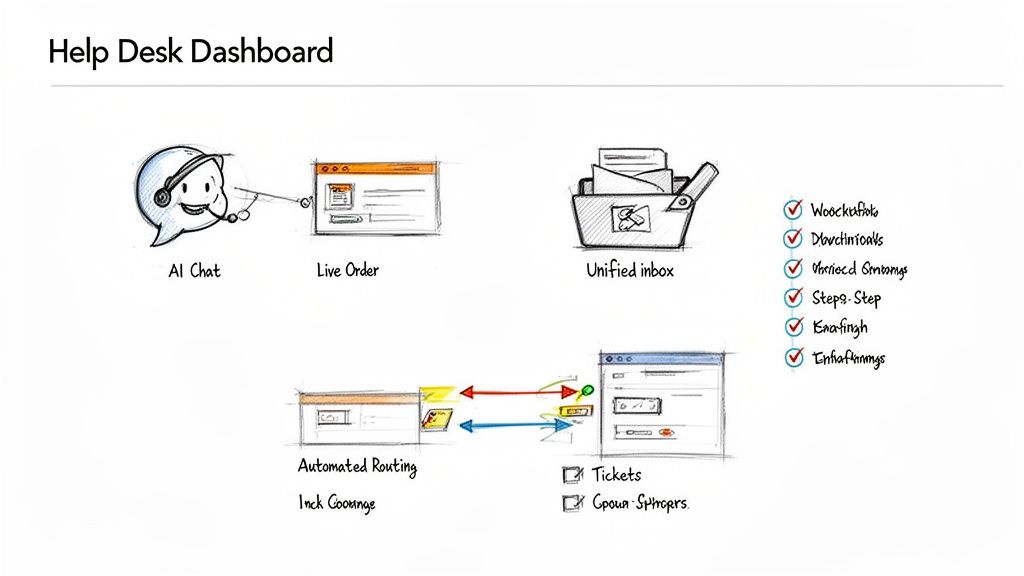
To really get what help desk automation can do, we need to peek under the hood. A modern platform isn't just a glorified inbox; it's a smart command center built to make your support faster, more accurate, and way more efficient. These aren't standalone gimmicks—they're interconnected tools that work together to turn customer chaos into a calm, orderly process.
Let's dive into the essential components, using real-world scenarios from Shopify stores to show how they work. This isn't science fiction; it's about practical tools you can use right now to solve those daily e-commerce headaches.
AI-Driven Contextual Replies
This is where the real magic happens. Picture a customer emailing, "Where's my order?" A basic help desk might let you use a canned response. An automated one, however, does something far more impressive. The AI instantly identifies the customer, pulls their live order data straight from Shopify, and crafts a personalized, perfectly accurate reply.
So instead of a generic "Your order is on its way," the customer gets something like: "Hi Sarah, your order #SH1234 with the Blue Summer Dress is out for delivery with USPS right now. You can follow it here: [tracking link]." This all happens in seconds, no human required. This feature alone can handle up to 70% of your most common questions.
Automated Ticket Classification and Routing
Your support inbox is a constant flood of different requests: returns, shipping updates, product questions, wholesale inquiries. Manually sorting through that mess is a massive time-drain and the number one cause of support bottlenecks.
Think of automated routing as your digital dispatcher. The system reads each incoming email, figures out what the customer wants, and then automatically tags it and sends it to the right person or department.
- An email mentioning "return" or "exchange" gets tagged [Returns] and routed to your logistics expert.
- A question about "sizing" or "materials" is tagged [Product Question] and sent to someone who knows the products inside and out.
- An urgent message using words like "angry" or "frustrated" can be flagged as [High Priority] and moved to the front of the line.
This ensures every single ticket lands in the right hands almost instantly, dramatically cutting down the time it takes for a customer to get a real answer from the right agent.
At its core, help desk automation is about creating systems that handle predictable tasks with perfect consistency. This allows your human team to save their energy and expertise for the unpredictable, high-value interactions that build lasting customer relationships.
Intelligent and Dynamic Workflows
Some customer issues are more than just a simple question. A return, for example, is a multi-step process: you have to check if the order is eligible, generate a shipping label, and then process the refund after the item arrives back at your warehouse. Intelligent workflows automate these complex journeys from start to finish.
A customer can start a return on their own, and the system will guide them through the entire process. It can check the purchase date against your return policy, ask why they're returning it, and even create the return shipping label—all without an agent lifting a finger. What used to be a long back-and-forth email chain becomes a smooth, self-service experience.
To get a better handle on how tickets are managed, you can learn more about how a ticketing system works—it’s the foundation for any great customer support operation.
The Unified Smart Inbox
Juggling customer conversations across email, social media DMs, and live chat is a recipe for disaster. Important messages get missed, and your team is left scrambling. A unified smart inbox solves this by pulling every customer conversation into one organized dashboard.
This gives your team a 360-degree view of every customer's history with your brand, no matter which channel they used. An agent can immediately see that a customer first asked a question on Instagram before following up via email. This context is gold. It stops customers from having to repeat themselves and helps your team provide a seamless, informed response every time. The "smart" part is having all the automation features built right in, giving your agents superpowers on a single screen.
How Winning Shopify Brands Use Automation
All the theory and features are great, but the real test of any tool is the impact it makes out in the wild. Top Shopify brands aren't just using help desk automation to answer tickets faster; they're using it as a secret weapon to smash through growth bottlenecks, boost profits, and build rock-solid customer relationships.
Let's get out of the hypothetical and into the real world. Here are three common scenarios showing how e-commerce businesses are using automation to get tangible results.
The Fast-Growing Fashion Brand vs. WISMO Overload
Imagine a trendy apparel store that’s blowing up. The problem? Their success created a massive support headache. The small team was completely swamped with "Where Is My Order?" (WISMO) tickets, burning hours every day just copying and pasting tracking numbers.
This wasn't just inefficient—it was a growth killer. It pulled them away from the conversations that actually drive sales and create loyal fans, like offering styling advice or helping with complex sizing questions.
They solved this by bringing in a help desk automation system that plugged directly into Shopify.
- The Strategy: They set up a simple but incredibly effective workflow. The system was taught to spot any email with phrases like "tracking," "where's my package," or "shipping status."
- The Execution: As soon as a WISMO ticket landed, the AI instantly fetched the customer's live order data from Shopify. It then shot back a personalized email with the order number, a list of the items, the current shipping status, and a direct link to the carrier’s tracking page.
- The Result: The brand eliminated over 70% of its support tickets overnight. The team was finally free from the soul-crushing data entry and could focus on high-value consultations, which led to a clear lift in both conversions and customer happiness.
The Subscription Box Service Battling Churn
A popular subscription box company had a different kind of problem: churn. Too many subscribers were canceling their plans without so much as a goodbye. Their manual cancellation process was easy, but it gave them zero chance to find out why people were leaving or offer them a reason to stay.
So, they used intelligent workflows to make the cancellation process smarter, not just a dead end.
The goal wasn't to trap customers, but to open a dialogue. By automating the intervention process, they could understand churn reasons at scale and proactively offer solutions that retained valuable subscribers.
Instead of a generic "cancel" button, they triggered a short, interactive flow.
- Identify Intent: When a customer started to cancel, the workflow first asked for the reason. Was it too expensive? Did they have too much product? Did they want different items?
- Offer a Dynamic Solution: Based on the answer, the automation instantly presented a targeted offer. If they chose "Too expensive," they got a one-time discount. If they had too much product, they were offered an easy way to skip the next month.
- Gather Feedback: Even if the customer still canceled, the system logged the reason. This gave their marketing team priceless data to make the service better for everyone else.
This automated save-flow slashed their monthly churn rate and transformed a negative experience into a chance to retain customers and gather feedback.
The E-commerce Agency Centralizing Support
Picture a digital agency managing five different Shopify stores for its clients. Their support team was stretched thin, constantly juggling different inboxes, brand guidelines, and knowledge bases. This chaos led to slower response times and inconsistent service quality, putting client relationships at risk.
The key to their success was a unified help desk that used automation to tame the complexity. They pulled all five brands into a single smart inbox, using routing rules to keep everything organized.
Every incoming ticket was automatically analyzed, tagged with the correct brand name, and sent to the right agent's queue. This created a central command center where the team could handle every conversation for every client from one screen, always armed with the right context. This simple move boosted their team's efficiency by over 40%.
For a deeper dive into specific tools and strategies you can use in your own store, check out this guide on Mastering Shopify Flow: The Ultimate Guide to Ecommerce Automation.
How to Measure the ROI of Automation
Putting money into help desk automation isn't just about giving your support team a break; it’s a serious business move that needs to show a clear return. But how do you actually put a number on something that feels purely operational? The trick is to look past the saved minutes and start tracking its impact on both your expenses and your revenue.
The return on investment (ROI) from automation isn't some fuzzy idea. It's a real number you can pin down by measuring two things: direct cost savings and new revenue you're bringing in. When you track the right metrics in both areas, you can build a rock-solid case that proves your investment was worth every penny.
Tracking The Obvious Wins: Cost Savings
The most direct way to see automation's impact is to look at the money you're no longer spending. This is all about measuring efficiency gains and how they translate straight to your bottom line.
Start by keeping an eye on these core cost-saving metrics:
- Reduction in Cost-Per-Ticket: This is your North Star metric. Tally up your total support costs—salaries, software, the works—and divide that by the number of tickets you handle. As automation deflects more and more tickets, the cost to solve each one should drop like a rock.
- Agent Hours Saved: It's crucial to quantify the time your team gets back. Let's say automation handles 500 tickets a month that used to take an agent 5 minutes each. You’ve just freed up over 41 hours of manual work. That's an entire work week reclaimed every single month for more complex, high-value problems.
- Deferred Hiring Costs: As your store grows, so will your ticket volume. That’s a given. Automation lets you absorb that increase without having to hire new support agents at the same pace. This directly translates into saved salary, benefits, and training costs.
Businesses jumping on this are seeing massive gains. The helpdesk automation space is expected to explode from USD 8.23 billion to USD 40.76 billion, largely because AI can slash resolution times by up to 65% on the first try. If you want to see the scale of this shift, you can read the full research on these automation industry forecasts.
Uncovering The Hidden Gains: Revenue Generation
Saving money is great, but making more money is even better. Help desk automation can be a powerful engine for growth by improving the customer experience and even creating new sales opportunities. This side of the ROI coin is easy to miss, but it can be far more impactful.
Think of it this way: cost savings help you run a leaner business, but revenue generation helps you build a bigger one. Excellent, instant support is a powerful tool for winning over new customers and keeping the ones you have.
Here’s what you should measure to see the revenue impact:
- Increased Customer Lifetime Value (CLV): Faster, more accurate support creates happier, more loyal customers who come back to buy again. Start tracking the CLV of customers who interact with your automated support versus those who don't. A noticeable lift proves that better service is driving repeat business.
- Higher Conversion Rates: How many shoppers bail on their cart because of a simple question about shipping, sizing, or a product feature? By providing instant answers to these pre-sale questions, automation clears those hurdles on the spot and gives a direct boost to your conversion rate.
- New Sales from Proactive Outreach: Don't just let automation sit back and react. You can set up workflows to proactively reach out to customers who abandoned a cart or to ask for a review after a purchase. These automated nudges can recover sales you thought were lost and build social proof that attracts new buyers.
By tracking both cost savings and revenue gains, you get the full story of your automation ROI. To take an even deeper dive, check out our guide on how to measure customer service performance for more detailed strategies.
Your Smart Implementation Checklist
Jumping into help desk automation can feel like a huge undertaking, but having a clear plan breaks it down into small, smart steps. A structured approach helps you avoid a chaotic launch, score some quick wins, and set your store up for long-term success. Think of this as your roadmap from manual overload to automated efficiency.
The trick is to start with your biggest headaches. Don't try to automate everything at once. Instead, focus on the repetitive, time-sucking tasks that are bogging down your team right now. This targeted approach delivers immediate value and builds momentum for what's next.
Phase 1: Laying the Groundwork
Before you flip a single switch, you need a crystal-clear picture of your current support operations. A quick but thorough audit is the only way to spot the best opportunities for automation.
- Audit Your Tickets: Dig into your support history from the last 30 days. Start categorizing every ticket to find your top 3-5 most frequent, repetitive questions. These are your golden tickets for automation.
- Define Your AI's Voice: Your automated replies should sound like they're coming from your brand, not a generic robot. Document your brand's voice, tone, and common phrases to keep every interaction feeling authentic.
- Integrate with Shopify: This one is non-negotiable. Make sure your automation tool connects directly with Shopify to pull live customer and order data. This is how you get those personalized, context-aware replies that actually solve problems.
Phase 2: Building Your First Workflows
With a solid foundation in place, it’s time to build your first high-impact automated flows. The goal here is simple: solve a real, recurring problem right away. This proves the value of automation to both your team and your customers from day one.
Start with the low-hanging fruit you found in your audit. For most Shopify stores, that means tackling the endless "Where is my order?" (WISMO) tickets. Set up a workflow that automatically spots these questions, pulls the latest tracking info from Shopify, and sends a personalized update to the customer in seconds.
The whole point is to demonstrate value quickly. As the graphic below shows, measuring cost savings and revenue generation is key to proving that your new workflows are actually working.
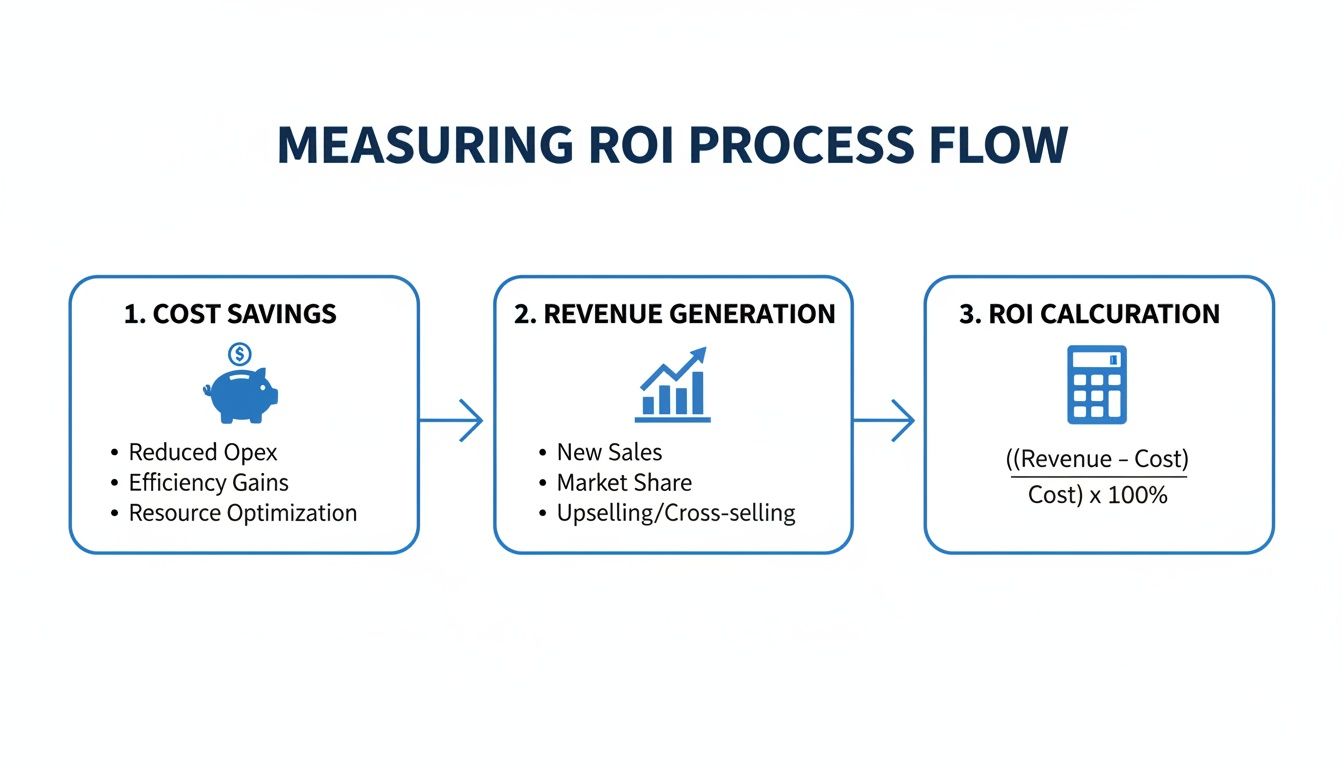
This process makes it clear how automation directly impacts your bottom line—both by cutting operational costs and by creating new chances to make a sale.
Phase 3: Training and Optimization
Your new tech is only as good as the team using it. Proper training is crucial to help your agents see automation as a powerful assistant, not a replacement. It’s a tool that frees them up to do more interesting and rewarding work.
The most successful rollouts happen when support teams are trained to work with the AI. They learn how to manage the system, handle escalations smoothly, and use their newfound time to create amazing customer experiences.
Finally, you need to create a cycle of continuous improvement.
- Launch and Monitor: Go live with your first few workflows and keep a close eye on their performance.
- Gather Feedback: Actually talk to your team and ask customers for their thoughts. Is the automation hitting the mark? Are the answers helpful?
- Refine and Expand: Use what you learn to tweak your existing automations and pinpoint the next set of tasks to tackle.
This ongoing process ensures your help desk automation strategy grows right alongside your business. For more tips on fine-tuning your support operations, check out our deep dive into help desk best practices.
Frequently Asked Questions
Jumping into help desk automation for your Shopify store naturally brings up some questions. You want to be confident that you’re making the right call for your brand and, most importantly, for your customers. Let's tackle the most common questions head-on to give you a clear picture of what this really looks like in practice.
Think of this less as a technical manual and more as a practical guide to making this technology work for your day-to-day operations and future growth.
Will Automation Make My Customer Support Feel Robotic?
That's probably the biggest fear, and it's a completely valid one. The good news is that modern AI is designed specifically to avoid this. We’re not talking about clunky, canned responses anymore. Today's tools actually learn your brand’s unique voice, ensuring every automated reply feels like it came from your team.
Even better, automation handles the flood of repetitive questions, which frees up your human agents. They get to spend their time on the complex, sensitive issues that genuinely need a human touch. Your support actually ends up feeling more human, not less.
How Much Technical Skill Do I Need To Set This Up?
If you can manage a Shopify store, you can set this up. Seriously. For tools built specifically for Shopify, like MAILO AI, the technical hurdle is practically non-existent. It’s usually a simple one-click integration to connect the app to your store.
From there, the setup is all visual. You're not writing code or messing with servers. You’re just working through a user-friendly dashboard to set up rules and tweak response templates, telling the system exactly how to handle customer questions.
Can I Start Small And Scale My Automation Efforts?
Absolutely. In fact, that's the smartest way to do it. You don't have to automate your entire support system from day one. A much better approach is to pick your top two or three most frequent questions—"Where is my order?" is almost always number one—and automate those first.
This strategy gives your team an easy win and delivers a quick, noticeable impact. Once you see it working and get comfortable with the platform, you can start layering in more advanced workflows for returns, product questions, or even proactive customer check-ins.
This lets you scale your help desk automation at a pace that feels right for your business.
How Does Automation Integrate With My Shopify Data?
This is the secret sauce. A deep, native integration with Shopify is what separates a generic chatbot from a powerful e-commerce tool. The platform should sync in real-time with all your store's data: orders, shipping info, customer history, the works.
This live connection is what enables the AI to give truly helpful, context-aware answers. It can instantly find a customer's tracking number, look at their order history to help with a product issue, or even flag a VIP customer for priority support. Without that direct link to your data, it's just guessing.
Ready to see how effortless, intelligent support can transform your Shopify store? With MAILO AI, you can automate up to 70% of your support tickets, giving your customers instant answers and freeing your team to focus on growth. Start your free trial today and discover the power of AI-driven customer service at https://mailo.ai.