

In the competitive world of e-commerce, exceptional customer support is no longer a cost center; it's a powerful growth engine and a key differentiator. However, scaling high-quality service as your Shopify store expands presents a significant challenge. Manual ticket handling, disorganized inboxes, and inconsistent response times can quickly lead to customer churn and missed revenue opportunities. The solution isn't just about hiring more agents. It requires a modern, strategic approach to your support operations.
This article moves beyond generic advice and provides a comprehensive roundup of good help desk practices designed specifically for ambitious e-commerce teams. We will break down concrete, actionable strategies that you can implement immediately to build a more efficient and effective support system. You will learn how to leverage intelligent automation, establish clear performance benchmarks, and create a seamless experience for your customers across all channels.
From integrating your communication platforms to enabling powerful self-service options, each practice is explained with practical steps and Shopify-specific examples. We will also highlight how modern tools, like MAILO AI, can simplify or accelerate implementation. The goal is to help you transform your help desk from a reactive team into a proactive, revenue-driving asset. These are the essential practices that will define top-tier e-commerce support and set your brand apart. Let’s dive into the new rules for building a customer support function that not only satisfies but also drives loyalty and growth.
1. Omnichannel Communication Integration
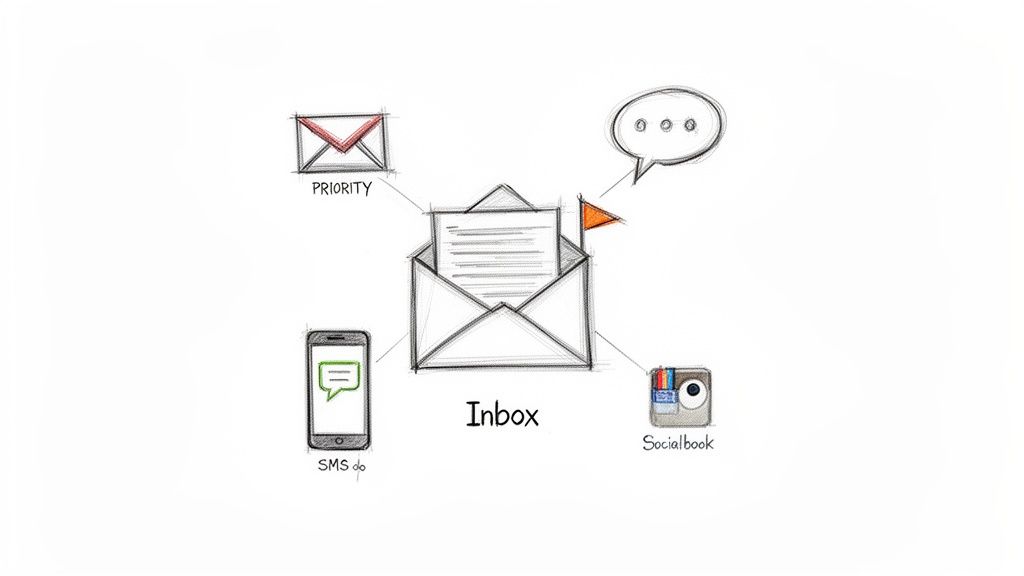
One of the most impactful good help desk practices for any e-commerce brand is to unify all customer communication channels into a single, cohesive view. Omnichannel integration means consolidating every touchpoint, including email, live chat, SMS, and social media DMs, into one centralized inbox. This approach prevents disjointed conversations and ensures agents have the full context of a customer's history, regardless of where the interaction started.
For Shopify stores, this practice is transformative. Instead of toggling between an email client, a chat widget, and a social media app, your team works from a single dashboard. This consolidated view empowers agents to deliver a consistent and efficient brand experience, drastically reducing response times and eliminating the risk of missed messages.
Why It's a Top Practice
An omnichannel help desk immediately breaks down communication silos. When a customer follows up on an email with a live chat message, the agent can see the entire conversation history instantly. This eliminates the repetitive and frustrating experience of customers having to explain their issue multiple times. The result is a faster, more personalized resolution that boosts customer satisfaction and loyalty.
How to Implement Omnichannel Support
- Prioritize Your Channels: Start by integrating your highest-volume channels first. For most Shopify stores, this will be email and on-site chat.
- Sync Customer Data: Connect your help desk directly to your Shopify store. This allows agents to see real-time order information, shipping status, and purchase history alongside every customer ticket.
- Establish Clear Routing Rules: Create automated workflows to assign conversations based on channel, keyword, or customer value. For example, route all messages containing "return" or "refund" to a specialized team.
- Leverage AI for Efficiency: Utilize a platform like MAILO AI to unify your communication stack effortlessly. Mailo's native Shopify integration automatically syncs order data and conversation history, providing your team with complete context from a single dashboard and enabling you to manage all customer interactions without switching tabs.
2. AI-Powered Automated Response Generation
One of the most powerful good help desk practices is using artificial intelligence to instantly generate contextually relevant, on-brand responses to common customer inquiries. AI-powered response generation analyzes incoming messages and connected store data to draft complete, personalized replies automatically, freeing agents from composing repetitive answers. This allows teams to address routine questions about shipping, returns, and order status in seconds, not hours.
For Shopify merchants, this means leveraging AI to handle the bulk of predictable inquiries. For instance, instead of manually looking up an order and typing out a tracking update, an AI can instantly generate a reply that includes the customer's specific tracking number and a direct link, all while perfectly matching your brand’s friendly and helpful tone. This moves your team from manual composition to strategic supervision.
Why It's a Top Practice
AI response generation delivers an immediate and significant boost to efficiency and consistency. It drastically cuts down first response times, enabling DTC brands to resolve up to 70% of common questions without manual agent input. This not only improves customer satisfaction with near-instant answers but also allows your skilled support agents to dedicate their expertise to complex, high-value conversations that require a human touch.
How to Implement AI-Powered Responses
- Train the AI on Your Brand Voice: Start by feeding the AI examples of your past high-quality customer service responses. This ensures every generated reply aligns with your unique tone, from formal and professional to fun and casual.
- Integrate Your Shopify Data: Connect your help desk directly to your Shopify store. This is crucial for enabling the AI to pull real-time order details, like tracking numbers and product information, to create highly personalized and accurate responses.
- Establish Approval Workflows: When first deploying AI, set up a workflow where agents review and approve generated responses before they are sent. This builds confidence and allows you to fine-tune the AI’s performance before full automation.
- Use AI to Power Agent Assistance: Platforms like MAILO AI specialize in this practice, analyzing customer emails and Shopify data to create personalized replies instantly. Mailo can automate responses for predictable inquiries or serve as a co-pilot for your agents, suggesting drafts they can edit and send, massively increasing team productivity. For a deeper dive into this technology, you can explore the benefits of AI customer support software.
3. Smart Inbox with Automatic Email Classification
A chaotic inbox is the enemy of efficient customer support. Implementing a smart inbox with automatic email classification is one of the most effective good help desk practices for taming this chaos. This approach uses AI and automation to sort, categorize, and prioritize incoming support emails based on their content, intent, and urgency, streamlining the triage process before an agent even sees the message.
For Shopify stores, this means incoming emails about returns, shipping issues, product questions, or complaints are automatically tagged and routed. Instead of a single, overwhelming flood of messages, your team is presented with an organized and prioritized queue. This allows agents to focus their energy on the most critical issues first, ensuring urgent problems like chargebacks or high-value customer complaints are never buried.
Why It's a Top Practice
Automatic classification eliminates the manual, time-consuming task of sorting through every new email. This significantly reduces response times for high-priority issues and ensures tickets are handled by the right person from the start. For example, a Shopify beauty brand can instantly separate routine product questions from urgent shipping complaints, leading to faster, more specialized responses and a better overall customer experience. This structured approach also reveals trends in support requests, highlighting areas for product or process improvement.
How to Implement a Smart Inbox
- Define Your Core Categories: Identify 5-8 primary support categories relevant to your store, such as "Order Status," "Returns & Refunds," "Product Inquiry," and "Technical Issue."
- Set Priority Rules: Assign priority levels to each category. For instance, flag all emails containing keywords like "chargeback," "fraud," or "complaint" as high-priority.
- Review and Refine: Schedule a weekly review of misclassified emails. Use these instances to refine your automation rules and improve the AI's accuracy over time.
- Leverage AI for Instant Organization: Implement a tool like MAILO AI to power your Smart Inbox. Mailo’s AI automatically classifies all incoming messages by detecting intent and keywords, assigning priorities so your team can focus on what matters most. This is a key step in adopting the inbox zero method for support teams.
4. Real-Time Order Context and Proactive Communication
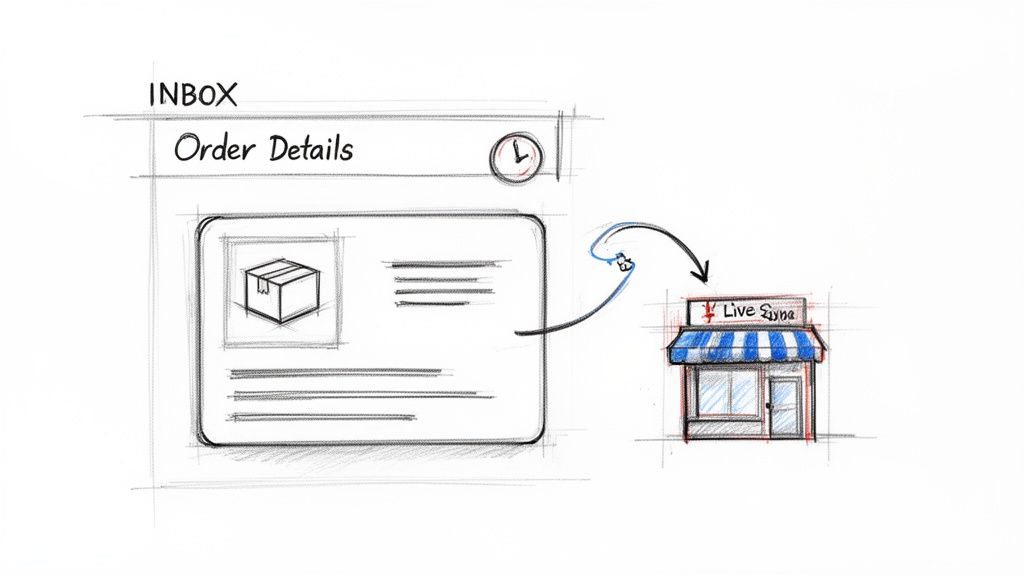
Equipping your support team with live customer and order data is one of the most effective good help desk practices for e-commerce. This involves providing agents with instant access to a customer's entire purchase history, order status, and shipping information directly within their support dashboard. It transforms agents from simple problem-solvers into proactive, well-informed customer advocates.
For Shopify stores, this means no more switching between the help desk and the Shopify admin to look up an order. Agents can instantly answer "Where is my order?" questions, confirm payment status, or check inventory levels without ever leaving the conversation. This real-time context also enables proactive communication, allowing your team to send automated shipping updates, delivery notifications, and timely review requests, which significantly reduces inbound ticket volume.
Why It's a Top Practice
Integrating real-time order data eliminates the friction and delay inherent in traditional support workflows. When an agent has complete context at their fingertips, resolutions are not just faster, they are more accurate and personalized. Proactive communication builds trust and manages customer expectations, often resolving potential issues before they even arise. Brands that automate order updates can reduce support inquiries by up to 30%, freeing up their team to handle more complex issues.
How to Implement Real-Time Context
- Sync Your Shopify Data: Choose a help desk that offers a deep, native integration with Shopify. This ensures that all critical data points, including orders, customers, products, and inventory, are synced in real-time.
- Set Up Proactive Notifications: Create automated workflows or rules that trigger messages based on order status changes. Common triggers include "Order Confirmed," "Order Shipped," and "Out for Delivery."
- Use Dynamic Templates: Build response templates that automatically pull in order-specific details like the tracking number, order ID, and product names. This saves time and minimizes human error.
- Leverage Native Integrations: Use a platform like MAILO AI to get a complete, real-time view of every customer's Shopify data alongside their support tickets. This native synchronization allows your team to see order details, payment status, and shipping information while composing responses, enabling fast, accurate, and proactive support.
5. Performance Analytics and Continuous Improvement Measurement
One of the most essential good help desk practices is to move beyond simply answering tickets and embrace a data-driven approach to service. This involves systematically tracking key support metrics like first response time (FRT), resolution rate, and customer satisfaction (CSAT) to identify bottlenecks, measure team performance, and guide continuous improvement. Data provides a clear, objective view of what’s working and where your process needs refinement.
For Shopify stores, this means using analytics to understand your customer support operations on a deeper level. You can identify peak inquiry times to adjust staffing, discover which products generate the most questions, and measure the direct impact of new tools or workflows on your team's efficiency. This practice transforms your help desk from a cost center into a strategic asset that drives customer retention and business growth.
Why It's a Top Practice
Performance analytics eliminate guesswork and enable targeted, high-impact improvements. By tracking metrics, a support manager can pinpoint that 65% of all inquiries are about order status and use that data to justify implementing an AI-powered self-service solution. This data-backed decision-making leads to significant cost reductions, higher agent productivity, and a better customer experience. Beyond just tracking metrics, actively learning how to improve customer satisfaction scores is crucial for enhancing overall service quality and aligning with your performance analytics.
How to Implement Performance Analytics
- Establish Baseline Metrics: Before making any changes, document your current performance. Record your average response time, resolution rate, and CSAT scores to create a benchmark.
- Track Quantitative and Qualitative Data: Monitor hard numbers like tickets resolved per agent alongside qualitative feedback from customer surveys. This balanced view provides a complete picture of your support quality.
- Review Analytics Weekly: Set aside time each week to review performance dashboards. Look for trends, outliers, and opportunities for improvement. Early detection allows for quick course correction.
- Leverage AI-Powered Analytics: Use a platform like MAILO AI to get a clear, consolidated view of your support performance. Mailo’s dashboards automatically track metrics like hours saved through automation and satisfaction trends, giving you the precise data needed to prove ROI and optimize your support strategy effectively.
6. Semi-Automated Workflows with Human Oversight
One of the most effective good help desk practices is implementing a hybrid support model that combines AI-driven efficiency with essential human quality control. Semi-automated workflows involve using AI to generate suggested responses to customer inquiries, which human agents then review, edit if needed, and approve before sending. This approach balances the speed of automation with the nuance and accuracy of a human touch.
For Shopify stores, this practice is a game-changer for managing high-volume, repetitive questions. Instead of an agent manually typing out an answer to "Where is my order?" for the tenth time in an hour, AI can instantly draft a personalized response with the correct tracking information. The agent simply gives it a quick review and hits send, freeing up their time for more complex, high-value customer interactions.
Why It's a Top Practice
Semi-automation allows teams to scale support capacity without sacrificing brand voice or accuracy. It acts as a safety net, preventing incorrect or off-brand automated responses from reaching customers, which is especially critical for sensitive issues like returns or complaints. This "human in the loop" process builds team confidence in automation and ensures a consistently high-quality customer experience.
How to Implement Semi-Automated Workflows
- Start with High-Volume, Low-Risk Tickets: Begin by applying semi-automation to common, predictable inquiries like order status updates, shipping policy questions, or product information requests.
- Set Confidence Thresholds: Configure your help desk to only auto-send responses when the AI has a very high confidence level (e.g., 95%+) in its answer. All other AI-generated drafts should be routed for agent approval.
- Establish Clear Approval Guidelines: Create a simple checklist for your team to follow when reviewing AI suggestions. This should include checking for accuracy, personalization, tone, and brand voice.
- Continuously Train Your AI: Use the edits and approvals from your team as feedback to improve the AI model. A platform like MAILO AI learns from every interaction, using approved responses to refine its future suggestions and gradually increase its accuracy, allowing you to confidently automate more over time.
7. First-Contact Resolution (FCR) Focus
A core tenet of good help desk practices is designing support processes to resolve customer issues on the very first interaction. A focus on First-Contact Resolution (FCR) aims to eliminate the need for follow-up tickets or escalations by empowering agents with the tools and information to provide a complete answer immediately. This means no more "let me check on that and get back to you."
For Shopify stores, a high FCR is directly tied to customer satisfaction. When a customer asks, "Where is my order?" the goal is to respond instantly with a tracking link, estimated delivery date, and order summary, not just a promise to investigate. This approach transforms the support experience from a multi-step process into a single, satisfying interaction that builds confidence in your brand.
Why It's a Top Practice
Focusing on FCR dramatically reduces customer effort and boosts loyalty. When issues are solved quickly and completely, customers feel valued and respected. This practice also significantly improves operational efficiency by reducing the overall ticket volume and freeing up agents to handle more complex inquiries. DTC brands that prioritize FCR often see support ticket backlogs shrink and satisfaction scores climb.
How to Implement a First-Contact Resolution Focus
- Map Common Inquiries: Identify your most frequent customer questions, like order status, returns, and product details. Document the exact steps and information needed for a complete resolution for each one.
- Integrate Order and Product Data: Connect your help desk directly to Shopify to give agents instant access to order history, shipping status, and inventory levels. This eliminates information gaps that cause delays.
- Create Comprehensive Templates: Build detailed response templates that anticipate and answer potential follow-up questions. For a return request, include the return policy, a pre-filled authorization link, and shipping instructions all in one message.
- Automate with AI: Use a platform like MAILO AI to power FCR. Mailo can automatically pull real-time order data from Shopify to answer "Where is my order?" questions instantly and accurately, resolving the ticket without any agent involvement and ensuring a perfect FCR rate for those inquiries.
8. Knowledge Base and Self-Service Enablement
One of the most effective good help desk practices is to empower customers to find their own answers. A comprehensive, easily searchable knowledge base allows customers to resolve common issues independently, reducing ticket volume and freeing up your agents to handle more complex inquiries. This self-service approach involves creating detailed documentation, from shipping policies to product setup guides, that customers can access 24/7.
For Shopify stores, this means turning your most frequent questions into permanent resources. Instead of an agent repeatedly explaining your return policy, you can direct customers to a clear, detailed article. This not only saves your team time but also provides instant gratification for customers who prefer finding answers on their own schedule. Implementing robust knowledge base software is a cornerstone of an effective self-service strategy.
Why It's a Top Practice
A well-maintained knowledge base acts as your first line of defense against repetitive tickets. It enhances the customer experience by providing immediate solutions without the need to wait for an agent. For your team, it becomes a single source of truth, ensuring consistent and accurate information is shared across all support interactions. This practice directly leads to higher efficiency, lower support costs, and more empowered customers.
How to Implement Self-Service Enablement
- Identify Top Inquiries: Analyze your support tickets to find the top 15-20 most frequently asked questions. These are the first articles you should create for your knowledge base.
- Use Multiple Formats: Don't just rely on text. Incorporate images, GIFs, and short video tutorials to make your guides more engaging and easier to understand.
- Optimize for Search: Ensure your help center is easily searchable from your website's header or footer. Use clear titles and relevant keywords so customers can find information quickly. Learn more about how to set up effective website self-service.
- Integrate with Your Help Desk: Use a platform like MAILO AI to automatically suggest relevant knowledge base articles in chat and email responses. Mailo can also identify documentation gaps by tracking questions that don't have a corresponding help article, allowing you to continuously improve your self-service resources.
9. Response Time SLAs and Accountability
Establishing and enforcing clear Service Level Agreements (SLAs) for response times is a cornerstone of reliable customer service. SLAs are formal commitments that define the maximum time a customer should wait for a response, setting clear expectations and creating a standard for team performance. This practice ensures every customer inquiry is acknowledged promptly, regardless of channel or complexity.
For Shopify stores, this means defining specific timeframes for different types of inquiries. For example, a customer reporting a payment error needs a much faster response than someone asking about a future product launch. By setting priority-based SLAs, you ensure your most critical issues are handled first, which protects revenue and prevents customer churn. This accountability framework transforms your support from a reactive function into a predictable, trustworthy operation.
Why It's a Top Practice
SLAs eliminate ambiguity in customer service performance. They provide a clear, measurable benchmark for your team and let customers know exactly when to expect a response, which builds trust and reduces anxiety. Consistently meeting or exceeding SLAs is a powerful signal of a customer-centric brand, directly impacting satisfaction and loyalty. It also helps managers identify bottlenecks and resource gaps before they become major problems.
How to Implement Response Time SLAs
- Define Priority Levels: Categorize incoming tickets into tiers like Urgent (e.g., payment failure), High (e.g., shipping issue), and Normal (e.g., product question).
- Set Realistic Timeframes: Assign achievable SLAs to each priority level based on your team’s capacity. A common starting point is a 2-hour first response for urgent issues and a 24-hour response for all standard emails.
- Communicate Your SLAs: Clearly state your response time commitments on your website’s contact page or in your automated email confirmations. This manages customer expectations from the start.
- Automate and Monitor: Use a platform like MAILO AI to automatically tag tickets, assign priorities, and track SLA performance in real-time. Mailo's dashboards can alert you to potential breaches, allowing you to re-assign tickets and ensure your team consistently hits its targets.
10. Team Training and Change Management for AI Adoption
Introducing powerful AI tools is only half the battle; ensuring your team embraces them is what truly drives success. This good help desk practice focuses on structured training and change management to help support agents adopt new technologies effectively. It addresses the human side of implementing tools like automation and AI, which is critical for maximizing your investment and avoiding internal resistance.
For Shopify brands, this means moving beyond a simple software rollout. Instead of just giving agents a new tool, you create a supportive environment where they understand how AI enhances their roles, reduces repetitive work, and allows them to focus on more complex, high-value customer interactions. This proactive approach ensures a smooth transition and rapid adoption.
Why It's a Top Practice
Without proper training and change management, even the most advanced AI can fail to deliver results. Teams may revert to old workflows out of habit or fear, negating the benefits of automation. A structured adoption plan builds confidence, clarifies new responsibilities, and demonstrates the direct value of the technology. It transforms agent perception from seeing AI as a replacement to viewing it as a powerful assistant.
How to Implement AI Adoption Training
- Frame AI as an Ally: Begin by clearly communicating that AI tools are meant to augment, not replace, your team. Highlight how automation will handle tedious tasks, freeing them up for more engaging and strategic work.
- Start with Champions: Identify a few tech-savvy agents to become "super-users." Train them first and empower them to mentor their peers, creating internal advocates who can drive adoption from within the team.
- Provide Hands-On Practice: Before going live, run sandboxed training sessions where agents can practice with the new AI workflows. For example, have them review and approve AI-generated responses in a test environment to build familiarity and trust.
- Establish Feedback Loops: Create a dedicated channel for agents to ask questions, report issues, and share suggestions about the new tools. This makes them active participants in the implementation process and helps you refine workflows.
- Utilize Purpose-Built Platforms: Adopt a solution like MAILO AI, which is designed for easy onboarding. Its intuitive AI response approval workflow and straightforward automation rules allow teams to quickly see the benefits, accelerating adoption and ensuring your agents are equipped to deliver faster, more accurate support.
Top 10 Help Desk Practices Comparison
| Item | 🔄 Implementation complexity | ⚡ Resource requirements | 📊 Expected outcomes | 💡 Ideal use cases | ⭐ Key advantages |
|---|---|---|---|---|---|
| Omnichannel Communication Integration | High — integrations, data migration, training | Integration engineers, platform licenses, time | Improved response times, consistent brand voice, lower tool sprawl | Multi-channel Shopify stores with high message volume | Single inbox, unified context, fewer handoffs |
| AI-Powered Automated Response Generation | Moderate — model tuning, brand-voice training | Training data, monitoring staff, compute/integration | Large reduction in manual work, instant replies, scalable support | Routine inquiries (order status, returns, FAQs) | Fast scalable responses, consistent messaging, cost savings |
| Smart Inbox with Automatic Email Classification | Low–Moderate — rules + ML tuning | Training examples, admin for rules, periodic retraining | Faster triage, urgent items surfaced, reduced manual sorting | High email volume teams that need prioritization | Automated routing, priority flags, reduced triage time |
| Real-Time Order Context & Proactive Communication | Moderate–High — live sync and security setup | Shopify integration, dev/config, privacy controls | Higher FCR, fewer follow-ups, increased review collection | E-commerce brands needing order-aware support and notifications | Accurate contextual replies, proactive outreach, personalized updates |
| Performance Analytics & Continuous Improvement Measurement | Moderate — metrics design and dashboarding | Data pipeline, analyst time, dashboard tools | Clear ROI, bottleneck identification, measurable improvements | Scaling teams proving impact and optimizing workflows | Data-driven decisions, SLA visibility, automation impact metrics |
| Semi-Automated Workflows with Human Oversight | Low–Moderate — approval flows and thresholds | Agent reviewers, UI configuration, monitoring | Balanced speed and quality, gradual automation adoption | Sensitive responses, phased automation rollouts | Maintains quality control, reduces risk, training feedback loop |
| First-Contact Resolution (FCR) Focus | High — comprehensive KB, integrations, workflows | Knowledge management, integrations, agent training | Higher customer satisfaction, fewer repeat tickets, lower costs | Brands prioritizing CX and reducing repeat contacts | Resolves issues on first touch, improves loyalty, lowers volume |
| Knowledge Base & Self-Service Enablement | Moderate–High — content creation and IA | Content creators, CMS, ongoing maintenance, SEO | Reduced inbound volume, empowered customers, better consistency | High-frequency questions, post-purchase support scenarios | Lowers support load, supplies AI training content, improves SEO |
| Response Time SLAs & Accountability | Low–Moderate — SLA configuration and monitoring | Staffing to meet SLAs, monitoring tools, escalation paths | More consistent response times, clearer expectations | High-service-level brands, regulated or SLA-driven support | Reliability, measurable accountability, customer trust |
| Team Training & Change Management for AI Adoption | Moderate — program design and rollout | Management time, trainers, documentation, workshops | Higher adoption, smoother transition, fewer errors | Organizations introducing AI tools to support teams | Faster adoption, better tool utilization, sustained ROI |
Turn Your Help Desk into a Growth Catalyst
Embarking on the journey to refine your customer support is not just about managing tickets more efficiently; it's about fundamentally transforming your help desk from a cost center into a powerful engine for growth and customer loyalty. Throughout this guide, we've explored a comprehensive suite of good help desk practices, each designed to elevate your e-commerce operations. From integrating omnichannel communication and leveraging AI-powered responses to establishing clear SLAs and fostering a culture of continuous improvement, the path to an exceptional customer experience is clear.
The core theme weaving through these practices is a strategic shift from reactive problem-solving to proactive relationship-building. By implementing these modern approaches, you empower your team to move beyond simply answering questions. They become brand advocates, equipped with real-time order context, intelligent automation, and the insights needed to deliver personalized, memorable interactions that turn one-time buyers into lifelong fans.
Key Takeaways: From Practice to Profit
Implementing a dozen new strategies at once can feel overwhelming. Instead, focus on the core principles that deliver the most significant impact. If you remember nothing else, let it be these three pillars:
-
Embrace Intelligent Automation: The goal isn't to replace your human agents but to augment their abilities. Automate the repetitive, time-consuming tasks like ticket classification, simple "Where is my order?" inquiries, and data gathering. This frees up your team's valuable time to focus on complex, high-value interactions that require empathy and critical thinking.
-
Prioritize Context and Personalization: Generic, templated responses are a relic of the past. Modern customers expect you to know their history and understand their needs without forcing them to repeat information. Integrating your help desk directly with your Shopify data is non-negotiable. This single source of truth is the foundation for providing proactive, relevant, and deeply personalized support that builds trust.
-
Commit to a Data-Driven Culture: You cannot improve what you do not measure. Regularly tracking key metrics like First-Contact Resolution (FCR), average response time, and customer satisfaction (CSAT) is essential. These aren't just numbers on a dashboard; they are direct feedback on the health of your customer relationships and the effectiveness of your support strategy. Use these insights to identify friction points, refine workflows, and guide team training.
Your Actionable Roadmap to a Better Help Desk
Transforming your support operations is a marathon, not a sprint. The most successful e-commerce brands approach this with a mindset of incremental, continuous improvement. Here are your immediate next steps to put these good help desk practices into action:
- Conduct a Tech Stack Audit: Start by evaluating your current tools. Do they integrate seamlessly with Shopify? Do they offer the automation and analytics capabilities discussed? Identify the gaps that are creating the most friction for your team and your customers.
- Identify Your Biggest Time Sinks: Sit with your support team and map out their daily workflows. Pinpoint the top 2-3 repetitive tasks that consume the most time, such as manually looking up order details or categorizing incoming emails. These are your prime candidates for your first automation initiatives.
- Launch a Self-Service Initiative: Review your support tickets from the last 30 days and identify the top 5-10 most frequently asked questions. Use this data to build or enhance your knowledge base and FAQ page. A robust self-service portal is one of the most effective ways to reduce ticket volume and empower customers.
Ultimately, mastering these good help desk practices is about creating a resilient, scalable, and customer-centric business. It's about building a support system that not only resolves issues efficiently but also delights customers, gathers valuable feedback, and actively contributes to your bottom line. By investing in the right processes and tools, you are investing directly in the long-term health and success of your brand.
Ready to implement these good help desk practices with a tool built specifically for Shopify? MAILO AI integrates seamlessly with your store to automate up to 70% of your customer support tasks, providing your team with the AI-powered tools and real-time context needed to deliver exceptional service. Explore how MAILO AI can transform your customer support today.