

Customer self-service is all about giving your customers the power to find answers and fix problems themselves, without having to wait for a support agent. For an e-commerce store, this means having tools like instant order tracking pages, a comprehensive help center, or a smart chatbot ready to go 24/7.
Why Customer Self-Service Is a Competitive Advantage

Think of customer self-service as your store’s digital concierge. It’s always on, always helpful, and designed to make the shopping experience seamless. It wasn't long ago that getting help meant picking up the phone and waiting in a queue. Today's customers are different—they expect speed and control. They want to find their own answers and track their packages on their own time.
This change in behavior has turned self-service from a simple cost-saving measure into a genuine competitive advantage. For Shopify stores, it's about getting ahead of customer needs. Instead of just reacting to problems, you're giving customers the tools to solve them before they even become frustrating.
Empowering Customers and Boosting Loyalty
A solid self-service system does more than just answer basic questions. It builds customer confidence and creates loyalty by giving shoppers the independence they want. When a customer can easily find what they need or manage their order without a hassle, they feel better about your brand. That positive experience is what brings them back and gets them talking.
The core parts of this digital concierge service are:
- AI-Powered Chatbots: These provide instant, 24/7 answers to common questions about products, shipping, or your return policy.
- Interactive Help Centers: This is your library of in-depth articles, how-to guides, and even video tutorials that tackle more complex issues.
- Automated Order Tracking Portals: This lets customers see exactly where their package is in real-time, which practically eliminates those "Where is my order?" (WISMO) tickets.
By providing immediate, accessible solutions, you demonstrate respect for the customer's time. This simple act of empowerment is a cornerstone of modern customer loyalty and a key differentiator in a crowded market.
A Strategic Move for Your Support Team
Putting strong self-service channels in place also transforms things on the inside. It frees up your support agents from the grind of answering the same repetitive questions over and over. Now, they can focus their skills on solving the complex, high-stakes issues that actually need a human touch.
This shift makes your support team more efficient, motivated, and valuable. Self-service isn't just a nice-to-have; it's a game-changer. Recent stats show that 52% of people see time savings and faster answers as the biggest benefits of chatbots. It’s no surprise, then, that nine out of ten customer experience leaders are planning to invest more in self-service, especially when you consider that poor service costs U.S. companies $75 billion a year.
When you integrate self-service into your loyalty initiatives, like with self-service stamp card programs, you empower customers and gain a serious edge. Ultimately, customer self-service is a win-win: shoppers get the fast, easy experience they expect, and your business builds a smarter, more scalable support operation.
Measuring the Real Impact of Your Self Service Strategy
Putting a self-service strategy in place feels like a smart move, but how can you be certain it's actually working? The real proof isn't just a gut feeling; it’s in the numbers. For any e-commerce store, the value of self-service is directly tied to your bottom line through lower support costs, a more focused team, and customers who stick around longer.
Think of a good self-service system as your first line of defense. It handles the flood of simple, repetitive questions—"Where's my order?"—that can easily bog down your support agents. This frees up your team to focus their brainpower on the tricky, nuanced problems that genuinely need a human touch, which boosts both their efficiency and job satisfaction. The result? A leaner, more effective support operation that directly helps your business grow.
But to prove this, you need to speak the language of business impact. That means tracking a few key performance indicators (KPIs) to turn abstract ideas like "better efficiency" into cold, hard data.
Tracking Your Core Self Service KPIs
Your KPIs are like the dashboard of your self-service engine. They tell you exactly how well it’s running, where it’s winning, and what might need a quick tune-up. By keeping a close eye on these numbers, you can make smarter decisions to refine your approach and clearly show its return on investment (ROI).
Here are the essential metrics every e-commerce brand should be watching:
- Ticket Deflection Rate: This is all about how many support tickets never happened because a customer found their answer in your help center, chatbot, or order tracking portal instead. A high rate here is a great sign.
- Self-Service Resolution Rate: This metric zeroes in on success. It measures the percentage of customers who used your self-service tools and walked away with a complete answer, without ever needing to contact a person. It's a direct reflection of how helpful your content really is.
- Cost Per Resolution: This one is simple but powerful. It calculates the average cost to solve a customer's problem. Since self-service resolutions are vastly cheaper than agent-assisted ones, this number shows the direct financial savings you’re banking.
According to Gartner, businesses can slash their call, chat, and email inquiries by as much as 70% by implementing a virtual customer assistant. That’s a massive opportunity for cost savings and a more efficient team.
How to Calculate Your Success
Now that you know what to track, let’s look at how. The formulas are refreshingly simple and give you a clear, honest picture of your performance.
Let's dive into the most important KPIs and break them down with some practical examples.
Key Self Service KPIs for E-Commerce Stores
This table breaks down the essential metrics for measuring the effectiveness and ROI of your customer self-service initiatives, complete with simple formulas and what each KPI indicates.
| KPI (Key Performance Indicator) | How to Calculate It | What It Tells You |
|---|---|---|
| Ticket Deflection Rate | (Number of Self-Service Sessions / Total Support Inquiries) x 100 | Shows how effectively your self-service channels are preventing new tickets from being created. |
| Self-Service Resolution Rate | (Number of Resolved Self-Service Interactions / Total Self-Service Interactions) x 100 | Measures the percentage of issues fully resolved by self-service tools without human help. A direct indicator of content quality. |
| Cost Per Resolution | Total Support Costs / Total Number of Resolutions | Calculates the average cost to solve a customer issue. This should decrease as self-service adoption grows. |
| Customer Satisfaction (CSAT) | (Number of "Satisfied" Responses / Total Responses) x 100 | Gauges how happy customers are with their self-service experience. Often measured with a post-interaction survey. |
By consistently tracking these numbers, you’re not just guessing—you’re building a data-backed case for your self-service strategy.
This data-driven approach not only justifies the investment but also points you toward creating a smoother, more satisfying experience for every shopper who lands on your site. If you're looking to go even deeper, you can learn more about how to measure customer service with a complete set of metrics.
Building Your E-Commerce Self-Service Toolkit
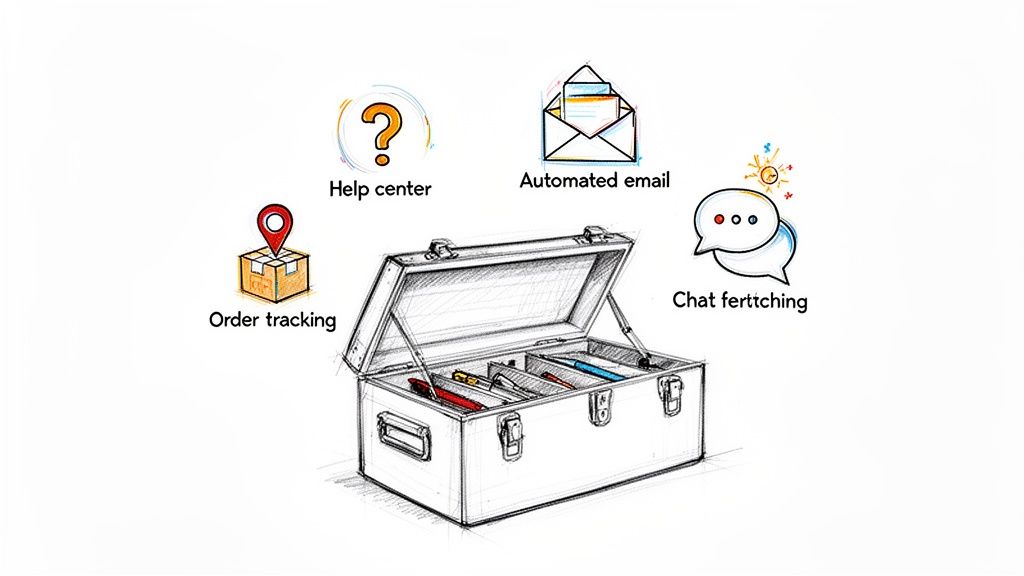
Think of your self-service strategy like a well-stocked toolbox. You wouldn't use a sledgehammer to hang a picture frame, right? In the same way, different customer questions need different tools. For a growing e-commerce brand, having the right set of self-service channels means you're always ready to help customers find what they need, the moment they need it.
This isn’t just about offering a bunch of options. It's about building a smart, interconnected system where every tool has a clear purpose. From a comprehensive help center that acts as your brand's encyclopedia to a chatbot that works as a 24/7 concierge, each piece should work together to make the customer's life easier.
Let’s open up the toolbox and look at the essential gear every Shopify store should have.
Help Centers and Knowledge Bases
Your help center is the absolute foundation of your self-service strategy. It's a central hub packed with articles, guides, and FAQs that let customers solve their own problems. And they want to use it—a staggering 92% of consumers say they'd use an online knowledge base if it was available.
This is your go-to tool for answering detailed, multi-step questions that can't be covered in a single sentence.
- Best for: Deep-dives on product features, clear explanations of your shipping and return policies, and step-by-step troubleshooting guides.
- Real-World Example: Imagine a skincare brand with an article titled "How to Choose the Right Serum for Your Skin Type." It could break down ingredients and offer usage tips, not only answering questions but also guiding customers toward the right purchase. That's a support ticket prevented before it's even written.
A great knowledge base is never "finished." It's a living resource that should be updated constantly based on new products, policy tweaks, and—most importantly—the actual questions your support team is hearing every day.
Automated Email and Ticket Responses
Not every email needs a human touch, at least not right away. Automated email responses can act as an intelligent first line of defense, instantly acknowledging a customer's message and pointing them toward immediate help. This is way more than just a generic "We got your email" message.
Modern systems can scan an incoming email for keywords like "return policy" and automatically reply with a direct link to that specific help center article. This simple move can resolve an issue on the spot, freeing up your team from another repetitive ticket. It buys you time and often solves the problem entirely.
For a closer look at building out these systems, check out our guide on improving your website self-service capabilities.
Order and Shipping Tracking Portals
By far, the most common question any e-commerce store gets is, "Where is my order?" (WISMO). A dedicated, branded tracking portal is the definitive tool for answering it once and for all.
Instead of making customers copy a tracking number and paste it into a carrier's website, a slick portal keeps them on your site. It provides a clean, visual timeline of their package’s journey from your warehouse straight to their front door.
- Primary Function: To give customers 24/7 visibility into their order status.
- Impact: Slashes the number of WISMO tickets, allowing your support agents to focus on more complex, high-value conversations.
- Example: A DTC apparel brand could have a simple page where a customer just needs their order number and email to pull up a map showing their package's current location and estimated delivery date.
AI-Powered Chatbots
If your knowledge base is the library, then an AI-powered chatbot is the on-demand librarian who never sleeps. Available 24/7, chatbots are perfect for fielding simple, direct questions that need immediate answers. And customers are on board—73% report satisfaction with live chat, a rate that beats both email and phone support.
Chatbots shine when handling high-volume, repetitive questions that don't need a human's emotional nuance or creative problem-solving.
- Best for: Firing off quick questions like, "Do you ship to Canada?" or "Is this item in stock?"
- Modern Capabilities: Today's chatbots are more than just FAQ machines. They can plug directly into your Shopify store to check an order status, kick off a return process, or even suggest products based on what a customer is looking at.
When you bring these four tools together, you create a powerful self-service ecosystem. Each one handles a different type of customer need, and together they ensure shoppers can find answers quickly and on their own terms.
How Mailo AI Brings Self-Service Automation to Your Inbox
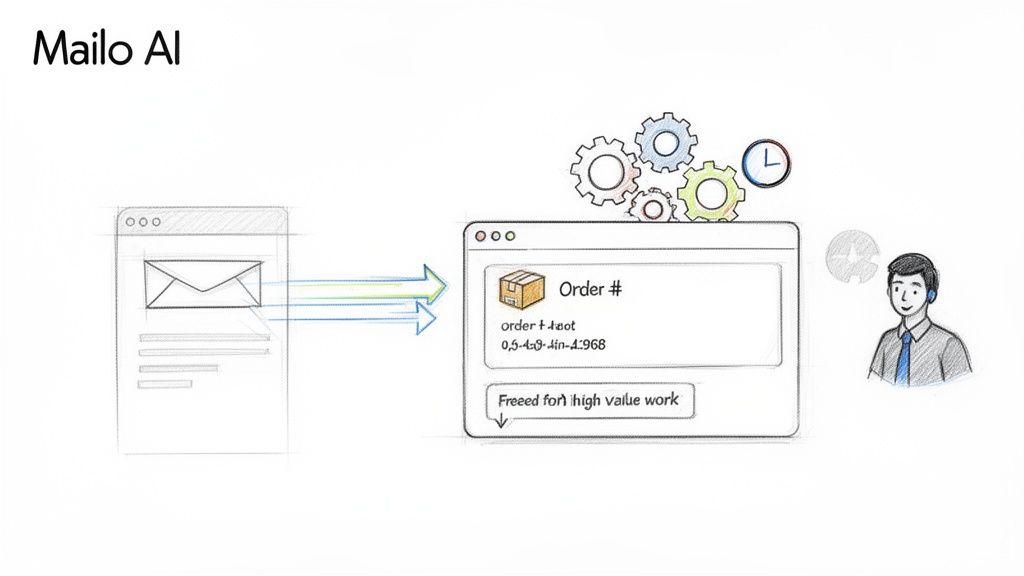
While channels like chatbots and help centers are fantastic, let's be honest—email isn't going anywhere. It’s still the workhorse of customer communication. Mailo AI turns this traditional channel into a powerful engine for customer self-service, shifting your support from a manual, one-by-one ticket queue to an intelligent, automated system.
Think of it like this: your support team is like a librarian. Without automation, they have to manually search the shelves for every single request. With Mailo AI, they suddenly have a digital assistant who knows exactly where every piece of information is and can retrieve it in an instant.
The Magic is in the Native Shopify Integration
So, how does it work so well? The secret sauce is Mailo AI’s native integration with Shopify. This isn't a clunky, third-party connection; it's a direct pipeline into your store’s most important data—order details, shipping status, customer history, you name it.
When an email lands in your inbox, the AI doesn't just scan the words. It cross-references the sender with your Shopify data, immediately understanding the entire context of their request. This allows Mailo AI to generate responses that are not just fast but also incredibly accurate and personal.
It’s the difference between a generic, "We'll look into your order," and a genuinely helpful reply like, "Hi Sarah, your order #1234 shipped this morning via UPS. You can track it here."
This kind of personalization isn't just a nice-to-have anymore. A massive 76% of customers now expect it as standard. Brands that nail this are 71% more likely to build loyalty, a trend that's only accelerating as AI makes these tailored experiences easier to deliver.
From Manual Grind to Automated Flow
Let's look at what this means in the real world by comparing a simple "before and after" scenario for a super common support ticket.
Before Mailo AI: A customer emails asking, "Where is my order?" Your support agent has to:
- Open the email.
- Switch tabs to the Shopify admin.
- Search for the customer's name or email to find the order.
- Find and copy the tracking information.
- Switch back to the inbox, paste the info, and write a reply.
Each step is simple, but it adds up. Over dozens or hundreds of these tickets, your team's entire day gets eaten up by repetitive, manual tasks.
After Mailo AI: The same email arrives. Mailo AI instantly gets to work.
- It identifies the customer and pulls up their order details through the Shopify connection.
- It correctly classifies the ticket as a "WISMO" (Where Is My Order?) request.
- It generates a personalized, on-brand response complete with the correct tracking link.
- It either sends the reply automatically or holds it as a one-click draft for your agent to approve, depending on your rules.
The agent's role shrinks from a five-step manual process to a quick glance-and-approve, if that. This frees them up to focus on the complex, high-value conversations that actually require a human brain. To see how this works in practice, check out these automated email response templates.
Core Features That Power Email Self-Service
Mailo AI's strength comes from a few key features that work together to turn your inbox into a self-service hub.
- Smart Inbox and Classification: Mailo AI acts like a virtual triage nurse, automatically sorting and labeling incoming emails by topic (returns, shipping questions, product feedback, etc.). This instantly organizes your queue so your team can focus on what matters most.
- Brand Voice Personalization: The AI doesn't talk like a robot. It analyzes your past sent emails to learn your unique brand voice, ensuring every automated reply sounds genuinely like it came from you.
- Augmented Human Team: Mailo AI isn't here to replace your team; it's here to supercharge them. It's a co-pilot that handles the grunt work, allowing your agents to operate as expert problem-solvers for the conversations that build real customer relationships.
Actionable Self-Service Playbooks for Your Shopify Store
Knowing what the tools are is one thing. Actually putting them to work is another. Let's bridge that gap and move from theory to action with a few practical playbooks designed for the real-world scenarios you face every day on Shopify.
Think of these as simple, step-by-step recipes. I’ll lay out the "ingredients" (the tools you need) and the instructions (the process to follow) to solve common problems, slash your ticket volume, and give your customers a much smoother experience. These are designed to be quick wins you can implement right away.
The WISMO Annihilator Playbook
"Where Is My Order?" It’s the single most common, repetitive, and time-draining question any e-commerce brand deals with. This playbook is all about getting ahead of it, giving customers exactly what they want: a fast, easy way to track their purchase without having to ask.
The Goal: Proactively answer every single WISMO question before the customer even thinks about hitting "compose" on a new email.
The Tools You Need:
- A Branded Order Tracking Page: You can get a great app for this right from the Shopify App Store. The key is finding one that lets you create a tracking portal directly on your website.
- Automated Email Flows: Your current email service provider, like Klaviyo, works perfectly for this. An AI-powered tool like Mailo AI can take it a step further, but your existing setup is enough to get started.
- A Simple Help Center Article: Just a quick FAQ entry to point people in the right direction.
The Setup Process:
- Install a Tracking App: First, pick and install a tracking page app. Take a few minutes to customize it with your logo and brand colors. You want it to feel like a seamless part of your store, not a third-party tool.
- Update Your Navigation: Add a "Track My Order" link right in your main navigation menu and in your site's footer. Make it obvious. The goal is to make it so easy to find that they don't even consider looking for your contact info.
- Beef Up Your Confirmation Emails: Jump into your order and shipping confirmation email templates. Add a big, bold, can't-miss-it button that says something like "Track Your Shipment" and links straight to your new tracking page.
- Create a Defensive FAQ: Write a short and sweet article in your help center titled "How Can I Track My Order?" The entire answer should just direct them to your tracking portal.
By making tracking information impossible to miss, you empower customers to find the answer themselves, instantly. It’s a huge win for them and an even bigger one for your support team.
The Smooth Returns & Exchanges Playbook
Returns can be a massive point of friction. If handled poorly, they create frustrated customers and a tidal wave of support tickets. This playbook is about turning that around by making the process transparent, easy, and completely self-managed.
A great returns process can actually build loyalty. It turns a potentially bad experience into one that proves you’re a trustworthy brand, making customers more likely to buy again.
The Goal: Drastically cut down on return-related support tickets and make the process completely painless for your customers.
The Tools You Need:
- A Returns Management App: This is a must. An app that creates a self-service returns portal for your store is the cornerstone of this playbook.
- A Detailed Knowledge Base: Your existing help center is perfect. You just need to add a few key articles.
- Automated Email Responses: A simple system to acknowledge a return request and keep the customer in the loop.
The Setup Process:
- Set Up a Returns Portal: Install a returns management app and configure your rules (like the return window and which items are eligible). The magic here is that the portal lets customers start a return with just their order number and email. No human interaction is needed.
-
Build Out Your Returns & Exchanges FAQ: Create a dedicated section in your knowledge base that explains your policy in plain, simple English. Break it down into easy-to-digest articles:
- Our Full Return Policy
- How to Start a Return or Exchange
- When Will I Get My Refund?
- Link Everything Together: Add a "Start a Return" link in your website footer that goes straight to the portal. Inside your "Our Full Return Policy" article, be sure to include a clear button that also links them to the portal to get started.
- Automate Confirmation Emails: Set up an automatic email that sends the moment a customer submits their return through the portal. This email should confirm you’ve received their request and clearly set expectations for what happens next and how long it will take.
By providing a single, clear path for returns, you eliminate all the confusion and the endless back-and-forth emails that come with it. You turn a clunky, manual process into a simple, self-guided workflow.
7 Common Self-Service Pitfalls and How to Sidestep Them
Rolling out a customer self-service strategy is one of the smartest moves an e-commerce brand can make. But it's not a "set it and forget it" kind of deal. I've seen too many well-intentioned stores accidentally create more customer frustration because they fell into a few common, and totally avoidable, traps.
One of the biggest blunders is building a self-service maze. If a customer has to click through five different pages just to figure out your return policy, they're not feeling empowered—they're feeling annoyed. They'll just give up and fire off an email, which is exactly what you were trying to prevent.
And an outdated knowledge base? That’s arguably worse than having no knowledge base at all. Publishing wrong information on shipping times or product specs doesn't just create confusion; it actively erodes trust. Your support team then has to do double the work, first correcting the bad info and then solving the original problem.
Hiding Your Help Center in Plain Sight
It sounds counterintuitive, but a surprisingly common mistake is investing time and money into fantastic self-service tools... and then making them nearly impossible to find. If your "Help" or "FAQ" link is tucked away in the footer in a tiny, low-contrast font, you can't really blame customers for not using it.
You have to make self-service the path of least resistance. Here’s how:
- Make it Obvious: Put a "Help Center" or "Track My Order" link right in your main navigation header. No one should have to hunt for it.
- Be Contextual: Drop links to relevant FAQ articles directly on your product pages or during checkout. Anticipate the question before it's asked.
- Use Your Emails: Your order and shipping confirmation emails are prime real estate. Include direct links to your tracking portal and returns center.
The goal is to gently guide customers toward the resources you've built for them, making it the most natural first step.
This diagram shows what a clean, intuitive self-service flow looks like for the most common e-commerce queries.
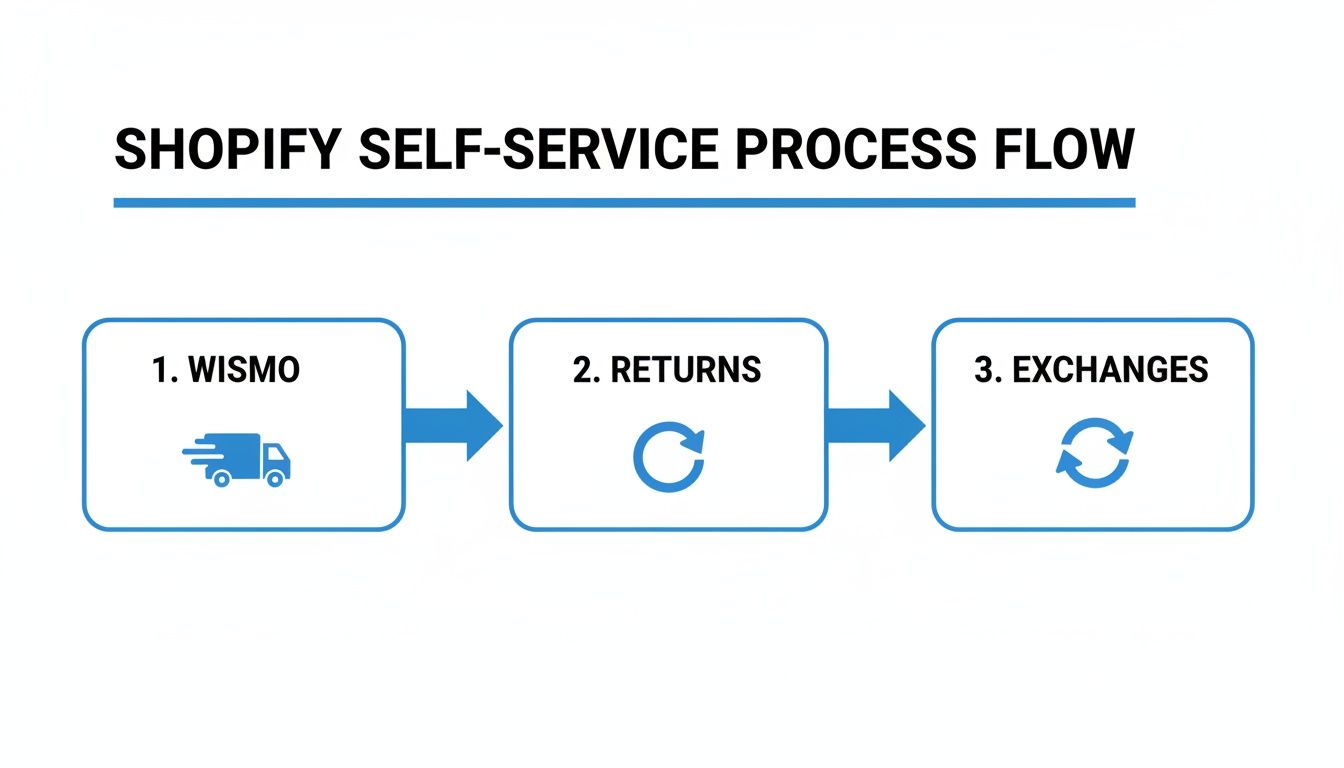
As you can see, a great self-service journey is simple and direct. It gives customers a straight line to resolve WISMO, return, or exchange issues with zero friction.
Forgetting the Human Element
Perhaps the most critical mistake is removing the option to talk to a real person. No matter how brilliant your self-service setup is, it will never solve 100% of problems. Customers with complex, unique, or emotionally charged issues need a clear and easy way to reach a human.
Here's a sobering statistic: 77% of consumers feel that a bad self-service experience that wastes their time is worse than having no self-service at all. Trapping someone in an automated loop with no escape is a surefire way to lose them forever.
Always, always provide a seamless "off-ramp" to your support team. Your chatbot must be able to hand off a conversation to a live agent. Your help center articles should end with a clear "Still need help? Contact Us" link. Self-service is there to empower customers, not to build a wall around your support team.
Self Service Implementation Do's and Don'ts
To make things even clearer, here's a quick-reference table comparing best practices with the common mistakes we've just covered. Think of it as a cheat sheet for getting your self-service strategy right from the start.
| Do ✅ | Don't ❌ |
|---|---|
| Make help highly visible in your main navigation, footer, and confirmation emails. | Bury your help center where customers are unlikely to find it. |
| Keep your knowledge base up-to-date with the latest policies, shipping times, and product info. | Let content get stale. Providing outdated or incorrect information is worse than providing none. |
| Provide a clear, easy escape hatch to contact a human support agent at any point. | Create a "dead end" with no option to escalate, trapping customers in an automated loop. |
| Use simple, direct language and organize information logically so it's easy to scan and understand. | Build a complex maze of pages and clicks that makes finding simple answers a frustrating chore. |
| Get feedback from customers to understand what's working and where the friction points are. | Assume you know what customers need without looking at the data or asking for their input. |
| Promote your self-service options as the fastest way to get answers for common questions. | Launch your tools silently and just hope people stumble upon them. |
By keeping these simple principles in mind, you can build a self-service experience that not only reduces your support ticket volume but also genuinely helps your customers and makes them love your brand even more.
Got Questions About Customer Self-Service? We've Got Answers.
Even the best-laid plans come with questions. When you're rolling out a new system, it's natural to wonder about the details. Here are some of the most common things we hear from Shopify store owners, along with our straight-to-the-point answers.
Will My Customers Actually Use It?
Absolutely. The data is pretty clear on this one: 81% of customers actually prefer to find answers on their own before reaching out. They want more self-service options, not fewer.
The trick isn't just to have these tools, but to make them obvious, easy to use, and genuinely useful. If your help center is buried three clicks deep or your tracking page is a mess, they'll give up and email you. But if it's the fastest path to an answer, they'll use it every time.
Does This Mean I Can Get Rid of My Support Team?
Not a chance. Think of self-service as a powerful upgrade for your support team, not a replacement. It’s all about filtering out the noise.
A good self-service setup automatically handles the flood of simple, repetitive questions—the "Where is my order?" and "What's your return policy?" tickets that eat up so much time. This frees your human agents to put their brainpower where it truly matters: on the complex, nuanced issues that require a real conversation and creative problem-solving. They stop being ticket-closers and become true relationship-builders.
Where’s the Best Place to Start?
For almost any e-commerce store, the biggest and fastest win is tackling the "Where Is My Order?" (WISMO) problem. It’s the king of all support tickets.
If you do only one thing, set up a simple, on-brand order tracking page. It solves your most frequent customer question, provides instant value, and you'll see a measurable drop in support tickets almost immediately.
What’s This Going to Cost Me?
It can vary, but it's probably less than you think. You can get started without a huge investment. Many help desk platforms already include a basic help center or knowledge base in their plans. Dedicated Shopify apps for things like order tracking pages often have free or very affordable starter plans.
The better question is, what's the return on investment? When you see how much time and money you save by deflecting even a small chunk of your daily tickets, the tools usually pay for themselves many times over.
Ready to turn your email support into an automated self-service powerhouse? MAILO AI integrates directly with Shopify to provide instant, personalized answers to your customers' most common questions, freeing up your team and boosting satisfaction. Start your free trial with MAILO AI today!