

If your e-commerce support inbox is a constant stream of repetitive questions, you're not alone. Inquiries like "Where is my order?", "What's your return policy?", and "When will this be back in stock?" are universal challenges for growing brands. Manually responding to each one is not just time-consuming; it's a significant bottleneck that prevents your team from focusing on high-impact activities that actually scale your business. The key to breaking this cycle isn't hiring more support agents, but implementing smarter systems.
This is where strategic automation becomes essential. By using a set of well-crafted automated email response templates, you can provide instant, accurate, and helpful answers to your customers' most common questions, 24/7. This not only frees up countless hours for your team but also dramatically improves the customer experience by delivering the immediate responses modern buyers expect.
This guide provides a comprehensive playbook of 10 essential automated email response templates designed specifically for e-commerce stores. We will go beyond just copying and pasting text. For each template, you'll find:
- Ready-to-use examples with clear personalization tokens.
- Tone variations to match your unique brand voice.
- Specific automation triggers and workflow suggestions for tools like Mailo AI.
- Actionable implementation tips to get you started immediately.
By the end of this article, you will have a complete toolkit to transform your customer support from a reactive cost center into a proactive, efficient engine for driving loyalty and retention. Let's dive in.
1. Order Confirmation & Shipping Notification
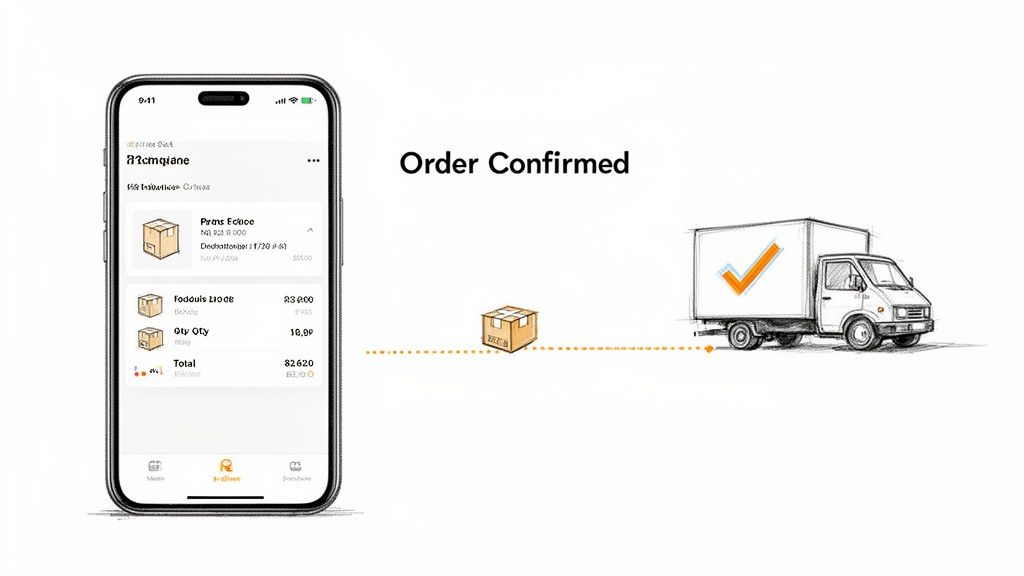
The most fundamental and frequently opened automated emails in e-commerce are the order confirmation and shipping notification. These messages serve as a digital receipt and a promise, sent immediately after a purchase and again when the order is dispatched. For Shopify stores, these automated email response templates are foundational, leveraging real-time order data to populate crucial details like product names, images, quantities, and final prices.
This initial communication is a critical trust-building exercise. By providing instant reassurance that an order was successfully placed and is being processed, you dramatically reduce "Where is my order?" (WISMO) support tickets. It sets a professional tone for the entire post-purchase experience and affirms the customer's decision to buy from you.
Why It Works & When to Use It
This two-part automated sequence is non-negotiable for any e-commerce business. The order confirmation should trigger the instant a customer completes checkout. The shipping notification should be sent the moment a tracking number is generated and associated with the order in your fulfillment system.
Brands like Glossier excel by using high-quality product imagery in confirmations to reinforce the value of the purchase. Meanwhile, Warby Parker uses these emails to set clear, personalized expectations for their custom eyewear production timeline, managing customer anticipation effectively. The goal is to be transparent, informative, and reassuring from the very beginning.
Implementation Tips & Best Practices
To create effective automated email response templates for order and shipping confirmations, follow these guidelines:
- Prioritize Clarity: Your subject line should be direct, like "Your [Brand Name] Order #[Order Number] is confirmed!" or "Your order is on its way!"
-
Leverage Dynamic Content: Use personalization tokens to insert the customer's name, order number, and a detailed list of purchased items. Mailo AI's native Shopify integration makes pulling
{{customer.first_name}}and order details seamless. - Include Key Links: Add a clear call-to-action (CTA) button linking to the order status page or a direct tracking link from the carrier. Also include links to your returns policy and help center.
- Brand the Experience: While clarity is key, infuse your brand's voice. Allbirds, for example, includes sustainability messaging in its shipping notifications, reinforcing its brand values at every touchpoint.
2. Abandoned Cart Recovery
One of the highest-return automations in e-commerce, the abandoned cart recovery sequence targets customers who add items to their cart but leave without completing the purchase. These timely, persuasive automated email response templates are designed to remind shoppers what they left behind, overcome common objections like shipping costs, and create a sense of urgency to bring them back to the checkout. This single campaign can recover an average of 10-15% of otherwise lost revenue.
This automated series is a direct line to a highly engaged audience that has already shown strong purchase intent. By strategically addressing potential friction points and re-engaging them at the right moment, you can turn a near-miss into a successful conversion. This workflow is a cornerstone of modern e-commerce marketing automation and a must-have for any online store.
Why It Works & When to Use It
This sequence should be triggered automatically when a cart is abandoned by an identifiable user (someone who is logged in or has entered their email). The first email is typically sent within 1-2 hours of abandonment, followed by 1-2 more emails over the next 24-72 hours, often with escalating incentives.
Brands like Bonobos use recovery emails to highlight their free shipping policy and showcase customer reviews of the abandoned items, adding valuable social proof. Everlane creates urgency by referencing limited inventory levels, encouraging immediate action. The key is to transform a simple reminder into a compelling reason to complete the purchase. Specifically, effective abandoned cart emails are a powerful tool to recover lost Shopify sales through proven strategies.
Implementation Tips & Best Practices
To build a high-converting abandoned cart recovery sequence, focus on these best practices:
- Strike Quickly: Send the first email within an hour to catch the customer while the purchase is still fresh in their mind.
- Show, Don't Just Tell: Use dynamic content to pull in high-quality images, names, and direct links to the exact products left in the cart. Mailo AI can automatically populate these fields.
- Create Urgency: Use subject lines like "Your cart is about to expire" or "Don't miss out on your items." Consider offering a limited-time discount or free shipping in the second or third email.
- Address Objections: Test different offers to see what resonates. Sometimes free shipping is a more powerful motivator than a percentage discount. Include links to your return policy and customer support to build confidence.
- Segment Your Audience: Consider creating different automated email response templates for high-value carts versus low-value carts. High-value abandoners might warrant a more personalized approach or a more significant incentive.
3. Post-Purchase Review & Feedback Request
User-generated content (UGC) is the lifeblood of social proof. Automated review and feedback request emails are designed to systematically collect this valuable asset after a customer has had time to experience your product. These messages are typically triggered 5-14 days post-delivery, prompting customers to share their thoughts, leave a rating, and provide insights on their purchase and the overall service experience.
This automated process not only builds a library of authentic reviews that boost conversion rates but also serves as a crucial feedback loop. By analyzing responses, you can identify product quality issues, improve your customer service, and understand what truly resonates with your audience. This turns a simple transaction into a source of continuous business intelligence and brand improvement.
Why It Works & When to Use It
This automation is essential for building trust and gathering actionable data. The key is timing. Send the request long enough after delivery for the customer to have used the product, but not so long that their initial excitement has faded. A trigger set for 7-10 days after the "delivered" status in your fulfillment system is often the sweet spot.
Leaders in this space, like Judge.me and Yotpo, have built entire platforms around optimizing this flow. Amazon normalized the behavior, conditioning customers to expect a review request. Brands like Sephora take it a step further, segmenting feedback requests for specific products versus the overall shopping experience, which allows them to gather more targeted and useful data.
Implementation Tips & Best Practices
To craft high-converting automated email response templates for reviews, focus on making the process seamless:
- Be Specific in Your Subject Line: Use clear, engaging subject lines like, "How did you like your [Product Name]?" or "Share your thoughts on your recent [Brand Name] purchase."
- Make It Frictionless: The single most important factor is ease. Use one-click rating systems directly within the email or link to a pre-populated review form. The fewer steps, the higher the completion rate.
-
Personalize the Ask: Leverage dynamic tokens to reference the exact product(s) the customer purchased. Mailo AI can use Shopify order data to insert
{{order.line_items.first.product.title}}directly into the email copy. - Segment Your Requests: If a customer bought multiple items, consider sending separate requests or highlighting one hero product. For apparel brands like Outdoor Voices, asking for specific feedback on size and fit is invaluable.
- Create a Follow-Up Logic: Automate a workflow based on the response. A 1-star review could trigger a high-priority ticket for your support team, while a 5-star review could trigger an email with a loyalty discount for their next purchase.
4. Order Issue & Support Escalation Response
When an order goes wrong, a fast, empathetic, and clear response is paramount. Automated email response templates for order issues like damaged items, missing products, or delivery problems acknowledge the customer's complaint instantly. These templates provide immediate reassurance that the issue has been received and is being addressed, while also outlining the next steps for resolution.
This automation acts as a crucial first line of defense, preventing customer frustration from escalating. By confirming receipt and setting clear expectations, you buy your support team valuable time to investigate more complex cases. For Shopify stores, tools like Mailo AI's Smart Inbox can automatically classify these issues based on keywords and even suggest AI-generated responses that blend empathy with efficiency, immediately de-escalating a potentially negative experience.
Why It Works & When to Use It
This type of automated response should be triggered the moment an email containing keywords like "damaged," "missing item," or "wrong product" lands in your support inbox. The goal is to provide an instant acknowledgment that builds trust and manages expectations, proving you are responsive even before a human agent steps in. For unexpected delays, an automated response clearly explaining what does shipment exception mean can significantly reduce support queries.
Zappos became legendary for its customer-first culture, often sending replacements before a damaged item was even returned. Similarly, ASOS automates damage claims by providing instant prepaid return labels. The key is to remove friction and demonstrate a commitment to making things right, turning a negative situation into an opportunity to build loyalty.
Implementation Tips & Best Practices
To build effective automated email response templates for order issues, focus on empathy and clarity:
- Acknowledge & Apologize: Start with a sincere apology for the inconvenience. A simple "We're so sorry to hear about the issue with your order #[Order Number]" goes a long way.
- Segment and Automate: Use rules or AI to classify incoming requests. A "damaged item" email can trigger an automated response with a link to upload a photo and an immediate offer for a replacement.
- Offer a Clear Path Forward: Always provide a clear next step. Include a link to your returns portal, state the expected timeline for a human response, or link to a relevant FAQ.
- Maintain Brand Voice: Your automated responses should still sound like your brand. For a deeper look into maintaining a professional yet empathetic tone, review these email etiquette samples.
- Always Include an Escalation Option: Never let a customer feel trapped in an automated loop. Ensure your email clearly states how to connect with a human support agent.
5. Win-Back & Re-Engagement Campaign
A win-back or re-engagement campaign is an automated email sequence targeting customers who have become inactive. These automated email response templates are strategically designed to reignite interest and bring lapsed shoppers back into the fold, typically triggered after a set period of no purchase activity, such as 90 or 180 days. By acknowledging the customer's absence and providing a compelling reason to return, you can significantly reduce churn and boost customer lifetime value.
This proactive approach is far more cost-effective than acquiring a new customer. The goal is to remind them of the value your brand offers and nudge them toward their next purchase. A successful win-back campaign feels less like a desperate plea and more like a thoughtful "we miss you," tailored to their past behavior and preferences.
Why It Works & When to Use It
This automated sequence should be triggered when a customer enters a "lapsed" segment, defined by a specific period of inactivity that makes sense for your business's buying cycle. It works by creating a new touchpoint that reminds customers of your brand, showcases new products they might have missed, and often includes a special offer to create a sense of urgency and appreciation.
Warby Parker excels by sending "We miss you" emails that feature new frame styles similar to a customer's past purchases. Similarly, Allbirds might grant lapsed customers exclusive previews of a new material, making them feel like valued insiders. The key is to move beyond a simple discount and re-establish the brand connection that led them to purchase in the first place.
Implementation Tips & Best Practices
To build effective automated email response templates for re-engagement, focus on personalization and value:
- Segment Your Inactive Audience: Don't treat all lapsed customers the same. Create segments based on past purchase value (CLV) or product categories. High-value customers may warrant a more aggressive or personalized offer.
-
Craft Acknowledging Subject Lines: Use direct, friendly language like "We've missed you,
{{customer.first_name}}" or "Is it something we said?" to grab attention and set a personal tone. - Lead with Value, Not Just Discounts: While an offer is effective, start by highlighting what's new. Showcase new arrivals, bestsellers, or brand updates before presenting the discount to rebuild interest organically.
- Leverage Dynamic Product Recommendations: Use tools like Mailo AI to automatically populate emails with products related to their previous purchases. Showcasing items they are likely to love is a powerful motivator.
- Limit the Sequence: A focused 3-4 email sequence is typically sufficient. Pestering an inactive customer can do more harm than good and may hurt your sender reputation. Always include a clear link to manage email preferences.
6. Subscription Renewal & Billing Reminder
For subscription-based e-commerce, proactive communication is key to preventing involuntary churn. Subscription renewal and billing reminder emails are automated messages sent before a recurring charge, notifying customers of the upcoming payment. This simple act of transparency is crucial for Shopify stores managing recurring revenue, as it significantly reduces chargebacks and support tickets from surprised customers.
These automated email response templates do more than just announce a charge; they serve as a powerful retention tool. By reminding customers of the value they receive, you re-affirm their decision to subscribe. This pre-emptive communication transforms a routine transaction into a positive brand touchpoint, preventing payment failures from expired cards and keeping revenue streams stable.
Why It Works & When to Use It
This automated sequence is essential for any business with a recurring billing model. The primary reminder should trigger 7 to 10 days before the renewal date, giving customers ample time to update payment information or make a decision. A second, shorter reminder can be sent 2-3 days before the charge.
Brands like Adobe Creative Cloud excel at this by sending clean, concise notifications that clearly state the renewal amount and provide a direct link to manage the subscription. Similarly, LinkedIn Premium uses its reminders to highlight key benefits a user has enjoyed, reinforcing the value proposition just before the billing cycle renews. The goal is to eliminate surprise charges and build long-term trust.
Implementation Tips & Best Practices
To create effective automated email response templates for subscription renewals, focus on clarity and value reinforcement:
- Be Explicit: Your subject line must be unambiguous, such as "Your [Subscription Name] membership renews soon" or "Upcoming charge for your [Brand Name] subscription."
-
Show, Don't Just Tell: Clearly display the exact amount to be charged and the exact date of the transaction. Use personalization tokens to include details like
{{subscription.plan_name}}and{{subscription.renewal_date}}. - Provide Easy Account Access: Include a prominent CTA button linking directly to the customer's billing or subscription management dashboard. Don't make them hunt for it.
- Reinforce Value: Briefly remind customers of the benefits they receive. For example, "Continue enjoying [Benefit 1] and [Benefit 2]." Headspace does this well by including personalized usage stats to show progress.
- Prepare for Failed Payments: Implement an automated dunning sequence for failed payments. Mailo AI can trigger a series of emails over several days, prompting customers to update their card details before canceling the subscription.
7. Inventory & Product Availability Alert
One of the most effective automated email response templates for recapturing lost sales is the inventory and product availability alert. This email is automatically sent to customers who signed up to be notified when a previously out-of-stock item is replenished. It's a high-leverage tactic that converts existing, high-intent traffic at a much lower cost than acquiring new customers.
These alerts transform a moment of disappointment (seeing "Sold Out") into an opportunity for engagement and future revenue. By allowing customers to opt-in for notifications, you build a targeted list of shoppers who have already expressed direct interest in a specific product, making the eventual sales pitch incredibly relevant and effective.
Why It Works & When to Use It
This automation is essential for any brand with products that experience fluctuating inventory levels, especially in fashion, electronics, or beauty. The trigger should be your inventory management system updating a product's stock count from zero to a positive number. The email should deploy instantly to capitalize on the customer's initial interest before it fades.
Brands like Nike and Yeezy have perfected this with their "drop" model, using notifications to create massive, immediate demand for limited-edition sneakers. Similarly, Nordstrom effectively uses these alerts for wishlist items, notifying users the moment a coveted size or style becomes available again. The core principle is leveraging scarcity and customer intent to drive immediate action.
Implementation Tips & Best Practices
To create high-converting automated email response templates for stock alerts, follow these guidelines:
-
Segment by Specificity: Your alert should reference the exact product, size, or color variant the customer requested. Use tokens like
{{product.title}}and{{product.variant.title}}for precise personalization. - Create Authentic Urgency: If stock is genuinely low, mention it. A subject line like "Good news! Your size in the {{product.title}} is back, but stock is limited" can significantly boost click-through rates.
- Send Immediately: Speed is critical. Your automation tool, like Mailo AI, should monitor Shopify inventory in real-time and trigger the email the moment stock is updated to give subscribers the first chance to buy.
- Provide a Direct Path to Purchase: The email must include a clear, prominent CTA button that links directly to the product page, reducing friction and making it easy for the customer to complete their purchase.
8. Shipping Status & Proactive Order Update
Beyond the initial shipping confirmation, a series of proactive status updates transforms the waiting period into an engaging, trust-building experience. These automated emails are triggered at key shipping milestones like "in transit," "out for delivery," and "delivered." By providing this granular visibility, brands can preemptively answer the customer's next question, dramatically reducing support inquiries by keeping them informed every step of the way.
This proactive communication is what separates a standard transaction from a premium customer experience. Instead of forcing customers to constantly check a carrier's generic tracking page, you bring crucial updates directly to their inbox, framed in your brand's unique voice. Integrating with Shopify's fulfillment data ensures these updates are sent in real-time, reflecting the most accurate status available and reinforcing your brand's reliability.
Why It Works & When to Use It
This sequence is essential for managing customer expectations and reducing post-purchase anxiety. Each email should be triggered by a specific fulfillment event in your logistics software or Shopify backend. For example, an "out for delivery" email can build excitement, while a "delivered" notification confirms successful receipt and can even include tips for getting started with the product.
Amazon has set the industry standard for this level of proactive communication, training customers to expect frequent updates. DTC brands like Everlane and Glossier use these touchpoints to reinforce their brand ethos, whether it's through transparent logistics information or stylish, on-brand creative. Mailo AI enhances this by allowing brands to inject AI-personalized messages that match their voice, turning a mundane update into a delightful brand interaction. Learn more about how to automate customer service workflows to handle these updates seamlessly.
Implementation Tips & Best Practices
To build effective automated email response templates for shipping updates, focus on being helpful and proactive:
- Be Proactive with Delays: The most critical update is the one about a delay. Trigger an automated email the moment a delay is detected in the carrier system, before the customer discovers it on their own.
- Consolidate Notifications: Send emails for major milestones: shipped, out for delivery, and delivered. Avoid spamming customers with every single carrier scan update.
- Set Clear Expectations: Use a specific delivery window (e.g., "Arriving October 26-28") instead of a vague range ("3-5 business days"). For international orders, include information about potential customs processing.
- Provide Solutions: Include a "What to do if..." section in your delivery confirmation. Address scenarios like "Your package shows delivered, but you can't find it," with clear next steps.
9. Loyalty Program & Rewards Announcement
Automated emails for loyalty programs are designed to drive repeat business by rewarding customers for their continued engagement. These templates announce everything from initial program enrollment and points earned to available rewards and tier upgrades. For direct-to-consumer brands, these automated email response templates are among the highest ROI campaigns, as they directly incentivize the behaviors that grow customer lifetime value.
These communications transform the customer relationship from transactional to relational. By gamifying the shopping experience with points and exclusive perks, you give customers a compelling reason to choose your brand over a competitor. This strategy fosters a community feel and makes customers feel genuinely valued, dramatically increasing retention rates and turning casual shoppers into brand advocates.
Why It Works & When to Use It
This sequence is essential for any brand looking to build a sustainable, long-term customer base. Triggers should be set for key milestones: a welcome email upon sign-up, a notification after each purchase showing points earned, an alert when a reward is unlocked, and a special announcement for tier upgrades. Automating these messages ensures timely and relevant communication that keeps your brand top of mind.
Sephora’s Beauty Insider program is a prime example, using a tiered system (Insider, VIB, Rouge) with escalating perks to motivate higher spending. Similarly, Glossier uses a points system where customers can redeem rewards for both products and exclusive brand experiences, catering to different motivations. The goal is to make customers feel like they are progressing toward a tangible benefit.
Implementation Tips & Best practices
To create compelling automated email response templates for your loyalty program, consider these strategies:
- Celebrate Milestones: Use bold, celebratory language and visuals for tier upgrades or major reward redemptions. Subject lines like, "You've Unlocked VIP Status, {{customer.first_name}}!" create excitement.
-
Show, Don't Just Tell: Prominently display the customer's current points balance (
{{loyalty.points_balance}}) in every email. Visual progress bars are highly effective at encouraging the next purchase. - Personalize Reward Suggestions: Use purchase history to recommend specific rewards. Mailo AI can leverage RFM (Recency, Frequency, Monetary) data to suggest products a customer is likely to want.
- Clarify the Value: Clearly list the benefits of each tier. Avoid vague perks and focus on concrete value like free shipping, early access to sales, or exclusive products. Make it obvious why achieving the next level is worthwhile.
10. Educational & Product Education Email Series
Beyond the initial transaction, the most valuable automated emails are those that teach customers how to get the most out of their purchase. An educational email series is an automated sequence designed to demonstrate product use, share tips and tricks, and help customers achieve their desired outcome. This is particularly crucial for stores selling complex products like skincare routines, fitness equipment, or specialized software.
This proactive communication strategy does more than just inform; it builds user confidence, increases product satisfaction, and significantly reduces support tickets related to product usage. By guiding customers, you reinforce the value of their purchase, which leads to higher retention rates, better reviews, and fewer returns from frustrated users. It’s a powerful way to transition from a simple transaction to a long-term brand relationship.
Why It Works & When to Use It
This automated email response template is ideal for brands whose products have a learning curve or offer multifaceted benefits. Trigger the first email a few days after the product is delivered, giving the customer time to unbox it. A multi-part series can then be dripped out over the following weeks.
Brands like Allbirds excel at this by sending a "Care Guide" email teaching customers how to clean and extend the life of their shoes. Similarly, the Calm app onboards new users with a series of emails explaining different meditation techniques and sleep tips. The goal is to empower the customer, making them feel like an expert user and validating their decision to choose your brand.
Implementation Tips & Best Practices
To build an effective educational series, focus on providing genuine value, not just on upselling.
-
Segment by Product: Don't send a generic guide. Create unique educational tracks for different product categories or specific items purchased. Use
if/thenlogic in your automation workflow based on the{{product.title}}. - Embrace Visuals: People learn visually. Embed short videos, GIFs, or infographics demonstrating how to assemble, use, or care for the product. A quick "how-to" video is often more effective than a long paragraph of text.
- Gate Advanced Content: Send foundational tips to all new customers. Then, use engagement (like opens or clicks) as a trigger to send more advanced techniques to your most interested users.
- Integrate Social Proof: Feature user-generated content or customer testimonials showing how others have successfully used the product. This builds community and provides real-world validation. Mailo AI can help identify highly engaged customers who are prime candidates for providing such content.
Top 10 Automated Email Templates Comparison
| Item | Implementation Complexity 🔄 | Resource Requirements ⚡ | Expected Outcomes 📊 / ⭐ | Ideal Use Cases 💡 | Key Advantages ⭐ |
|---|---|---|---|---|---|
| Order Confirmation & Shipping Notification | Low — Shopify template + carrier sync | Low — simple templates, carrier API | 📊 Reduces support inquiries 25–40%; ⭐⭐⭐⭐ | All stores; essential transactional comms | Immediate trust-building; fewer tickets; real-time tracking |
| Abandoned Cart Recovery | Medium — trigger rules + sequences | Medium — automation platform, creative, discount codes | 📊 Recovers 10–15% carts; ROI ~40:1; ⭐⭐⭐⭐ | Retail with checkout drop-off; high-traffic stores | High revenue recovery; automated, high ROI |
| Post-Purchase Review & Feedback Request | Low–Medium — delay triggers & review links | Low — email + review platform integration | 📊 ↑ reviews 30–50%; conversion +2–5%; ⭐⭐⭐ | Products needing social proof; CRO focus | More UGC; product insights; SEO & trust signal boost |
| Order Issue & Support Escalation Response | High — AI classification + escalation flows | High — AI, Smart Inbox, support staffing | 📊 Resolution time −50–70%; satisfaction +15–25%; ⭐⭐⭐⭐ | High-volume support; high-value or complex orders | Faster resolutions; consistent empathetic replies; audit trail |
| Win-Back & Re-Engagement Campaign | Medium — behavioral triggers & segmentation | Medium — promo budget, creative, segmentation tools | 📊 Recovers 10–20% inactive customers; 2–3x ROI; ⭐⭐⭐ | Reducing churn; CLV optimization | Cost-effective reactivation; insights into churn reasons |
| Subscription Renewal & Billing Reminder | Medium — schedule triggers + billing sync | Medium — billing integration, dunning logic | 📊 Payment success +10–15%; churn −5–10%; ⭐⭐⭐ | Subscription/membership businesses | Fewer billing inquiries; improved retention; predictable revenue |
| Inventory & Product Availability Alert | High — real-time inventory + wishlist sync | Medium–High — inventory system, notification channels | 📊 CTR 15–25%; conversion 30–40% for high-intent; ⭐⭐⭐⭐ | Limited-stock, trending SKUs, drops | Converts high-intent users; low acquisition cost; urgency-driven sales |
| Shipping Status & Proactive Order Update | Medium — multi-stage triggers + carrier data | Medium — tracking integration, cadence management | 📊 Status inquiries −35–45%; satisfaction +10–15%; ⭐⭐⭐⭐ | Complex fulfillment, long transit windows | Transparency; fewer missed deliveries; early issue detection |
| Loyalty Program & Rewards Announcement | High — RFM scoring + loyalty platform | High — loyalty platform, rewards budget, program ops | 📊 Repeat purchase +15–25%; CLV +20–50%; ⭐⭐⭐⭐ | DTC brands focused on retention and VIP experiences | Strong repeat purchases; higher CLV; emotional brand affinity |
| Educational & Product Education Email Series | Medium — sequenced content + timing | Medium — content production (video/GIFs), segmentation | 📊 Support inquiries −20–30%; repeat +10–20%; ⭐⭐⭐ | Complex products, high-return categories | Fewer support issues; better product satisfaction; cross-sell opportunities |
Turn Your Inbox Into a Growth Engine with Automation
The journey through these ten automated email response templates reveals a powerful truth: your customer support inbox is not merely a cost center. When managed with strategy and the right technology, it transforms into a dynamic engine for customer retention, loyalty, and sustainable growth. We've moved beyond simple canned responses and explored a framework for creating proactive, personalized, and context-aware communication that anticipates customer needs before they even ask.
By implementing these templates, you are fundamentally changing the customer experience. A customer receiving a proactive shipping delay notification feels cared for, not forgotten. A subscriber getting a helpful billing reminder feels respected, not hassled. Each automated, yet thoughtful, interaction builds a small but significant layer of trust, strengthening the bond between your brand and your customers. This is the new standard for world-class e-commerce service.
From Reactive Support to Proactive Relationships
The core takeaway is this: automation frees your human team to focus on high-value, complex issues where their empathy and problem-solving skills are most needed. Instead of manually answering "Where is my order?" a dozen times a day, your agents can help a customer find the perfect gift, resolve a complex product issue, or turn a negative experience into a story of exceptional recovery.
This strategic shift has several profound benefits:
- Dramatically Reduced Response Times: Customers get instant, accurate answers to common questions 24/7, boosting satisfaction and reducing support ticket volume.
- Increased Team Efficiency: Your support team is liberated from repetitive tasks, leading to higher morale, lower burnout, and more time for strategic initiatives.
- Enhanced Customer Lifetime Value (CLV): Proactive communication, personalized offers, and consistent engagement foster loyalty, encouraging repeat purchases and turning customers into advocates.
- Scalable Operations: As your business grows, your automated systems handle the increased volume effortlessly, ensuring a consistent quality of service without a linear increase in headcount.
Your Action Plan for Implementation
Feeling overwhelmed by the possibilities is normal. The key is to start strategically and build momentum. Don't try to implement all ten templates at once. Instead, follow this simple, actionable plan:
- Identify Your Biggest Pain Points: Start with the low-hanging fruit. For most e-commerce stores, this means tackling the most frequent and time-consuming inquiries. Begin with the Order Confirmation & Shipping Notification and the Abandoned Cart Recovery templates. These two alone can significantly impact your team's workload and your store's revenue.
-
Choose Your Tone and Personalize: Before you copy-paste, revisit your brand's voice. Are you playful, formal, or empathetic? Adapt the language in the templates to match. Then, ensure you are using personalization tokens like
{{customer.first_name}},{{order.number}}, and{{product.name}}to make every automated email feel personal. -
Set Up and Test Your Triggers: Log into your automation platform and define the specific triggers for each workflow. For a review request, the trigger might be "14 days after
order.fulfillment_statusis 'delivered'." Send test emails to yourself to ensure the formatting is perfect and all the links work correctly. - Monitor, Analyze, and Iterate: Your work isn't done after you hit "activate." Continuously monitor the performance of your automated email response templates. Track open rates, click-through rates, and conversion rates. Use this data to refine your subject lines, adjust your timing, and improve your copy for even better results.
Mastering the art of automated email responses is no longer a luxury reserved for massive corporations; it's an essential strategy for any modern DTC brand looking to build an efficient, scalable, and customer-centric business. By taking these thoughtful, automated steps, you’re not just clearing your inbox; you’re building a foundation for lasting customer relationships.
Ready to turn these templates into a powerful, automated reality? MAILO AI is designed specifically for e-commerce brands, integrating seamlessly with your store data to make setting up these intelligent workflows simple and effective. Stop drowning in support tickets and start building a proactive customer experience with MAILO AI today.