

When we talk about "measuring customer service," we're really talking about using key performance indicators (KPIs) to put hard numbers on how effective and efficient your support team really is. It’s the process of turning fuzzy feelings and subjective feedback into cold, hard data that shows you exactly how support impacts customer loyalty and, ultimately, your store's growth.
Why Measuring Customer Service Drives E-commerce Growth
Staring at an overflowing inbox full of support tickets can be overwhelming. As a Shopify store owner, you know that great service matters, but it’s often tough to draw a straight line from a happy customer email to actual business growth. This is where measurement becomes your superpower.
Think of it less like a chore and more like a treasure map. Without data, you're flying blind, making big decisions based on gut feelings and guesswork. You might feel like your team is doing a fantastic job, but you can't be sure—or prove it—until you measure.
From Guesswork to Growth
Making the switch from guessing to using data-driven insights is a game-changer. Suddenly, you can see precisely what your customers need, pinpoint the exact friction points in their buying journey, and even spot which agents are your absolute rockstars. That kind of clarity is priceless for a growing e-commerce brand.
By tracking the right metrics, you unlock some seriously powerful results:
- Build Real Customer Loyalty: When you track something like Customer Satisfaction (CSAT), you can see how specific support improvements lead directly to repeat purchases. A single great support interaction can easily turn a first-time buyer into a customer for life.
- Run a Tighter Ship: Metrics like Average Response Time or First Contact Resolution are like spotlights that instantly reveal bottlenecks in your workflow. Fixing these snags saves your team a ton of time and cuts down on operational costs.
- Drive More Revenue: Let's be honest, faster and more helpful support leads to fewer abandoned carts and more completed checkouts. Measuring the impact of your service proves its direct contribution to your bottom line.
The real magic of measuring customer service is that it transforms your support team from a simple cost center into a predictable, powerful growth engine. Data is the fuel that powers smarter decisions and better experiences.
At the end of the day, tracking performance isn't about micromanaging your team. It's about giving them the tools and information they need to win and providing your business with a clear path to get where it needs to go. By the time you finish this guide, you’ll know exactly how to make support decisions that directly boost your bottom line.
The Core Metrics Every Shopify Store Must Track
Think of your customer service operation like the vital signs of a patient in a hospital. Ignoring them is just asking for trouble, but if you keep a close watch, you can spot problems long before they become emergencies. This is the whole point of measurement—it turns customer service from a daily chore into a real strategic advantage.
Your core metrics are like the dashboard in your car. One gauge shows your speed, another your fuel level, and a third warns you if the engine is overheating. Each piece of information is different, but together they paint a complete picture of your journey's health. Let's look at the essential gauges every Shopify store needs to be watching.
The journey from guesswork to growth is simpler than you think. It's about letting the data tell you what's really happening.
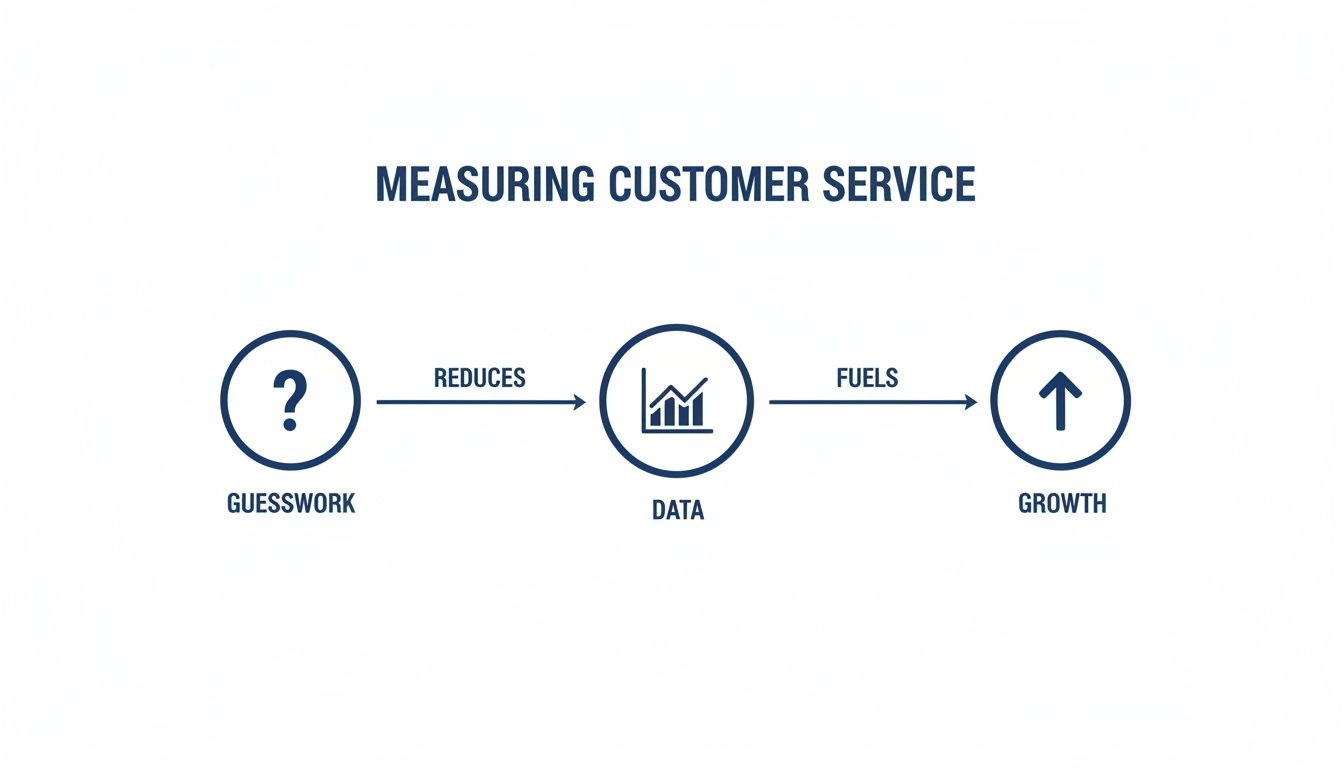
When you capture the right data, you create a clear roadmap for improving the customer experience and, ultimately, your bottom line.
Customer Satisfaction Score (CSAT)
What's the most direct way to know if a customer is happy with a specific interaction? Just ask them. That’s what CSAT does. It’s usually a simple question like, "How satisfied were you with your support experience?" with a straightforward scale (like 1-5 or a simple "Good/Bad").
Think of it as your real-time feedback loop. A consistently high CSAT score tells you the team is doing a great job. On the other hand, a sudden dip is your early warning system—a sign that a process might be broken or an agent needs a bit more coaching.
How to Calculate CSAT:
(Number of "satisfied" responses / Total number of responses) x 100 = CSAT Percentage
First Contact Resolution (FCR)
First Contact Resolution (FCR) is all about efficiency and effectiveness. It measures the percentage of customer problems you solve in the very first interaction—no back-and-forth, no follow-ups needed. When thinking about what to measure, it’s helpful to get familiar with the difference between understanding lead and lag indicators, as FCR is a powerful predictor of future customer loyalty.
A high FCR is a sign of a knowledgeable, empowered team and smooth, effective processes. In the fast-moving world of e-commerce, FCR has become a true cornerstone metric. After all, when you solve their problem on the first try, customers are 2.1 times more likely to recommend your brand. That's a direct line from great service to powerful word-of-mouth marketing. For more on this, Qualtrics.com has some great insights into current contact center trends.
Response and Resolution Times
People often lump these two together, but they actually tell two very different stories about your support engine’s speed.
- Average First Response Time (AFRT): This is the classic "how long did they wait?" metric. It tracks the time from when a customer sends a message to when they get that first reply. A low AFRT shows customers you’re on the ball and respect their time, which is huge for building trust right from the start.
- Average Resolution Time (ART): This measures the total time a ticket is open, from the initial contact until it's completely resolved. If this number is creeping up, it could be a sign that your team is dealing with more complex issues or that your internal workflows are getting bogged down.
Pretty much any modern helpdesk will track these for you. The goal is to keep them both as low as possible to stop minor customer frustrations from boiling over into major problems. For a closer look at these and other key metrics, check out our guide on essential customer support KPI examples.
Customer Sentiment Analysis
A simple "satisfied" rating doesn't tell the whole story. Customer Sentiment analysis goes a layer deeper by looking at the emotions behind the words a customer uses. It uses technology to scan emails and messages for positive, negative, or neutral language, giving you much-needed context.
For instance, a customer might click "satisfied" on a CSAT survey but write something like, "The agent was great, but your shipping policy is still confusing." Sentiment analysis catches those subtle but critical nuances. It gives you a richer, more accurate picture of the customer experience than numbers alone ever could. This is where tools like MAILO AI really come into their own, automatically analyzing sentiment to give you insights you’d otherwise miss.
Building Your Customer Service Dashboard
Raw data is just a pile of numbers. The real magic happens when you bring that data to life, visualizing it to uncover trends, patterns, and the story behind your customer service performance. This is what a great customer service dashboard does—it turns all those isolated metrics into one clear, easy-to-read picture of how you're doing.
Think of it as the mission control for your support team. Instead of having to dig through different reports to find your CSAT score, it's sitting right there on one screen, next to your average response time and daily ticket volume. This single view makes it incredibly easy to connect the dots. You can immediately see how a spike in response times lines up with that flash sale you just ran.
From Numbers to Narratives
A well-designed dashboard does more than just show you what happened; it starts to explain why. It transforms abstract data points into a clear story your team can actually use to make better decisions.
This is more important than ever. According to Forrester's 2025 Global CX Index, customer loyalty is on the decline, with the customer experience at 73% of brands staying flat or getting worse. For Shopify store owners, this is a huge opportunity. Using analytics to get an edge isn’t just a nice-to-have; it’s a necessity.
With a dashboard, you can spot critical patterns that would otherwise get lost in the noise:
- Performance Trends: See your CSAT scores steadily climb after you introduce a new, more personal email template.
- Problem Diagnosis: Notice a sudden drop in First Contact Resolution? A dashboard might help you trace it back to a confusing feature on a newly launched product.
- Resource Allocation: If you see that ticket volumes are consistently highest on Mondays, you can adjust agent schedules to match the demand.
Visualizing Your Key Metrics
Your dashboard should be built around the metrics that matter most to your business goals. While the exact layout can vary, the best e-commerce dashboards always show a mix of the core metrics in a simple, visual way.
Take this MAILO AI analytics dashboard, for example. It gives you a clean, at-a-glance overview of your most important KPIs.
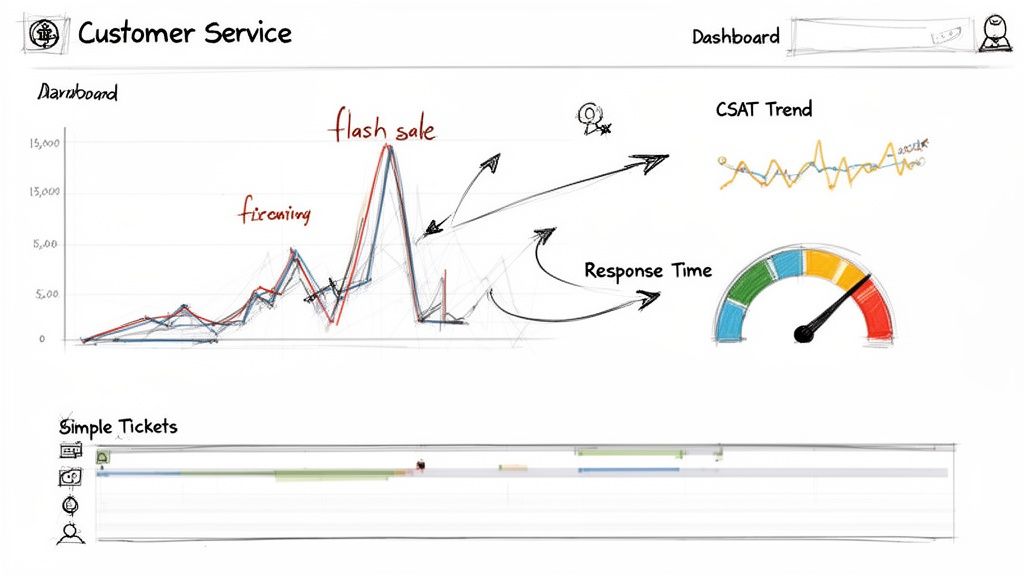
This kind of visual layout makes it incredibly easy to see the direct impact of your support strategy by highlighting things like automation rate, hours saved, and customer satisfaction trends all in one place.
A dashboard moves you from passively collecting data to actively using it. It's the bridge between knowing your numbers and knowing what to do next to improve them.
Ultimately, building a dashboard is about giving your team clarity and confidence. When everyone can see the impact of their work in real-time, they're empowered to make smarter decisions that improve the customer experience across the board.
How AI Is Changing the Way We Measure Customer Service
Let's be honest. Manually tracking, tagging, and trying to make sense of every single customer email is a losing battle. As your Shopify store scales, the data tsunami quickly becomes too much to handle, and spotting real trends feels like finding a needle in a haystack.
This is exactly where AI steps in and completely changes how we approach customer service measurement.
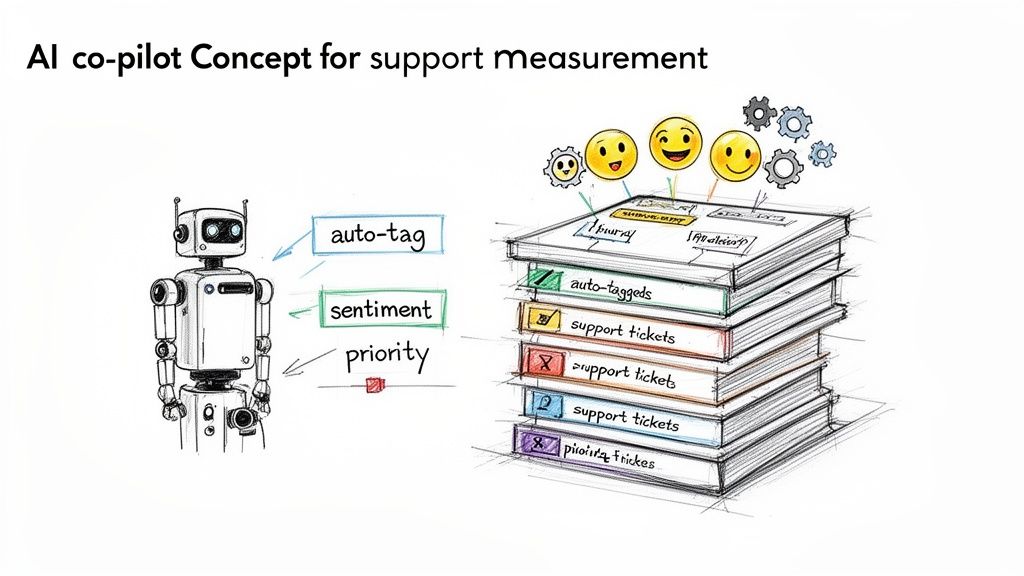
Think of modern AI platforms as an intelligent co-pilot for your support team. They handle the entire measurement process on autopilot, from gathering the raw data to delivering deep, actionable insights. Your agents no longer need to spend precious minutes manually tagging tickets—AI does it in a flash, and with better accuracy.
Deeper Insights, Zero Manual Effort
This isn't just about saving time. Automation with AI gives you a level of understanding that manual methods could never provide. You get a far more complete and nuanced picture of your customer experience, uncovering insights that were once buried in the noise.
For example, AI can automatically handle two critical tasks:
- Intelligent Ticket Categorization: It reads and understands incoming emails to sort them into the right buckets. This helps you pinpoint the real root cause of customer issues. Is that spike in tickets coming from a confusing product description or a hiccup with your shipping partner? Now you’ll know.
- Advanced Sentiment Analysis: AI also analyzes the language and tone within a customer’s message to figure out how they’re feeling. It goes way beyond a simple star rating to tell you why someone is frustrated or delighted, picking up on subtle cues with incredible precision.
By taking over the repetitive, data-heavy lifting, AI frees up your support agents to focus on what humans do best: solving complex problems and building genuine customer relationships.
The AI Co-Pilot Your Team Needs
The point of AI in customer support isn't to replace your team; it's to make them better. It gives managers the real-time intelligence they need to get ahead of problems before they escalate. For a closer look at this dynamic, check out our article on how AI is transforming e-commerce strategy.
Tools like MAILO AI plug directly into your helpdesk and Shopify store, creating a single, unified source of truth. This connection allows the system to not only measure performance but also help generate personalized, context-aware replies. It’s a powerful combination that shifts service measurement from a reactive chore to a proactive growth strategy. Your team gets the data-driven insights they need to constantly improve, ensuring your support can keep up as your business grows.
Turning Data into Momentum: Your Continuous Improvement Flywheel
Collecting customer service data is a solid start, but let's be honest—data sitting in a dashboard doesn't do anything on its own. The real magic happens when you turn those insights into an engine for consistent improvement. This is where a simple but powerful operational rhythm, the continuous improvement flywheel, comes into play.
Imagine one of those heavy, old-school playground merry-go-rounds. It takes a few good shoves to get it moving, but once it picks up speed, its own momentum keeps it spinning with just a little push now and then. Your customer service measurement process should feel exactly like that: a self-reinforcing loop where small, consistent actions build on each other over time.
This isn't just about looking at a report card of past performance. It's about actively using your data to shape what happens next.
The Measure, Analyze, Act Loop
At the heart of your flywheel is a simple, three-step cycle: Measure, Analyze, and Act. By getting into a regular rhythm with this loop—maybe weekly, maybe every two weeks—you build a structured way to turn numbers into real changes that your customers will feel.
-
Measure: This is your foundation. It’s all about consistently tracking those core metrics we’ve covered—CSAT, response times, FCR, and sentiment—right from your dashboard. Think of this as getting a reliable, up-to-the-minute health check on your support operations.
-
Analyze: Once you have the numbers, you have to ask the most important question: "Why?" This is where you connect the dots and hunt for patterns. You’re not just seeing that resolution times went up; you're digging in to figure out if it's tied to that new product you just launched or the big sale you ran last weekend.
-
Act: Finally, you take your analysis and turn it into a specific action. This is the step that actually matters, where an insight becomes a real-world improvement. The trick here is to keep the actions focused and manageable, not boil the ocean.
Putting the Flywheel into Motion
So, what does this look like in the real world of e-commerce? The whole point is to connect a data point to a concrete task that makes your support system better.
-
Scenario: Returns are taking forever.
- Measure: You notice on your dashboard that the Average Resolution Time for tickets tagged "returns" is a staggering 40% higher than any other category. Ouch.
- Analyze: You dig in and find out your agents are burning time manually looking up order details and copy-pasting the same return policy info over and over.
- Act: You create a smarter automation. Using a tool like MAILO AI, you set up a workflow that automatically pulls in the customer's order info and instantly sends a personalized email with clear return instructions.
Taking targeted action based on data turns a one-off insight into a permanent process improvement. This is how the flywheel gains momentum, making your support team more efficient with every single rotation.
This systematic approach makes sure all that effort you put into measuring actually pays off. Each spin of the flywheel, each small improvement, makes your support team smarter and faster. That translates directly into a better customer journey and, ultimately, a healthier bottom line.
Connecting Support Metrics to Your Bottom Line
So, how do you prove that great customer service isn't just a "nice-to-have" expense? The secret is to draw a straight line from your support metrics directly to your company's revenue. This is the moment when measuring customer service stops being a routine operational chore and becomes a powerful strategic tool.
It’s about moving beyond simple stats and linking improvements in things like CSAT and First Contact Resolution (FCR) to real financial results. A higher CSAT score is more than just a feel-good number; it's a powerful predictor of repeat business. A high FCR means fewer back-and-forth emails, which slashes your cost-per-ticket.
Quantifying the ROI of Your Support Team
The ultimate goal here is to translate your team’s daily grind into the language of business growth. When you can do that, you prove that support is a revenue engine, not just a line item on a budget. This is how you build a rock-solid case for getting more resources to improve the support experience.
You can show this connection in a few clear ways:
- Higher Customer Lifetime Value (CLV): Start tracking the purchase history of customers who leave high CSAT scores versus those who give low ones. The data almost always shows that happier customers spend more with you over their lifetime.
- Increased Repeat Purchase Rate: A single positive support interaction can be the one thing that convinces a customer to come back and buy again instead of going to a competitor.
- Automation Cost Savings: Figure out exactly how many agent hours you save by automating answers to common questions. Then, translate those hours directly into a reduction in operational costs.
When you can show that a 10% increase in customer satisfaction leads to a measurable lift in sales, support is no longer seen as a cost center. It’s rightfully positioned as a core driver of your bottom line.
By tracking these connections, you also open the door to exploring other crucial customer engagement metrics that paint a more complete picture of your success. This data-first approach cements your support team’s role as an indispensable part of your company's growth strategy.
Frequently Asked Questions
Got questions about measuring your e-commerce support? You're not alone. Here are a few common ones we hear from brands just like yours.
What are the best metrics to start with if we’re new to this?
If you're just getting your measurement process off the ground, don't try to boil the ocean. Zero in on the two metrics that give you the biggest bang for your buck: Customer Satisfaction (CSAT) and Average First Response Time.
Think of them as your core vitals. CSAT tells you how happy customers are with your answers, while response time tells you how fast you're getting back to them. Nailing these two gives you a surprisingly clear picture of your support health without drowning your team in data.
How often should we actually be looking at our support metrics?
The key is to build a rhythm. For most e-commerce teams, a weekly review is the sweet spot. It's frequent enough to catch problems before they snowball but not so often that you're just staring at noise.
Beyond that, a monthly deep-dive is perfect for zooming out. This is where you can spot bigger trends and see if the strategic changes you're making are actually moving the needle.
The goal isn’t just to look at data, but to create a regular habit of turning those insights into action. Treat it as a weekly huddle to keep your team aligned and focused on improvement.
Is it really possible to measure the ROI of our support team?
Absolutely, and it's easier than you might think. A fantastic place to start is to compare the repeat purchase rate of two groups: customers who had a great support experience (high CSAT) and those who didn't contact support at all.
When you see that happy customers come back to buy more often, you’ve drawn a direct line from great service to a higher Customer Lifetime Value. This is how you prove that support isn't a cost center—it's a powerful revenue engine.
Ready to stop guessing and start measuring? MAILO AI integrates directly with Shopify to track performance, save agent hours, and elevate your customer experience. Start your free trial today.