

In the competitive world of e-commerce, customer support is no longer just about solving problems-it's a critical driver of loyalty, retention, and revenue. Generic, slow support can sink a Shopify store, while exceptional service creates lifelong customers who spend more and advocate for your brand. But scaling that high-touch support as your order volume grows, without sacrificing quality or breaking the budget, is a major challenge for direct-to-consumer brands.
The solution lies in a strategic blend of smart workflows, powerful automation, and a genuinely customer-centric mindset. It’s about building a system that is both highly efficient for your team and deeply personal for your customers. This requires a deliberate implementation of proven help desk best practices tailored specifically for the unique demands of e-commerce operations.
This guide outlines 10 essential strategies designed for Shopify and DTC brands looking to build a world-class support operation. We will move beyond generic advice and provide actionable steps for implementation. You will learn how to:
- Unify communication from all channels into a single, manageable view.
- Leverage AI and automation to handle common inquiries instantly.
- Set and meet clear SLAs (Service Level Agreements) to build customer trust.
- Personalize every interaction using deep customer and order data.
- Track the right metrics to measure performance and drive continuous improvement.
From establishing ironclad escalation paths to ensuring robust data security, these actionable strategies will help you transform your support function. The goal is to build an operation that not only resolves tickets efficiently but actively contributes to customer lifetime value and your overall bottom line. Let's dive into the practices that turn support from a cost center into a powerful growth engine.
1. Implement a Unified Inbox System
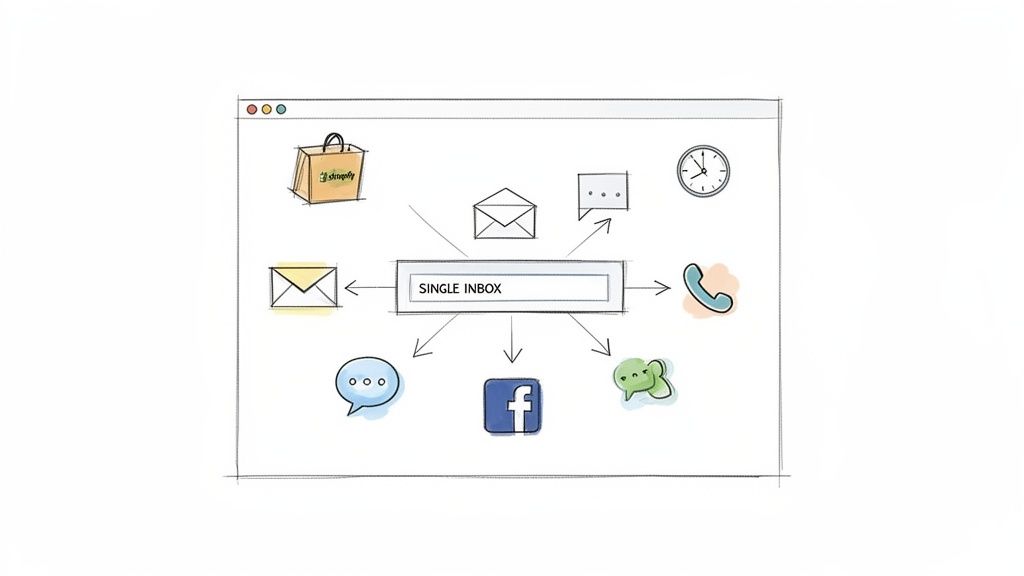
Fragmented conversations are an e-commerce store's silent profit killer. When your support team toggles between email, live chat, and social media DMs, context is lost, response times suffer, and customers get frustrated. Implementing a unified inbox system is a foundational help desk best practice that consolidates all communication channels into a single, manageable interface. This creates a centralized command center, ensuring no inquiry falls through the cracks and agents have a complete view of a customer's history.
For Shopify stores, this isn't just a convenience; it's a strategic necessity. A unified inbox provides a holistic view of the customer journey, from pre-sale questions on Instagram to post-purchase support emails. This consolidated approach eliminates redundant work and empowers agents to deliver consistent, context-aware support across every touchpoint.
Why It's a Top Practice
A unified inbox directly impacts both efficiency and customer satisfaction. It allows your team to see every interaction a customer has had with your brand, regardless of the channel. This means an agent handling a live chat can instantly see the customer’s previous email about a shipping issue, leading to a faster, more personalized resolution. This cohesive view is critical for building long-term customer relationships and maintaining brand consistency.
How to Implement It Effectively
Getting started with a unified inbox doesn't require a massive overhaul. Follow these steps for a smooth transition:
- Start Small: Begin by integrating your two most critical channels, typically your primary support email and your website's live chat. Master the workflow before adding social media or other platforms.
- Integrate Shopify: Connect your help desk directly to your Shopify store. This enriches conversations by pulling in crucial order data like tracking numbers, purchase history, and shipping addresses right into the agent's view.
- Automate Triage: Set up rules to automatically classify and prioritize incoming messages. For instance, use keywords like "refund" or "damaged" to flag tickets as urgent. MAILO AI's Smart Inbox, for example, automates this categorization to ensure high-priority issues are addressed first.
- Establish Channel-Specific SLAs: Define and monitor Service Level Agreements (SLAs) for each channel. A live chat may require a 60-second response time, while an email might have a 6-hour SLA. This ensures your team meets customer expectations across all platforms.
2. Leverage AI-Powered Automated Responses
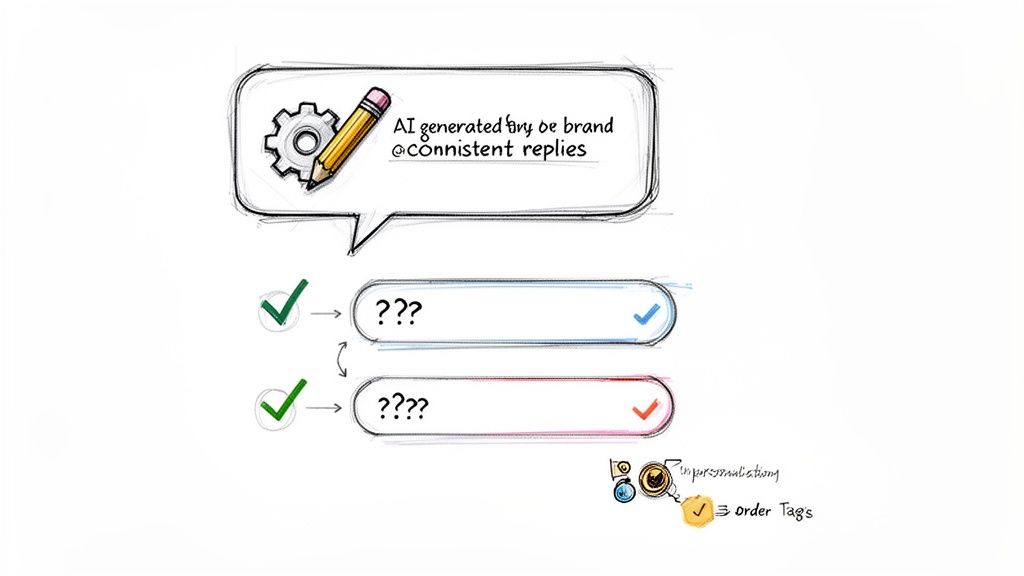
Manually answering the same questions about order status, shipping policies, and returns is a major drain on support team resources. Leveraging AI-powered automated responses is a critical help desk best practice that frees your team from repetitive tasks and delivers instant answers to customers. This technology uses artificial intelligence to generate contextual, brand-consistent replies in real-time, handling the bulk of routine inquiries without human intervention.
For e-commerce brands, where up to 80% of support tickets are repetitive, this is transformative. Instead of waiting hours for a simple tracking update, a customer can get a personalized, accurate response in seconds. This not only dramatically improves first-response times but also allows your skilled agents to focus on complex, high-value customer interactions that build loyalty.
Why It's a Top Practice
AI-powered automation directly boosts efficiency and elevates the customer experience. Tools like MAILO AI or Gorgias integrate with Shopify to pull customer data, order history, and tracking information directly into the response. This means the AI doesn't just give a generic answer; it provides a personalized update like, "Your order #1234 containing the Blue T-Shirt has shipped via UPS and is scheduled for delivery on Friday." This level of speed and personalization at scale was previously impossible.
How to Implement It Effectively
Deploying AI in your help desk requires a strategic approach to maintain quality and trust. Follow these steps for a successful rollout:
- Target High-Volume Inquiries: Start by identifying your top 3-5 most common, simple questions. These are typically related to "Where is my order? (WISMO)", return policies, and shipping costs. Automate these first for the biggest impact.
- Train the AI on Your Brand Voice: Feed the AI your brand guidelines, past support conversations, and marketing copy. This ensures that automated responses sound like they're coming from your team, not a robot.
- Use a Human-in-the-Loop Model: Begin with a semi-automated workflow where AI suggests a response and an agent approves it with one click. This builds confidence in the system's accuracy before moving to full automation.
- Set Confidence Thresholds: Configure the system to only auto-reply when its confidence in understanding the customer's intent is high (e.g., above 95%). More complex or sensitive inquiries should be automatically routed to a human agent.
3. Establish Clear Response Time SLAs (Service Level Agreements)
Unmet response time expectations are a major source of customer churn. When a customer with a missing order waits days for a reply, their frustration builds, and your brand's reputation suffers. Establishing clear Service Level Agreements (SLAs) is a critical help desk best practice that defines and enforces target response times for different inquiry types. This creates accountability, manages customer expectations, and provides a measurable benchmark for team performance.
For Shopify stores, where fast-paced commerce is the norm, SLAs are non-negotiable. Customers expect rapid answers, especially for urgent issues like order cancellations or payment problems. Clear SLAs ensure your team prioritizes effectively, preventing high-value customers or critical issues from getting lost in the queue. This disciplined approach is fundamental to delivering a consistently excellent support experience.
Why It's a Top Practice
SLAs transform customer support from a reactive function into a proactive, performance-driven operation. They provide your team with clear goals and empower them to manage their workload efficiently. For example, knowing that a "damaged item" ticket has a 2-hour SLA versus a "product question" ticket with a 24-hour SLA immediately dictates an agent's priorities. This system ensures your most time-sensitive problems are always addressed first, mitigating potential negative reviews and customer dissatisfaction.
How to Implement It Effectively
Defining and implementing SLAs requires a data-driven approach, not guesswork. Use these steps to build a robust SLA framework:
- Categorize and Prioritize: Classify tickets based on urgency and impact. For example, set a 1-hour first-response SLA for VIP customers or inquiries about "wrong item received," a 6-hour SLA for general shipping questions, and a 24-hour SLA for low-priority feedback.
- Set Realistic Targets: Analyze historical data to understand your team's current average response and resolution times. Set initial SLAs that are ambitious but achievable, then tighten them as your team's efficiency improves.
- Automate Escalations: Use your help desk to create rules that automatically escalate a ticket or notify a manager if an SLA is in danger of being breached. This ensures nothing slips through the cracks during busy periods.
- Track Response and Resolution Times Separately: Measure both the time to first response (acknowledgment) and the time to full resolution (problem solved). This provides a more nuanced view of team performance and identifies bottlenecks in your support process. MAILO AI’s analytics dashboard makes it easy to visualize these metrics.
4. Personalize Customer Interactions Using Order and Customer Data
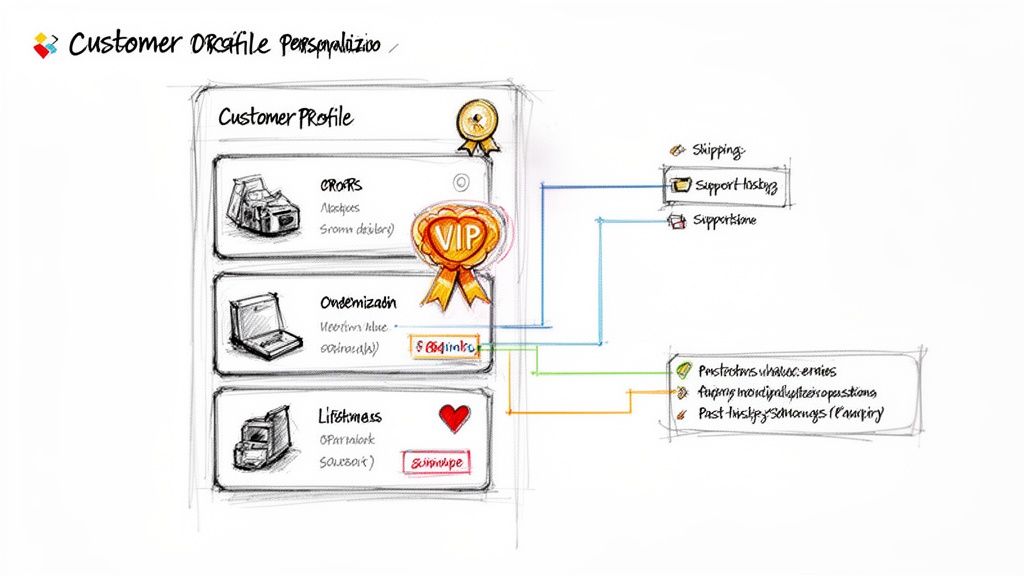
Generic, one-size-fits-all support responses no longer meet customer expectations. Today's shoppers expect brands to know who they are, what they've bought, and the context of their issues. Integrating customer relationship management (CRM) data and Shopify order history directly into your help desk is a critical practice. This transforms support from a transactional exchange into a relationship-building opportunity by giving agents instant access to a customer's purchase history, shipping address, previous issues, and lifetime value.
For Shopify stores, this means leveraging the rich data you already have to deliver hyper-relevant, contextual solutions. When an agent can see a customer's entire journey, they can proactively address concerns, offer relevant upsells, and build genuine rapport, significantly boosting customer satisfaction and loyalty.
Why It's a Top Practice
Personalization is a key differentiator in a crowded e-commerce market. Access to customer data allows support agents to move beyond simply answering questions. They can acknowledge a customer's loyalty ("I see you're a VIP member, thanks for being a long-time customer!"), anticipate future needs based on past purchases, and resolve issues faster without asking for repetitive information like an order number. This level of personalized customer service is a powerful retention tool.
How to Implement It Effectively
Integrating customer data is more accessible than ever with modern help desk platforms. Follow these steps to get started:
- Ensure Real-Time Sync: Use a help desk that offers deep Shopify integration, like MAILO AI or Gorgias. Ensure customer and order data syncs in real-time to prevent agents from working with outdated information.
- Segment Your Customers: Create customer segments within your help desk based on data like lifetime value, order count, or specific product purchases. Use these segments to create tailored workflows, such as prioritizing tickets from VIP customers.
- Surface Key Information First: Configure your help desk view to display the most critical data upfront: the customer's most recent order status, contact information, and any open tickets. This saves agents valuable time.
- Train Your Team on Context: Coach your support team to use customer data not just to solve problems, but to build relationships. Teach them to reference past purchases and interactions to create a more human and personalized conversation.
5. Implement Proactive and Predictive Support
Reactive support, where you wait for customers to report problems, is no longer enough to create an exceptional experience. The best e-commerce brands anticipate issues before they arise. Implementing proactive and predictive support shifts your team from a problem-solving to a problem-preventing mindset, using data to address potential issues before the customer is even aware of them. This is a core pillar of modern help desk best practices.
For Shopify stores, this means leveraging your own data to get ahead of common inquiries. Instead of waiting for a "Where is my order?" ticket, you can proactively notify a customer about a potential shipping delay. This approach transforms a potentially negative experience into a positive one, demonstrating transparency and care while significantly reducing inbound ticket volume.
Why It's a Top Practice
Proactive support directly boosts customer satisfaction and loyalty by resolving issues before they escalate. When you identify at-risk orders, like those with a high probability of a late shipment, and reach out with an update or a solution first, you build immense trust. This strategy not only reduces the burden on your support agents but also turns potential detractors into brand advocates, proving that you are looking out for their best interests.
How to Implement It Effectively
Integrating proactive support can be done incrementally using automation tools your team likely already has. Follow these steps to get started:
- Automate Key Milestones: Start with the basics. Use tools like Shopify Flow or Klaviyo to trigger automated notifications for order confirmation, shipping updates, and delivery confirmations. This covers the most common customer questions.
- Analyze Ticket Data for Pain Points: Dig into your support history to identify recurring problems. If 20% of your tickets are about a specific product's sizing, create a proactive email workflow for new buyers of that item with a sizing guide.
- Use Predictive Triggers: Flag orders based on risk factors. For example, set up a workflow in Gorgias to automatically tag an order from a first-time customer with a high order value and a historically problematic shipping destination, prompting an agent to monitor it closely.
- Optimize Communication Timing: Use data to send messages when they are most effective. MAILO AI can send automated review requests after delivery is confirmed, not just after shipment, increasing the likelihood of a response. A/B test your messaging and timing to maximize engagement.
6. Use Smart Email Classification and Auto-Categorization
As an e-commerce store's ticket volume grows, manually sorting and prioritizing every incoming email becomes unsustainable. This is where smart email classification and auto-categorization, a core help desk best practice, transforms chaos into order. This technique uses AI and machine learning to automatically analyze incoming messages, identify their intent (e.g., return request, shipping question, product inquiry), and assign them to the correct category or agent. This ensures urgent issues are escalated instantly while common queries are routed for efficient, automated handling.
For a high-volume Shopify store, this isn't just about organization; it's about survival. When a product defect causes a spike in "damaged item" tickets, auto-categorization immediately flags the trend for your operations team. Help desk platforms like Gorgias and MAILO AI excel at this by automatically tagging inquiries based on keywords and customer intent, allowing support teams to focus on solving problems rather than sorting them.
Why It's a Top Practice
Smart classification directly combats "priority inversion," where low-impact tickets accidentally get addressed before critical ones. By automatically identifying and flagging high-priority issues like customer complaints or urgent order changes, it ensures your team’s resources are allocated effectively. This system also enables powerful analytics, allowing you to monitor ticket distribution and spot systemic problems. A sudden increase in the "shipping" category, for instance, could indicate a problem with your fulfillment partner.
How to Implement It Effectively
Deploying an effective auto-categorization system requires a strategic approach. Follow these steps to get started:
- Identify Core Categories: Start by defining your top 5-10 most common inquiry types. These often include "order status," "returns/exchanges," "shipping address change," "product question," and "technical issue."
- Build Keyword-Based Rules: Create initial rules to tag tickets based on specific keywords. For example, any email containing "track," "where is my order," or "shipping update" can be automatically categorized as "Order Status."
- Leverage AI for Intent: Use a help desk with AI capabilities, like MAILO AI, to train a model on your historical support tickets. This allows the system to understand context and intent, not just keywords, leading to far more accurate classification.
- Set Up Automated Routing: Once categories are established, create workflows to route them. "Returns" tickets can go directly to your logistics team, while "complaint" tags can trigger an immediate notification to a support manager.
- Monitor and Refine: Schedule a weekly review of misclassified emails. Use these instances as new training data to continuously improve the accuracy of your AI model, making your support workflow smarter over time.
7. Build and Maintain a Comprehensive Knowledge Base
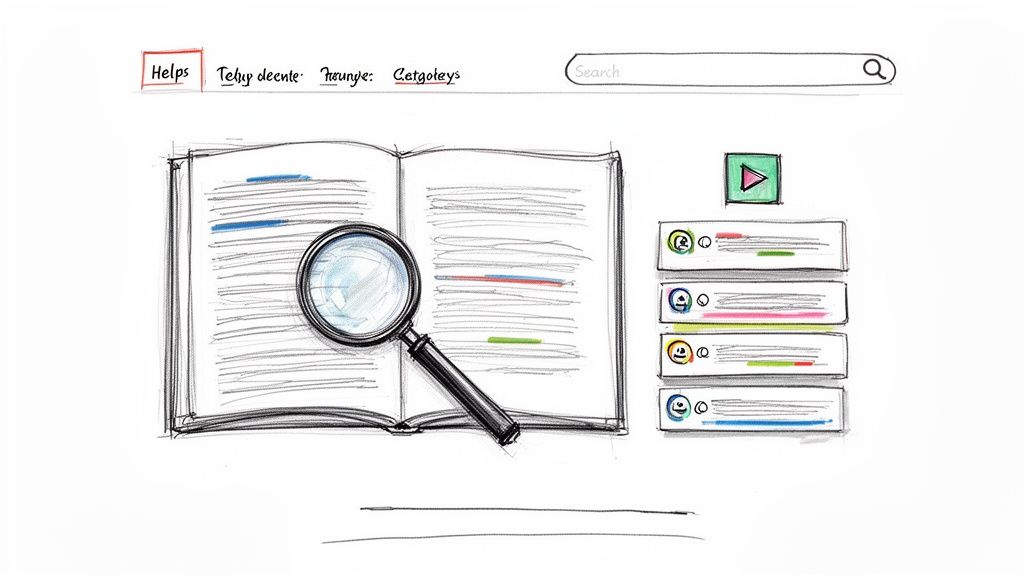
Empowering customers to find their own answers is one of the most effective help desk best practices for scaling support. A comprehensive knowledge base is a centralized, self-service library of FAQs, product guides, and policy documents that customers can access 24/7. It acts as the first line of defense, intercepting common inquiries before they ever become support tickets, which frees up your agents to handle more complex issues.
For an e-commerce store, this repository is invaluable. It can house detailed product specifications, clear shipping and return policies, and step-by-step troubleshooting for common user issues. By making this information easily accessible, you reduce friction in the customer journey and build trust by demonstrating transparency and expertise.
Why It's a Top Practice
A well-maintained knowledge base directly reduces ticket volume and enhances customer satisfaction. It provides immediate, consistent answers without forcing customers to wait for an agent. This not only meets the modern consumer's demand for instant solutions but also ensures the information they receive is standardized and accurate. When integrated with your help desk, it can even suggest relevant articles within chat or email responses, further deflecting tickets and educating users.
How to Implement It Effectively
Launching a knowledge base can be done systematically to maximize its impact from day one. Follow these practical steps:
- Start with High-Impact Content: Analyze your support tickets and identify the top 15-20 most frequently asked questions. Build your initial articles around these topics to address the largest volume of inquiries first.
- Organize by Customer Journey: Structure your articles into logical categories like "Pre-Purchase Questions," "Shipping & Delivery," "Returns & Exchanges," and "Product Care." This makes navigation intuitive for users.
- Use Visuals and Clear Language: Avoid technical jargon. Use simple language, screenshots, and short video tutorials to make instructions easy to follow. Visual aids are especially critical for product assembly or troubleshooting guides.
- Integrate and Automate: Connect your knowledge base to your help desk software. Use tools like MAILO AI to automatically suggest relevant articles in chat widgets and automated email replies. This proactive approach resolves issues without agent intervention.
- Review and Refine: Use analytics to track which articles are most viewed and which search terms yield no results. Set a quarterly reminder to review and update content based on new products, policy changes, and emerging customer questions.
8. Track and Analyze Key Performance Metrics (KPIs)
What you don't measure, you can't improve. Operating a help desk without tracking key performance indicators (KPIs) is like navigating a ship without a compass. Implementing a robust analytics strategy is a critical help desk best practice that transforms support from a cost center into a data-driven growth engine. By monitoring metrics like response times, resolution rates, and customer satisfaction, you gain clear visibility into your team's performance and the customer experience.
For Shopify stores, this data provides invaluable insights into operational efficiency and customer loyalty. Analytics reveal which agents are top performers, where process bottlenecks exist, and how support interactions directly impact repeat purchases. Tools like MAILO AI and Zendesk provide real-time dashboards that make this data accessible, empowering leadership to make informed decisions that enhance both service quality and the bottom line.
Why It's a Top Practice
Tracking KPIs provides objective proof of your support team's value and identifies precise areas for improvement. A high Customer Satisfaction (CSAT) score can justify further investment in your team, while a rising first-contact resolution rate shows that new training initiatives are working. This data-backed approach moves your support strategy from guesswork to a calculated, results-oriented function, ensuring every decision is aimed at boosting efficiency and delighting customers.
How to Implement It Effectively
Effectively leveraging data requires a balanced approach and clear goals. Follow these steps to build a powerful analytics framework:
- Balance Efficiency and Quality: Track a mix of metrics. Monitor efficiency KPIs like First Response Time (FRT) and Average Resolution Time, but balance them with quality KPIs like CSAT and Net Promoter Score (NPS) to ensure speed doesn't compromise service quality.
- Set Clear Benchmarks: Establish realistic targets for your team. Aim for a 95% or higher CSAT score, a response time under two hours for urgent inquiries, and a 24-hour response time for standard tickets.
- Visualize Performance: Create dashboards that are visible to the entire team. This fosters a sense of accountability and shared ownership over performance goals. Celebrate when benchmarks are met to boost morale.
- Analyze Correlations: Dig deeper into your data to find meaningful connections. For instance, analyze if a decrease in response time correlates with an increase in your CSAT scores. For a deeper dive, explore these essential customer support KPI examples.
- Report and Strategize: Share a monthly performance report with leadership. Use the insights to identify trends, justify tool investments, and guide strategic planning for the next quarter.
9. Optimize Team Structure, Specialization, and QA Processes
As your e-commerce business grows, a one-size-fits-all approach to customer support becomes inefficient. Agents handling every type of query from shipping to complex technical issues can lead to slower resolutions and inconsistent quality. A key help desk best practice is to structure your team around specialties, creating dedicated experts for specific areas while implementing a robust quality assurance (QA) program to maintain high standards. This creates a scalable system where deep expertise and consistent quality work hand-in-hand.
For Shopify stores, this means organizing agents into groups like a Returns Team to handle exchanges and refunds, a Shipping Team for logistics issues, and Product Specialists for technical questions. This specialization allows agents to develop deep knowledge, resolve tickets faster, and provide more accurate, confident support. Combined with a QA process, you ensure that every specialist is delivering a brand-aligned, high-quality experience, turning your support team into a well-oiled machine.
Why It's a Top Practice
Structuring your team by specialty directly improves first-contact resolution rates and agent efficiency. An expert in shipping can resolve a complex international customs issue in minutes, a task that might take a generalist agent much longer. Meanwhile, a consistent QA process provides the feedback loop necessary for continuous improvement. It identifies coaching opportunities, highlights top performers, and ensures that your brand’s tone and policies are applied uniformly, which is crucial for building customer trust and loyalty.
How to Implement It Effectively
Transitioning to a specialized team structure can be done incrementally. Follow these steps to build a more effective and scalable support operation:
- Identify Core Specialties: Analyze your ticket data to find the highest-volume categories. For most e-commerce stores, this will be returns and shipping. Start by creating these two specialized teams.
- Use Smart Routing: Configure your help desk to automatically assign tickets to the correct team based on keywords, contact form selections, or intent. For example, route any ticket containing "track my order" or "customs fee" directly to the Shipping Team.
- Implement a QA Scorecard: Create a simple scorecard to review interactions. Grade tickets on criteria like accuracy, tone, problem-solving, and adherence to policy. This provides a structured way to give feedback. To dive deeper, explore the principles of customer service quality assurance and how to build a program from scratch.
- Establish a Review Cadence: Start by reviewing 5-10% of each agent's tickets weekly. Focus more heavily on new hires or interactions linked to low CSAT scores. Use these reviews for one-on-one coaching sessions to drive continuous improvement.
10. Ensure Data Security and Privacy Compliance
In e-commerce, customer trust is your most valuable asset, and mishandling sensitive data is the fastest way to destroy it. Help desk teams are on the front lines, constantly interacting with personal information, payment details, and order histories. Ensuring robust data security and privacy compliance isn't just a technical requirement; it's a core component of customer service and a critical help desk best practice that protects both your customers and your brand.
For Shopify stores, this means adhering to standards like PCI DSS for payment data and respecting privacy regulations such as GDPR and CCPA. A single security breach can lead to devastating financial penalties, legal liabilities, and irreparable damage to your reputation. Your help desk software and protocols must be built on a foundation of security to prevent unauthorized access and maintain customer confidence.
Why It's a Top Practice
A proactive approach to security and compliance demonstrates respect for your customers' privacy and builds long-term loyalty. When customers feel their data is safe, they are more likely to make repeat purchases and recommend your brand. Furthermore, having clear, documented security protocols streamlines support operations, reduces the risk of human error, and ensures your team can confidently handle sensitive requests, like data deletion under GDPR, without compromising security.
How to Implement It Effectively
Integrating top-tier security into your help desk operations is non-negotiable. Here’s how to do it right:
- Vet Your Platform: Choose a help desk platform with strong security credentials. Look for SOC 2 Type II certification as a minimum standard, as it demonstrates a commitment to enterprise-grade security and data protection.
- Implement Role-Based Access Control (RBAC): Not every agent needs access to all customer data. Configure your system so team members can only see the information directly relevant to their roles, minimizing the exposure of sensitive data.
- Train Your Team Continuously: Conduct quarterly security and privacy training. Cover topics like identifying phishing attempts, handling data subject access requests (DSARs), and the importance of not storing credit card numbers in tickets.
- Establish Clear Data Handling Policies: Create and enforce strict protocols for managing sensitive information. This includes procedures for data deletion requests and how to verify a customer's identity. Always refer to a comprehensive Privacy Policy as a guide for your internal standards.
- Enforce Strong Authentication: Require all support staff to use strong, unique passwords and enable multi-factor authentication (MFA) for accessing the help desk system. This adds a crucial layer of security against unauthorized access.
Help Desk Best Practices — 10-Point Comparison
| Solution | Implementation Complexity 🔄 | Resource Requirements ⚡ | Expected Outcomes ⭐📊 | Ideal Use Cases 💡 | Key Advantages |
|---|---|---|---|---|---|
| Implement a Unified Inbox System | Medium–High: multi-channel integrations and routing rules | Moderate: platform subscription, integration work, team training | ⭐⭐⭐⭐ Reduced response time, fewer missed tickets, better context continuity | Shopify merchants with multi-channel customer touchpoints | ⚡ Centralized view; preserves conversation history; improved routing and collaboration |
| Leverage AI-Powered Automated Responses | Medium–High: model tuning, brand-voice configuration | High: AI platform, historical data, monitoring and refinement | ⭐⭐⭐⭐⭐ Instant first responses, scale without proportional headcount, cost savings 📊 | High-volume repetitive inquiries (order status, returns, FAQs) | ⚡ Seconds-level replies; consistent messaging; frees agents for complex issues |
| Establish Clear Response Time SLAs | Low–Medium: policy definition + tooling for tracking | Low–Moderate: SLA tooling, potential staffing adjustments | ⭐⭐⭐ Improved accountability, predictable customer expectations, measurable targets 📊 | Time-sensitive issues (damaged/missing orders), teams under SLA obligations | 💡 Sets expectations; enables escalation; drives performance transparency |
| Personalize Interactions Using Order & Customer Data | High: CRM and Shopify syncing, data mapping | High: data integrations, security controls, ongoing maintenance | ⭐⭐⭐⭐ Higher first-contact resolution, upsell opportunities, increased loyalty 📊 | Brands aiming for relationship-driven support and VIP handling | ⭐ Context-aware replies; faster resolutions; targeted upselling |
| Implement Proactive & Predictive Support | High: analytics, model training, trigger design | High: historical data, automation tools, A/B testing | ⭐⭐⭐⭐ Reduced inbound volume, better NPS, fewer negative reviews 📊 | Pre/post-shipment communications, seasonal peaks, at-risk orders | 💡 Prevents issues before they escalate; increases reviews and retention |
| Use Smart Email Classification & Auto-Categorization | Medium: ML training and rule configuration | Moderate: labeled historical emails, classification engine | ⭐⭐⭐⭐ Faster triage, correct routing, enables bulk actions 📊 | High email volume support teams needing priority surfacing | ⚡ Reduces manual triage; improves routing accuracy; enables bulk workflows |
| Build and Maintain a Comprehensive Knowledge Base | Medium: content creation and organization | Moderate: content team, CMS, regular updates | ⭐⭐⭐ Fewer repetitive tickets (20–40% reduction), consistent info, self-service 📊 | Common pre/post-purchase questions, troubleshooting, returns guidance | 💡 Self-service reduces load; SEO benefits; on-boarding resource for agents |
| Optimize Team Structure, Specialization & QA | Medium–High: role design, routing, QA processes | Moderate–High: hiring/training, QA tooling, coaching time | ⭐⭐⭐⭐ Faster resolution in specialties, higher quality, continuous improvement 📊 | Mid/large teams with varied issue domains (returns, shipping, product) | ⭐ Deeper expertise; targeted coaching; improved consistency and ownership |
| Ensure Data Security & Privacy Compliance | High: security controls, audits, policy implementation | High: security infrastructure, compliance expertise, training | ⭐⭐⭐⭐⭐ Reduced legal risk, preserved customer trust, regulatory compliance 📊 | All e-commerce operations handling PII/payment data (PCI, GDPR/CCPA) | ⭐ Protects brand + customers; required for legal compliance; incident readiness |
Putting It All Together: Your Blueprint for Elite E-commerce Support
Navigating the landscape of e-commerce customer support can feel like managing controlled chaos. We've explored ten foundational help desk best practices, moving from foundational tools like a unified inbox to advanced strategies such as proactive support and AI-driven automation. Each practice represents a crucial building block in constructing a support ecosystem that not only resolves issues but actively enhances the customer experience and fuels your brand's growth.
The journey from a reactive support desk to a proactive, value-generating engine is not an overnight transformation. It’s a strategic evolution built on the principles we've discussed: clarity through SLAs, efficiency through automation, and connection through personalization. The goal is to create a seamless, intelligent system where every component, from your knowledge base to your data analytics, works in concert. This integrated approach ensures your team is empowered, not overwhelmed, and your customers feel heard, not just processed.
From Theory to Tangible Results
Implementing these strategies requires a shift in mindset. Instead of viewing customer service as a cost center, you must recognize it as a powerful retention and revenue-driving force. The true power of these help desk best practices is unlocked when they are integrated into a cohesive strategy, not just adopted as standalone tactics.
Consider the compounding effect:
- Unified Inboxes create the foundation for efficiency.
- AI and Automation build on that foundation to handle volume and speed up resolutions.
- Personalization and Proactive Support then leverage that efficiency to create memorable, brand-defining interactions.
- KPI Tracking and Team Optimization provide the feedback loop needed for continuous improvement and sustainable excellence.
This interconnected system is what separates adequate support from elite e-commerce service. While many of these practices are specific to the customer-facing side of support, understanding the broader operational context is also beneficial. For a deeper look at how support systems are structured within a larger organizational framework, exploring the principles of modern service desk management can offer valuable parallels and insights into system design and process optimization.
Your Actionable Next Steps
Feeling inspired but unsure where to begin? Don't try to implement everything at once. Instead, perform a quick audit of your current support operations and identify the single biggest friction point.
- Is your team drowning in repetitive questions? Start by building out your knowledge base (Practice #7) and implementing AI-powered automated responses (Practice #2).
- Are customer satisfaction scores lagging? Focus on personalizing interactions (Practice #4) and establishing clear, transparent SLAs (Practice #3).
- Are you flying blind without data? Prioritize tracking key performance metrics (Practice #8) to gain visibility into what's working and what isn't.
By tackling your most significant challenge first, you'll create momentum and demonstrate immediate value. This iterative approach allows you to build a world-class support system one strategic step at a time. The ultimate reward is a support function that not only satisfies customers but delights them, turning them into loyal advocates who champion your brand and drive your bottom line.
Ready to implement these help desk best practices with the power of AI? MAILO AI is designed specifically for Shopify stores to automate responses, classify tickets, and provide the deep customer insights you need to elevate your support. See how you can transform your customer service by visiting MAILO AI today.