

In e-commerce, every email is an opportunity. It's a direct line to your customer, a chance to build trust, solve a problem, or guide them toward their next favorite product. While simple transactional messages get the job done, exceptional email communication transforms a standard purchase into a memorable brand experience. Getting the tone, timing, and content right can be the difference between a one-time buyer and a lifelong advocate. Conversely, a poorly worded or timed email can create friction, increase support tickets, and damage customer loyalty.
This guide moves past generic advice and dives straight into practical, actionable email etiquette examples specifically designed for critical e-commerce touchpoints. We'll break down 10 essential templates, from the initial order confirmation to a strategic win-back campaign, providing you with customizable scripts ready for your brand. Each example includes a detailed strategic analysis, quick dos and don'ts, and insights into how you can use tools like MAILO AI to automate and refine your Shopify store's customer support workflow.
You'll learn not just what to say, but why it works, empowering you to handle common scenarios with confidence and efficiency. The goal is to equip you with the frameworks needed to turn your customer email interactions from a necessary chore into a powerful driver of retention and revenue. To see these principles in action and gain inspiration for your own strategy, explore real-world ecommerce email campaign examples. Let’s get started.
1. Order Confirmation Email Template
An order confirmation email is a transactional message sent to a customer immediately after they complete a purchase. This email is foundational to good e-commerce communication; it serves as a digital receipt, confirms the order was successful, and sets clear expectations for the next steps, like shipping and delivery. It's a critical touchpoint that reassures the customer their purchase is being processed.
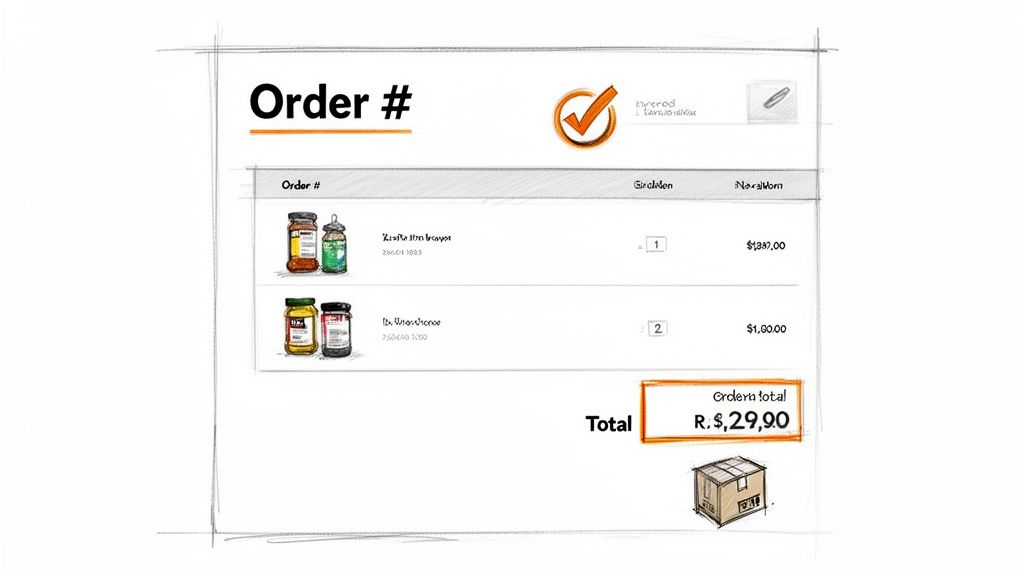
This email combines transactional necessity with a branding opportunity, making it a powerful example of functional email etiquette examples in customer support. Instead of a plain text receipt, brands like Warby Parker include a preview of the purchased styles, reinforcing the customer's choice and excitement. Similarly, Amazon's structured confirmations provide at-a-glance order summaries and clear tracking links, prioritizing efficiency and clarity.
Why It Works & Actionable Tips
The success of an order confirmation email lies in its ability to be both reassuring and useful. It reduces post-purchase anxiety and minimizes support inquiries like "Did my order go through?" by providing immediate validation.
- Include High-Quality Imagery: Add images of the products purchased. This visual confirmation can help reduce returns caused by mismatched expectations.
- Provide Direct Tracking Links: Don't make customers hunt for information. Include a clear, clickable CTA button like "Track Your Order" for immediate access.
- Personalize Beyond the Name: Use the customer’s first name, but also consider referencing past purchases or loyalty status for a more tailored experience.
- Leverage AI for Accuracy: For Shopify stores, integrating a tool like Mailo AI can auto-populate confirmations with real-time order data, inventory status, and personalized tracking links, ensuring accuracy and saving time. For a deeper dive into crafting effective messages, you can learn more about how to write a business email.
- Prioritize Mobile Responsiveness: The majority of these emails are opened on mobile devices. Ensure your template is optimized for small screens to provide a seamless user experience.
2. Shipping Notification Email Template
A shipping notification email is a transactional message sent to a customer as soon as their order has been dispatched. This email bridges the gap between purchase and delivery, providing essential tracking information, an estimated delivery date, and carrier details. It transforms customer anticipation into excitement and builds trust by demonstrating that the order is officially on its way, serving as a crucial example of proactive email etiquette examples.
This email is a key opportunity to manage expectations and reduce "Where is my order?" (WISMO) support tickets. Brands like Glossier excel here, infusing their notifications with brand personality and a friendly tone, making a typically dry update feel personal. Zappos is known for its enthusiastic shipment confirmations that celebrate the order's journey, while ASOS often includes personalized style recommendations alongside tracking details, turning a functional email into a new discovery opportunity.
Why It Works & Actionable Tips
The effectiveness of a shipping notification hinges on its timeliness and clarity. It provides peace of mind and empowers the customer with the information they need to track their package's journey, significantly enhancing the post-purchase experience.
- Send Immediately: Dispatch this email the moment a tracking number is generated. Delays can cause customer anxiety and unnecessary support inquiries.
- Include High-Resolution Images: Just like in the confirmation, show high-quality images of the exact items that have shipped to build excitement and reinforce the purchase.
- Provide an Estimated Delivery Window: Go beyond a single date. Offering a delivery window (e.g., "Arriving between Tuesday, Oct 26 and Thursday, Oct 28") helps manage expectations more realistically.
- Offer Proactive Return Information: Include a clear, accessible link to your returns and exchanges policy. Making this information easy to find before the item even arrives shows confidence in your product and simplifies the customer journey.
- Automate with Context: Use a tool like Mailo AI to automatically populate shipping notifications with Shopify order data. This ensures the correct tracking link, product details, and estimated delivery information are included without manual effort, maintaining accuracy and efficiency.
3. Customer Review Request Email Template
A customer review request email is a post-purchase message sent after a product has been delivered, asking the customer to share their feedback. This communication is crucial for building social proof, which significantly influences the purchasing decisions of new customers. It also provides valuable insights into product quality and the overall customer experience, helping businesses improve.
This email transforms a completed transaction into an opportunity for engagement and data collection, making it a key part of strategic email etiquette examples. Brands like Chewy excel at this by personalizing requests with photos of the customer's pet, creating a strong emotional connection. Etsy often incentivizes reviews with a friendly, community-focused tone, reinforcing the platform's brand identity while gathering user-generated content that boosts trust.
Why It Works & Actionable Tips
A well-timed review request capitalizes on the customer's initial excitement and satisfaction. It makes them feel valued by showing that their opinion matters, which strengthens brand loyalty while generating powerful marketing assets in the form of authentic reviews.
- Time It Perfectly: Send the request 7-14 days after delivery. This gives the customer enough time to use the product but ensures the experience is still fresh in their mind.
- Make It Easy and Direct: Include a clear, one-click CTA that takes the customer directly to the review submission form. Reduce friction by pre-filling information where possible.
- Personalize the Ask: Address the customer by their first name and explicitly mention the product they purchased, including an image. This context makes the request feel less generic.
- Offer a Small Incentive: Consider offering loyalty points, a small discount on a future purchase, or entry into a giveaway to thank customers for their time.
- Automate with Intelligence: Use Mailo AI to sync with Shopify orders and automate sends. Its smart classification can identify high-satisfaction customers, timing requests for optimal engagement and increasing the likelihood of positive feedback.
4. Abandoned Cart Recovery Email Template
An abandoned cart recovery email is a strategic message sent to customers who add items to their online shopping cart but leave the site without completing the purchase. This automated follow-up is one of the highest-return activities in e-commerce, aiming to re-engage potential buyers and guide them back to checkout. It serves as a gentle reminder, often addressing potential hesitations like shipping costs or distractions.
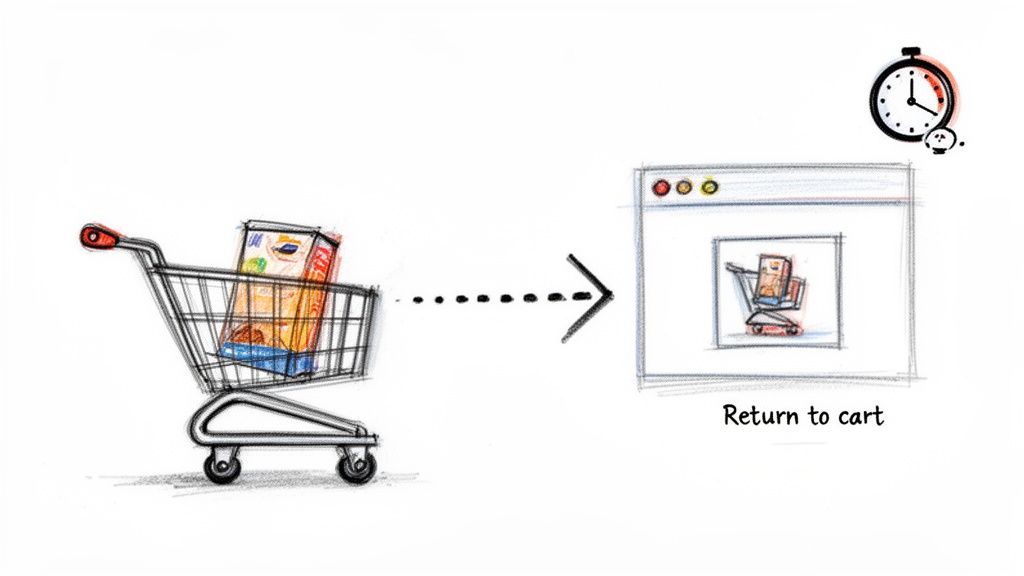
This type of message blends customer service with a direct sales approach, making it a key example of effective email etiquette examples. Brands like Bonobos use humor and a conversational tone to stand out, while Everlane opts for a minimalist, clean reminder that focuses on the products. Sephora excels by including dynamic, personalized product recommendations in their recovery emails, turning a simple reminder into a new discovery opportunity.
Why It Works & Actionable Tips
The success of an abandoned cart email hinges on its timing, tone, and the value it provides. It works by re-capturing a shopper's attention at a critical moment and overcoming the friction that caused them to leave in the first place. A well-crafted series can recover a significant percentage of otherwise lost revenue.
- Create a Multi-Email Sequence: Don't stop at one email. A common strategy is a series of three emails sent over several days: a simple reminder, a follow-up addressing common questions, and a final message with a small incentive like a discount.
- Use Compelling Subject Lines: Test different approaches. Create urgency with subject lines like "Your Cart Expires Soon" or curiosity with "Did You Forget Something?"
- Include Strong Visuals & Social Proof: Remind customers what they're missing with high-quality images of the items in their cart. Including customer testimonials or star ratings can build trust and reduce hesitation.
- Leverage AI for Personalization: Using a tool like Mailo AI can automatically trigger these emails at the optimal time. It can also generate dynamic content, suggesting alternative products based on the customer's browsing history to increase the chances of conversion. You can explore more strategies in-depth through effective Shopify email automation.
- Provide a Clear Call-to-Action: Make it incredibly easy for the customer to return. Use a prominent button with clear text like "Return to Your Cart" or "Complete Your Purchase."
5. Product Restock/Back-in-Stock Notification Email Template
A back-in-stock notification is a targeted email sent to customers who have previously shown interest in a product that was unavailable. This automated message alerts them the moment the item is restocked, capitalizing on existing demand and recovering potentially lost sales. It transforms a moment of disappointment into an opportunity for re-engagement and conversion.
This email is a prime example of proactive email etiquette examples that turn a negative customer experience into a positive one. Brands like Nike and Supreme leverage these alerts to create urgency and excitement around popular items, while Allbirds uses them to announce restocks along with new color variations, encouraging immediate purchases. When customers encounter an item that is temporarily unavailable, effective communication is key. Understanding how to manage these out of stock Shopify moments can significantly impact customer retention, requiring thoughtful communication like restock notifications.
Why It Works & Actionable Tips
The power of a restock email is its timing and relevance. It reaches a highly motivated audience that has already expressed a clear purchase intent, resulting in conversion rates that are significantly higher than typical marketing emails.
- Integrate With Inventory: Connect your email platform directly with your Shopify inventory. This ensures notifications are sent within minutes of a restock, capturing customers while their interest is still high.
- Create Urgency (Authentically): Use messaging like "Limited quantities available" or "It's back, but not for long!" to encourage quick action. Including a countdown timer showing estimated stock levels can further enhance this effect.
- Segment Your Audience: Use customer data to prioritize notifications. For example, send the alert to high-value or loyal customers a few hours before the general announcement.
- Leverage AI for Personalization: A tool like Mailo AI can trigger these emails automatically when Shopify inventory updates. It can also personalize the message by referencing a customer’s browsing patterns or past purchases, making the alert feel more exclusive.
- Include Key Product Details: Remind the customer why they wanted the item. Include a high-quality product image, the name, and a direct link to the product page to minimize friction and simplify the purchase process.
6. Customer Support Response Email Template
A customer support response email is a direct reply to a customer's inquiry, complaint, or support ticket. This communication is a cornerstone of customer relationship management, aiming to resolve issues efficiently while reinforcing a positive brand image. It’s a crucial opportunity to turn a potentially negative experience into one of loyalty and satisfaction by providing timely, empathetic, and helpful solutions.
These templates are central to platforms like Zendesk and are a core function of AI tools like Mailo AI, which automates intelligent, brand-consistent responses. For instance, Zappos is legendary for its empathetic, human-centric support emails that prioritize connection over speed. In contrast, Apple’s technical support responses are structured and methodical, guiding users through troubleshooting steps with precision. Both are excellent email etiquette examples tailored to different brand needs.
Why It Works & Actionable Tips
An effective customer support response resolves the immediate issue and makes the customer feel heard and valued. It transforms a moment of friction into a brand-building interaction, reducing churn and encouraging positive word-of-mouth.
- Auto-Classify Inquiries: Use a tool like Mailo AI to automatically sort incoming tickets by type (e.g., returns, sizing, shipping). This allows you to apply the most relevant template instantly.
- Create Templates for Common Questions: Identify your top 10 most frequent inquiries and build dedicated templates for them. This drastically cuts down response times while ensuring consistency.
- Personalize with Order Details: Integrate with your e-commerce platform to automatically pull in specific order details, like item names or tracking numbers, to make the response feel less generic.
- Include Proactive Help Resources: Add links to relevant FAQ pages or help articles. This can empower customers to find answers themselves and reduce follow-up questions. For more on professional communication, see these tips on email etiquette in the workplace.
- Use a Semi-Automated Workflow: Leverage AI to generate a draft response based on your templates and brand voice. This allows your human agents to simply review, edit, and send, combining AI's speed with human oversight.
7. Product Recommendation/Personalized Offer Email Template
A product recommendation email is a targeted message suggesting products based on a customer's purchase history, browsing behavior, or specific segment. This email goes beyond generic marketing by using data to provide relevant, personalized suggestions that genuinely help the customer discover items they might love. It is a cornerstone of proactive customer engagement and a powerful driver of repeat sales.
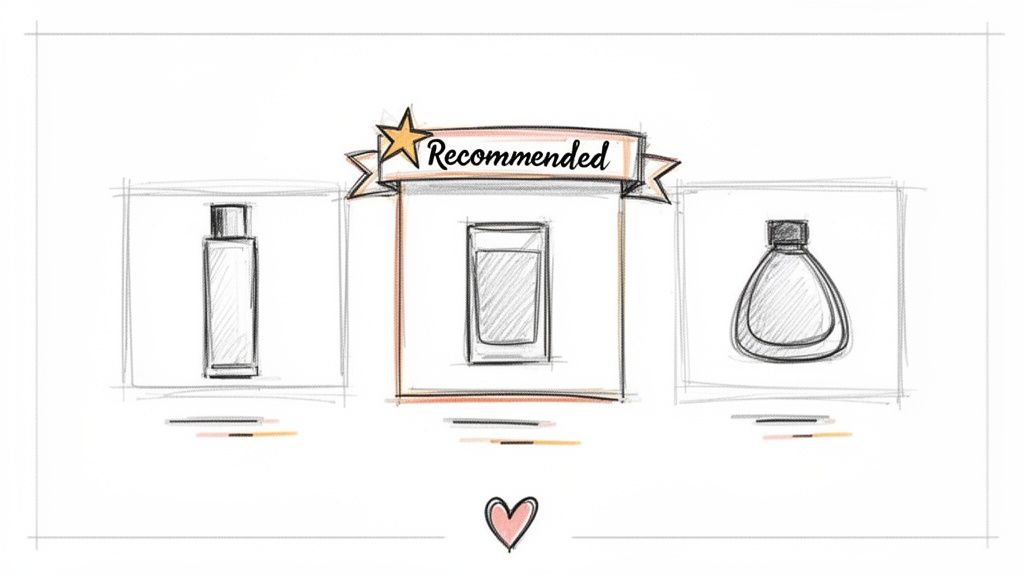
This email format transforms a sales pitch into a helpful service, representing one of the most effective email etiquette examples for building long-term customer relationships. Amazon pioneered this with its "Recommended for You" emails, which use machine learning to analyze past behavior. Similarly, Stitch Fix uses personalized styling recommendations to curate a unique shopping experience, making customers feel understood and valued.
Why It Works & Actionable Tips
A well-executed recommendation email works because it demonstrates that you understand the customer's needs and preferences, increasing the likelihood of a conversion. It shifts the dynamic from a broad advertisement to a one-on-one consultation, boosting customer lifetime value.
- Segment Your Audience: Group customers based on purchase history, product category interest, or customer value tier. This ensures the recommendations are highly relevant.
- Use Dynamic Content: Showcase real-time inventory and pricing to avoid frustrating customers with out-of-stock items or outdated information.
- Test Recommendation Quantity: A/B test different layouts. For some audiences, two focused recommendations may outperform an email with six, which can feel overwhelming.
- Leverage AI for Personalization: Integrate tools like Mailo AI to analyze Shopify data and automatically generate personalized product suggestions that align with your brand voice, saving time and increasing accuracy.
- Create Urgency: If including a special offer with the recommendations, add a clear expiration date to encourage immediate action.
8. Win-Back/Re-engagement Email Template
A win-back or re-engagement email is a strategic message sent to inactive customers who have not made a purchase or interacted with your brand in a specific period. The primary goal is to rekindle their interest, remind them of your brand's value, and entice them to return. This email is crucial for customer retention, as acquiring a new customer is often more expensive than re-engaging an existing one.
This template is one of the most proactive email etiquette examples for managing customer lifecycle and reducing churn. Instead of simply letting a customer go, brands like Bonobos use a direct "We Miss You" approach paired with a special offer. Others, like ModCloth, leverage their unique brand voice and personality to create memorable re-engagement campaigns that feel less transactional and more like a friendly nudge.
Why It Works & Actionable Tips
A successful win-back campaign works by acknowledging the customer's absence and providing a compelling reason to come back. It shows you value their business and are actively trying to improve their experience, which can rebuild a connection that has faded over time.
- Define 'Inactive' Clearly: Establish a clear threshold for inactivity, such as no purchases in 90 or 180 days. This allows you to segment your audience and trigger automated campaigns at the right moment.
- Offer a Personalized Incentive: Don't just offer a generic discount. Use their past purchase history to suggest relevant new products or offer a personalized discount on a category they previously shopped from.
- Highlight What's New: Customers may have become inactive because your offerings felt stale. Showcase new product launches, brand updates, or improvements you’ve made since their last visit.
- Use AI to Automate and Personalize: A tool like Mailo AI can segment inactive customers based on their churn risk and automatically generate personalized win-back emails. It can create brand-voiced messages that acknowledge the time gap and suggest relevant incentives, making the outreach feel both timely and personal.
- Create a Tiered Campaign: Don't rely on a single email. Develop a multi-email sequence that starts with a gentle reminder, followed by a more compelling offer, and finally, an email asking for feedback or a last-chance offer before removing them from your active list.
9. Refund/Return Authorization Email Template
A refund or return authorization email is a crucial transactional message sent after a customer requests to return a product. This email confirms that the return has been initiated and provides the customer with all the necessary information to complete the process, such as a return authorization number, shipping instructions, and a return label. It's a key moment to turn a potentially negative experience into a positive, trust-building interaction.
This email is a prime example of proactive customer service and one of the most important email etiquette examples for maintaining customer loyalty. Brands like Zappos built their reputation on hassle-free returns, using clear and empathetic emails to guide customers through every step. Similarly, Amazon’s automated system, which delivers return authorization and a shipping label instantly, sets a high bar for efficiency and customer convenience.
Why It Works & Actionable Tips
A well-crafted return authorization email works by reducing customer friction and anxiety during a moment of dissatisfaction. By making the process transparent and simple, you demonstrate that your brand values the customer experience even when a sale is reversed, which can encourage future purchases.
- Make Instructions Crystal Clear: Use numbered steps or bullet points to outline the return process. Vague instructions lead to frustration and support tickets.
- Automate and Personalize with AI: Use a tool like Mailo AI to automatically generate return authorizations from Shopify order data. This ensures the correct return number, order details, and even a prepaid shipping label are sent instantly.
- Set Clear Timelines: Inform the customer when they can expect their refund or exchange to be processed after you receive the item. This manages expectations and reduces follow-up inquiries.
- Offer an Exchange Alternative: When appropriate, include a simple option to exchange the item for a different size, color, or product. This can help retain the sale.
- Gather Feedback: Include a simple, one-click survey asking for the reason for the return. This data is invaluable for improving products and services.
10. VIP/Loyalty Program Email Template
A VIP or loyalty program email is a special communication sent to a brand's most valuable customers. These emails acknowledge their loyalty with exclusive offers, early access to products, or special rewards. This isn't just a marketing blast; it's a strategic move to nurture high-value relationships, making customers feel recognized and appreciated, which in turn boosts retention and lifetime value.
This type of message is a prime example of proactive and appreciative email etiquette examples. Instead of waiting for a customer to make another purchase, it actively encourages repeat business by rewarding past behavior. Sephora's VIB Rouge program excels at this, sending members-only event invitations and early access links. Similarly, Nike's SNKRS app uses exclusive access emails to create a sense of urgency and privilege for its most dedicated followers.
Why It Works & Actionable Tips
The power of a VIP email lies in its exclusivity. It transforms the customer relationship from transactional to relational, making members feel like insiders. This fosters a deeper connection to the brand and incentivizes continued engagement.
- Automate VIP Identification: Use customer data to automatically segment your most valuable shoppers. A tool like Mailo AI can identify the top 20% of customers by lifetime value (LTV) directly from Shopify data, ensuring your rewards go to the right people.
- Create Meaningful Tiers: Structure your loyalty program with escalating benefits. This encourages customers to spend more to unlock the next level of rewards, adding a gamification element to the shopping experience.
- Personalize Offers Intelligently: Go beyond just using their first name. Tailor special offers and early access notifications based on their specific purchase history and browsing preferences to make the reward feel truly personal.
- Time Your Communications: Send exclusive early access notifications 3-7 days before a public launch. Also, use Shopify data to trigger special offers for birthdays and customer anniversaries, making them feel seen and celebrated.
- Calculate Your ROI: Before sending a promotional offer, calculate its cost against the customer's LTV. This ensures your loyalty program remains profitable while still providing significant value to your best customers.
Email Etiquette: 10-Template Comparison
| Template | Implementation Complexity 🔄 | Resource Requirements ⚡ | Expected Outcomes ⭐📊 | Ideal Use Cases 💡 | Key Advantages |
|---|---|---|---|---|---|
| Order Confirmation Email Template | Low — standard post-purchase trigger, simple template | Low — basic Shopify integration, asset for branding | ⭐ Confirms purchase, 📊 reduces support inquiries, builds credibility | Every completed purchase, onboarding new customers | Immediate confirmation, automated order data, consistent brand first impression |
| Shipping Notification Email Template | Low–Medium — needs carrier/tracking integration and timing | Moderate — tracking feeds, fulfillment hooks, real-time updates | ⭐ Improves transparency, 📊 cuts "where is my order" tickets | Post-fulfillment updates for shipped orders | Reduces support volume, increases customer satisfaction, upsell opportunity |
| Customer Review Request Email Template | Low — timing-based after delivery, simple CTA flow | Low — product image, review link, optional incentive | ⭐ Boosts social proof, 📊 increases review volume and SEO impact | Post-delivery follow-up for reviewable products | Generates UGC, surfaces product issues, cost-effective credibility builder |
| Abandoned Cart Recovery Email Template | Medium — behavioral triggers, multi-step sequences | Moderate — cart data, personalization, incentive testing | ⭐ High ROI, 📊 recovers 10–30% of abandoned revenue | Customers who abandon checkout, high-AOV items | Highest email ROI, converts near-purchase users, informs objection handling |
| Product Restock / Back-in-Stock Notification | Medium — requires precise inventory sync and timing | Moderate — inventory webhooks, customer wishlists, rapid triggers | ⭐ High purchase intent, 📊 uplifts conversions 20–50% | Out-of-stock followers, limited releases, product waitlists | Captures latent demand, improves inventory turnover with zero CAC |
| Customer Support Response Email Template | Medium–High — classification + templated responses, escalation flows | High — Smart Inbox, human review, integration with orders/tickets | ⭐ Faster resolution, 📊 reduces support costs ~70% (for common inquiries) | Support tickets, returns, troubleshooting, high-volume inboxes | Consistent tone, faster first-contact resolution, compliance/audit trail |
| Product Recommendation / Personalized Offer Email Template | High — personalization engine and dynamic content | High — clean customer data, behavioral tracking, ML-driven recommendations | ⭐ Increases repeat purchases, 📊 +25–40% repeat rate, +15–25% AOV | Cross-sell/upsell campaigns, post-purchase, cart/ browse-based outreach | Boosts LTV, relevant upsells, scalable personalization |
| Win-Back / Re-engagement Email Template | Medium — segmentation by inactivity and staged cadence | Moderate — inactivity analytics, tailored incentives, creative assets | ⭐ Re-engages 10–25% of lapsed customers, 📊 lower acquisition cost | Lapsed customers, churn reduction, list hygiene | Cost-effective reactivation, tests customer interest, preserves list value |
| Refund / Return Authorization Email Template | Medium — order-linked RMA workflows and clear instructions | Moderate — RMA numbers, prepaid labels, return policy content | ⭐ Reduces return confusion, 📊 cuts return-related support volume | Return/refund requests, warranty and sizing-sensitive categories | Clear process documentation, preserves trust, reduces disputes and failed returns |
| VIP / Loyalty Program Email Template | High — tier logic, exclusive flows, rewards tracking | High — segmentation, rewards engine, personalized offers | ⭐ Drives loyalty, 📊 +30–50% repeat for VIPs, significant revenue from top customers | High-LTV segments, VIP launches, exclusive early access | Increases LTV, fosters advocacy, creates retention moat |
From Templates to Triumphs: Automating Your Email Etiquette
We’ve journeyed through a comprehensive collection of email etiquette examples, from the crucial first touchpoint of an order confirmation to the strategic win-back email designed to rekindle a customer relationship. Each template and analysis was crafted not just as a script to copy, but as a strategic blueprint. The goal is to empower you to handle every customer interaction with precision, empathy, and brand consistency.
The overarching lesson is clear: exceptional email communication is no longer a "nice-to-have" in e-commerce. It is a fundamental pillar of customer retention, brand loyalty, and sustainable growth. Getting it right means turning a routine shipping update into a moment of delight or transforming a customer complaint into an opportunity to build unwavering trust.
Synthesizing the Core Strategies
As we conclude, let's distill the most critical takeaways from the examples provided. These are the foundational principles that separate generic, forgettable emails from those that build lasting customer connections.
- Clarity and Conciseness Reign Supreme: Every example, regardless of its purpose, prioritized clear subject lines and scannable body content. Your customers are busy; respect their time by getting straight to the point while maintaining a helpful, on-brand tone.
-
Personalization is Non-Negotiable: Moving beyond just using a customer’s first name (
{{customer.first_name}}) is essential. The best email etiquette examples leverage deeper data points like past purchase history, loyalty status, and specific support inquiries to create a truly one-to-one dialogue. - Proactive Communication Builds Trust: Don't wait for a customer to ask, "Where is my order?" The shipping delay and back-in-stock notification templates demonstrate the power of getting ahead of potential issues. This proactive stance shows you care about the customer's experience, not just their transaction.
- Tone Must Be Adaptable Yet Consistent: Your brand voice should be a constant thread, but the tone must adapt to the situation. An apology email requires a different level of empathy and seriousness than a celebratory VIP program invitation. Mastering this nuance is key to authentic engagement.
Your Actionable Next Steps: From Theory to Implementation
Understanding these principles is the first step; operationalizing them is what drives results. The true challenge for a growing e-commerce brand isn't knowing what to say, but saying it to the right person, at the right time, every single time, without manual effort. This is where strategy meets automation.
Here are your next steps to implement the lessons from these email etiquette examples:
- Audit and Standardize: Review your current email flows. Identify which templates from this article can immediately replace or improve your existing communications. Create a centralized library of these approved templates for your support team.
- Integrate Your Data: Ensure your email platform is deeply connected to your e-commerce store data (like Shopify). This connection is the engine that powers genuine personalization, allowing you to trigger emails based on specific customer actions and attributes.
- Automate the Workflow: Begin implementing automation rules. Start with the basics like order confirmations and shipping updates. Gradually build more complex flows for abandoned carts, review requests, and re-engagement campaigns, using the strategic insights we've discussed.
By systemizing your approach, you are not just practicing good email etiquette; you are building a scalable customer experience machine. You're creating a system that ensures every customer receives the same high level of care and attention, whether they are your first or your ten-thousandth. This consistency is what transforms one-time buyers into lifelong brand advocates, fueling a virtuous cycle of loyalty and revenue.
Ready to turn these email etiquette examples into a powerful, automated system? MAILO AI integrates directly with your Shopify store, allowing you to deploy, personalize, and manage these proven email templates with intelligent automation. Stop manually crafting replies and start building a world-class customer experience at scale by visiting MAILO AI to see how it works.